
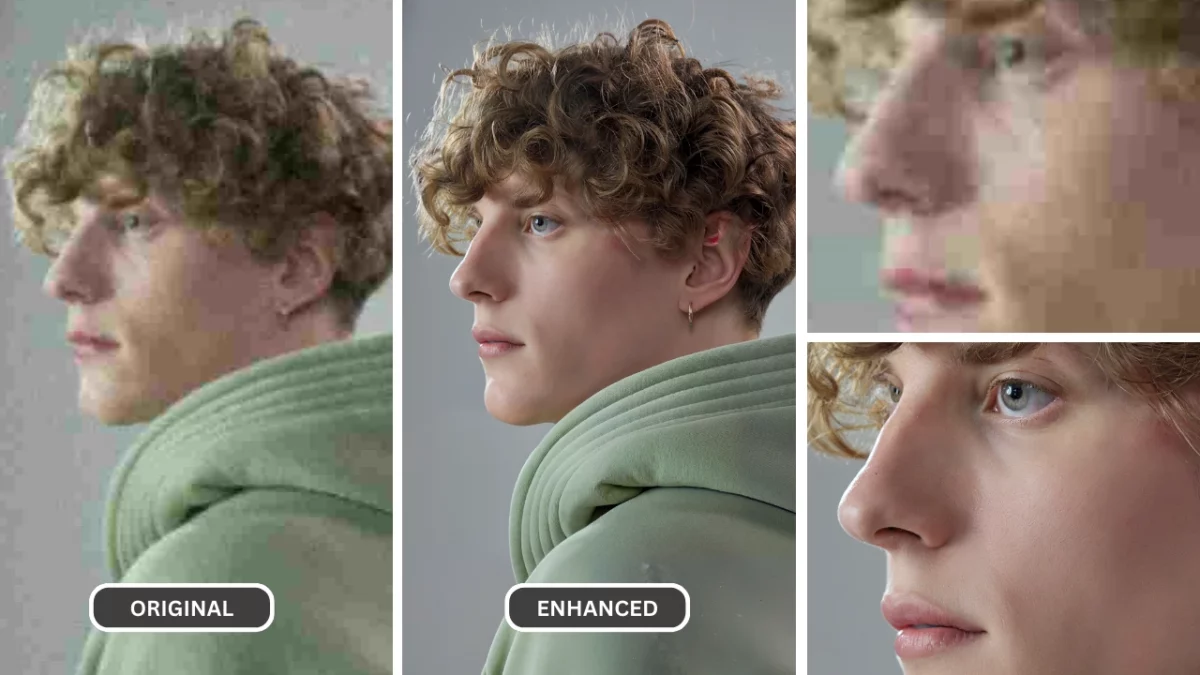
1. Understanding Visuals and the Power of High-Quality Images
High-resolution images are useful for large displays, print layouts, portfolios, product pages, and archival photos. When the source image is too small, ordinary resizing enlarges the pixels without restoring useful detail.
PiktID Enhance uses AI-assisted upscaling to increase image dimensions and improve visible edges and textures. Results depend on the source image: clean, well-lit photos generally provide a stronger starting point than heavily compressed or motion-blurred files.
This guide explains 4K upscaling, where it helps, how to use the 4X workflow, and what to inspect before downloading the result.
2. Why 4K Images Matter: Where You Need Ultra HD
In today’s visually driven world, the importance of high-quality imagery cannot be overstated. As technology continues to evolve, 4K upscaling is becoming a necessity rather than a luxury. Whether you’re a professional artist, a marketer, or someone simply looking to preserve personal memories, ultra-high-definition (UHD) images offer transformative benefits.
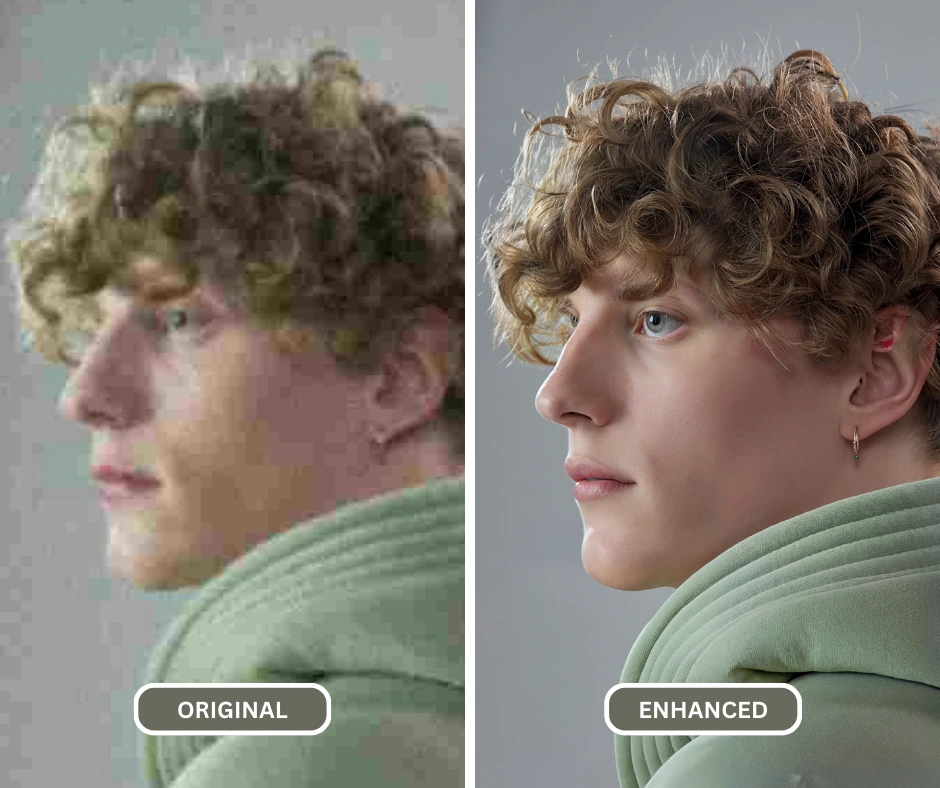
a. Professional Use Cases
- Photography & Art Portfolios
- Precision and Detail: Photographers and artists often rely on their portfolios to make a lasting impression. With 4K upscaling, every brushstroke or intricate detail becomes vividly clear, ensuring their work stands out.
- Professional Edge: High-resolution images can elevate the perceived quality of your art, providing that “wow factor” clients and curators look for.
- Advertising Campaigns
- Attention-Grabbing Content: In marketing, visuals make the first impression. 4K images with sharper details and vibrant colors capture attention more effectively than standard resolutions.
- Adaptability Across Media: Whether it’s a billboard, online ad, or video, 4K upscaling ensures your campaigns look flawless across all platforms.
b. Everyday Applications
- Social Media
- Stand Out in the Crowd: With billions of posts shared daily, standing out on platforms like Instagram and Pinterest is challenging. Using 4K upscaling makes your photos look professionally edited, attracting more likes, shares, and comments.
- Enhanced Aesthetic: High-resolution visuals add a polished look to your social media profile, amplifying your brand or personal identity.
- Personal Memories
- Preserve Precious Moments: Family vacations, birthdays, or a simple day out can be immortalized in 4K resolution, ensuring your memories are crystal-clear for years to come.
- Better Viewing Experience: When displaying photos on digital frames or large-screen TVs, UHD ensures your images look as lifelike as the moments they represent.
- 4K Screens & Devices
- Keeping Up with Technology: With the increasing prevalence of 4K and even 8K screens, low-resolution images are quickly becoming obsolete. Without 4K upscaling, your favorite pictures may appear blurry or grainy on modern devices.
- Future-Proofing Your Gallery: As technology advances, having a collection of UHD-ready images ensures your memories remain relevant and enjoyable to view across any device.
By leveraging 4K upscaling, you can bridge the gap between standard photos and ultra-HD imagery, making every image truly remarkable. Whether for professional endeavors or personal satisfaction, 4K has become the gold standard for visual excellence.
3. Challenges in Achieving 4K Quality
Achieving 4K upscaling is not just about enlarging an image; it’s about enhancing it to preserve its integrity and sharpness. Here’s why this process can be tricky:
A. Limitations of Original Images
- Low-resolution photos inherently lack the fine details and clarity needed for 4K quality. When blown up without proper tools, these images become blurry or pixelated, making them unsuitable for professional use.
- Details in elements like facial features, patterns, and textures are often lost in lower-resolution images, making high-definition enhancement a challenge.
B. Traditional Editing Tools
- Manual editing methods require significant time and expertise, such as adjusting sharpness or recreating missing details pixel by pixel.
- Despite the effort, traditional editing often yields inconsistent results, especially when dealing with multiple images.
C. Generic Upscaling Apps
- Many generic tools over-process the image, leading to artificial-looking results. Blurred edges, increased noise, and unnatural textures can ruin the image quality.
- These tools also lack customization, leaving users unable to fine-tune the results for specific requirements like balancing clarity with realism.
Additional Resources: Photo Clarity Enhancer : Best Free Tool to improve your images
4. What PiktID Enhance Does for 4K Upscaling
PiktID Enhance redefines the process of 4K upscaling, leveraging advanced AI to deliver unparalleled results. Here’s why it stands out:
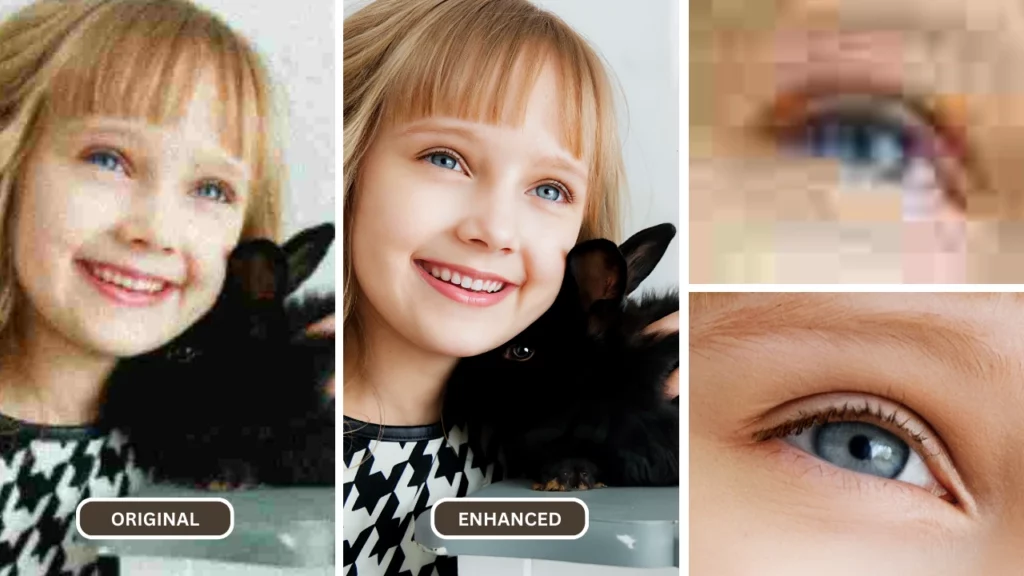
A. AI-Powered Precision
- PiktID Enhance uses state-of-the-art AI algorithms to detect and preserve natural textures and fine details while enhancing resolution.
- From intricate patterns on clothing to subtle facial expressions, PiktID Enhance ensures that nothing is lost in the enhancement process.
B. Speed and Simplicity
- Upload a photo and choose the available enhancement scale without manually rebuilding pixels.
- Processing time varies with image dimensions, source complexity, and current service load.
C. Superior Quality
- AI upscaling can improve edge definition and texture visibility while increasing the image dimensions.
- Always preview faces, text, hair, repeating patterns, and fine product details because generated detail can differ from the source.
D. Customizable Features
- Use the available scale options to match the intended screen, print, or publishing size.
- Compare the enhanced result at 100% zoom and keep the original file for reference.
Additional Resources: The Best AI image detail enhancer to Enhance Clarity
5. How to Convert an Image to 4K Using PiktID Enhance
Converting an image to 4K resolution has never been easier, thanks to PiktID Enhance’s 4K upscaling capabilities. Follow these simple steps to transform any photo into a stunning 4K masterpiece with enhanced clarity, sharpness, and detail:
Step 1: Upload Your Photo to PiktID Enhance
Open PiktID Enhance and upload the image you want to enlarge. Start with the highest-quality original available rather than a previously compressed copy.
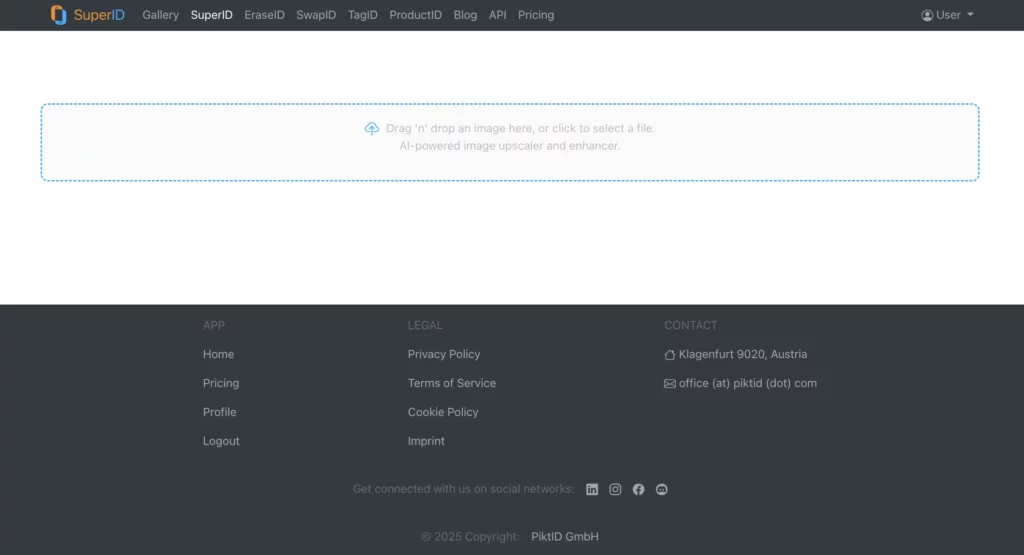
Step 2: Choose the “Enhance” Option
Once you’ve uploaded your image, select the “Enhance” feature from the menu. This option is designed specifically to boost the quality of your photos using AI technology, whether you’re working with old pictures, low-resolution shots, or images taken with less advanced cameras.
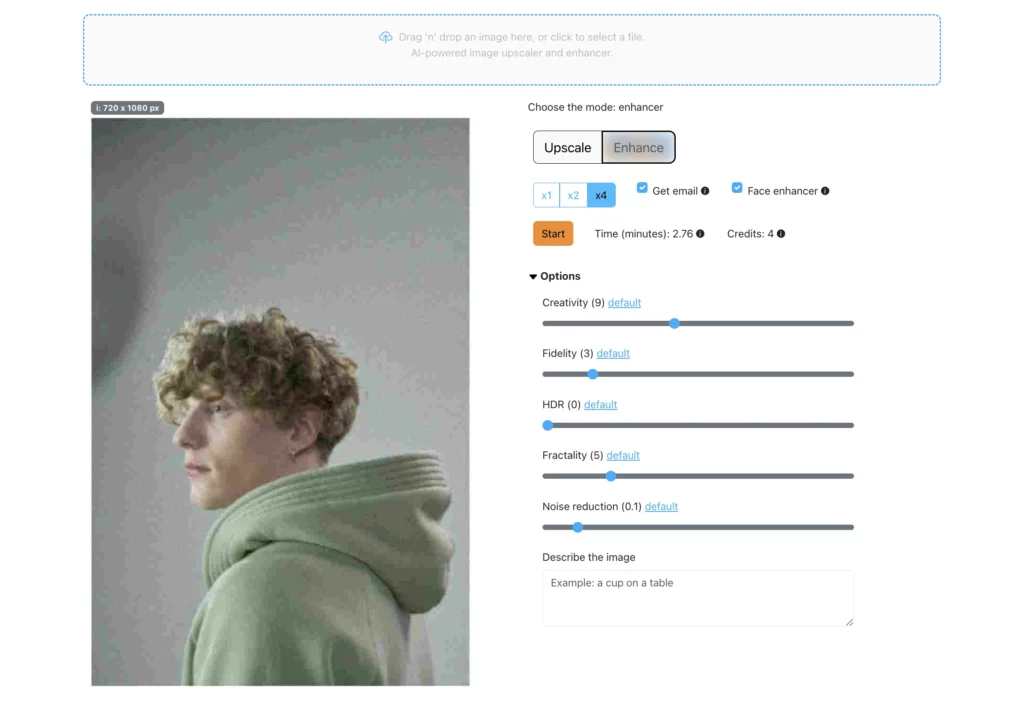
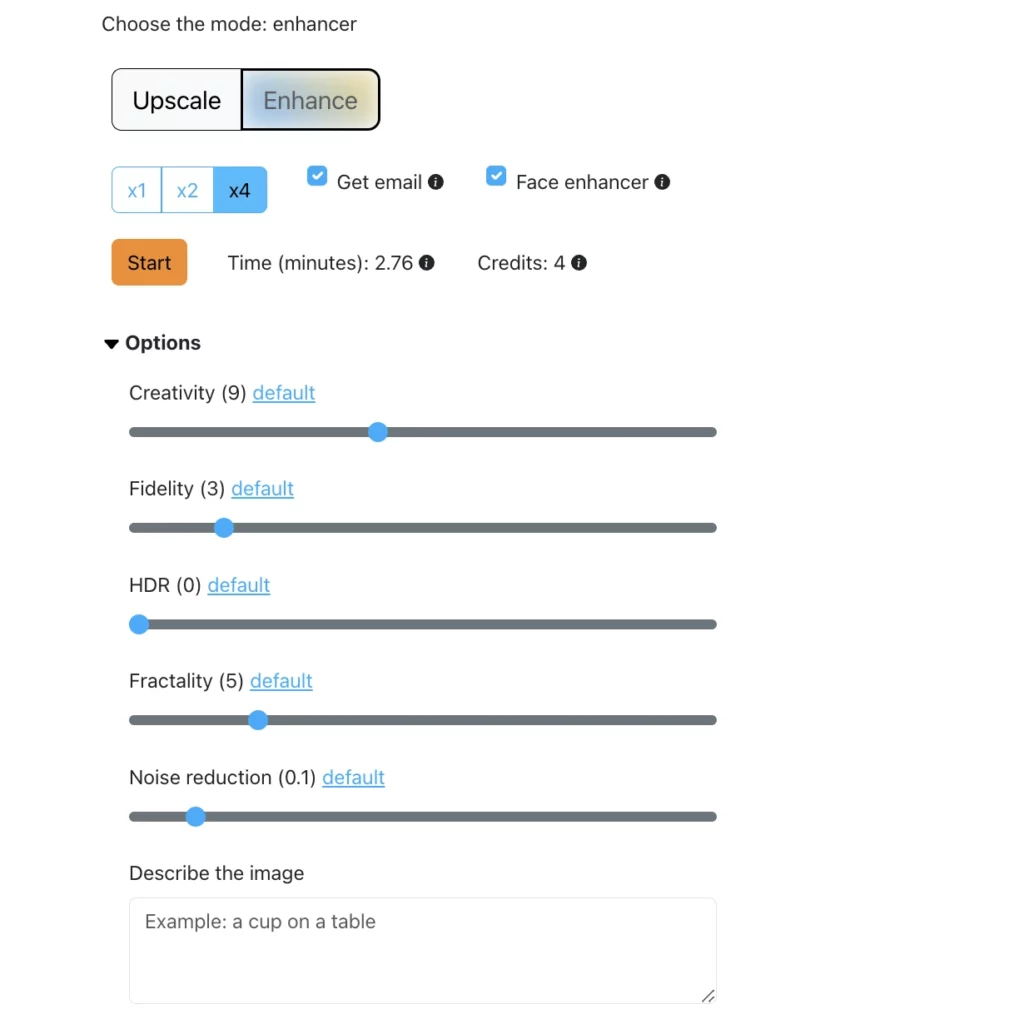
Step 3: Select “4X” Feature Enhancements and Press “Start”
Choose the 4X enhancement when the source dimensions and intended output call for a fourfold scale increase. The output dimensions increase from the original pixel width and height, so “4K” depends on the source aspect ratio and size.
Start the enhancement, then inspect the result for edge halos, altered text, repeated textures, or facial details that no longer match the source.
Step 4: Preview Your Image in Ultra HD Resolution
Within moments, you’ll receive a high-definition preview of your image, now transformed into vibrant 4K resolution. The 4K upscaling ensures every detail—whether it’s the vibrant colors of a landscape, the fine lines of pet fur, or the intricate patterns of an outfit—is crystal clear.


Step 5: Download Your Transformed 4K Masterpiece
Preview the enhanced image at the size where it will be used. If the important details remain natural, download the result and retain the original alongside it for comparison or future processing.
What to Check Before 4K Upscaling
- Simple workflow: Upload, choose an enhancement scale, process, preview, and download.
- Useful output sizes: Scale images for large screens, print layouts, portfolios, and product pages.
- Source-aware review: Check important details against the original before publishing.
- Versatile inputs: Test portraits, products, landscapes, illustrations, and older photos individually.
AI upscaling cannot recover every detail that is absent from a source file. Use the preview to decide whether the enhanced result is suitable for the intended use.
6. How to Compare 4K Upscaling Tools
Speed:
Processing: Compare tools using the same source image and output dimensions. Record the processing time if speed matters to your workflow, because it can vary by image size, complexity, and service load.
Ease of Use:
PiktID Enhance has been designed with both beginners and professionals in mind. The intuitive interface allows users to seamlessly upscale their images to 4K resolution without any technical difficulties. Simply upload the image, choose the upscaling option (1x, 2x, 4x), and let PiktID Enhance’s AI do the rest. Unlike complex professional software or tools that require steep learning curves, PiktID Enhance ensures a straightforward, user-friendly experience for everyone. The simplicity doesn’t compromise on the output, making it the perfect solution for enhancing your photos with a few easy clicks.
Accuracy:
When it comes to 4K upscaling, accuracy is key. PiktID Enhance excels in preserving the finer details of the original image while enhancing it to stunning clarity. Its AI tools focus on restoring edges, sharpness, and texture so that the image looks remarkably clear and realistic, even after being upscaled. Unlike many generic upscaling tools that result in blurry or pixelated images, PiktID Enhance’s AI ensures your visuals retain authenticity without distortion, giving your 4K upscaled image a professional-grade finish.
Cost-Effectiveness:
Cost: Compare the current plan, credit usage, output limits, and commercial requirements against the number of images you expect to process. Review current pricing before choosing a workflow.
7. The Impact of 4K Upscaling on Your Projects
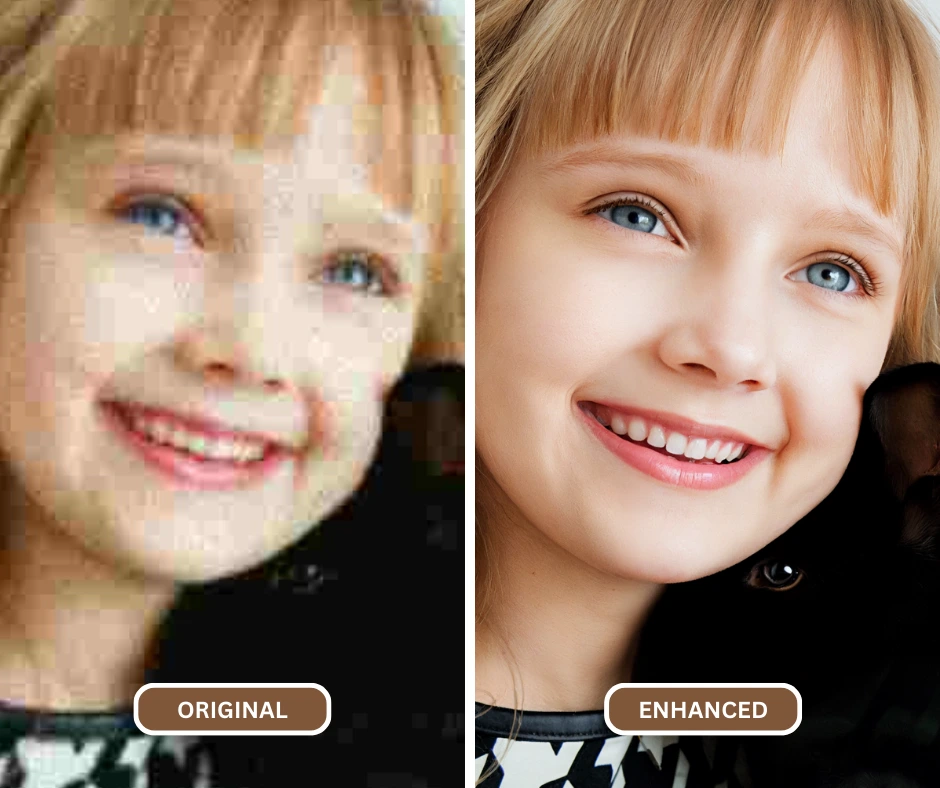
A. Enhanced Brand Image:
In today’s visually-driven world, the quality of your visuals can drastically influence how your brand is perceived. 4K upscaling enhances brand image by providing you with high-resolution visuals that exude professionalism, making them perfect for advertisements, marketing campaigns, and product images. Whether you’re showcasing a clothing line, food items, or tech products, having crisp, clear, and detailed images is essential for attracting high-end clientele. With PiktID Enhance’s AI-powered 4K upscaling, you can showcase your products, services, or portfolio with the sharpest, most vivid images, ensuring your brand stands out in a crowded marketplace.
B. Flexible Social and Campaign Crops
Higher-resolution source assets give social and campaign teams more flexibility when cropping, resizing, or adapting one image for several placements. Upscaling can support that workflow, but engagement depends on the subject, creative, audience, and distribution rather than resolution alone.
C. Timeless Memories:
Photos are a great way to preserve precious memories, but over time, some images might lose quality you can fix pixelated images using PiktID Enhance. With 4K upscaling, you can preserve your memories in their finest detail, restoring clarity to old photos. Whether it’s family portraits, vacation snapshots, or important moments, PiktID Enhance’s AI technology ensures that these images remain vivid, sharp, and crystal-clear for years to come, turning old, blurry pictures into timeless treasures. The ability to upscale personal or professional photos to 4K resolution keeps the memories fresh and vibrant, ready for printing, framing, or displaying on digital devices.
PiktID Enhance’s 4K upscaling delivers outstanding results in terms of speed, accuracy, and ease of use. This tool provides an invaluable resource for those looking to elevate their images, whether for personal memories, marketing campaigns, or professional work. With PiktID Enhance, you can enhance any photo and make sure it’s ready to showcase at its highest potential.
8. Practical 4K Upscaling Use Cases
a. Wedding and Event Album Enlargements
Wedding and event photos: Upscaling can prepare a smaller crop for a larger album layout or display. Inspect faces, jewelry, lace, hair, and text at 100% zoom before printing, and compare the result with the original.

b. Fashion and Product Image Variants
Fashion and product imagery: A higher-resolution output can provide more room for marketplace crops, campaign layouts, and high-density displays. Check fabric weave, logos, labels, stitching, and product edges carefully so enhancement does not misrepresent the item.
These examples show where 4K upscaling can fit into a production workflow; they are not performance or conversion claims.
Read more: How to enhance a blurry photo
9. Conclusion: Test 4K Upscaling Against the Original
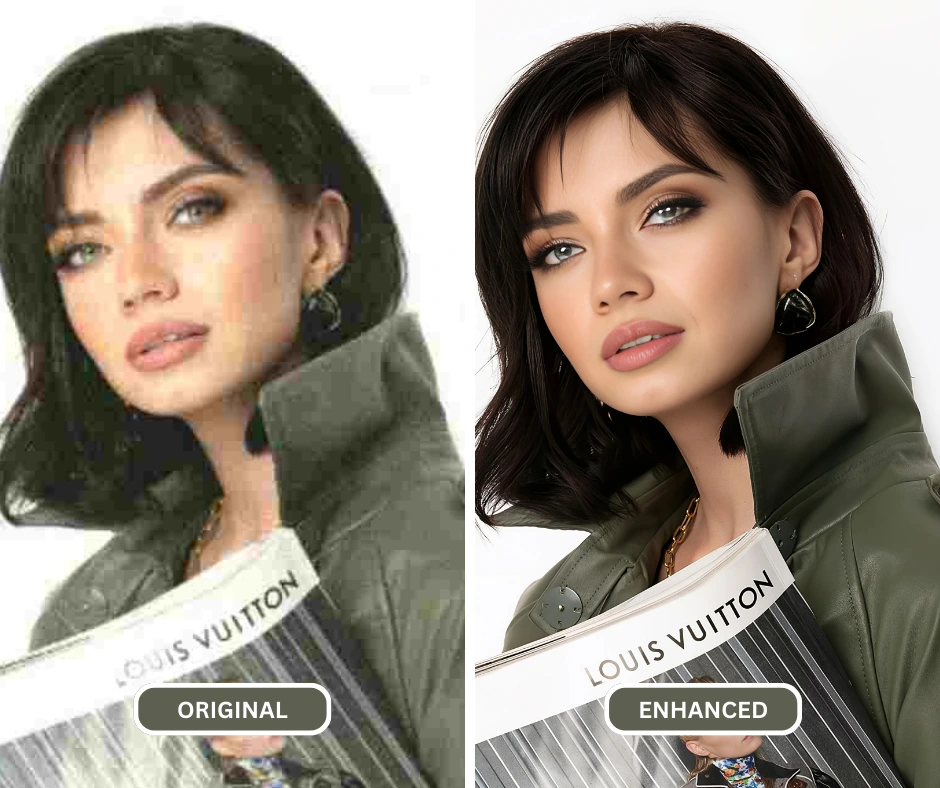
4K upscaling is most useful when you need larger image dimensions for a specific display, print, crop, or publishing workflow. PiktID Enhance provides a direct upload, scale, preview, and download process for testing an image.
Upscaling does not turn every low-quality file into a perfect original. Compression, severe blur, clipped highlights, and missing detail can still affect the output. Compare the preview with the source at 100% zoom, especially around faces, text, product edges, and repeating patterns.
When the result preserves the details that matter for your intended use, export the enhanced version and retain the original file.
Take a step forward
Ready to test a low-resolution photo? Open PiktID Enhance, choose the enhancement scale, and compare the preview with your original before downloading.
10. Frequently Asked Questions (FAQ)
i. What is 4K upscaling?
4K upscaling is the process of enhancing low-resolution images by increasing the pixel count, thereby transforming them into high-definition Ultra HD quality images. This process makes images appear sharper, more detailed, and much clearer when viewed on high-resolution devices.
ii. Can I upscale old, faded photos to 4K?
You can upscale scans of older photos, but enlargement is different from full restoration. Results depend on the scan quality and the amount of fading, blur, compression, scratches, or missing detail in the source.
iii. How long does 4K upscaling take?
Processing time varies with image dimensions, source complexity, selected scale, and current service load. Keep the page open until processing finishes and review the preview before downloading.
iv. Do I need technical skills to use PiktID Enhance?
Not at all! PiktID Enhance’s user-friendly interface makes it simple for anyone to enhance their photos without needing advanced technical skills. All you need to do is upload an image, choose the upscaling option, and let PiktID Enhance handle the rest.
v. Is there a watermark on upscaled photos?
Download options and plan conditions can change. Check the current Studio interface and pricing information for the output and watermark terms that apply to your account.