
Estimated reading time: 21 minutes
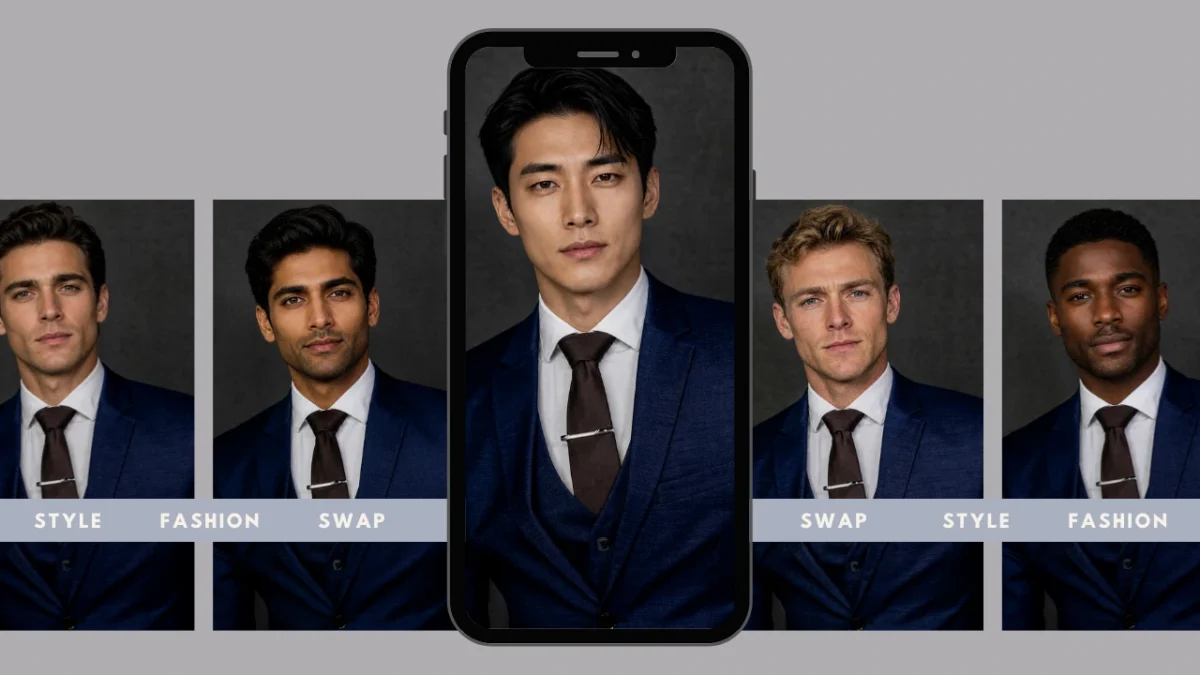
Body switch technology has become one of the most interesting developments in modern AI image editing. Instead of manually editing photos or combining layers in complex software, AI can now perform a AI body automatically while preserving the realism of the scene.
An AI tool replaces the identity or body of a person in a photo with another while maintaining the original environment. The goal is not simply to paste one image over another, but to create a cohesive visual where lighting, posture, and proportions appear natural.
Modern AI generator systems analyze several visual factors before generating the transformation:
- body pose and orientation
- lighting direction and shadows
- body proportions and structure
- background context and perspective
Because of this analysis, AI body tools generate results that look like authentic photographs rather than edited composites.
The demand for AI switch tools continues to grow across multiple industries. Creators and brands increasingly rely on AI image editing to produce scalable visual content.
Common areas where body AI is used include:
- digital content creation for social media
- fashion and catalog photography
- marketing creatives and advertising visuals
- visual experimentation and creative storytelling
On-model brings these capabilities into a professional workflow, allowing creators, fashion brands, and marketing teams to perform realistic edits while maintaining high visual quality and production-ready results.
Table of Contents
1. What Does Body Switch Mean in AI Image Editing?
i. Simple Definition
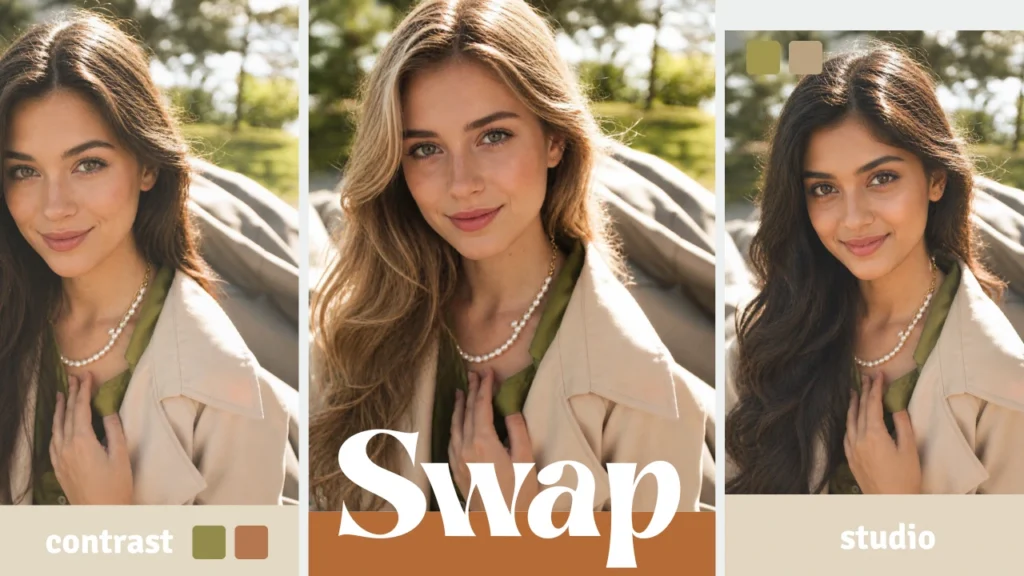
AI Body refers to the process of replacing one person’s body or identity in a photo with another using artificial intelligence. Instead of performing a manual cut-and-paste edit, an AI analyzes the image and reconstructs the visual elements so the replacement appears natural.
When an AI switch is performed, the AI evaluates multiple elements of the image to ensure visual consistency. These elements typically include:
- pose and posture of the original subject
- lighting direction and shadow placement
- skin tone and surface texture
- overall scene composition and perspective
By analyzing these details, the AI generates a final image where the swapped body blends naturally with the original environment. This is why a successful result looks like a real photograph rather than an obvious digital edit.
ii. How Body Switch Differs from Face Swap
Many people confuse body AI tools with face swap tools, but they are fundamentally different editing processes. Many Face replacement app focus on a very limited transformation:
- replacing only the face
- keeping the original body intact
- making minor adjustments to facial features
A body AI, on the other hand, is a more complex transformation. When performing an AI switch, the AI must:
- replace the entire body identity
- adjust pose alignment and body proportions
- maintain clothing structure and fabric folds
- preserve the relationship between the subject and the background
Because of these requirements, editing requires more advanced AI models than traditional face swap systems.
iii. Why the Concept Became Popular
Body AI technology has grown rapidly in popularity as AI image editing tools have become easier to use and more accessible.
Creators, designers, and brands now use AI switch workflows to experiment with visual concepts and produce content faster than traditional photography allows.
Because of these advantages, body AI technology is evolving from a novelty feature into a practical tool for visual production. On-model integrates AI model swap into a professional AI imaging platform designed to support these modern creative and commercial workflows.
2. Why Traditional Editing Tools Struggle with Body Switch

Traditional image editing tools were not designed for complex transformations like a realistic body AI switch. While software like Photoshop or manual compositing can technically replace a body in an image, the process is slow, skill-dependent, and often produces visible flaws.
Most traditional workflows rely on cut-and-paste editing, where a body from one image is manually layered into another. Without AI assistance, editors must manually correct lighting, proportions, and perspective. This makes the process time-consuming and difficult to scale for professional production.
Common issues appear when attempting a body switch manually:
- Lighting mismatches between the original image and the replacement body
- Unnatural proportions caused by incorrect scaling
- Inconsistent shadows that break realism
- Visible edge artifacts around the swapped body
- Texture inconsistencies in clothing or skin
Even experienced editors often need to perform several rounds of corrections to produce a believable body AI. Manual editing also introduces workflow limitations:
- Requires advanced editing expertise
- Not suitable for large batches of images
- Difficult to maintain consistency across campaigns or product catalogs
These limitations become especially problematic in industries that rely heavily on visual accuracy. Examples include:
Fashion and apparel
- Clothing folds and garment structure must remain unchanged
- A poor body switch can distort how garments appear on a model
E-commerce product imagery
- Lighting and shadows must remain consistent across product photos
- Distorted body proportions can misrepresent the product
Marketing creatives
- Visual realism is essential to maintain brand credibility
Modern AI body systems solve these issues by analyzing the entire image structure before generating the transformation. Instead of manually replacing pixels, the AI reconstructs the visual composition so the swap body aligns naturally with the scene.
This approach drastically reduces editing time while improving realism and consistency.
3. How AI Body Switch Technology Works

Modern switch technology relies on artificial intelligence and deep learning to produce natural-looking transformations. Instead of simply overlaying images, AI systems analyze body structure, lighting, and scene context to recreate a believable visual result.
The process typically follows several intelligent stages.
i. Pose Detection
Before performing a switch, AI must understand how the subject is positioned in the original image. This involves detecting:
- Body orientation
- Camera perspective
- Posture alignment
- Joint placement and limb angles
Pose detection helps the system determine how the new body should be aligned within the scene. Advanced computer vision models use pose estimation techniques to identify the position of body joints and skeletal structure, enabling accurate alignment during transformations.
This ensures that the AI body maintains realistic posture rather than appearing distorted or misaligned.
ii. Lighting and Shadow Matching
Lighting consistency is one of the most important factors in a convincing switch. AI systems analyze several lighting characteristics, including:
- Light direction
- Shadow intensity
- Ambient lighting conditions
- Reflection and highlight patterns
After detecting these elements, the AI adjusts the swapped body to match the original scene. This prevents common issues such as:
- Overexposed skin tones
- Shadows appearing in the wrong direction
- Visible lighting differences between body and background
When lighting is handled correctly, the body switch becomes almost indistinguishable from a real photograph.
iii. Context Awareness
Another major advantage of AI-powered body switch systems is their ability to understand the surrounding environment. Instead of focusing only on the body itself, AI models analyze contextual elements such as:
- Background textures
- Clothing folds and fabric behavior
- Depth and perspective of the scene
- Interaction between the subject and the environment
Deep learning models can generate new visual pixels that blend seamlessly with the existing image, ensuring the swapped body integrates naturally with the background.
This contextual understanding is what allows modern AI body tools to produce realistic results rather than obvious composites.
iv. Result: A Natural and Cohesive Transformation
When these systems work together, the final AI body process produces an image that maintains:
- Correct posture and body alignment
- Natural lighting and shadows
- Accurate clothing textures
- Consistent perspective
Instead of looking like a manipulated photo, the result appears as though it was captured during the original photoshoot.
This is why AI-powered switch workflows have become increasingly valuable for industries that depend on high-quality visuals, including fashion, e-commerce, and digital marketing.
4. On-model’s Professional Approach to Body Switch

A reliable switch workflow needs more than simply placing one identity onto another image. High-quality AI tools analyze visual context so the transformation appears natural and consistent. On-model focuses on producing professional AI body results that maintain realism, scene integrity, and production-ready quality.
Below is how the On-model workflow handles AI switch tasks in a structured and reliable way.
i. Realistic Identity Replacement
When performing a AI switch, the AI does not simply paste a new identity onto an existing image. Instead, On-model analyzes multiple visual elements before generating the final result.
The system evaluates:
- facial structure and facial landmarks
- body proportions and pose orientation
- lighting direction and shadow placement
- clothing alignment and garment contours
By understanding these visual cues, the AI body result maintains:
- natural posture
- consistent lighting
- believable proportions
This ensures that the final image looks like a single coherent photograph rather than an edited composite. Short practical takeaway:
- the original scene remains intact
- the swapped identity blends naturally
- clothing and background stay visually consistent
ii. Commercial-Grade Output
Many tools that perform body switch edits are designed for casual content. Professional visual production requires a higher standard.
On-model’s AI switch workflows are built for real production environments where images must meet commercial quality requirements. Typical applications include:
- fashion look-books
- e-commerce product catalogs
- advertising creatives
- editorial imagery
- brand campaigns
In these scenarios, an AI switch must preserve details such as:
- fabric folds and garment textures
- product placement accuracy
- lighting consistency across images
Maintaining these elements allows brands to reuse visuals while still producing high-quality marketing assets.
iii. Identity Consistency Across Campaigns
One of the biggest advantages of a professional body AI platform is identity consistency.
Brands and creative teams often need the same model identity across multiple visuals. Instead of organizing repeated photoshoots, an AI switch workflow can reuse the same identity across many images. This enables teams to:
- maintain consistent branding across campaigns
- reuse existing photography assets
- create variations for different audiences
- localize visuals without reshooting content
On-model’s body switch system allows the same identity to appear across multiple scenes while preserving pose and garment accuracy.
iv. Browser-Based and API Workflows
Professional teams often need flexibility when working with image editing systems.
On-model supports two primary AI switch workflows:
Browser-based editing
- upload an image directly in the studio
- perform a AI switch through the interface
- export the final visual instantly
API-driven workflows
- automate body switch operations at scale
- generate multiple variations programmatically
- integrate image editing into existing production pipelines
This flexibility allows both individual creators and enterprise teams to integrate AI switch technology into their creative workflows.
5. Step-by-Step: How to Perform a Body Switch with On-model

Performing a body switch using On-model follows a simple and structured process. The system is designed so that even users without advanced editing experience can produce realistic results.
a. Step 1 – Upload the Base Image
Start by uploading the photo where the AI switch will occur. For best results, choose an image that meets these conditions:
- clear lighting conditions
- minimal motion blur
- full visibility of the subject
- high resolution
Images with good lighting and clear facial visibility allow the AI switch system to detect identity and body alignment more accurately. Helpful preparation tips:
- avoid heavy shadows on the subject
- avoid partially hidden faces
- use natural lighting where possible
Good input images dramatically improve the quality of the final AI body output.
b. Step 2 – Select the Identity to Replace
Once the base image is uploaded, On-model automatically detects individuals in the scene. From here you can:
- select the person whose body will be replaced
- upload the replacement identity image
The AI maps the replacement identity to the existing body structure while maintaining the original pose and scene. During this stage the system evaluates:
- face orientation
- body posture
- camera angle
These factors help ensure the body switch result aligns naturally with the scene.
c. Step 3 – Apply the Body Switch
When the AI switch is applied, the AI begins processing the image. The system performs several key adjustments:
- pose alignment between identities
- lighting and shadow matching
- texture blending around edges
- skin tone consistency
Instead of creating a simple overlay, the body AI workflow reconstructs the image so that the replacement identity fits naturally into the original environment. This stage is where most of the visual realism is generated.
d. Step 4 – Export the Final Image
After the body switch process completes, the final image can be exported.
The output can be used for:
- website publishing
- advertising creatives
- digital campaigns
- print campaigns
High-resolution export ensures the AI body result remains clear and detailed across all platforms. Final review checklist before downloading:
- check lighting consistency
- verify proportions look natural
- ensure clothing alignment remains accurate
Once these elements look correct, the image is ready for professional use. This structured AI switch workflow allows creators, brands, and design teams to generate realistic visual transformations while maintaining production quality and visual integrity.
6. Best Practices for Realistic Body Switch Results

Achieving a convincing body switch result depends on how well the source and replacement images align. Most modern AI tools analyze pose, lighting, and proportions before performing the transformation to maintain realism and scene continuity.
To get the best outcome when performing a body switch, follow these practical guidelines.
i. Use Images with Similar Camera Angles
A body switch works best when the original image and the replacement reference have similar perspectives.
Helpful tips:
- Choose photos taken from the same camera height
- Match the subject orientation (front-facing, side profile, etc.)
- Avoid mixing wide-angle shots with close portrait images
When the camera angle aligns, the body switch AI can map proportions and posture more accurately.
ii. Match Lighting Conditions Between Images
Lighting consistency is one of the most important factors in a realistic body switch. If lighting conditions differ significantly, the final image may look unnatural. For better results:
- Use images taken in similar lighting environments
- Match the direction of light (left, right, overhead)
- Ensure shadows fall in the same direction
AI body switch systems analyze highlights and shadows to blend the body swap app with the scene naturally.
iii. Avoid Extreme Pose Differences
Large pose differences can create alignment issues during the body switch process. For example:
- A standing pose may not align well with a seated body reference
- Bent arms may conflict with straight arm positions
- Extreme body rotation can create unrealistic results
To prevent distortion:
- Select images with similar posture
- Keep arm and leg positioning consistent
- Use images where the body outline is clearly visible
Modern AI models reconstruct body structure during a body switch, but closer pose alignment produces more realistic results.
iv. Start with High-Resolution Photos
Image quality has a direct impact on the final body switch output. Low-resolution images often cause:
- blurry edges
- poor blending
- texture loss
For professional results:
- use high-resolution source images
- ensure clear subject separation from the background
- avoid motion blur or heavily compressed images
High-quality images allow AI models to preserve details such as clothing texture, fabric folds, and body contours.
7. Common Body Switch Mistakes

Even with advanced AI tools, certain issues can reduce realism in a body switch. Understanding these problems helps ensure more natural results.
i. Lighting Mismatch
Lighting mismatch occurs when the two images used in the body switch have different illumination patterns. Common symptoms include:
- shadows pointing in different directions
- uneven skin tones
- inconsistent brightness levels
How to fix this:
- choose images taken in similar lighting environments
- match indoor vs outdoor lighting
- avoid mixing flash photography with natural light photos
Consistent lighting allows the body switch process to blend the replacement body naturally into the scene.
ii. Proportion Distortion
Proportion distortion happens when the body structure of the reference image differs significantly from the original subject. Typical issues include:
- oversized shoulders
- stretched limbs
- unrealistic torso proportions
To avoid this during a body switch:
- use reference images with similar body structure
- match height and body orientation where possible
- avoid extreme camera distortions such as fisheye lenses
AI body switch tools attempt to reconstruct body geometry, but proportion alignment between images improves realism.
iii. Background Discontinuity
Background discontinuity occurs when the editing tool ignores environmental context during the body switch. This can lead to:
- visible cut-out edges
- inconsistent background textures
- misaligned shadows on the ground or walls
Best ways to prevent this:
- use AI tools that preserve background context
- avoid manual cut-and-paste edits
- choose photos with clear background separation
Advanced swap bodies systems analyze the entire scene to maintain consistent background textures and perspective.
8. Use Cases for Body Switch Technology

Body switch technology has moved beyond novelty edits. Many creators, brands, and visual teams use body switch tools to produce high-quality imagery quickly while preserving realism, pose alignment, and clothing structure. Modern AI tools analyze body orientation, lighting, and scene context to replace identities while maintaining natural visual continuity.
Below are the most common real-world scenarios where body switch workflows are useful.
i. Fashion & Apparel
Fashion teams often rely on body switch workflows to experiment with model variations while keeping garments, pose, and lighting consistent.
Instead of organizing repeated photoshoots, a single studio image can be reused with multiple identities. Common uses include:
- Testing different model appearances for the same outfit
- Creating lookbooks without scheduling new photo sessions
- Maintaining consistent lighting and styling across an entire collection
- Producing campaign visuals quickly for seasonal launches
Benefits for fashion teams:
- Faster campaign production
- Lower studio and model costs
- Consistent brand identity across visuals
AI body switch systems are particularly useful for fashion catalogs because they preserve clothing shape, folds, and garment structure when replacing the model identity.
ii. E-commerce
Online stores require large volumes of product images across many variations. A body switch workflow helps e-commerce teams reuse existing photos while adapting visuals to different audiences. Typical applications include:
- Replacing models in product photography
- Creating regional model variations for different markets
- Updating catalog imagery without reshooting products
- Producing consistent product listing images across hundreds of SKUs
For example, a clothing brand can photograph garments on one fit model and then apply body switch workflows to generate multiple identity variations while preserving garment accuracy.
Advantages for e-commerce teams:
- Faster product catalog creation
- Lower production costs
- Scalable image generation for large inventories
iii. Marketing & Advertising
Marketing teams constantly need multiple versions of the same visual for different audiences. Body switch technology helps creative teams generate campaign variations without rebuilding entire photo shoots. Typical marketing uses:
- Producing multiple campaign creatives from one image
- Testing audience-specific visuals in ads
- Creating localized marketing imagery
- Maintaining consistent branding across multiple campaigns
With body switch workflows, marketers can quickly adapt visuals while keeping the original composition and lighting intact. This helps teams run:
- A/B creative tests
- regional campaign variations
- seasonal promotions
without slowing down production.
iv. Creative Content
Content creators often use body switch tools to experiment with visual storytelling and social media visuals. Creative applications include:
- generating alternate identities in photos
- producing unique storytelling visuals
- creating engaging social media content
- experimenting with digital characters or personas
These edits allow creators to explore different narrative possibilities while maintaining the visual structure of the original scene.
Because AI analyzes pose and proportions automatically, the final image appears cohesive rather than artificially edited.
Additional Resource: How to face swap on iPhone
9. Comparison of Body Switch Tools

Not all body switch tools produce the same level of realism. Some tools focus on casual edits, while others are designed for professional workflows.
The key differences usually come down to:
- lighting preservation
- pose alignment
- resolution quality
- workflow scalability
Below is a simplified comparison.
| Feature | On-model | Basic Apps | Generic AI Tools |
| Realistic body switch | Yes | Limited | Partial |
| Lighting preservation | Yes | No | Partial |
| High-resolution export | Yes | Limited | Partial |
| Commercial workflows | Yes | No | Limited |
| API support | Yes | No | No |
Why On-model Stands Out
A professional body switch platform should focus on realistic output rather than novelty edits.
On-model prioritizes:
- accurate body alignment
- consistent lighting and shadow matching
- high-resolution export suitable for commercial visuals
- scalable workflows for large content libraries
Unlike simple editing apps that paste elements together, On-model reconstructs identity changes while preserving clothing, pose, and scene context.
This allows brands, agencies, and creators to generate production-ready images suitable for fashion campaigns, e-commerce listings, and marketing visuals.
10. Ethics and Responsible AI Usage
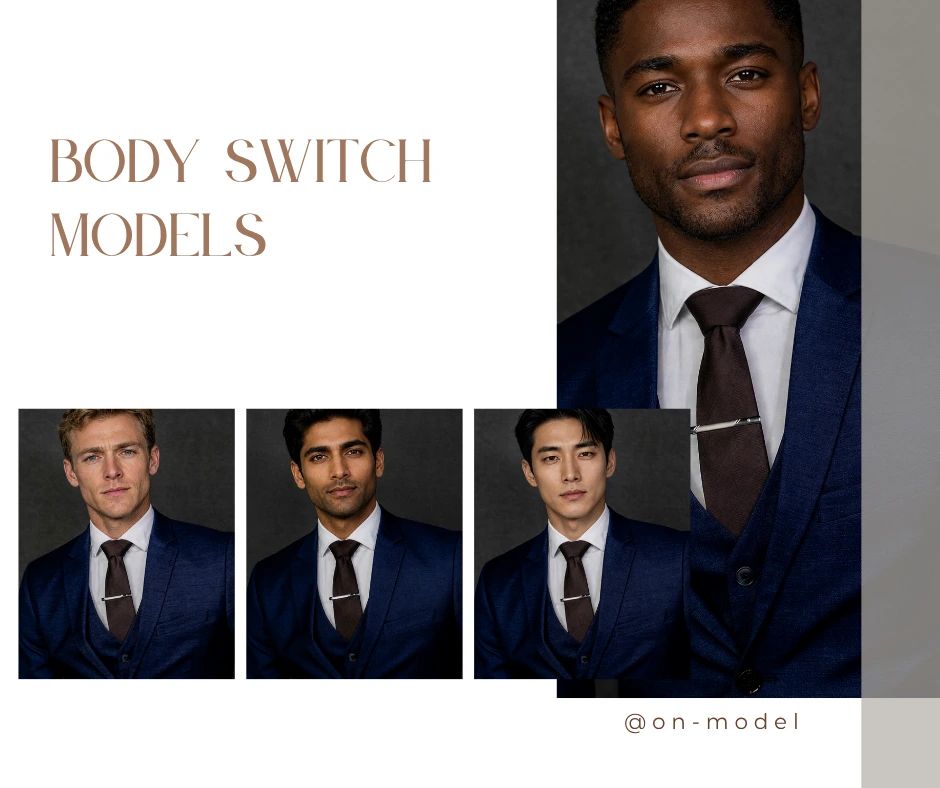
Using body switch technology responsibly is just as important as achieving realistic visual results. Modern AI editing tools can transform images quickly, but ethical guidelines ensure that these transformations are used in a fair, transparent, and responsible way.
Responsible use of body switch technology focuses on protecting people’s identity, privacy, and trust while still enabling creative and professional workflows.
i. Respect Consent for Identifiable Images
Before using any body switch workflow with images that include identifiable individuals, consent should always be obtained. Best practices include:
- Use images where the subject has given permission for editing or transformation.
- Avoid using photos of private individuals without approval.
- Maintain transparency when images are modified for commercial campaigns.
When consent is clear, body switch technology becomes a powerful tool for creative production rather than a source of misuse.
ii. Avoid Misleading Visual Manipulation
A body switch should never be used to create misleading or deceptive imagery. Examples of responsible usage:
- Maintain accurate representation in advertising visuals.
- Avoid altering body shapes or identities in ways that misrepresent reality.
- Ensure that product imagery remains truthful in e-commerce and marketing content.
Ethical editing builds long-term trust between brands, creators, and audiences.
iii. Respect Privacy and Data Protection
Privacy considerations are essential when performing a body switch on images. Important practices include:
- Avoid storing or redistributing images without permission.
- Follow data protection regulations when working with user images.
- Use secure platforms that prioritize privacy-safe workflows.
Professional AI tools should treat uploaded images as sensitive data and protect them accordingly.
iv. Use Synthetic Identities When Appropriate
Synthetic identities are often the safest option for scalable body switch workflows. Benefits of using synthetic identities include:
- No risk of violating personal image rights
- Greater flexibility for creative experimentation
- Privacy-safe visuals for marketing campaigns
Many modern AI platforms allow creators to generate synthetic identities and apply them through body switch workflows while preserving realism and visual integrity.
v. Transparency in AI-Generated Visuals
When body switch technology is used in commercial content, transparency strengthens credibility. Good practices include:
- Disclosing AI-generated imagery when appropriate
- Maintaining authenticity in brand storytelling
- Avoiding manipulations that could confuse audiences
Professional AI platforms emphasize transparent and responsible workflows rather than purely novelty edits.
11. Conclusion

Body switch technology is rapidly changing how visual content is created, edited, and scaled across industries. In the past, replacing identities or models in images required:
- complex manual editing
- expensive reshoots
- multiple production cycles
Today, AI makes it possible to perform a body switch quickly while preserving the original scene, pose, lighting, and clothing details. Modern AI systems analyze proportions, lighting, and context before generating the final image, producing results that appear cohesive and realistic.
This shift allows creative teams and brands to work more efficiently. With body switch workflows, professionals can:
- replace identities instantly while keeping pose and composition intact
- preserve lighting, shadows, and visual realism
- generate new campaign visuals without organizing new photoshoots
- scale content production across multiple platforms and formats
On-model combines advanced AI with professional image workflows designed specifically for creators, brands, and enterprises. With On-model, a body switch is not just a novelty effect. It becomes a reliable production tool for:
- fashion lookbooks and model variations
- e-commerce product imagery
- marketing campaigns and advertisements
- editorial and creative visual storytelling
By preserving lighting, pose, and texture detail, On-model ensures that body switch results remain suitable for commercial-grade visual content.
Ready to perform a realistic body switch online?
Start creating high-quality visuals with On-model’s AI tools. Try the body switch workflow with 10 free credits.
Visit https://on-model.com/ to begin producing professional images today.
12. FAQs
i. What is a body switch in AI image editing?
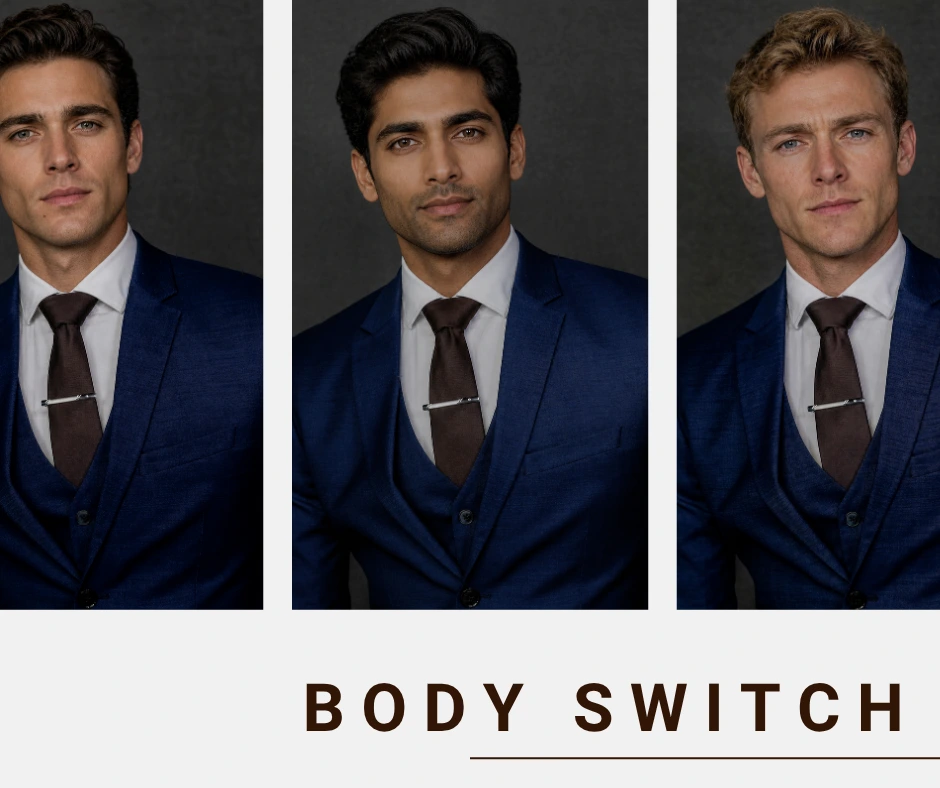
A body switch in AI image editing refers to replacing the body or identity of a person in a photo with another while keeping the surrounding scene intact. AI systems analyze multiple elements before performing a body switch, including:
- Body posture and pose alignment
- Lighting direction and shadows
- Skin tone and texture
- Scene depth and background consistency
Instead of manually cutting and pasting image sections, AI reconstructs the visual composition so the body switch appears natural and cohesive.
ii. How do you perform a body switch online?
Performing a body switch online typically involves a simple workflow:
- Upload the original photo
- Upload or select the identity or body to replace
- Allow the AI system to analyze pose, lighting, and proportions
- Generate the final image with the new body integrated into the scene
Modern AI tools automate these steps so the body switch process can be completed without advanced editing skills.
iii. Can an AI body switch maintain lighting and proportions?
Yes. Advanced AI body switch tools are designed to maintain realistic lighting and body proportions. To achieve this, the system analyzes:
- Light direction and intensity
- Shadow placement
- Camera perspective
- Relative body proportions
When these factors are matched correctly, the body switch result appears consistent with the original scene rather than looking artificially edited.
iv. Is body switch technology safe for commercial use?
Body switch technology can be used in professional environments when applied responsibly. For commercial use, it is important to follow best practices:
- Use images with proper consent
- Avoid misleading or deceptive edits
- Maintain accurate representation of products or people
- Respect privacy and data protection guidelines
Professional platforms are designed to support ethical usage while producing realistic visual results.
v. Which AI tool produces the most realistic body switch results?
The realism of a body switch depends on how well the AI system analyzes context. Professional tools typically provide:
- Accurate pose detection
- Lighting and shadow matching
- Edge blending around the subject
- High-resolution output
Tools that prioritize these factors produce body switch results that look natural and suitable for marketing, fashion, and editorial imagery.
vi. Can body switch work on group photos?
Yes, modern AI tools can perform a body switch in images containing multiple people. Advanced systems can:
- Detect individual subjects in a group photo
- Allow a body switch for a specific person
- Preserve the rest of the image without changes
This makes body switch technology useful for team photos, advertising visuals, and editorial content.
vii. Does AI body switch affect image quality?
Image quality depends on the technology used by the body switch tool. Professional AI workflows typically maintain high visual fidelity by:
- preserving original image resolution
- reconstructing textures and clothing details
- blending edges naturally
Lower-quality tools may compress images or produce visible artifacts, which is why high-resolution processing is important for professional use.
viii. How does On-model perform realistic body switching?
On-model uses advanced AI analysis to perform a body switch while preserving the integrity of the image. The system evaluates:
- pose alignment between subjects
- lighting and environmental shadows
- clothing folds and body structure
- background consistency
This allows On-model to generate body switch results that remain visually realistic and suitable for professional use in fashion, marketing, and e-commerce.
ix. Can body switch technology be used for fashion and product photography?
Yes, body switch workflows are increasingly used in fashion and product photography. Common applications include:
- replacing models in product images
- testing visual concepts for marketing campaigns
- creating multiple variations of a photoshoot without reshooting
By performing a body switch digitally, brands can adapt visuals quickly while maintaining consistent product presentation.
x. What should you consider before performing a body switch?
To achieve the most realistic body switch results, consider the following factors:
- Use images with similar camera angles and poses
- Ensure lighting conditions are compatible
- Start with high-resolution source photos
- Choose tools that analyze body structure and scene context
These steps help the AI produce a seamless body switch that blends naturally into the original image