
Estimated reading time: 24 minutes
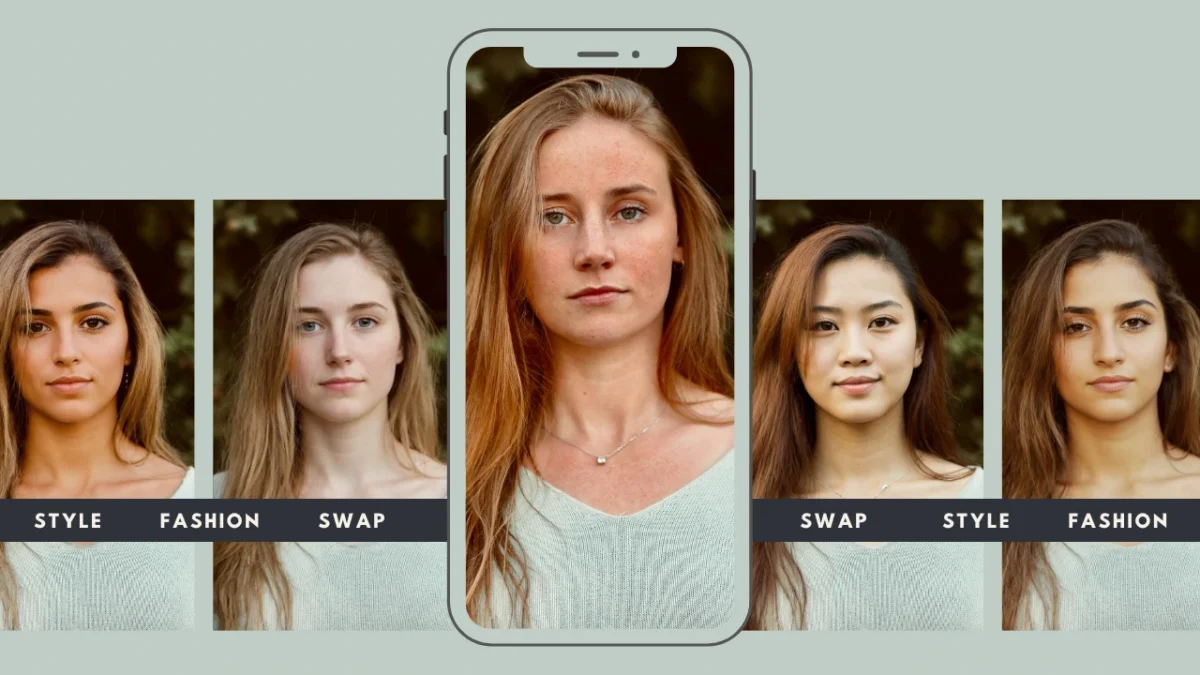
A body swap app is an AI-powered tool that allows users to replace one person’s body in a photo with another body while keeping the scene realistic. Modern tools can preserve posture, lighting, clothing structure, and background context so the final image looks natural rather than edited.
AI has changed this workflow completely. A modern AI swap can now analyze multiple elements of an image automatically:
- Body structure and posture
- Lighting direction and shadows
- Clothing folds and texture
- Perspective and scene depth
Because of these capabilities, body swap technology is no longer used only for entertainment or social media filters. Today, brands and creative teams use body swap tools in professional workflows such as:
- Fashion campaign visuals
- E-commerce product photography
- Advertising creatives
- Content localization across regions
On-model introduces a professional AI body swap app designed for production-quality editing. The platform allows teams to perform identity transformations while maintaining high resolution, realistic lighting, and brand-ready visuals.
Table of Contents
1. What Is a Body Swap App?

A body swap app is an AI editing tool that replaces the body of one person in a photo with another body while maintaining a natural appearance.
Instead of manually editing images, AI analyzes the structure of the scene and automatically blends the new body into the photo.
A modern apps typically performs several tasks during the process:
- Detects body landmarks and posture
- Aligns the replacement body with the original pose
- Adjusts lighting and shadows
- Blends edges and textures seamlessly
The objective is simple: produce a realistic transformation that looks like the photo was originally taken that way.
When a swap app works correctly, viewers should not notice any obvious editing artifacts such as:
- unnatural proportions
- mismatched lighting
- visible cut lines around the subject
Professional tools like On-model focus on preserving realism so the output remains suitable for commercial use.
Difference Between Face Swap and Body Swap
Many users confuse face swapping with full body replacement. However, these two processes are very different in complexity.
Face swap
- Replaces only facial features
- Keeps the original body intact
- Requires limited alignment
Body swap
- Replaces the entire body of a subject
- Must maintain posture and proportions
- Requires full scene integration
Because body swap editing affects the entire subject, the AI must analyze many additional factors:
- Body proportions and skeletal alignment
- Clothing drape and garment folds
- Lighting direction and shadow placement
- Scene perspective and camera angle
This is why a professional body swap app uses more advanced AI models compared to simple face swap tools.
In professional image production, body swap editing is often used to preserve clothing, styling, and composition while changing the model identity.
Why Body Swap Apps Are Growing in Popularity
First, creators want simple online tools.
Instead of learning complex design software, users prefer a body swap app that works directly in a browser. Uploading an image and generating a result in seconds is far more accessible.
Second, realism has improved dramatically.
Modern AI can now maintain:
- accurate lighting
- realistic shadows
- consistent body proportions
- natural clothing textures
This makes body swap results suitable for more than just entertainment.
Third, creative workflows are expanding.
Body swap tools are now used by:
- social media creators
- photographers
- fashion brands
- marketing teams
- e-commerce businesses
For example, fashion brands can use a body swap app to present clothing on different model identities without organizing multiple photo-shoots.
Marketing teams can reuse existing images and adapt them for new campaigns or regional audiences.
Finally, scalability is a major advantage.
Instead of producing dozens of separate photoshoots, companies can generate variations using AI tools such as On-model. This reduces production costs while maintaining visual consistency.
As AI editing technology continues to improve, professional body swap apps are becoming an essential part of modern content creation workflows. Review AI Body Generator by PiktID Studio
2. Why use a Body Swap App
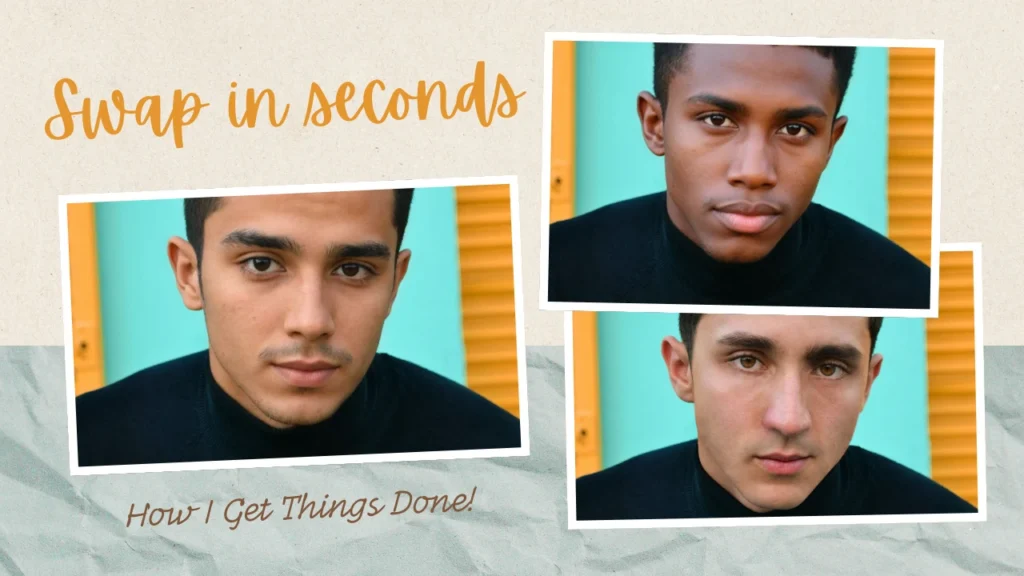
Most users are not professional editors, which means usability and automation are key factors when choosing a tool.
Below are the most common reasons people look for in a body swap app.
i. Easy to Use
Most users prefer tools that allow them to edit images without requiring advanced software or technical skills.
Typical expectations include:
- Upload an image directly in a browser
- Select a target body or subject
- Let AI automatically perform the transformation
- Export the final image without manual adjustments
Unlike traditional design software, a modern body swap app eliminates the need for layer editing, masking, or manual blending.
ii. No Photoshop or Editing Skills Required
Many people look for a body swap app because they want to avoid complicated editing tools.
Traditional image editing often requires:
- advanced Photoshop knowledge
- experience with layer masking
- detailed retouching techniques
- time-consuming adjustments
AI-powered tools automate these processes. A body swap app can automatically:
- detect the subject’s body structure
- align posture and proportions
- match lighting and shadows
This allows users to perform edits that previously required professional photo editing skills.
iii. Fast Results
Speed is another key reason users look for a body swap app.
Manual image editing can take hours to produce a realistic result. AI tools reduce this to seconds.
Most modern body swap workflows follow a simple process:
- Upload the original image
- Upload or select the replacement body
- Let AI process the transformation
- Download the final image
This fast workflow is especially valuable for teams that need to create visual content at scale.
iii. Growing Demand Across Industries
The demand for body swap technology is expanding beyond casual use. Today, AI body swap tools are used by a wide range of professionals, including:
Content creators : Creating engaging visuals for social platforms
Marketers : Generating multiple creative variations for advertising campaigns
Fashion brands : Showing clothing on different models without additional shoots
Photographers : Enhancing or experimenting with editorial visuals
E-commerce businesses : Producing consistent product images for online catalogs
Modern AI systems can automatically match:
- skin tones
- poses
- lighting direction
- shadows and highlights
This allows a body swap app to produce transformations that appear natural and visually coherent. PiktID also provides a detailed guide about How to create AI Model Girl Online
3. Limitations of Basic Body Swap Apps

While body swap technology has become widely available, not all tools offer professional-level results. Many free or entertainment-focused body swap apps prioritize speed and simplicity over accuracy and realism.
This can lead to several common limitations.
i. Entertainment-Focused Apps
A large number of body swap apps are designed primarily for entertainment.
These tools are often used for:
- memes
- humorous photo edits
- casual social media content
While these apps can be fun to use, they are not designed for professional visual production.
Common issues include:
- distorted body proportions
- unnatural posture alignment
- mismatched lighting and shadows
- unrealistic blending between subjects
For casual content this may be acceptable, but for marketing, fashion, or commercial visuals it can reduce credibility.
ii. Manual Editing Software
Before AI tools became popular, body swapping required manual editing in professional software such as Photoshop.
Traditional workflows typically involved:
- cutting out subjects using selection tools
- manually masking layers
- blending shadows and highlights
- adjusting color balance and lighting
These techniques require significant skill and experience.
Challenges of manual workflows include:
- complex editing processes
- steep learning curves for beginners
- long editing times for each image
- difficulty maintaining consistency across multiple images
For businesses that produce large volumes of visual content, manual editing quickly becomes inefficient.
iii. Quality Issues with Free Tools
Another limitation of many basic body swap apps is image quality. Free or low-cost tools often reduce image resolution during processing. Common quality problems include:
Low-resolution output : Images may appear soft or pixelated after editing
Visible edges around swapped bodies : Poor blending creates noticeable cut-and-paste effects
Inaccurate shadows : Lighting mismatches make the image appear artificial
Color inconsistencies : Skin tones may not match the rest of the scene
These issues can make the final image look unrealistic, especially in professional environments.
iv. Why Professional Workflows Need Better Tools
For industries such as e-commerce, marketing, and fashion, image quality directly affects brand perception.
Professional workflows require a body swap app that can:
- preserve body proportions
- match lighting and shadows accurately
- maintain high image resolution
- blend textures naturally
Advanced AI tools like On-model are designed to address these challenges by combining pose detection, lighting analysis, and texture blending to produce realistic results suitable for commercial use. Use AI Model Swap by On-model meant for professionals and marketing creators.
4. How AI Body Swap Technology Works

Modern AI systems have significantly improved how a body swap app performs identity transformations. Earlier editing tools relied on manual masking and blending, which often produced unrealistic results. Today, AI analyzes the structure of an image before performing a body replacement, ensuring the output looks natural and consistent.
A well-built body swap app does not simply paste one body onto another image. Instead, it evaluates the entire visual scene and adjusts multiple variables to ensure the transformation looks authentic.
i. Pose Detection
Pose detection is the first step used by a professional body swap app to ensure that the new body aligns correctly with the original image. The AI analyzes the structure of the human body in the source image by identifying:
- Body posture
- Joint positions
- Limb angles
- Anatomical alignment
This allows the body swap app to understand how the person is positioned in the image. Key advantages of pose detection include:
- Prevents awkward body positioning
- Ensures the new body follows the same stance
- Maintains natural proportions
- Avoids distorted limbs or posture mismatches
ii. Lighting and Shadow Matching
Lighting consistency is one of the most important factors that determines whether a body swap looks realistic. A professional body swap app evaluates several lighting properties before performing the transformation.
The AI examines:
- Light direction
- Highlight intensity
- Shadow behavior
- Ambient color temperature
- Scene brightness
These elements help the body swap app determine how the new body should appear within the environment. Benefits of lighting analysis include:
- Prevents mismatched brightness between body and background
- Aligns shadows correctly with the scene
- Maintains natural skin tones
- Ensures clothing colors remain realistic
iii. Texture and Fabric Preservation
Another important component of AI body swap technology is texture preservation.
A professional body swap app analyzes surface details in the image and maintains them during the transformation.
This includes preserving:
- Clothing folds
- Fabric textures
- Skin detail
- Wrinkles and garment structure
Maintaining texture realism is especially important in industries such as fashion and product photography.
Why texture preservation matters:
- Prevents clothing from appearing flat or stretched
- Maintains natural garment movement
- Preserves product accuracy for e-commerce
- Ensures fabric patterns remain consistent
5. On-model’s Professional Body Swap App Workflow

While many tools offer casual editing features, On-model is designed specifically as a professional body swap app for commercial visual production.
Instead of focusing on novelty effects, On-model focuses on realism, image quality, and scalable workflows.
Key capabilities of the On-model body swap app include:
- Accurate body alignment using AI pose detection
- Realistic lighting and shadow matching
- High-resolution image output
- Scalable editing workflows for teams and enterprises
According to On-model documentation, AI body swapping enables brands to replace model identities while preserving clothing, posture, and scene composition. This makes it possible to create multiple variations of an image without additional photoshoots.
This approach is particularly valuable for industries that require high volumes of visual content, such as fashion, marketing, and e-commerce.
i. Identity Transformation
One of the most powerful features of the On-model body swap app is identity transformation. Instead of simply editing facial features, the system can replace the full body identity while maintaining the original scene.
On-model preserves:
- Body posture
- Clothing placement
- Background composition
- Scene perspective
This allows brands and creators to generate new variations of an image while keeping the original artistic direction intact. Practical benefits include:
- Replacing models in product photography
- Creating multiple campaign variations
- Generating localized visuals for global audiences
Identity transformation allows businesses to reuse existing assets while maintaining visual consistency.
ii. Lighting-Aware Image Editing
The On-model body swap app uses AI to evaluate lighting conditions before completing the body replacement. The system automatically:
- Matches light sources between images
- Blends shadows naturally
- Preserves color balance and skin tone
This process ensures that the final image appears as though the subject was originally photographed in that environment. Advantages of lighting-aware editing include:
- More natural visual integration
- Reduced need for manual retouching
- Consistent results across multiple images
For marketing and advertising visuals, lighting realism is critical. Even minor lighting mismatches can make an image look edited.
On-model’s AI workflow reduces these issues by automatically harmonizing lighting during the body swap process.
iii. Commercial-Grade Output
Many casual body swap apps compress images or reduce quality after editing. On-model is designed to deliver professional outputs suitable for commercial environments. Images generated using the On-model body swap app are suitable for:
- E-commerce product listings
- Advertising creatives
- Fashion campaign visuals
- Editorial and publishing content
- Social media marketing assets
High-resolution output ensures that images remain sharp across different platforms and screen sizes. Key advantages of commercial-grade output include:
- Crisp image clarity
- Print-ready resolution
- Consistent visual quality across campaigns
For businesses producing high volumes of visual content, using a professional body swap app like On-model allows teams to maintain quality standards while scaling production efficiently. Refer our latest guide about Realistic Female Mannequin created using PiktID Studio.
6. Step-by-Step Guide: How to Use On-model Body Swap App

Modern AI tools have simplified the process of replacing bodies in photos. On-model follows the same intuitive structure but adds professional-grade AI processing to maintain lighting, proportions, and realism.
Below is a practical step-by-step workflow showing how to use the On-model body swap app to produce high-quality results.
a. Step 1 – Upload Original Image
The first step when using a body swap app is uploading the source image that contains the original subject.
For best results, make sure the image meets the following recommendations:
• Use high-resolution photos whenever possible
• Ensure the body of the subject is clearly visible
• Avoid images with heavy motion blur
• Select images where the subject is well separated from the background
• Prefer natural lighting instead of extremely dark or overexposed photos
Why this matters:
AI body replacement tools rely on pose detection and anatomical mapping. When the subject is clearly visible, the body swap app can detect posture, limb position, and body proportions more accurately.
Fact:
Most AI editing tools perform best when the original image is at least 1080p resolution. Higher resolution images allow the body swap app to preserve clothing textures and fine details during editing.
b. Step 2 – Upload Target Identity
Once the original image is uploaded, the next step is to select the replacement identity or body.
In the On-model body swap app workflow, users upload a second image that contains the body or model they want to apply.
Typical use cases include:
• Replacing a model for fashion or apparel visuals
• Testing different identities in marketing creatives
• Creating diverse visual variations from one photoshoot
• Adjusting campaign visuals without reshooting images
The body swap app analyzes both images and prepares them for alignment. This includes:
• Body structure comparison
• Pose matching
• Color and lighting evaluation
The goal is to ensure that the new body integrates naturally with the original scene.
c. Step 3 – Run AI Body Swap
After selecting the target identity, the body swap app processes the transformation using AI.
During this step, the system automatically performs several complex operations behind the scenes:
• Aligns the body structure between the two images
• Matches lighting direction and shadow intensity
• Adjusts skin tone and color balance
• Blends clothing textures and edges
• Maintains posture and anatomical proportions
Unlike basic entertainment tools, the On-model body swap app focuses on maintaining realism so that the final image appears professionally edited rather than artificially manipulated.
This step typically takes only a few seconds depending on image size and processing requirements.
d. Step 4 – Export Final Image
Once the AI body swap process is complete, users can preview the result and download the final image.
The On-model body swap app provides export options suitable for professional workflows.
Final outputs can include:
• High-resolution images for advertising or campaigns
• Optimized visuals for e-commerce product pages
• Social media ready formats
• Marketing-ready visuals for websites and banners
Professional users often download the final image in high resolution so it can be used across multiple platforms without quality loss.
7. Best Practices for Using a Body Swap App

Even the most advanced body swap app performs best when users follow a few simple guidelines. These practices help maintain realism and reduce visual artifacts.
i. Choose Images With Similar Lighting
Lighting consistency is one of the most important factors when using a body swap app.
Try to select images where:
• Light direction is similar
• Brightness levels are comparable
• Shadow intensity matches
This allows the AI to blend the images more naturally.
ii. Use Comparable Camera Angles
The camera angle of both images should be similar whenever possible.
For example:
• Front-facing photos work best with other front-facing photos
• Side profiles should match side profiles
• Avoid combining top-down images with eye-level shots
Matching camera angles improves body alignment and reduces distortion.
iii. Avoid Extreme Pose Differences
Large differences in posture can make the body swap app work harder to align body structures.
For best results:
• Use images where both subjects are standing or sitting similarly
• Avoid extreme movements or unusual body positions
• Choose poses that have similar arm and leg placement
AI performs best when pose alignment is straightforward.
iv. Use High-Resolution Source Images
Image quality plays a major role in the final output.
Higher resolution images allow the body swap app to:
• preserve fabric textures
• maintain facial clarity
• avoid blurry edges during blending
Low resolution photos may still work, but the final output may appear softer.
v. Why These Practices Matter
Following these best practices allows the body swap app to produce results that look natural, professional, and visually consistent.
When lighting, posture, and resolution align properly:
• AI blending becomes more accurate
• clothing textures remain realistic
• body proportions appear natural
• the final image is suitable for marketing or commercial use
This is why professional tools like On-model and PiktID are designed to combine intelligent AI processing with user-friendly workflows, helping creators and brands produce high-quality visual transformations efficiently. Refer to our guide on AI Fashion Photography for detailed understanding.
8. Use Cases by Industry

The popularity of a body swap app has expanded far beyond entertainment. Early versions of these tools were mainly used for memes and casual photo edits, but modern AI-powered platforms are now used in professional visual production.
The main reason is simple: producing high-quality images through traditional photoshoots is expensive, time-consuming, and difficult to scale. A professional body swap app such as On-model allows teams to create multiple visual variations while preserving realism, lighting, and proportions.
Below are some of the industries where a body swap app is actively used today.
a. E-commerce
E-commerce brands require large volumes of product imagery. Every product listing must look professional and consistent, especially in industries like fashion, footwear, and lifestyle products. A body swap app helps e-commerce teams solve a major challenge: producing diverse visual content without running multiple photoshoots.
With the help of AI, brands can reuse existing product photography while changing the model or body identity in the image.
Common ways a body swap app is used in e-commerce include:
• generating product photos at scale without reshooting every variation
• showing clothing on multiple models to improve representation
• maintaining consistent catalog visuals across product pages
• creating regional marketing visuals for different markets
For example, a clothing retailer may photograph a garment once and then use a body swap app to display the same outfit on different body types or models. This approach helps brands scale visual production while keeping product details intact.
Professional tools like On-model preserve key elements such as:
• clothing fit and folds
• lighting and shadow direction
• garment textures and patterns
These factors are critical for maintaining trust in product imagery.
b. Fashion
Fashion brands constantly create lookbooks, campaign visuals, and promotional imagery. Traditional fashion shoots often require significant investment in models, locations, and production teams.
A body swap app allows fashion brands to experiment with different visual directions without repeating the entire photoshoot process.
Instead of photographing every model separately, brands can create variations from existing campaign visuals. Typical fashion use cases include:
• creating lookbooks without additional shoots
• testing different models for campaign concepts
• maintaining consistent styling across collections
• producing localized marketing visuals for international audiences
For example, a fashion campaign photographed in a studio can later be adapted using a body swap app to showcase the same outfit on multiple identities while keeping lighting and composition identical. When using professional tools like On-model, the AI ensures that:
• body proportions remain natural
• clothing drape looks realistic
• fabric textures remain detailed
This allows fashion brands to maintain high production quality while increasing creative flexibility.
c. Marketing and Advertising
Marketing teams rely heavily on visual assets for campaigns. Every campaign may require dozens of image variations for websites, social media platforms, and display advertising. A body swap app helps marketers create these variations quickly while keeping brand visuals consistent.
Instead of organizing multiple photoshoots, teams can generate different campaign visuals from the same base image.
Marketing teams use a body swap app for:
• creating multiple ad variations for A/B testing
• adapting visuals for different audience demographics
• generating campaign creatives faster
• maintaining consistent lighting and composition across ads
For example, a global brand might use a body swap app to create localized campaign visuals for different markets. The same campaign image can feature different identities while keeping the environment and product presentation unchanged.
Professional tools such as On-model make this possible by combining body alignment, lighting analysis, and texture preservation. This ensures that the final image appears natural rather than obviously edited.
d. Content Creation
Content creators and influencers frequently use a body swap app to produce engaging visuals for social media and storytelling. While many creators use body swap technology for entertainment purposes, professional creators also use these tools to produce unique and visually interesting content.
Common uses include:
• creating engaging social media visuals
• experimenting with creative storytelling concepts
• producing entertainment or meme content
• testing visual ideas before full production
Many free body swap apps focus on fast results for casual editing. However, creators who want higher visual quality often look for tools that maintain realism and image clarity.
Using a professional body swap app ensures:
• clean image blending
• consistent lighting
• high-resolution output suitable for digital publishing
This helps creators produce content that looks polished and visually compelling.
Additional Guide : How to Face swap on iPhone
9. Comparison: Body Swap Apps vs Professional AI Platforms

The term body swap app can refer to a wide range of tools, from simple entertainment apps to professional AI editing platforms.
Many free tools available online are designed primarily for fun or quick edits. While they may work well for memes or casual images, they often struggle with realism and image quality.
Professional AI platforms such as On-model are built for commercial workflows where accuracy and visual quality matter.
Below is a comparison showing how professional platforms differ from basic body swap apps.
| Feature | On-model | Free Body Swap Apps | Basic Online Editors |
| Realistic lighting | Yes | Limited | Limited |
| Professional quality | Yes | No | Partial |
| High-resolution output | Yes | Often compressed | Limited |
| Commercial use | Yes | No | Limited |
| AI pose detection | Yes | Basic | Partial |
Understanding these differences helps users choose the right type of body swap app for their needs. Free tools often focus on speed and novelty, while professional tools focus on accuracy and realism.
10. Ethics and Responsible Use

Artificial intelligence has made body editing faster and more accessible. However, Body swap apps must always be used responsibly. As these tools become more realistic and widely adopted, ethical use becomes just as important as technical accuracy.
Body swap apps are powerful visual editing tools. They can transform identities, adjust appearances, and create entirely new visuals. But without responsible usage guidelines, these technologies can easily be misused.
Responsible use of Body swap apps ensures that creators, brands, and businesses maintain trust with their audience while still benefiting from AI-powered editing. Below are the most important ethical principles when working with Body swap apps.
Obtain consent when editing real people
Before using Body swap apps to modify images of real individuals, proper consent should always be obtained.
Key considerations include:
- Do not swap bodies of identifiable people without permission
- Ensure models or individuals have agreed to image modification
- Follow licensing agreements if the images come from professional photo shoots
- Avoid altering someone’s appearance in ways that could harm reputation or identity
Consent is especially important for commercial projects such as advertising, fashion photography, and marketing campaigns. When brands use Body swap apps responsibly, they maintain transparency and professionalism in their visual content.
Avoid misleading visual manipulation
Body swap apps should never be used to create deceptive or misleading visuals. For example:
- Do not change body proportions to exaggerate product results
- Avoid altering body shape in a way that misrepresents clothing fit
- Do not create misleading product imagery in e-commerce listings
AI editing should enhance images without altering the fundamental truth of what the image represents. When Body swap apps are used responsibly in marketing and advertising, they support creativity without compromising authenticity.
Respect privacy rights
Privacy protection is a critical consideration when using Body swap apps. Best practices include:
- Avoid editing images of private individuals without consent
- Do not use photos sourced from private accounts or restricted platforms
- Follow regional privacy regulations when working with identifiable images
Brands and creators must also be careful when using publicly available images. Even if an image is accessible online, that does not automatically grant permission to alter or redistribute it.
Use synthetic identities when needed
One of the safest approaches when using Body swap apps is to work with synthetic or generated identities.
This approach offers several benefits:
- Avoids legal issues related to personal likeness
- Enables scalable content production
- Allows brands to create consistent visual identities
For example, fashion and e-commerce teams often shoot garments on a fit model and then use Body swap apps to generate new identities while keeping the clothing, pose, and lighting intact.
This allows brands to create diverse campaign visuals without repeatedly hiring new models or organizing additional photo shoots.
Responsible use builds trust
The long-term success of AI editing tools depends on responsible adoption.
When Body swap is used ethically:
- audiences trust the visual content
- brands maintain credibility
- creators can scale production without reputational risks
Responsible usage ensures that Body swap remain a valuable creative tool rather than a source of misinformation.
11. Conclusion

Visual content production has changed dramatically in the last few years. AI-powered editing tools are making it easier than ever to transform images, adapt visuals, and scale creative workflows.
Body swap apps are now widely used for:
- social media content
- creative storytelling
- fashion campaigns
- e-commerce product photography
- marketing and advertising visuals
Instead of requiring complex editing software or advanced design skills, modern Body swap apps allow creators and teams to perform realistic identity transformations directly online.
However, not all Body swap apps are designed for professional use. Many tools prioritize entertainment effects rather than visual realism or commercial reliability.
On-model takes a different approach.
On-model provides a professional-grade body swap app built specifically for high-quality visual production. The platform focuses on:
- accurate body alignment
- realistic lighting preservation
- natural proportions
- high-resolution outputs suitable for commercial use
With On-model, creators, marketers, and visual teams can transform images while maintaining professional standards.
Whether you are producing fashion content, updating product images, or creating campaign visuals, On-model’s body swap technology helps streamline the entire workflow.
Ready to transform images with a professional body swap app?
Try On-model Swap and experience realistic AI body transformation with full control and precision.
Start creating today by visiting: https://on-model.com/
Explore how On-model can help you produce high-quality visuals faster, smarter, and at scale.
12. FAQs

i. What is a body swap app?
A body swap app is an AI-powered photo editing tool that replaces one person’s body in an image with another body while maintaining natural proportions, lighting, and perspective.
Modern body swap apps do more than simple cut-and-paste editing. Instead, they use artificial intelligence to analyze:
- Body posture and pose
- Lighting direction and shadows
- Skin tone and texture
- Clothing and fabric alignment
This allows the new body to blend seamlessly into the original image. Professional tools like On-model focus on maintaining realism so that the final image appears naturally photographed rather than artificially edited.
ii. How does a body swap app work?
Body swap apps use AI models trained to recognize human anatomy, body structure, and image composition. The typical process includes:
- Body detection – The AI identifies body position, pose, and proportions.
- Pose alignment – The replacement body is adjusted to match the posture of the original subject.
- Lighting analysis – The system evaluates highlights, shadows, and color tones in the image.
- Texture blending – Skin, clothing, and background details are blended for natural transitions.
- Final rendering – The edited image is generated with realistic visual consistency.
Advanced body swap apps like On-model perform these steps automatically, allowing users to create high-quality results without manual editing.
iii. Can I swap bodies in photos without Photoshop?
Yes. One of the main reasons body swap apps have become popular is that they eliminate the need for complex software like Photoshop. Modern body swap apps allow users to perform the same task in a few simple steps:
- Upload an image
- Choose the body to replace
- Generate the AI result
This makes body swapping accessible even to users with no design or editing experience.
iv. Which body swap app gives realistic results?
Realistic results depend on several technical capabilities. Professional tools like On-model are designed for production-quality editing, which is especially important for:
- marketing visuals
- fashion imagery
- product catalogs
- advertising content
These tools focus on preserving visual realism rather than simply creating quick edits.
v. Is AI body swapping safe for professional use?
AI body swapping can be safe for professional use when used responsibly and ethically. Important guidelines include:
- Use images with proper consent
- Avoid misleading visual manipulation
- Maintain accurate representation of clothing or products
- Respect privacy and identity rights
Professional body swap apps also provide workflows designed for commercial environments, ensuring that edited visuals maintain consistency and brand credibility.
vi. Does body swapping reduce image quality?
Basic body swap apps sometimes reduce image quality due to compression or low-resolution outputs. Common issues include:
- blurred edges
- pixelated textures
- inconsistent lighting
Professional body swap apps solve this by using advanced AI rendering and upscaling techniques that preserve image resolution. This is essential for industries like fashion, advertising, and e-commerce.
vii. Can body swap apps be used for e-commerce product photos?
Yes. Many e-commerce teams use body swap apps to streamline product photography. Typical applications include:
- showing clothing on multiple models
- adapting visuals for different marketing campaigns
- maintaining consistent poses across product listings
- testing different model representations without reshooting photos
This approach helps brands produce large volumes of visual content while reducing production costs.
When used properly, body swap apps allow brands to scale content while maintaining professional image quality.
viii. How is On-model different from free body swap apps?
Many free body swap apps are designed for casual use and social media entertainment. They often focus on speed rather than visual accuracy.
Key differences include:
- advanced AI pose detection
- lighting-aware image blending
- preservation of clothing textures and details
- high-resolution output suitable for commercial use
- tools designed for marketing, fashion, and enterprise workflows
This makes On-model a more reliable solution for teams that need production-ready visual content.
ix. Are body swap apps only used for entertainment?
No. While many people use body swap apps for fun edits and social media content, the technology is increasingly used in professional workflows. Industries using body swap apps include:
- fashion and apparel brands
- digital marketing teams
- advertising agencies
- e-commerce companies
- content creators and influencers
AI body swapping enables faster content production and allows teams to reuse images across multiple campaigns.
x. Can body swap apps work with group photos?
Yes, but results depend on the complexity of the image. Group photos introduce additional challenges such as overlapping subjects, multiple lighting angles, perspective differences.
Advanced body swap apps analyze each subject individually and adjust body replacements accordingly. Professional AI systems can handle complex scenes more accurately than basic editing tools.