
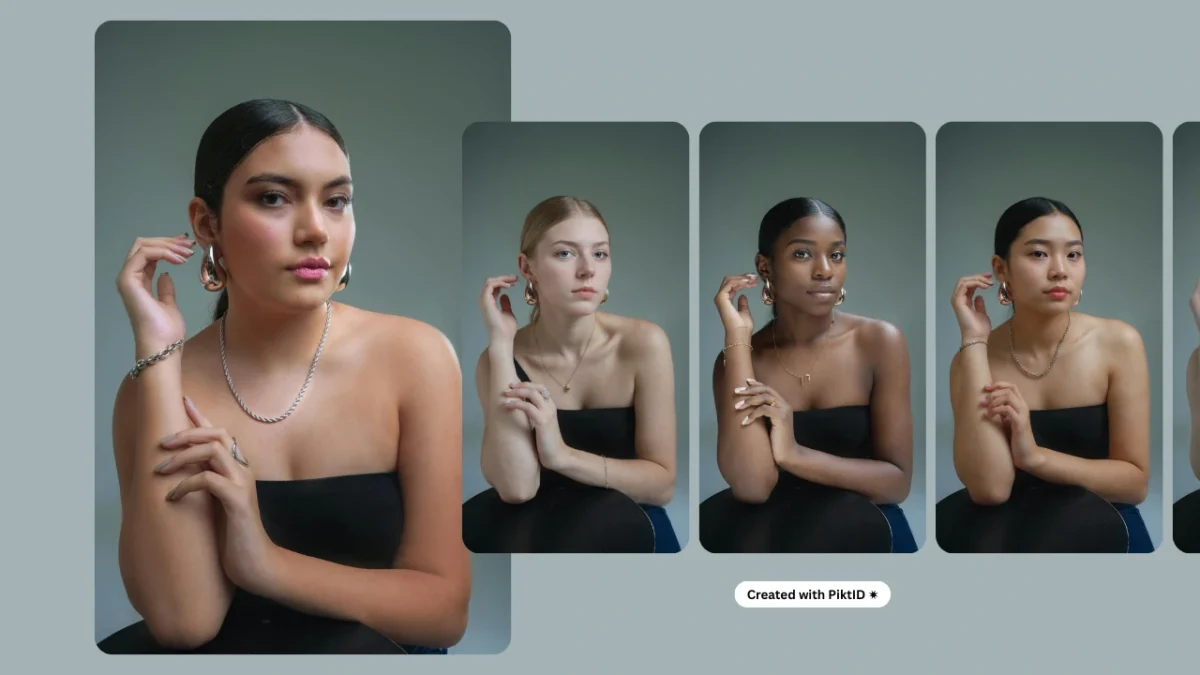
Face swapping has evolved from a novelty feature used in social media filters to a professional-grade technique that powers modern content creation. In 2025, creators, marketers, and brands expect tools that can Swap Faces on Pictures instantly while maintaining a high degree of realism. Today’s workflows demand accuracy in lighting, skin tone, facial angles, and expression matching, making traditional face-swapping apps insufficient for professional use.
This shift has created a need for an advanced engine capable of delivering studio-quality results without manual editing. PiktID Swap represents the next generation of AI model face-swapping technology, engineered specifically for creators who require realistic, consistent, and brand-safe imagery. Its ability to handle complex lighting, tone correction, and precise alignment makes it ideal for e-commerce model consistency, fashion lookbooks, advertising campaigns, and high-volume marketing assets.
With PiktID, users can Swap Faces on Pictures in seconds, enabling teams to scale visual content without expensive reshoots or delays. For brands and creative professionals aiming for flawless, repeatable visuals, Swap provides a fast and reliable solution. To explore the full capabilities, visit PiktID’s Swap and try it on your own images.
2. Why Instant Face Swapping Matters in 2025
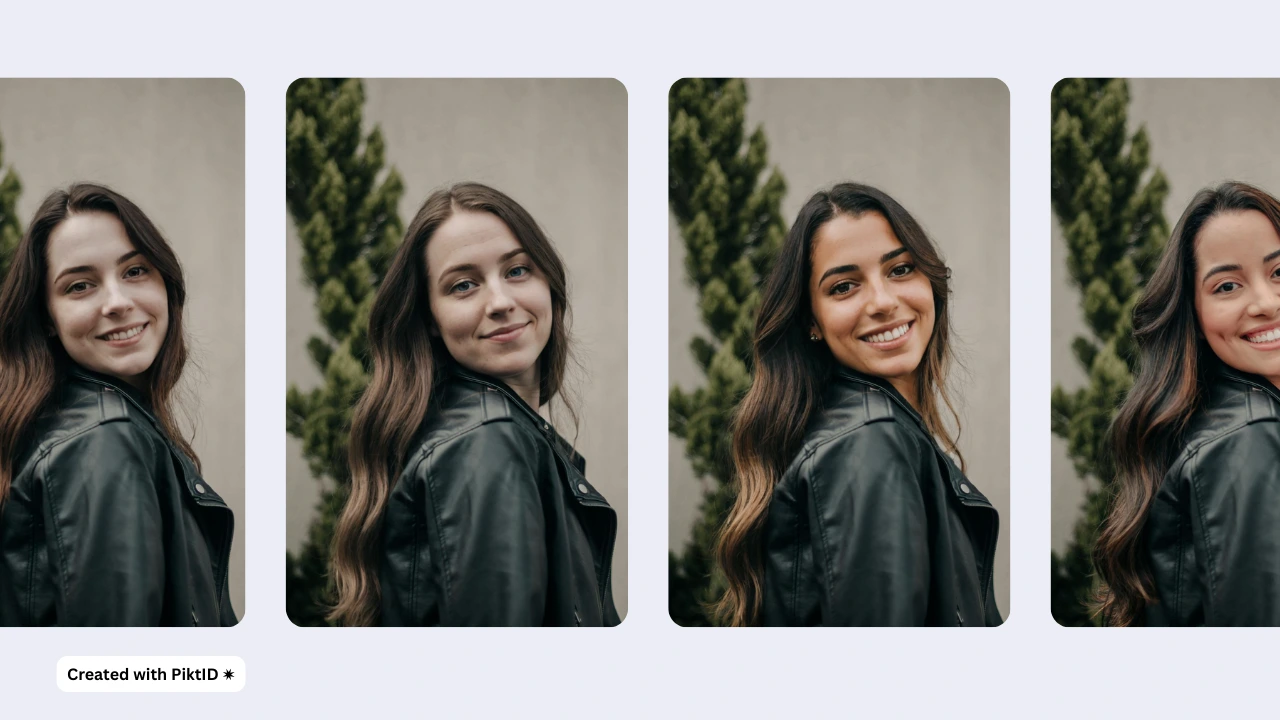
The year 2025 marks a major transformation in AI-driven visual production. Tools like Canva, Remaker AI, Pixlr, and Fotor have accelerated mainstream adoption of AI editing features, creating a market where users expect immediate, high-quality outputs. As demand rises, more people want to Swap Faces on Pictures without dealing with warped edges, mismatched tones, or unrealistic facial proportions. They want outputs that look real, clean, and professionally retouched.
This surge is fueled by fast-growing categories such as virtual influencers, AI-generated models, product photography, and user-generated content for platforms like Instagram, TikTok, and Amazon. Creators, small businesses, and agencies need instant swapping capabilities for rapid production cycles, faster testing, and scalable content development. Whether producing daily UGC or hundreds of catalog images, speed and accuracy have become non-negotiable.
Older face-swapping tools often struggled with issues like distorted faces, blurry transitions, inconsistent exposures, and noticeable artifacts. These flaws make them unsuitable for commercial use, pushing brands to adopt AI systems that preserve identity consistency and visual quality across large batches of images. This is why enterprises are shifting toward solutions like PiktID, which ensures stable, repeatable results even when users Swap Faces on Pictures at scale.
Brands also require visually consistent model imagery to maintain a unified identity across campaigns, lookbooks, and marketplaces. Instant face swapping solves this by enabling teams to create polished visuals rapidly, without compromising quality or authenticity.
3. What Makes the Best Face-Swap Tool?
When choosing a tool to Swap Faces on Pictures, the main difference between a fun tool and a professional tool comes down to realism. The best face-swap platforms share a set of key technical strengths.
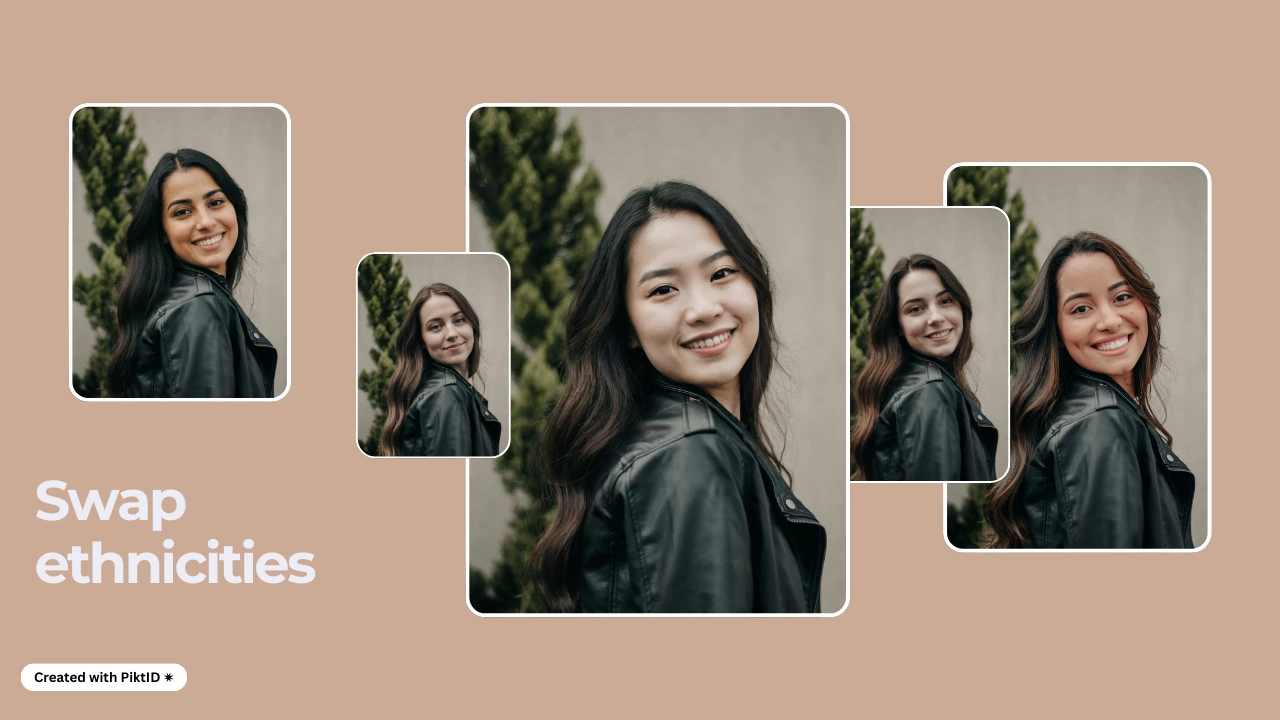
Core Quality Criteria
A high-quality face-swap tool should deliver:
- Precise facial landmark detection Correctly identifies eyes, nose, lips, jawline, and other structure points so the swap aligns naturally.
- Expression + gaze alignment The swapped face must match the original subject’s smile, eye direction, and micro-expressions for realism.
- Lighting + shadow consistency Both faces must appear to be photographed under the same lighting conditions. Without this, your swap instantly looks fake.
- Hairline + jawline blending The transition between the new face and original head shape should be smooth and invisible.
- No visible artifacts A top-tier tool avoids halos, blur patches, or odd texture distortions around edges.
- Natural tone-level blending Skin tone and texture should look cohesive, especially when you Swap Faces on Pictures for professional results.
Where Many Other Tools Fall Short
Most free or entertainment-oriented tools don’t prioritize realism:
- Canva → Easy to use, but results often look playful rather than natural.
- Remaker → Fast output but lighting consistency varies from image to image.
- Pixlr → Decent swaps, but lacks identity storage for multi-image consistency.
- Facewow, VidMage → Fun effects, not built for professional-quality model or brand photos.
4. Introducing PiktID Swap — The Fastest, Most Realistic AI Face Swap Tool
PiktID Swap is designed specifically for people who need reliable, professional-quality results—not just quick entertainment edits. Whether you’re a creator, brand, or e-commerce seller, PiktID gives you the accuracy required to Swap Faces on Pictures at scale.
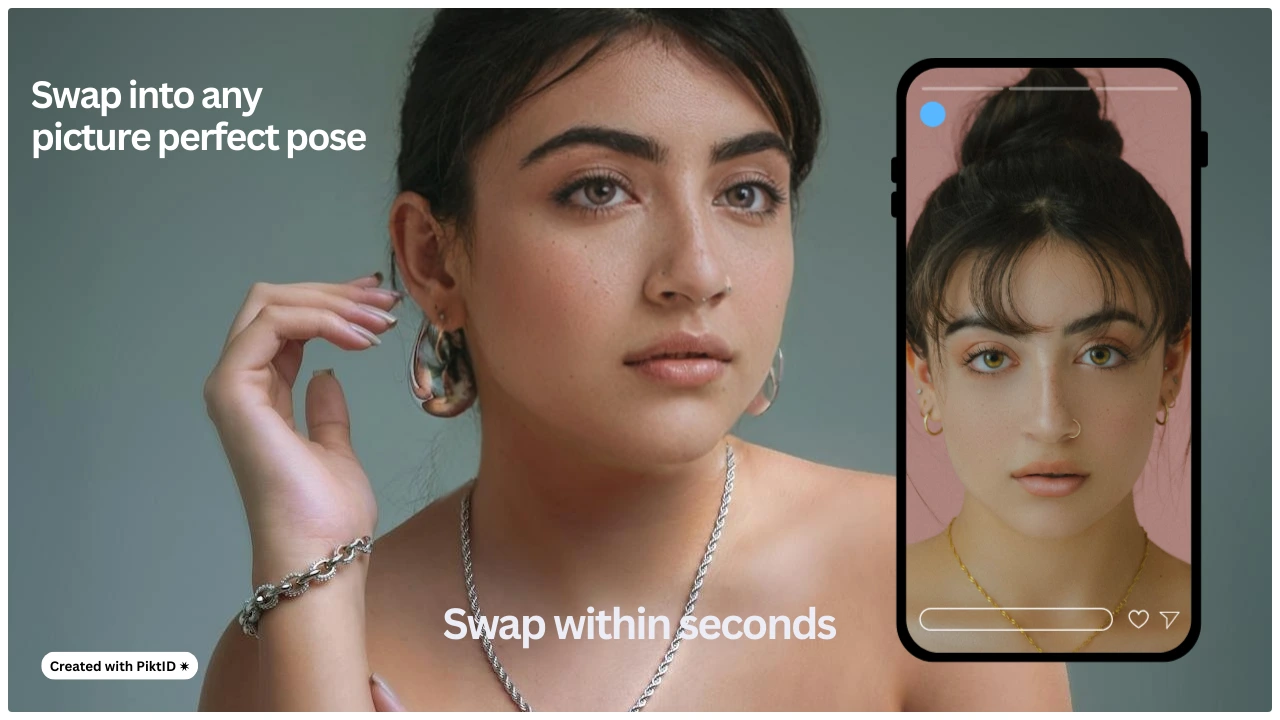
Why PiktID Leads in Realism
PiktID Swap is powered by advanced identity-aware AI that focuses on details other tools overlook:
- Realistic facial integration Automatically analyzes tone, shadows, highlights, and color to match both images seamlessly.
- Orientation + shape matching Aligns the new face perfectly with the original head angle—even in tricky poses.
- Micro-expression accuracy Preserves subtle details like smirks, cheek tension, and natural eye shape.
- Identity-aware blending Fuses the new face with consistent texture, jawline blending, and tone matching.
- Works for portraits + lifestyle images From model headshots to outdoor aesthetic photos, PiktID adapts automatically.
Built for Real Professional Use
PiktID is ideal for:
- E-commerce model replacement
- Product demo photography
- Influencer mockups
- Social ads previews
- Brand content creation
- Consistent identity use across multiple images
5. How to Swap Faces on Pictures with PiktID
Swapping faces on pictures using PiktID is designed to be fast, accurate, and visually consistent, making it suitable for both individual creators and brands that need professional-quality results. Unlike common online editors, PiktID’s workflow preserves lighting, texture, facial symmetry, and micro-expressions, ensuring that your final output looks natural and production-ready. Follow the steps below to Swap Faces on Pictures using PiktID Studio.
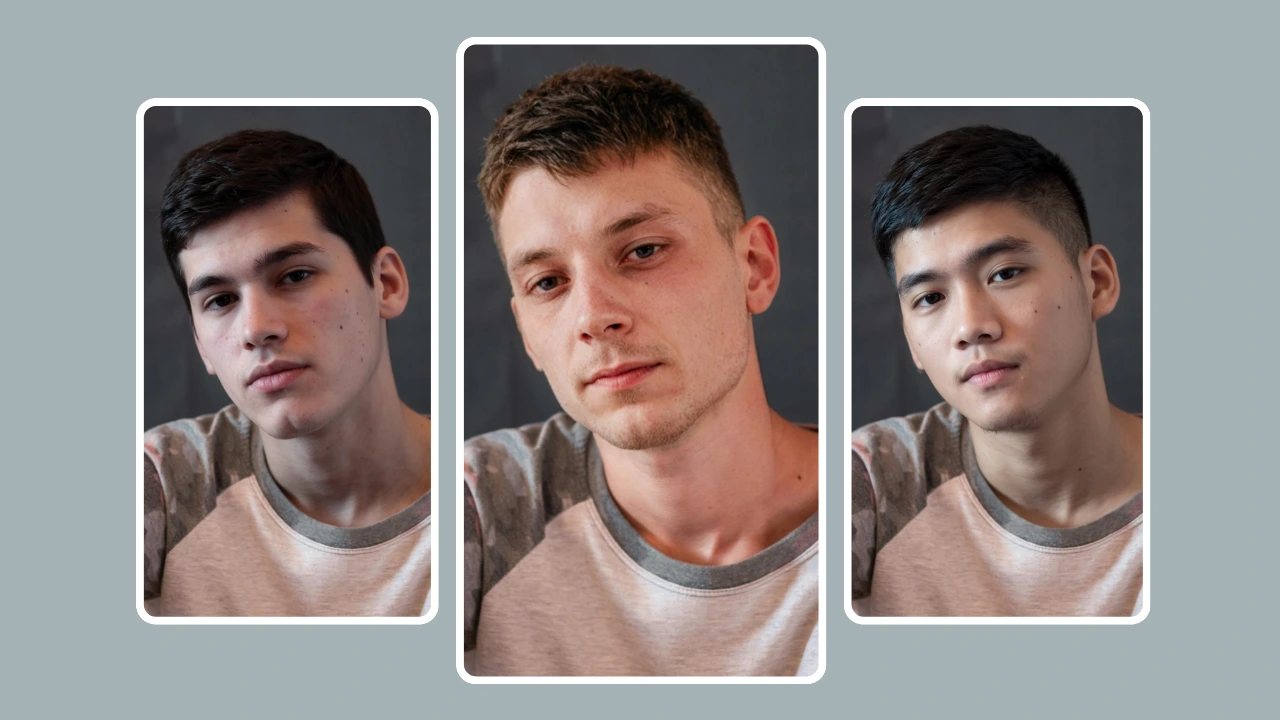
Step 1: Go to PiktID Swap
Visit the PiktID Studio dashboard and navigate to the Swap tool. This section is built specifically for users looking to Swap Faces on Pictures with accurate blending and model-grade quality.
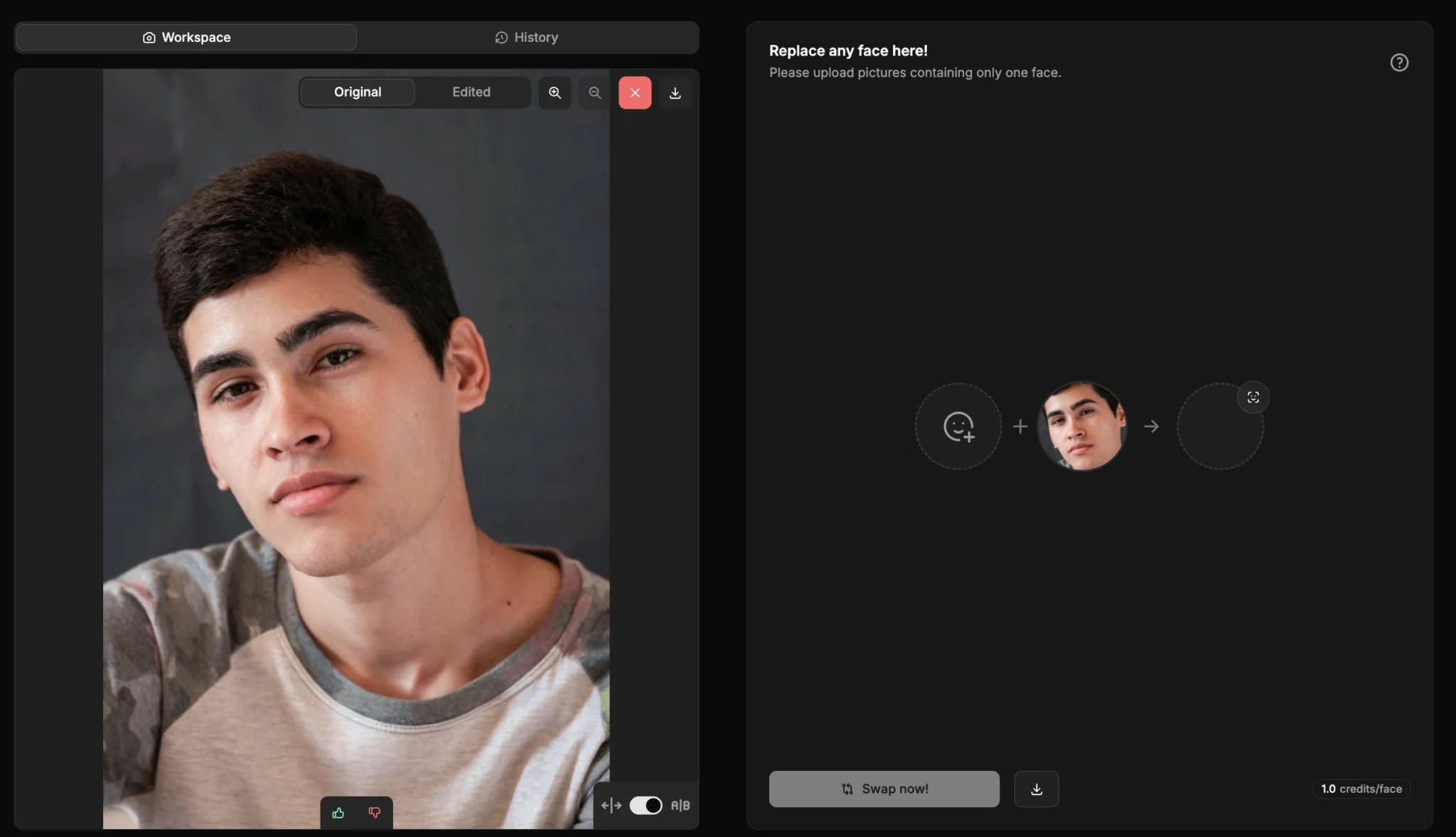
Step 2: Upload Your Base Image
Choose the primary photo where the new face will be placed. For best results, use a well-lit image with clear visibility of the original face.
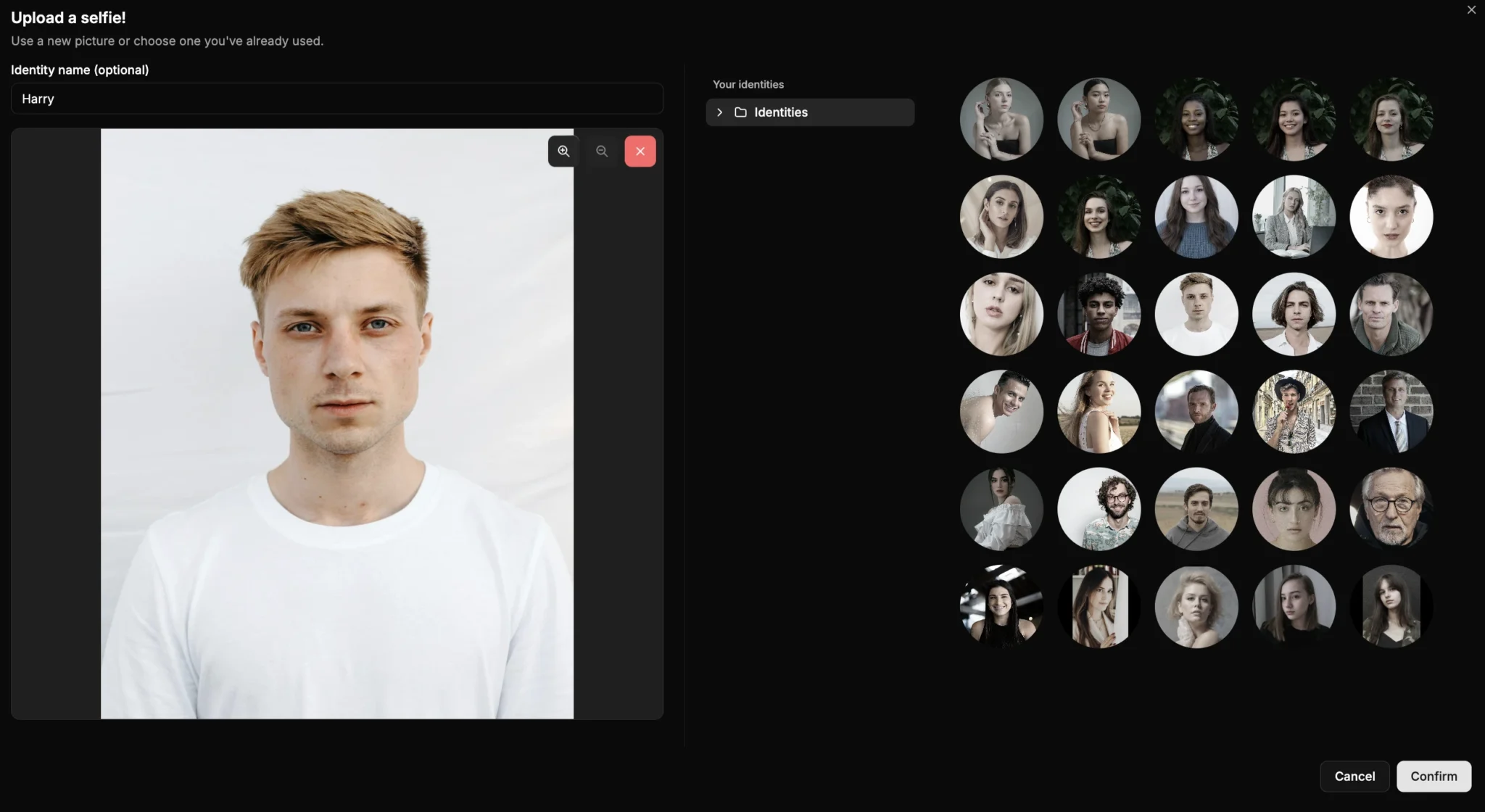
Step 3: Upload the Source Face or Choose a Stored Identity
You can upload a new reference image or select from an identity previously saved in your PiktID workspace. This step is useful when you want to Swap Faces on Pictures consistently across multiple visuals or maintain the same model identity for brand shoots.
Step 4: AI Auto-Alignment and Natural Blending
PiktID automatically aligns facial orientation, matches skin tone, adjusts lighting, and refines textures. The tool also performs micro-cleanups around edges such as jawlines, hairlines, and cheek contours to ensure the swap is indistinguishable from a real photo.
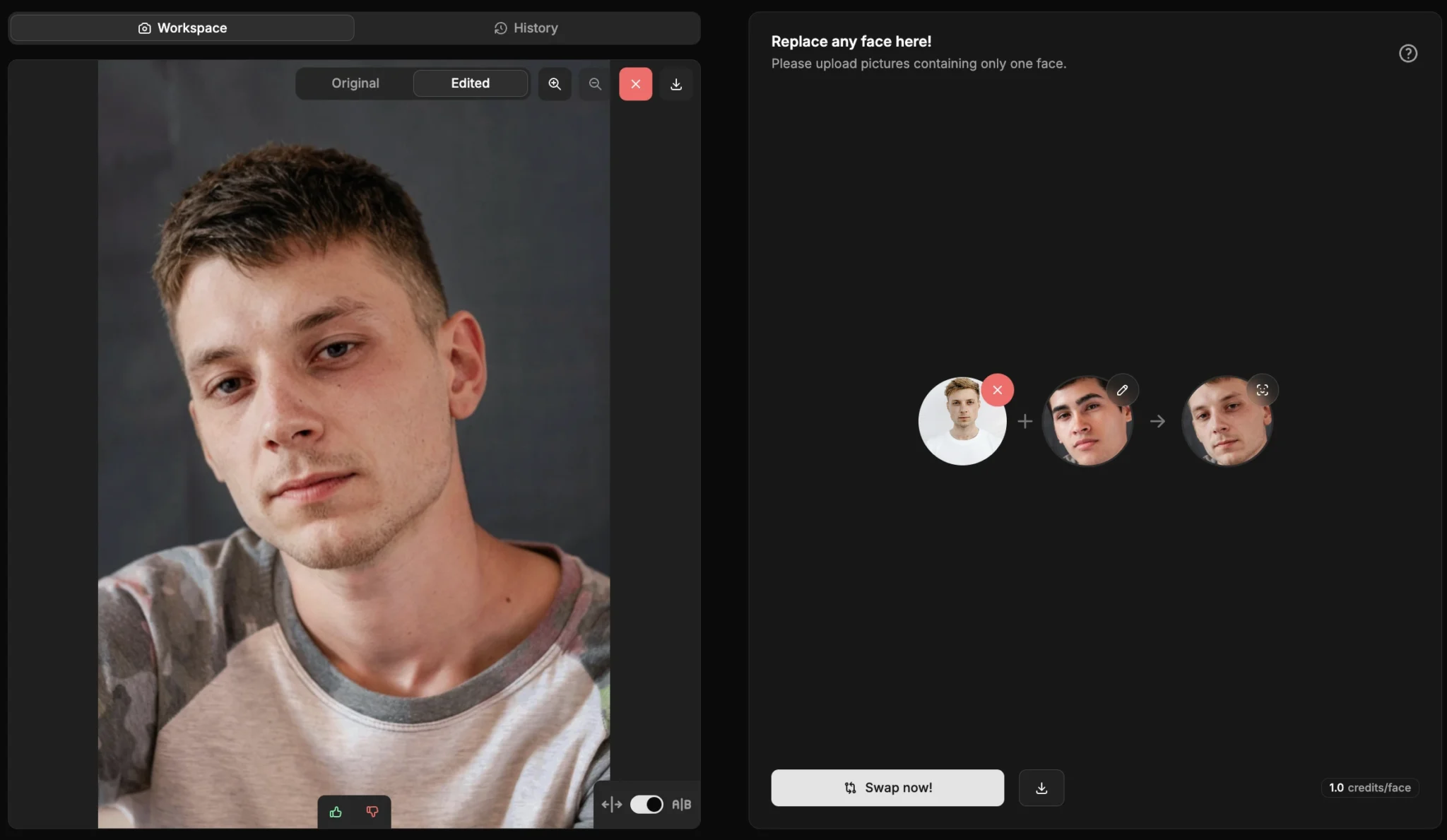
Step 5: Download Instantly
Once the swap is complete, you can instantly download a high-resolution image ready for use in campaigns, websites, or product displays.
Optional Enhancements
Use the Upscale tool for sharper results or the Anonymize tool if you want to switch the face to a synthetic identity before conducting further swaps. This is especially beneficial when brands want to Swap Faces on Pictures while maintaining privacy or legal compliance.
6. PiktID Identity Consistency Workflow
One of the major advantages of PiktID is its ability to let brands store and reuse a specific identity—either synthetic or real—across unlimited images. This feature transforms the way companies Swap Faces on Pictures for professional use.
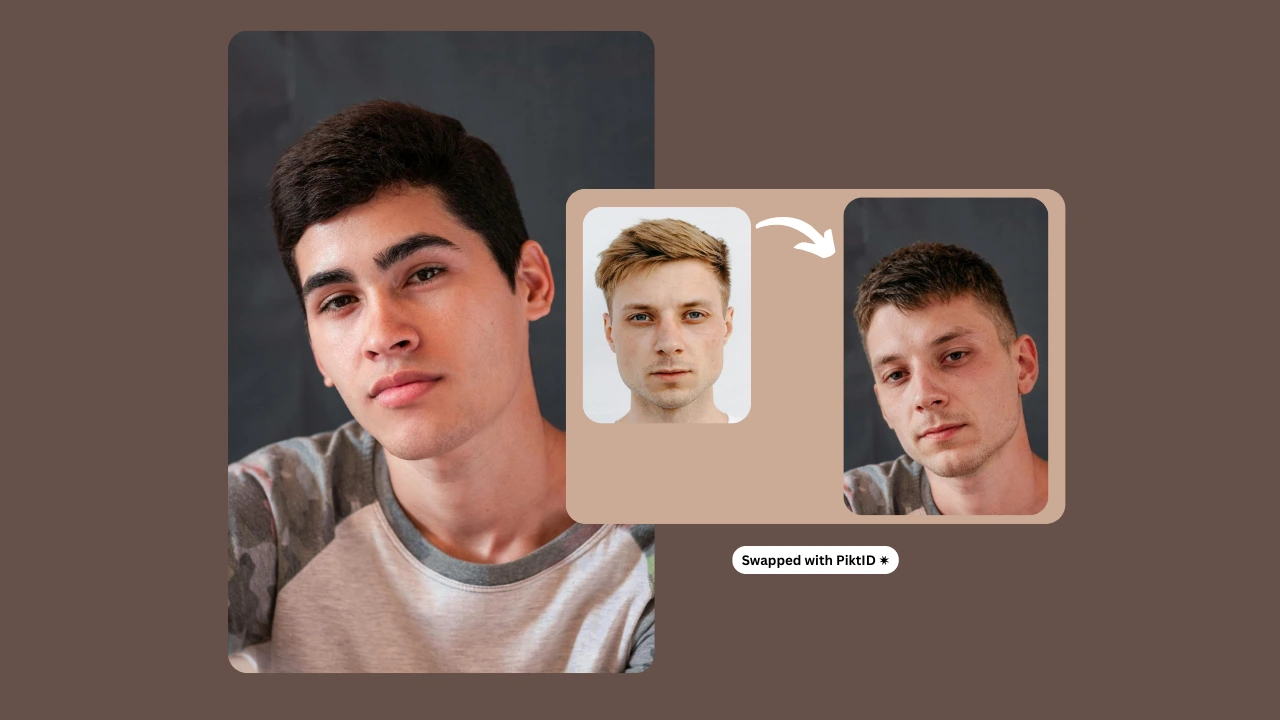
a. Storing an Identity Through Anonymize
Brands can upload a real or reference image into the Anonymize tool, which converts the photo into a privacy-safe synthetic identity. This identity can then be saved within PiktID and reused anytime they need to Swap Faces on Pictures across new campaigns, outfits, or product mockups.
b. Reusing the Same Face Across Hundreds of Images
Once stored, the identity becomes part of the brand’s digital asset library. Whether you need 10, 50, or 500 photos, PiktID ensures the same face appears consistently, regardless of pose, outfit, angle, or lighting conditions. This removes the need for repeated model hiring, re-edits, or re shoots. Every time you Swap Faces on Pictures, the system maintains accuracy in facial structure, eye direction, skin tone, and hairline alignment.
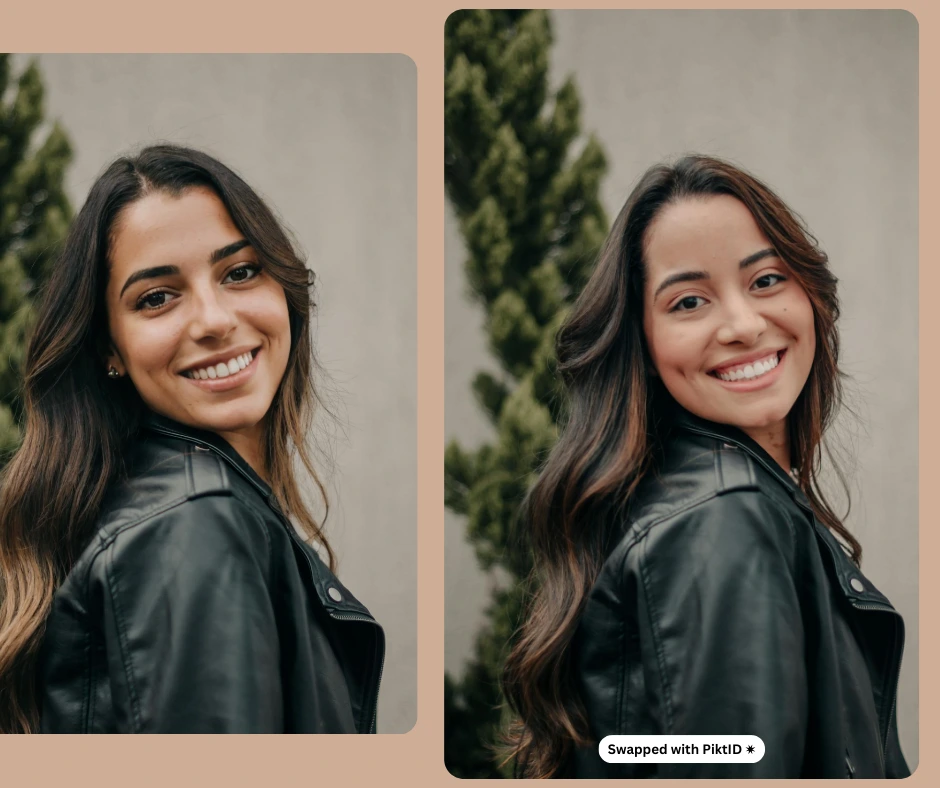
c. Long-Term Identity Control
Unlike tools like Canva or Pixlr, which only offer one-off editing, PiktID is engineered for long-term model consistency. It allows you to Swap Faces on Pictures repeatedly with the same digital identity, making it ideal for large-scale catalog production.
d. Micro-Case Study
A fashion brand needed to create 50 outfit variations for an online lookbook. Instead of coordinating a full photoshoot, they generated a single synthetic model identity using Anonymize, then used PiktID Swap to apply that same identity across all 50 outfits. The results were consistent, realistic, and completed within a few hours.
Another example is an e-commerce store that produces seasonal catalogs. By storing a preferred synthetic model identity, they can Swap Faces on Pictures across every product photo in the winter, spring, and summer collections, ensuring continuity in branding and presentation without requiring repeated model sessions.
This identity consistency workflow dramatically reduces production costs, eliminates scheduling issues, and maintains a unified visual identity across all brand materials.
7. Best Practices: How to Get the Most Realistic Face Swap
Achieving professional, photorealistic results when you Swap Faces on Pictures requires a combination of correct image preparation, optimal angles, and proper use of PiktID enhancement tools. These best practices ensure your output looks natural, consistent, and visually accurate.
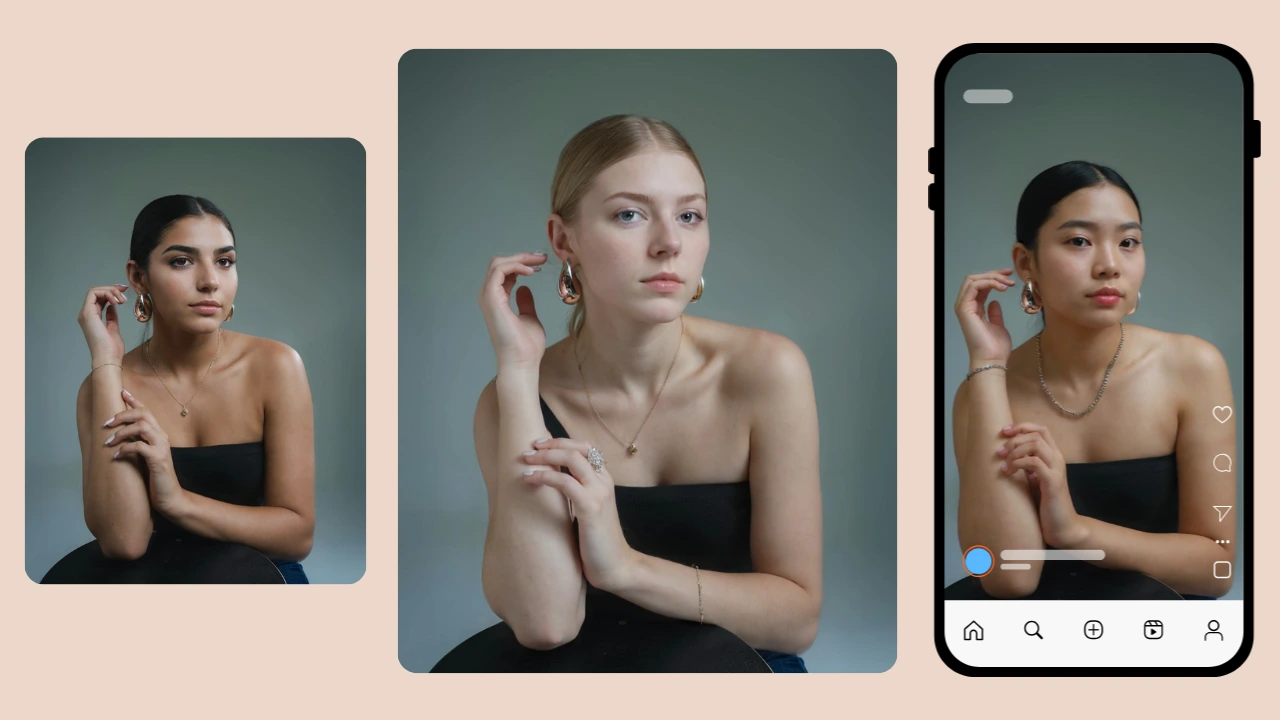
i. Use well-lit images
Good lighting is one of the most important factors when you Swap Faces on Pictures. Ensure the subject is evenly lit, without heavy shadows or harsh highlights. Balanced lighting helps the model’s skin tone, texture, and contours blend seamlessly.
ii. Keep similar angles
The most realistic results occur when both the base image and the reference face share a similar pose. When users Swap Faces on Pictures using mismatched angles, distortions may occur. Aim for front-facing or slight ¾ angles for the best transfer.
iii. Clear facial expression
Neutral or soft expressions create smoother transitions. Extreme expressions may cause mismatches after swapping. Use Change Expressions within PiktID if you want to refine the gaze or adjust the smile after you Swap Faces on Pictures.
iv. Avoid occlusion
Hair covering the eyes, sunglasses, masks, or objects that hide facial landmarks can reduce the model’s accuracy. When preparing to Swap Faces on Pictures, choose images where the face is clearly visible.
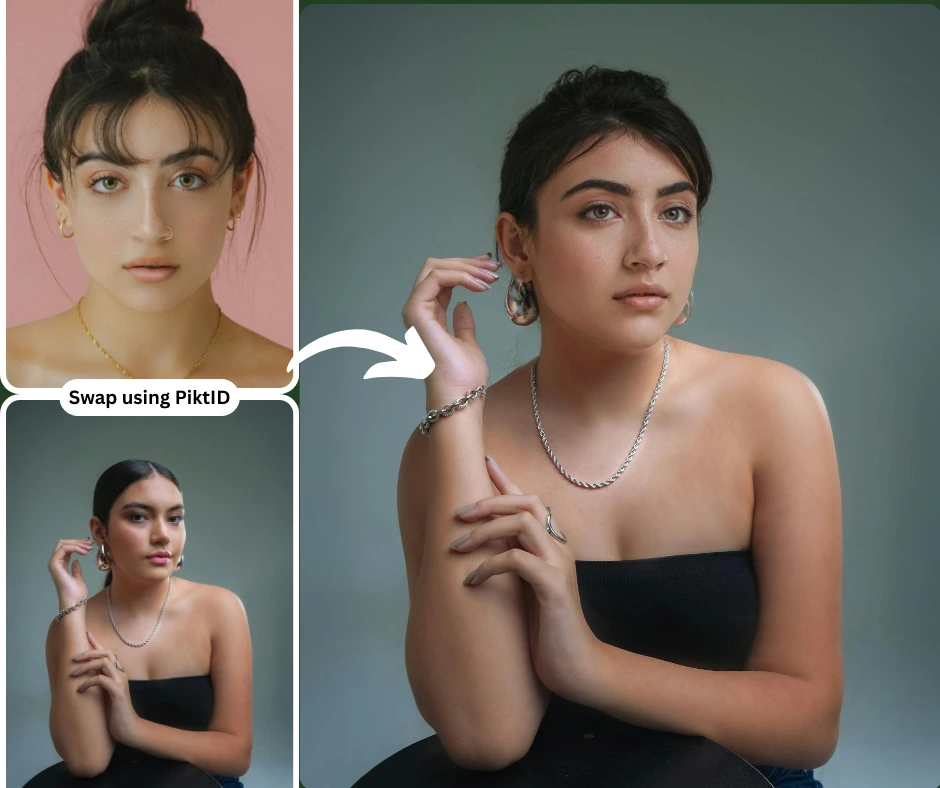
v. Use PiktID Upscale before swapping
Upscaling first provides more detail, allowing the AI to read facial textures accurately. Higher-resolution input directly improves how naturally you can Swap Faces on Pictures.
vi. Use Change Expressions to fix gaze or smile after swap
After swapping, refine micro-expressions, adjust head tilt visually, or correct mismatched emotion. This ensures your Swap Faces on Pictures output feels intentional and aligned with the overall mood.
vii. Use Edit Background for full creative control
Once you Swap Faces on Pictures, use Edit Background to place the new model in a different setting, remove distractions, or create a brand-consistent environment. This is ideal for commercial or editorial use.
8. Use Cases & Real Examples
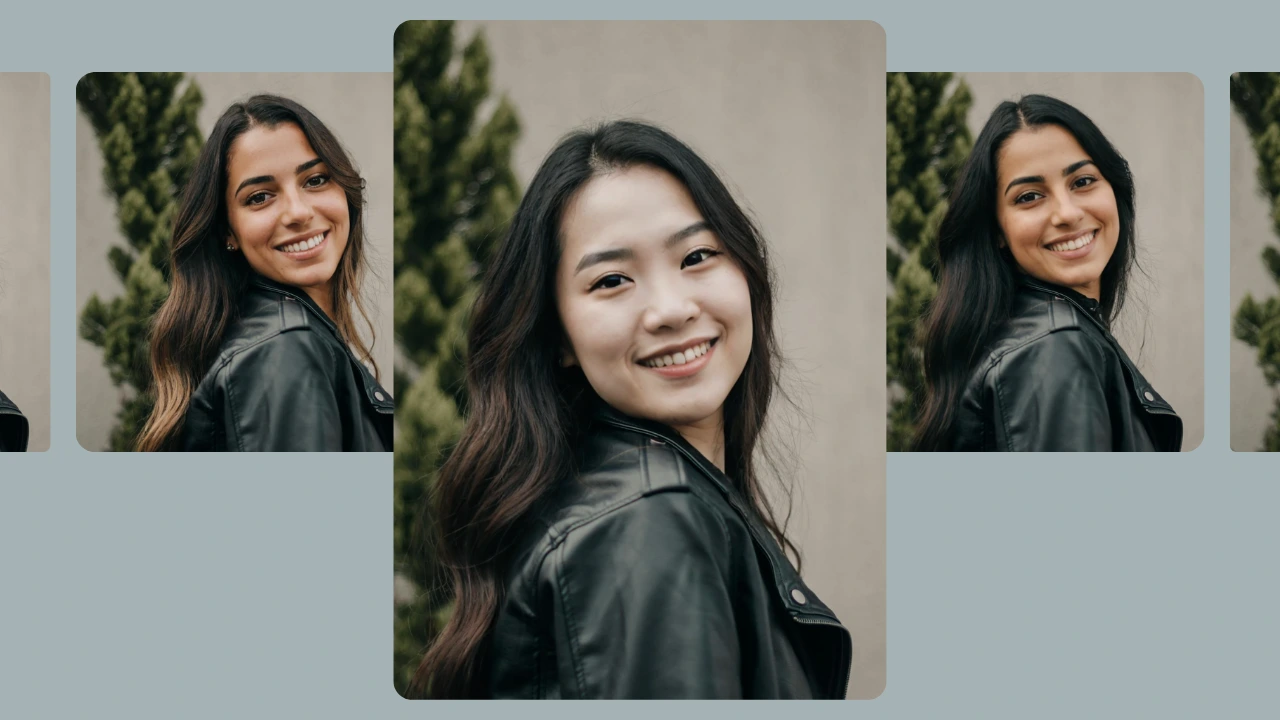
AI-powered tools now make it possible to Swap Faces on Pictures for a wide range of professional, creative, and personal use cases. Businesses, creators, and individuals in the US increasingly use PiktID’s Swap, Anonymize, Change Expressions, and Generate Person tools to enhance production speed, reduce costs, and maintain visual consistency.
In fashion, teams can Swap Faces on Pictures to produce full lookbooks without booking multiple models or reshooting entire collections. Brands maintain a consistent identity across hundreds of images by generating a synthetic model through Generate Person and applying Swap for outfit variations. For UGC campaigns, creators Swap Faces on Pictures to replicate influencer-style product demos or redesign user-generated content with more polished, brand-aligned model faces.
E-commerce stores use this workflow to replace outdated model shots, upgrade low-quality supplier images, or adjust identity for multiple customer demographics. Influencers and public figures apply Swap Faces on Pictures to protect their identity, using Anonymize to maintain privacy while still producing high-quality visuals.
For social media and entertainment, swapping faces makes meme creation, digital art, and thematic photo edits simple and fast. Personal users Swap Faces on Pictures to fix group photos, balance expressions, or enhance family portraits. In production environments, film teams and storyboard artists simulate alternate scenarios by swapping faces into planned scenes. Corporate teams use Anonymize and Swap Faces on Pictures to maintain confidentiality when creating training material, ID badges, or internal presentations.
Across industries, these tools help teams produce consistent, professional, and scalable visual output without reshoots, expensive modeling, or delays.
9. Comparison Table — PiktID vs Remaker vs Canva vs Pixlr vs FaceWow
When looking for tools to Swap Faces on Pictures, the biggest challenge is finding a platform that delivers realistic results suitable for professional use. While many AI tools offer quick swapping, very few maintain lighting accuracy, identity consistency, and commercial-grade output. Below is a detailed comparison between PiktID and popular competitors such as Remaker, Canva, Pixlr, and FaceWow.
| Feature | PiktID | Remaker | Canva | Pixlr | FaceWow |
| Realism | High-end photorealistic results | Moderate | Basic | Basic | Low |
| Lighting correction | Advanced light-aware blending | Limited | None | None | Minimal |
| Identity consistency | Persistent identity across multiple images | Inconsistent | Not supported | Not supported | Low |
| Professional use | Yes, ideal for e-commerce, fashion, product photography | Mostly casual | Social media | Social media | Entertainment |
| Free credits | Available | Limited | Restricted | Restricted | Yes |
| API availability | Full developer API | No | No | No | No |
| Synthetic identity support | Yes (synthetic models, anonymized faces) | No | No | No | No |
| Watermark | No watermark on outputs | Often watermarked | Watermarked exports | Watermarked exports | Yes |
Why PiktID Leads This Category
PiktID is uniquely positioned as a professional-grade platform for anyone looking to Swap Faces on Pictures at production quality. Its engine maintains accurate tone matching, seamless lighting correction, and stable identity control, producing results suitable for commercial use without any watermarks. This makes PiktID ideal for fashion brands, e-commerce stores, creative agencies, and UGC creators who need consistent, high-quality assets. Additionally, PiktID’s API, batch automation abilities, and synthetic identity tools create an end-to-end workflow that other platforms currently do not offer.
10. Ethics, Privacy & Responsible AI Face Swapping
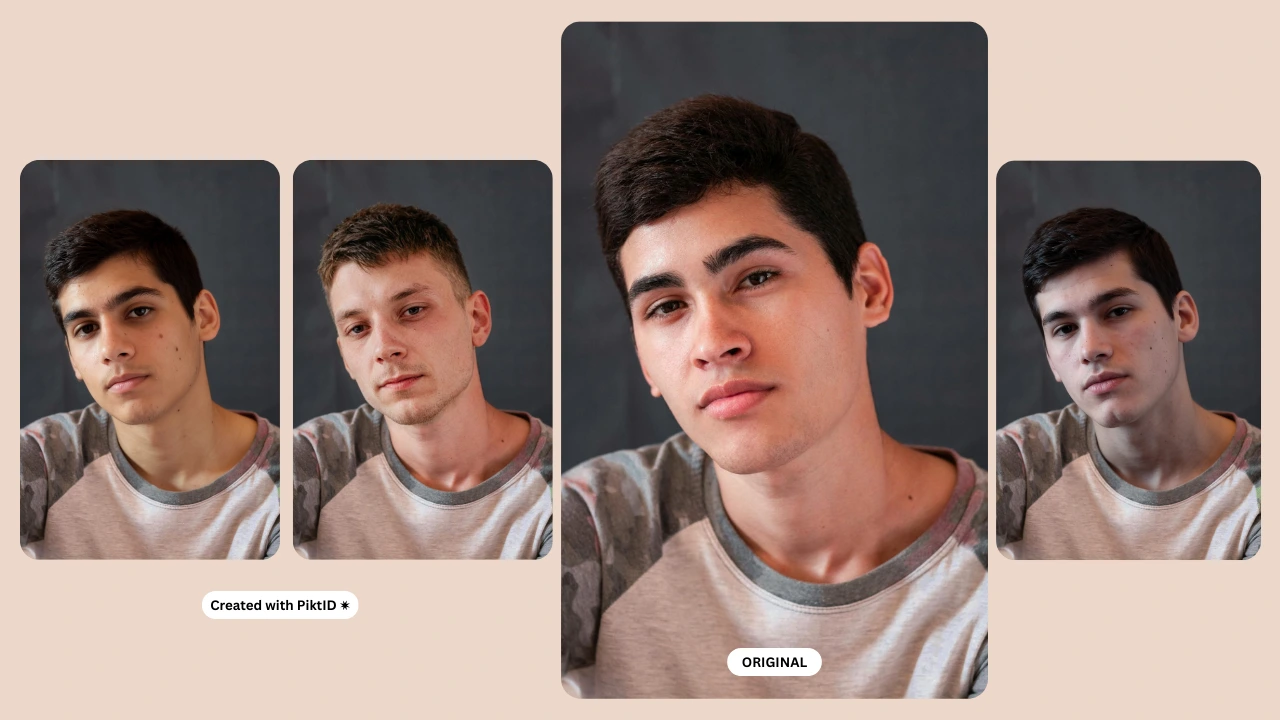
As AI tools that Swap Faces on Pictures become more advanced, responsible usage is essential. Ethical face swapping begins with understanding the importance of consent. Individuals should have explicit permission before their likeness is used, even in AI-generated content. This prevents misuse, protects personal rights, and ensures trust in digital workflows.
PiktID is built with a privacy-first approach, offering GDPR-compliant workflows across both Studio and API. All uploaded images are processed securely, and data is never shared, reused, or repurposed without consent. For users who want to Swap Faces on Pictures ethically, PiktID includes the Anonymize module, which replaces real identities with safe, non-human synthetic faces. This is ideal for brands, advertisers, and e-commerce stores who want realistic model visuals without relying on real individuals.
Synthetic identities are one of the most responsible ways to produce model shots at scale. These faces do not belong to any real person and can be used freely across campaigns, product photos, and catalogs. This approach eliminates the risks of impersonation, defamation, or deepfake misuse often associated with low-quality face swap tools.
PiktID also discourages the use of AI face swapping for inappropriate or harmful scenarios, including political deepfakes, adult content, harassment, or false representation. The goal is to empower creators, brands, and businesses with high-quality tools while ensuring every face swap respects privacy, legality, and human dignity.
By combining secure processing, synthetic identities, consent-based usage, and advanced anonymization tools, PiktID ensures that Swap Faces on Pictures is done responsibly and ethically across all industries.
11. Choosing PiktID for Swapping faces
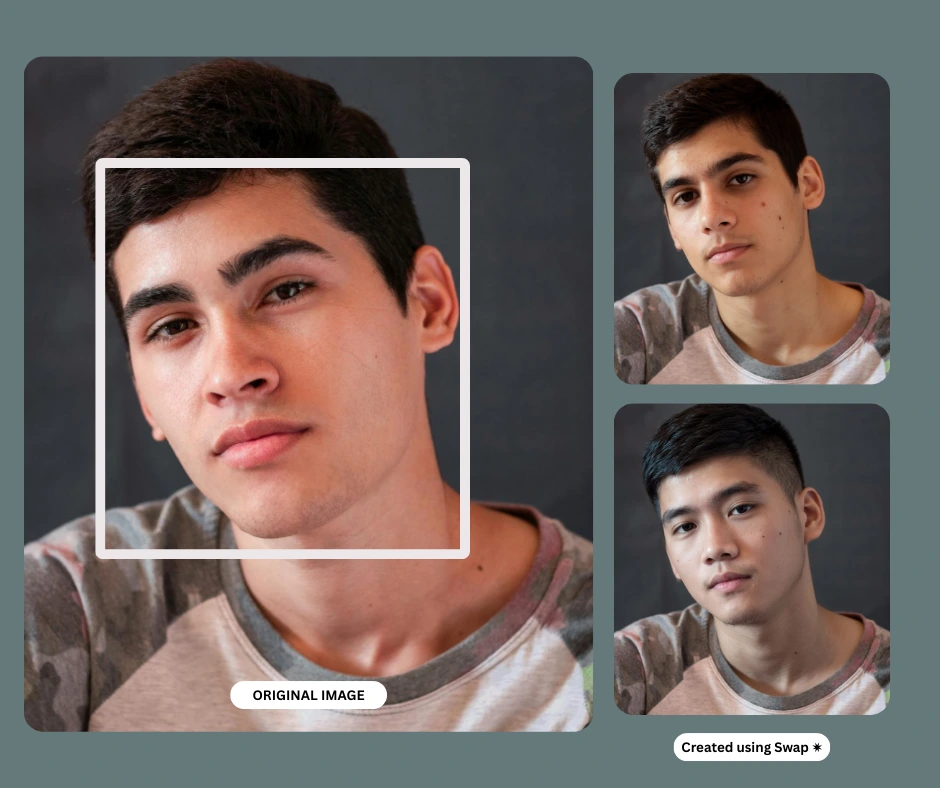
Instant face swapping has become an essential part of modern content creation, especially for brands, photographers, influencers, and e-commerce businesses that need fast, high-quality visuals. The ability to Swap Faces on Pictures with precision allows teams to maintain consistent model identities, test different looks, and produce professional imagery without scheduling new photoshoots. This speed and flexibility directly translate into reduced production costs and a more agile creative workflow.
PiktID Swap delivers superior accuracy compared to standard face swap tools that often prioritize speed over realism. Its advanced rendering engine aligns lighting, skin texture, tone, and hairline to ensure that every time you Swap Faces on Pictures, the final output looks natural, commercial-ready, and suitable for high-resolution campaigns. Professionals, creators, and businesses choose PiktID Swap because it supports large-scale workflows, stored identities, API automation, high-resolution outputs, and features designed specifically for model-grade imagery.
If you are looking for a reliable way to Swap Faces on Pictures while maintaining flawless quality, PiktID Swap provides one of the most accurate solutions in the market.
Ready to swap faces instantly with professional accuracy? Try PiktID for 10 free credits.
Visit https://studio.piktid.com/swap to get started today.
Key Takeaways
- PiktID Swap is an advanced tool that allows users to Swap Faces on Pictures quickly and accurately, ensuring professional-quality results.
- The demand for instant face swapping is rising, driven by social media and creative industries requiring realistic outputs without the hassle of traditional tools.
- Key features of PiktID Swap include precise facial landmark detection, consistent lighting, and identity-aware blending for seamless integration.
- PiktID enables brands to maintain visual consistency by storing and reusing identities across multiple images, streamlining the content creation process.
- Ethical use of face swapping is emphasized, with PiktID ensuring privacy and consent while providing tools like Anonymize for synthetic identity creation.
12. FAQ Section
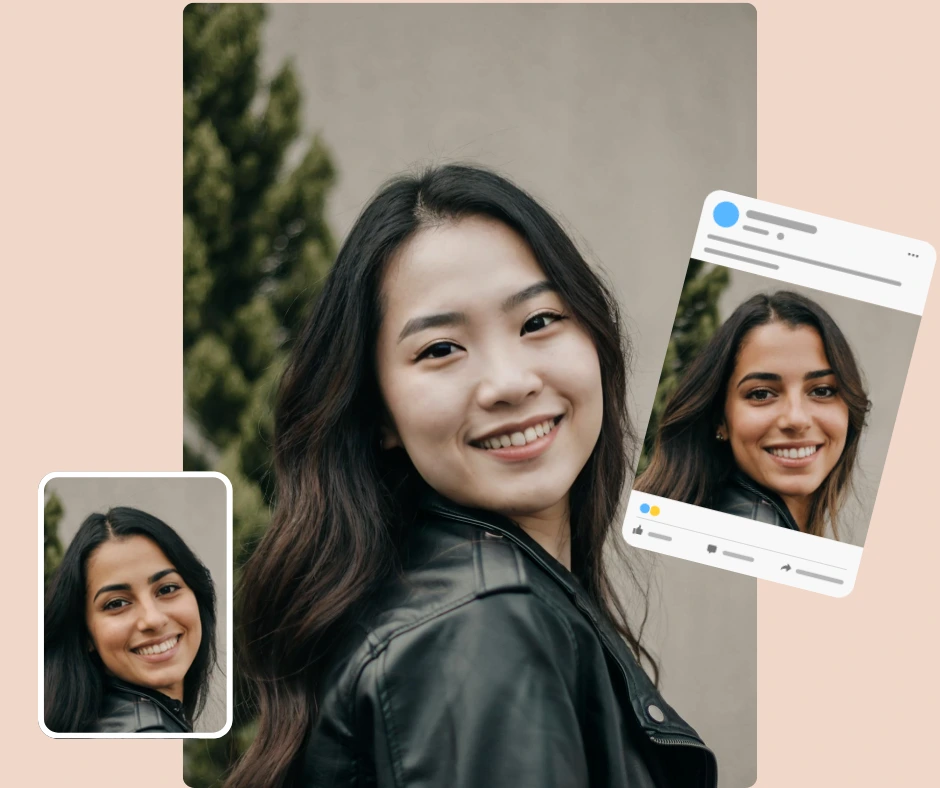
1. What is the fastest way to swap faces on pictures instantly?
The fastest way to Swap Faces on Pictures is to use an online tool like PiktID Swap, which performs lighting analysis, identity mapping, and texture blending in a few seconds. You simply upload your photos and the output is generated instantly.
2. How does PiktID Swap create realistic face swaps?
PiktID Swap uses a multi-layer rendering system that analyzes pose, lighting, skin tone, jawline structure, and micro-expressions. This ensures the swapped result blends seamlessly into the original photo and looks natural even when you Swap Faces on Pictures with complex lighting.
3. Can I swap multiple faces at once?
Yes. With the PiktID SwapID API, you can Swap Faces on Pictures in bulk, automate batch jobs, and process large sets of product photos, lookbook images, or catalog visuals.
4. How do I fix tone mismatch in face swap images?
Tone mismatches typically occur when lighting or exposure differs between the two images. PiktID Swap automatically adjusts tones during the process, but you can also upscale or run a secondary adjustment to refine the balance after you Swap Faces on Pictures.
5. Does PiktID work for commercial use?
Yes. PiktID is built for commercial workflows including advertising, product photography, apparel modeling, and brand identity creation. You can Swap Faces on Pictures and use the outputs legally as long as you own rights to the images or use synthetic identities.
6. How to swap faces on mobile?
PiktID Swap works in any mobile browser. Upload your photos, select your target face, and Swap Faces on Pictures directly from your phone without installing any apps.
7. How to swap faces without losing quality?
To Swap Faces on Pictures without losing quality, always upload high-resolution images and use tools like PiktID that preserve fine textures, maintain edge sharpness, and support post-swap upscaling for enhanced clarity.
8. How to use stored identities for consistent modeling?
PiktID allows you to save and reuse identities, which helps brands maintain consistent model appearances across hundreds of images. This means you can repeatedly Swap Faces on Pictures using the same identity for catalogs, lookbooks, and seasonal campaigns.