
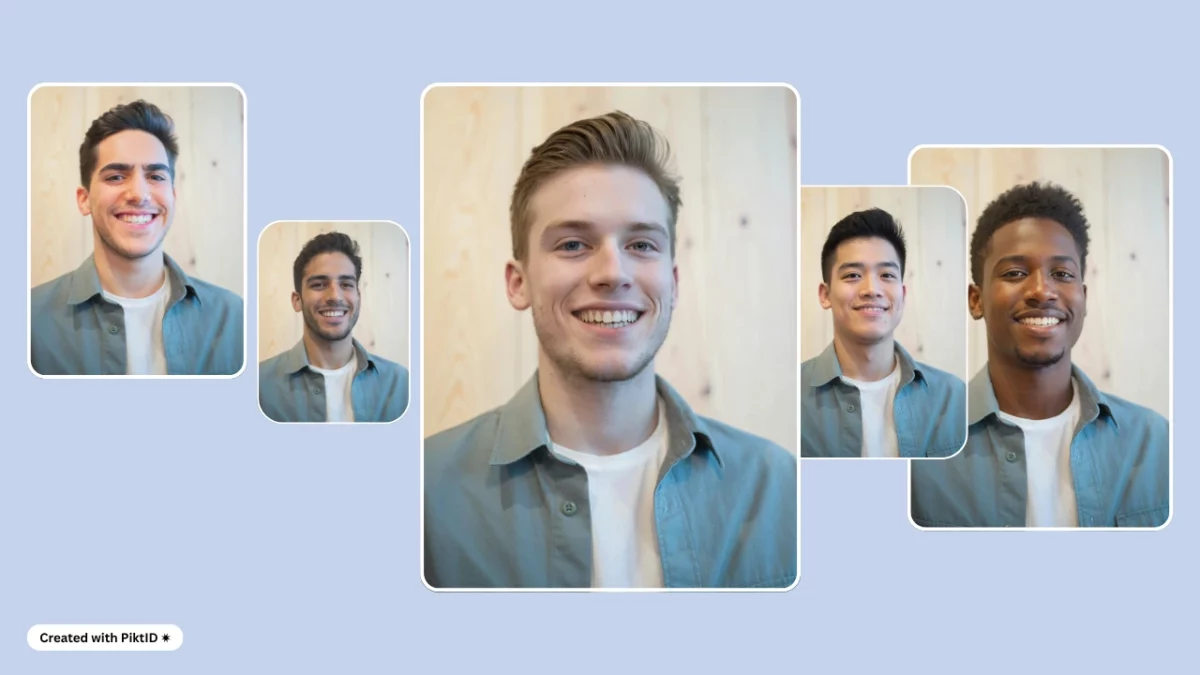
1. The Rise of Body Swap AI for Visual Identity
In today’s fast-evolving digital landscape, Body swap AI is emerging as a transformative tool for content creation, identity management, and visual storytelling. At its core, body swap AI enables the replacement of a person’s body or physical identity in an image or video with another user-supplied or AI-generated body—while preserving realism, posture, lighting, and context.
This technology is no longer limited to entertainment or novelty use. Platforms like PiktID are pioneering body swap AI in ways that serve real-world business functions, from brand personalization to ethical anonymization. By allowing seamless and realistic body replacements, companies can scale creative production, reduce dependency on reshoots, and maintain full control over how identities appear across media.
The relevance of body swap AI extends beyond aesthetics. In marketing, it’s unlocking hyper-personalized visuals. In professional workflows, it’s empowering developers and designers to generate legally compliant media using alternative, AI-generated personas. As synthetic media continues to evolve, body swap AI is proving to be a critical layer in the toolkits of digital marketers, product teams, and visual designers alike.
Expect to see it applied in ad campaigns, virtual fashion try-ons, and even internal communication tools. With precision and scalability built in, body swap AI is reshaping how visual identity is constructed and distributed in a privacy-conscious world.
If you need to swap only the head rather than the whole body, PiktID’s head swap AI checks lighting and skin colour so the result looks natural.
2. Why Use Body Swap AI? Practical Applications for Professionals
The demand for personalized yet ethically sourced visual content has never been higher. Body swap AI meets this need by enabling creators, marketers, and businesses to build hyper-customized assets—without relying on extensive studio resources or breaching data privacy norms.
Here are the most impactful professional applications of body swap AI:
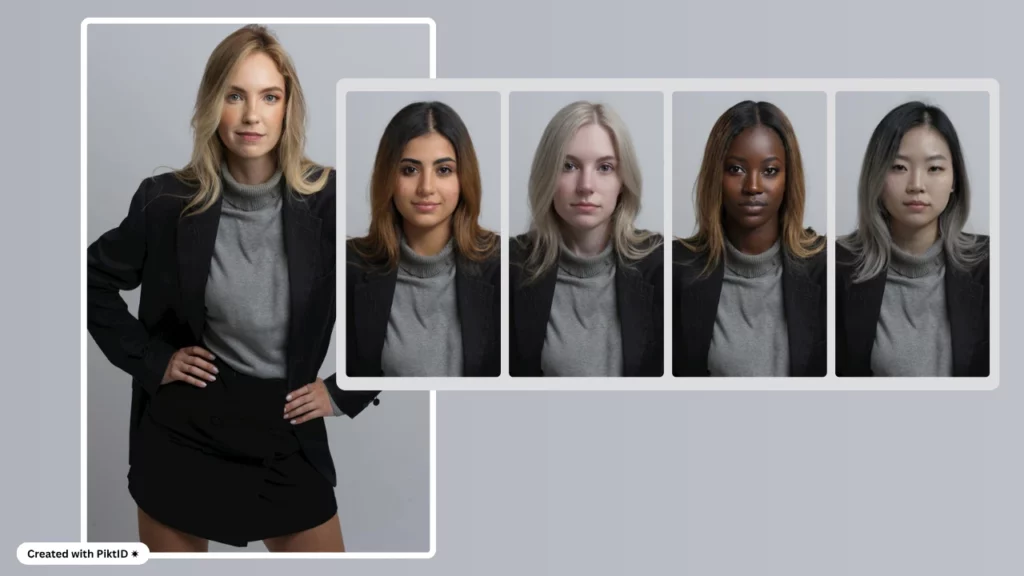
i. Marketing Campaigns
- Rapidly generate diverse model variations to localize ad campaigns.
- Run A/B tests using the same backdrop with different personas for each demographic.
- Eliminate the need for repeat photography sessions, saving time and budget.
ii. E-commerce and Virtual Try-Ons
- Let users see apparel, eyewear, or accessories on bodies similar to their own.
- Simulate product usage across different body types or ethnic representations.
- Enhance buyer confidence through personalized visuals at scale.
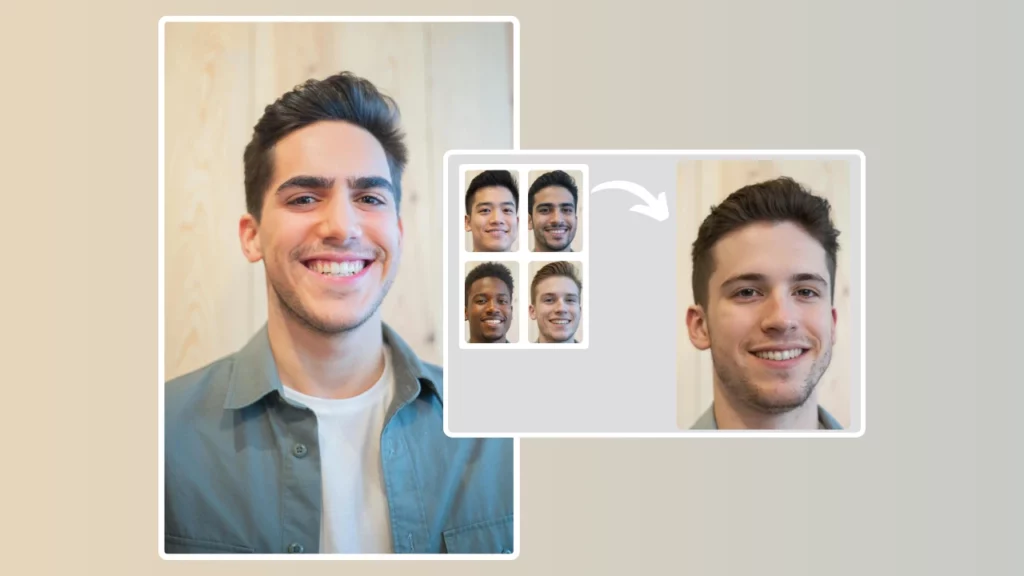
iii. Influencer Content & Social Media
- Test different styles, poses, or personas without filming multiple versions.
- Maintain privacy by using AI-generated bodies or masking real identities.
- Create consistent branded content across platforms like Instagram, TikTok, and YouTube.
iv. Entertainment & Gaming
- Animate AI-generated characters for storytelling and cinematic production.
- Quickly prototype avatars with specific body profiles for use in 3D games or VR.
- Swap actors in visual scenes for creative testing or budget-friendly production.
v. Privacy and Anonymization
- Replace real individuals in sensitive imagery while retaining context.
- Remain compliant with GDPR and other privacy frameworks.
- Useful for media publishers, government communications, and legal documentation.
As ethical content generation becomes more vital, body swap AI offers a scalable and secure approach for building trust, visual cohesion, and compliance across creative pipelines.
3. How PiktID’s Body Swap AI Works: A Simplified Overview
PiktID’s Body swap AI offers an intuitive and accessible way to generate realistic identity replacements in photos—no technical expertise required. Whether you’re a content creator, brand marketer, or platform developer, the workflow is designed to deliver lifelike swaps with minimal input and maximum quality. The system eliminates the complexities traditionally associated with photorealistic transformations, bringing studio-grade editing capabilities to your browser.
Here’s a clear step-by-step process showing how easy it is to use the body swap AI:
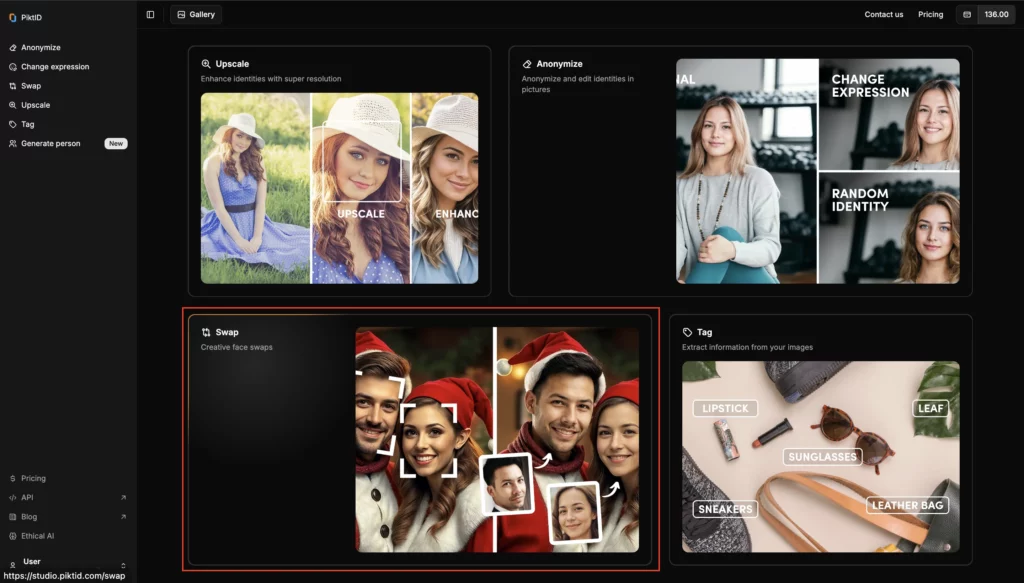
i. Upload Your Image
Begin by dragging and dropping your image directly into the PiktID studio interface. The AI automatically detects people in the image and prepares them for transformation. Supported formats include JPEG, PNG, and WEBP.
ii. Select the Person to Replace
Once the image is uploaded, you’ll be able to choose which individual you want to swap out. The UI displays each detected face, allowing for a simple click-to-select process. This is especially useful for images containing multiple people.
iii. Select the New Face
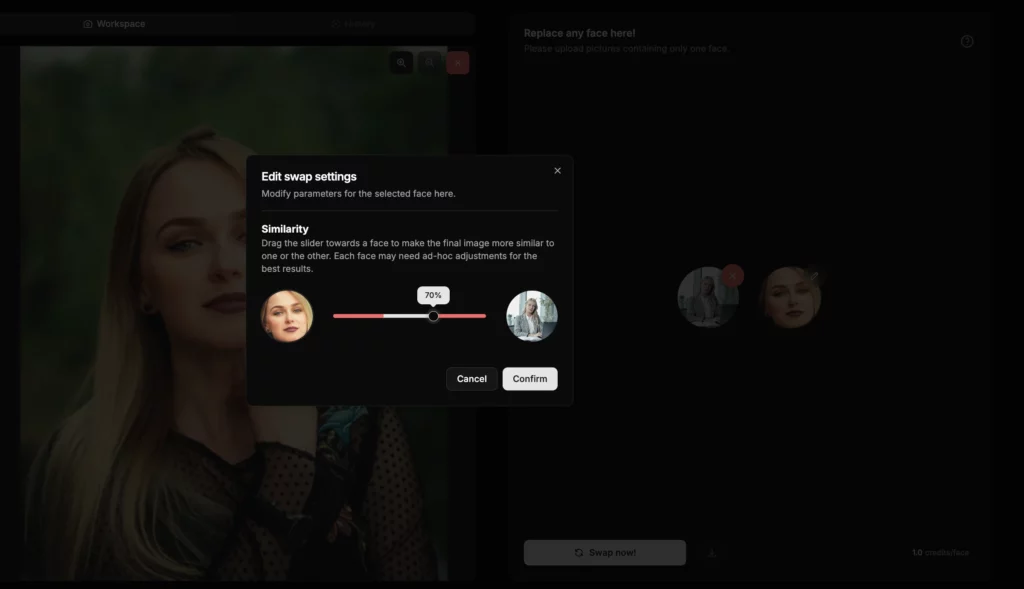
After selecting the target individual, you can upload the replacement identity to Swap. Choose from your profile or let the AI generate a unique, randomized identity using Generate Person. This step is fully automated, but still allows for controlled output. You can use the slider to decide the similarity percentage as shown in the picture above.
iv. Download & Use
Within moments, the body swap AI produces a high-resolution result that maintains realistic posture, lighting, and skin tone. The output can be downloaded immediately and is suitable for both personal and commercial applications, such as profile photos, product campaigns, or simulations.
This seamless, 4-step process ensures users of all skill levels can perform complex identity swaps in just minutes.
4. SwapID: The Core of PiktID’s Body Swap AI
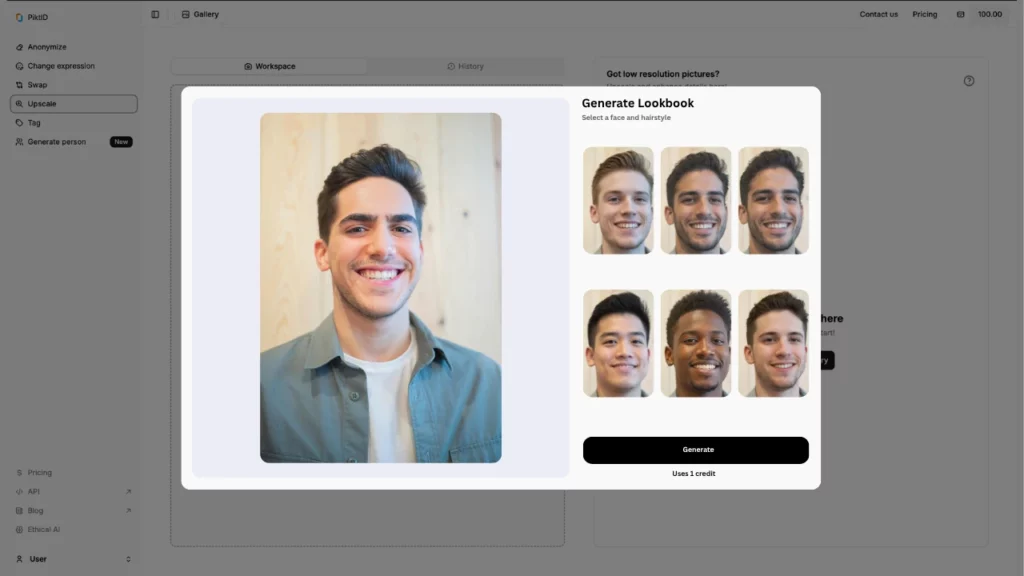
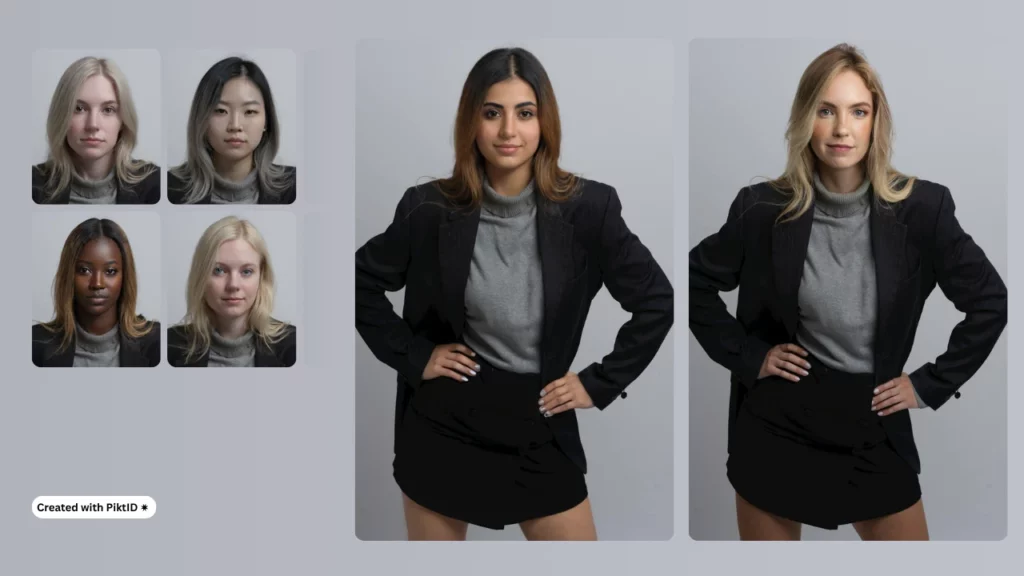
At the heart of PiktID’s Body swap AI lies SwapID, a dedicated engine designed to deliver hyper-realistic identity using Face Replacer. SwapID isn’t just about exchanging facial features—it reconstructs the visual coherence of an entire person within an image. The system accounts for posture, skin tone, lighting, and even clothing context, making the result feel native to the photo environment.
Key Features of SwapID:
i. Face-to-Body Consistency
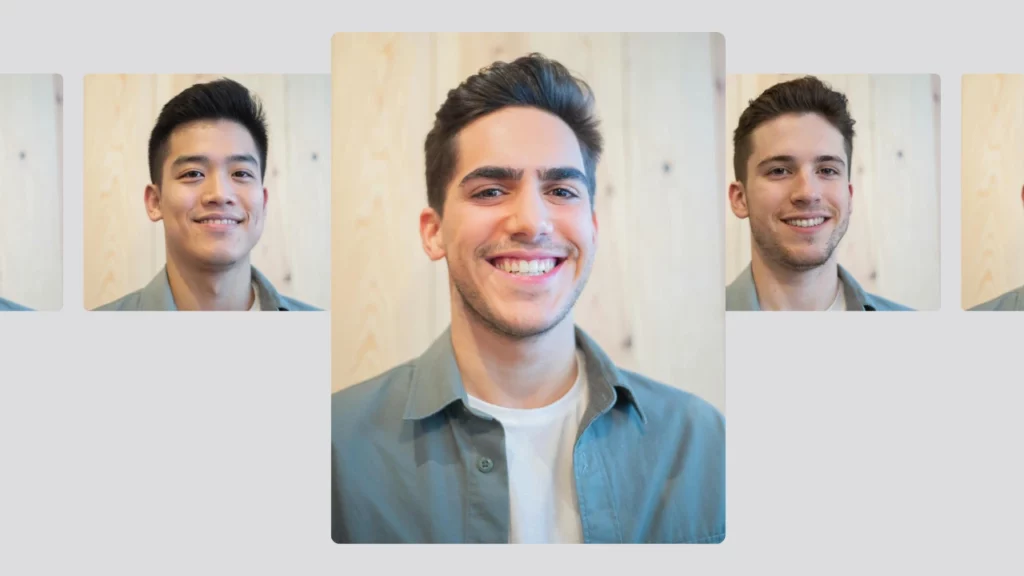
SwapID ensures that facial changes align naturally with body posture and scale. Whether you’re swapping a single individual or a group, the proportions remain true-to-life.
ii. Skin Tone & Lighting Integration
The AI intelligently matches skin tones between the insert face and the rest of the body. Lighting angles and intensity are also harmonized, avoiding harsh lines or visible artifacts.
iii. Batch Processing at Scale
For projects involving large volumes of images—such as dataset generation, e-commerce catalogs, or marketing assets—SwapID offers batch processing capabilities. Users can automate hundreds of swaps with a single API call, improving efficiency without compromising quality.
iv. Developer-Friendly API Support
SwapID is accessible via a robust API documented here, allowing seamless integration into websites, mobile apps, gaming environments, and enterprise platforms. Whether you’re developing a virtual fitting room or personalizing avatars in real time, the API gives you the flexibility to deploy body swap AI wherever it’s needed.
In short, SwapID enables creators and businesses to implement lifelike identity swaps at scale—securely, accurately, and with professional-grade realism.
5. Creative Use Cases: Where to Implement Body Swap AI
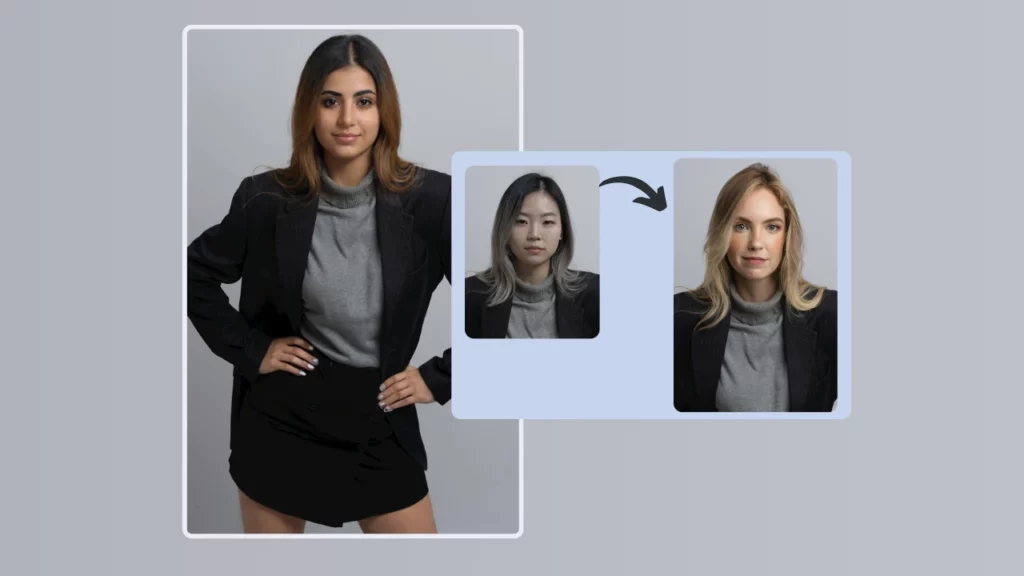
The emergence of body swap AI has opened the door to creative, scalable, and cost-efficient solutions across industries. By allowing seamless transformation of a subject’s facial identity or body type within media content, this technology eliminates the need for re-shoots, manual editing, or casting multiple models. Whether you’re a digital marketer, e-commerce brand, content creator, or enterprise trainer, PiktID unlocks powerful new workflows.
a. Digital Marketing & Advertising
- Test the same visual concept across varied demographics by swapping body types or faces—without staging new photo-shoots.
- Run A/B tests in real-time to assess engagement across different gender, age, or body representations.
- Reduce production costs while personalizing assets for multiple markets or regional campaigns.
b. E-Commerce & Virtual Try-On
- Let shoppers project their own face onto fashion models to try on clothing, eyewear, or accessories.
- Increase user engagement and reduce return rates by offering personalized, photo-realistic previews.
- Support inclusive marketing by allowing customers to visualize products on a range of body types.
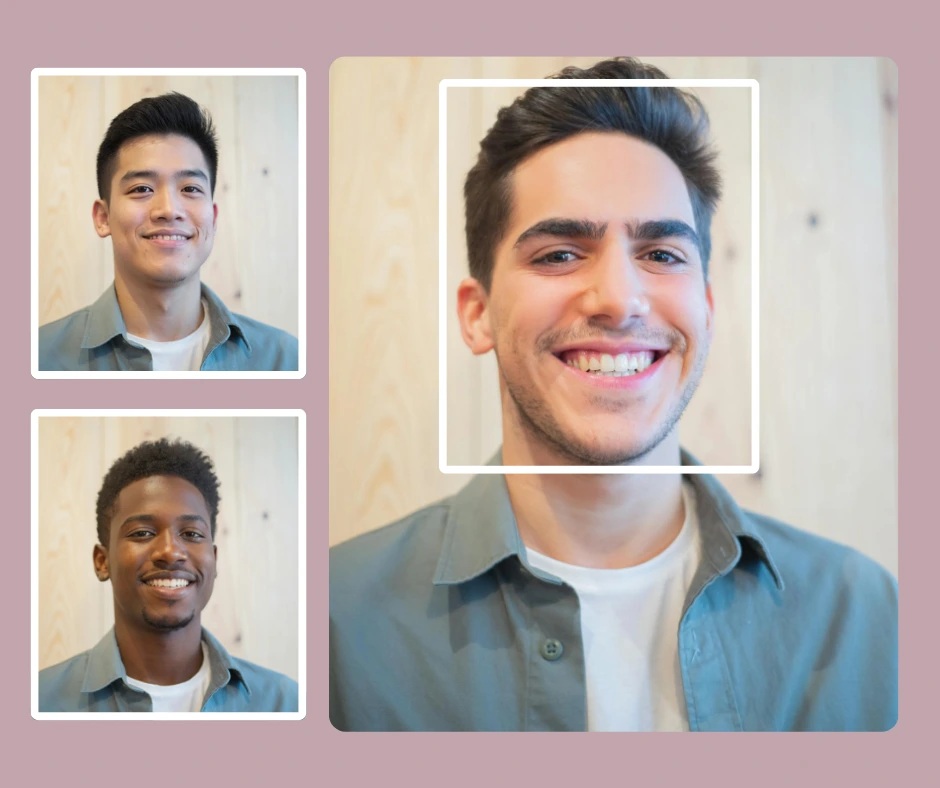
c. Social Media & Personal Branding
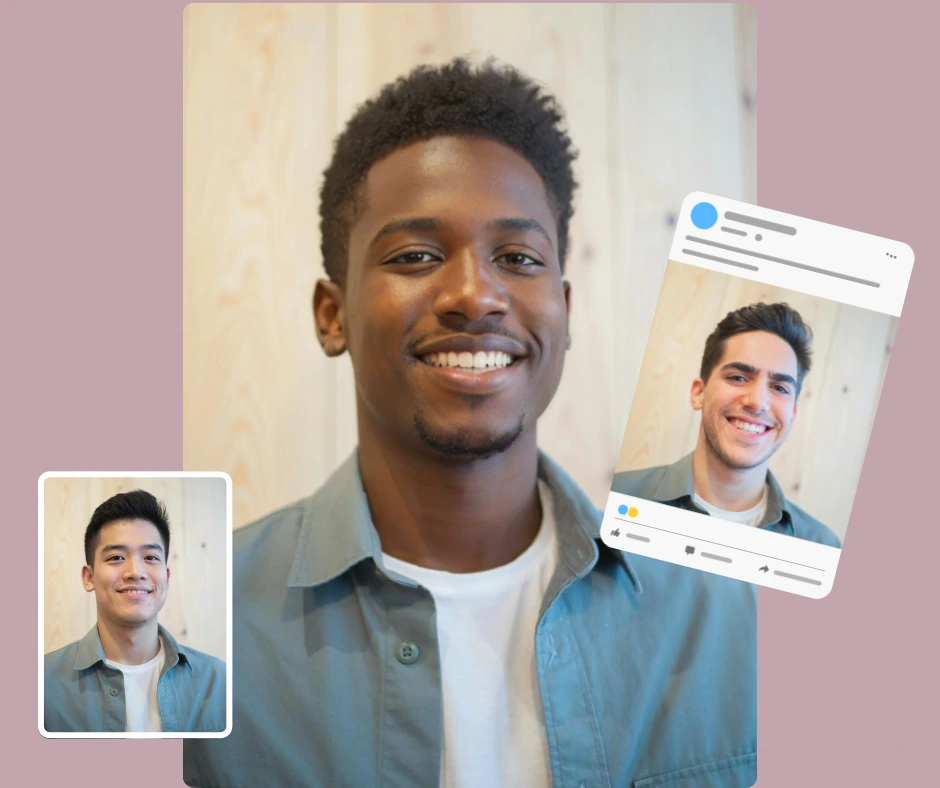
- Adapt your visuals across platforms like Instagram, Tinder, or LinkedIn to test profile performance or enhance branding.
- Maintain facial consistency while experimenting with different fashion styles, poses, or body representations.
- Create avatars or templates tailored to different audience personas.
d. Training, Simulation & Education
- Develop diverse training material or avatars for online courses, virtual onboarding, and roleplay scenarios.
- Customize simulation characters to reflect various roles, industries, or demographic groups.
- Aid psychological, security, or emergency training by creating realistic, diverse visual scenarios.
In each of these fields, body swap AI reduces creative bottlenecks and enhances personalization—without sacrificing realism or brand integrity.
6. Ethical AI Usage: Privacy, Consent, and Compliance
As a face swap editor technologies evolve, ethical implementation becomes critical. PiktID’s AI-powered suite, including its body swap AI capabilities, is built with a privacy-first, user-centric design that ensures compliance, transparency, and safe content generation.
Key Ethical Safeguards
a. GDPR-Compliant by Design
PiktID does not store any personal images by default. All processing occurs within a secure, time-limited window. Uploaded target and generated images are deleted automatically after 24 hours.
b. Consent-Based Control
Users must explicitly supply the identity or face they wish to use. No face harvesting or unauthorized image usage is supported. This eliminates risk in both personal and commercial use cases.
c. Royalty-Free Outputs for Commercial Use
The platform generates royalty-free images suitable for brand marketing, advertising, or digital assets. There are no licensing restrictions or hidden rights claims.
d. Transparency in Data Handling
API documentation clearly outlines how data is processed, stored, and deleted. Notifications and gallery endpoints allow users full visibility into their activity, further promoting ethical use.
e. Content Authenticity Controls
Optional watermarking tools and advanced logging allow enterprise users to maintain chain-of-trust and audit trails for all generated content.
PiktID’s commitment to ethical AI ensures that creative power never comes at the expense of trust, privacy, or legal risk. Whether you’re building with body swap AI or other imaging tools, you’re working within a secure, principled framework.
Additional Guide: AI Clothes Changer
7. Body Swap AI Maker, Generator or Photo Editor: What the Terms Actually Mean
Search for a body swap tool and you will meet four different labels used almost interchangeably: body swap photo editor, body swap generator, body swap AI maker and body swap app. They are not the same thing, and picking the wrong category is the most common reason people end up disappointed with their results.
i. Body swap photo editor
A photo editor is manual. You work with layers, masks and blending modes, and every adjustment is yours to make. The ceiling is high because nothing is automated, but so is the skill requirement: matching skin tone, edge lighting and shadow direction by hand takes practice, and a single image can absorb an hour of work. This is the right category if you need total control over one hero image and you already know your way around retouching.
ii. Body swap generator
A generator creates pixels that did not exist before, usually from a text prompt. Ask it for a person in a particular pose and it will invent one. That is powerful when you are starting from nothing, but it is the wrong instrument when you already have a photograph you need to keep: a generator will happily redraw the garment, the background and the lighting along with the person, and the output will no longer match the rest of your shoot.
iii. Body swap AI maker or swapper
This is the category most people actually want. A body swap AI maker takes an existing image and replaces the identity while preserving everything else: the pose, the clothing, the background, the light direction and the shadows already in the frame. Nothing is reinvented, so the result still belongs to the original photo set. PiktID’s SwapID sits in this category, which is why the output can be dropped straight back into a catalogue or a campaign without looking like it came from somewhere else.
iv. A note on face swap versus body swap
The two are often confused. A face swap changes the face and leaves the rest of the person untouched, which is enough when the body is not visible or not the point. A body swap changes the whole visible identity, which means the system also has to keep shoulders, neck, hands and skin tone coherent with the new face. If you only need the head, PiktID’s head swap tool is the faster path and produces fewer artefacts.
In short: use an editor when you want manual control, a generator when you are inventing an image from scratch, and a body swap AI maker when you have a photograph and need to change who is in it.
8. Why Free Online Body Swap Tools Fall Short
Free online body swap tools are genuinely useful for what they were built for: a quick laugh, a meme, a photo shared in a group chat. They start to break down the moment the image has to stand up to scrutiny, and it is worth understanding exactly where, so you know when a free tool is enough and when it is not.
i. Lighting and shadow are treated as decoration, not physics
The single biggest giveaway in a bad swap is light that comes from two directions at once. Casual tools paste the new identity in without reading where the key light sits in the original frame, so you get a face lit from the left on a body lit from the right. The eye catches it immediately even when the viewer cannot say why.
ii. Proportions drift
Head-to-shoulder ratio, neck length and hand size all have to stay believable relative to the original body. Tools that scale the swapped region to fit a bounding box rather than to fit the anatomy produce heads that are subtly too large or too small, which reads as uncanny rather than as an obvious error.
iii. Output resolution is capped
Many free services downscale exports, add a watermark, or both. That is fine for a social post and fatal for anything that will be printed, zoomed into on a product page, or used in paid media.
iv. There is no batch, and no consistency across a set
One good image is not the problem. Forty images that all have to show the same person is the problem. Free tools regenerate the identity from scratch on every run, so the face drifts from frame to frame and the set never looks like one shoot.
v. The terms of use rarely cover commercial work
This is the one people discover last and regret most. Check what happens to your uploads, how long they are retained, whether they are used for model training, and whether you actually own what comes out. Free rarely means unencumbered, and the answer matters as much as the image quality if the result is going into a campaign.
If your use is casual, a free online body swap is the right call and you should not overthink it. If the image represents a brand, needs to match a set, or will be seen at full resolution, the constraints above are the reason a professional tool exists.
9. Best Practices and Common Mistakes
Most disappointing body swap results are caused by the input, not the model. These are the habits that make the difference.
What to do
- Match the lighting before you swap, not after. If the source and target images were lit differently, no amount of post-processing will fully reconcile them. Shooting or selecting both under comparable light removes the problem at the root.
- Keep pose and camera angle close. A three-quarter face does not map cleanly onto a body photographed straight on. The nearer the two angles, the less the model has to invent.
- Start from the highest resolution you have. Upscaling after the swap amplifies whatever went wrong. Feeding in a large, sharp original gives the model more to work with around hair edges and skin texture.
- Check the edges, not the centre. Swaps fail at hairlines, jaw edges, necklines and hands. Zoom to those areas first when reviewing.
- Lock the identity before you scale up. When a set has to be consistent, settle on the identity with one image, then apply it across the batch rather than deciding as you go.
What goes wrong
- Lighting mismatch. Light arriving from a different direction than the original. Fix by reselecting the source image rather than by adjusting brightness.
- Proportion distortion. The head reads slightly too large or the neck too long. Usually a sign the two images were shot at different focal lengths or distances.
- Background discontinuity. A visible seam or smear where the swapped region meets the scene, most often around loose hair against a busy backdrop.
- Skin tone banding. The face and the hands no longer belong to the same person. Check hands specifically, since they are frequently overlooked and immediately obvious once noticed.
- Accepting the first output. Previewing before export costs seconds and catches nearly all of the above.
10. Why Choose PiktID Over Other Tools?
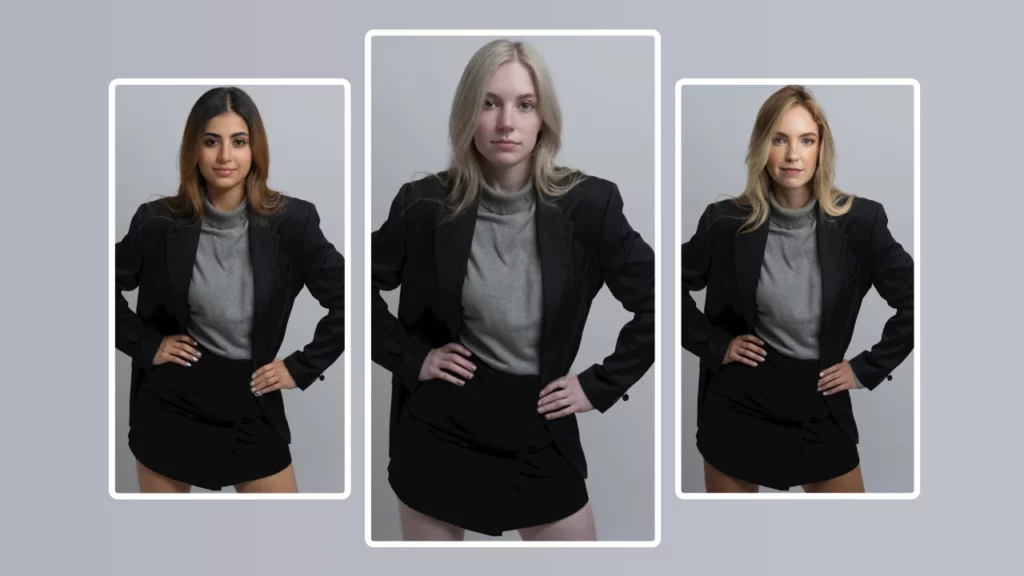
If you’re looking for a Body swap AI solution that combines realism, flexibility, and developer-friendliness, PiktID stands out as a top-tier platform. Unlike generic apps or hobbyist tools, PiktID was designed for professional creators, marketing teams, and developers who require consistent, high-quality results at scale.
Here’s how PiktID’s body swap AI compares against most other alternatives:
| Feature | PiktID | Generic Apps |
| Photorealism | Yes – lighting, skin tone, and body alignment maintained | Limited – often inconsistent details |
| API Access | Yes – with full developer documentation and async support | No – typically web or mobile UI only |
| Customizable Traits | Yes – fine-tune outputs with region, gender, and other parameters | Limited or preset options |
| Commercial Use License | Included – for agencies, developers, and platforms | Often restricted or costly |
| Privacy-Safe Processing | Yes – with anonymization and secure endpoints | Varies – often no guarantees |
What sets PiktID apart is its focus on precision and control. The body swap AI engine is engineered to handle detailed swaps across diverse image types—whether you’re updating visual assets for e-commerce or creating lifelike avatars. It supports identity consistency across multiple outputs and makes it easy to integrate into your app or workflow via a robust API.
With PiktID, you don’t just swap faces or bodies—you transform the entire digital persona while maintaining authenticity and compliance with privacy standards.
Read more about Face Shape AI
11. Get Started with PiktID’s Body Swap AI
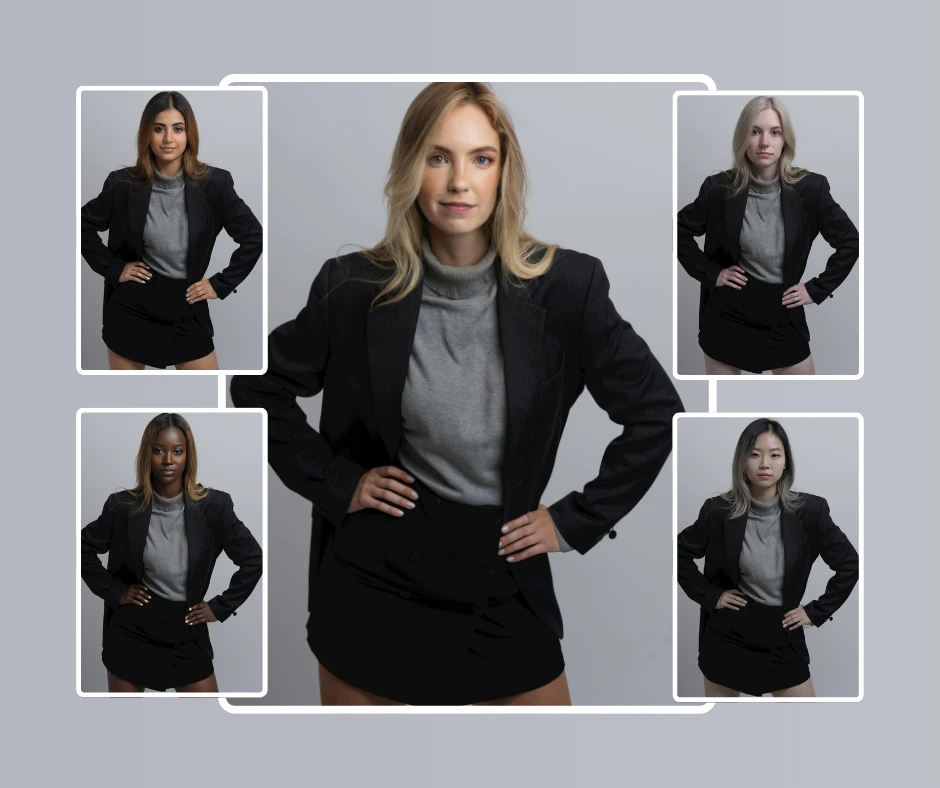
There’s no barrier to entry with PiktID’s Body swap AI—you can start experimenting today with 10 free credits upon signup. No upfront payment or credit card is required, making it perfect for developers, designers, or marketers who want to validate the results before scaling.
Here’s how to begin:
- Visit the PiktID studio at https://studio.piktid.com
- Navigate to the SwapID module to try advanced body and face swapping
- Upload your target and identity images using the web interface or API
- Preview the output instantly and download results in high resolution
Beyond body swaps, PiktID offers a complete visual identity toolkit. Tools like Generate Person, Change Expressions, and Edit Background empower you to create, customize, and refine human imagery with surgical precision.
Whether you’re building user personalization into your app, launching campaign visuals, or anonymizing data for GDPR compliance, PiktID gives you the creative control and technical infrastructure to do it at scale.
Explore the full suite of tools at https://studio.piktid.com and start building with real impact.
12. FAQs: Using Body Swap AI with PiktID
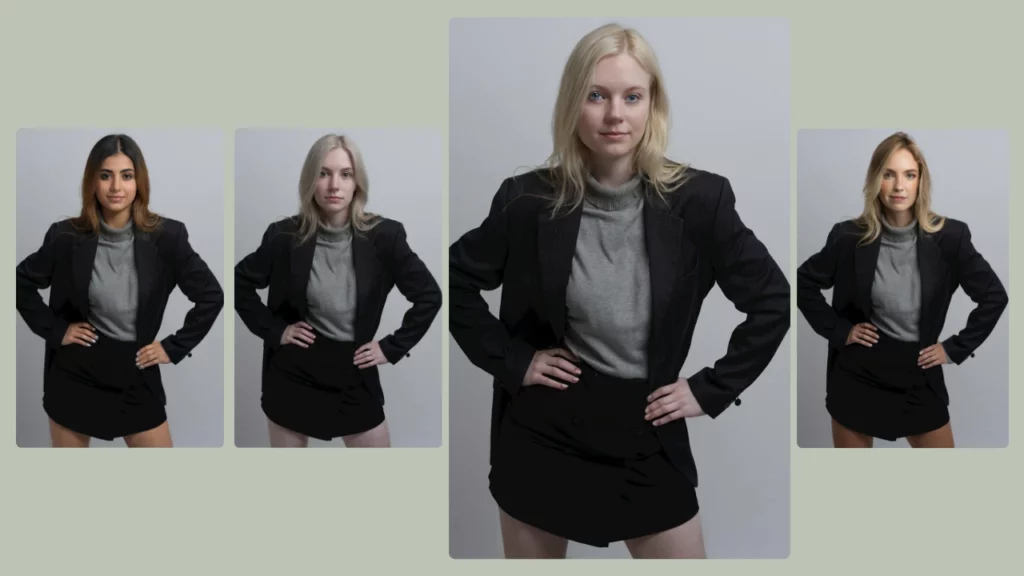
Q1: Can I try body swap AI for free?
Yes, PiktID allows all new users to try its body swap AI tools with 10 free credits—no credit card required. This free tier is perfect for testing the platform’s accuracy, realism, and versatility before committing to a paid plan. Whether you’re exploring visual experimentation for content creation or testing mockups for marketing campaigns, the initial credits let you experience the full capabilities of PiktID’s image transformation suite without any upfront cost.
Q2: Is the process beginner-friendly?
Absolutely. PiktID is designed for creators, marketers, and developers who may have little to no design or technical experience. The body swap AI feature is accessible via both a visual web interface and a developer-friendly API, making it easy to use regardless of skill level.
Q3: Does the tool work for group photos?
Yes, PiktID’s body swap AI supports multi-person detection, allowing you to perform transformations on group images with up to 30 individuals. This is particularly useful for agencies, event planners, or teams that need to modify or replace multiple people in the same image for personalization, branding, or anonymization.
Q4: Is my data safe with PiktID?
Yes, privacy and data security are fundamental to PiktID’s approach. All data processed through the body swap AI system is handled with end-to-end encryption and temporary storage policies. Uploaded images are automatically deleted after 24 hours, and no personal information is stored or shared with third parties.
Q5: Can I use the results commercially?
Yes, any images or assets created using PiktID’s body swap AI can be used commercially. The platform grants full royalty-free usage rights, making it an ideal solution for brands, agencies, and media professionals who want to create ads, digital content, or promotional materials at scale.
Q6: Can I swap bodies without Photoshop?
Yes. Photoshop solves the problem manually, with masks and blending done by hand, which is why it demands retouching skill and a long time per image. A body swap AI performs the same identity replacement automatically while keeping the original pose, garment and lighting, so no layer work is involved. Photoshop remains useful for final touch-ups, but it is no longer the starting point.
Q7: How do I keep proportions correct when swapping bodies?
Proportion errors almost always come from the two source images being shot at different distances or focal lengths. Choosing a source and a target photographed at a comparable camera angle and distance solves most of it before the swap begins. After the swap, check the head-to-shoulder ratio and the hands first, since those are where a proportion problem becomes visible.
Q8: What is the difference between a body swap generator and a body swap AI maker?
A generator invents a new image, typically from a text prompt, and will redraw the background and clothing along with the person. A body swap AI maker works on a photograph you already have and replaces only the identity, leaving pose, garment, background and lighting intact. If you need the output to match an existing set of images, you want the second one.