The Power of the Gaze
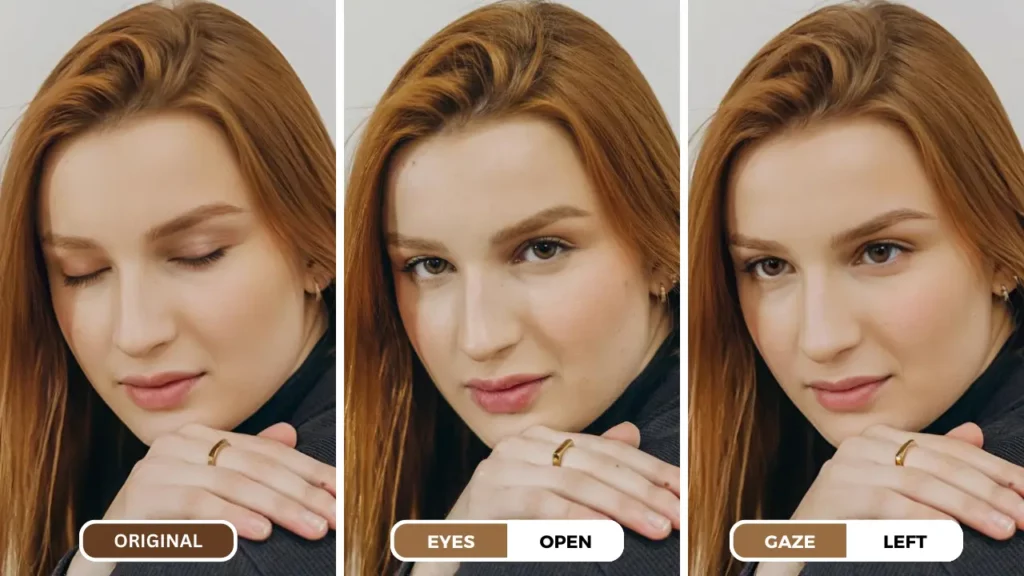
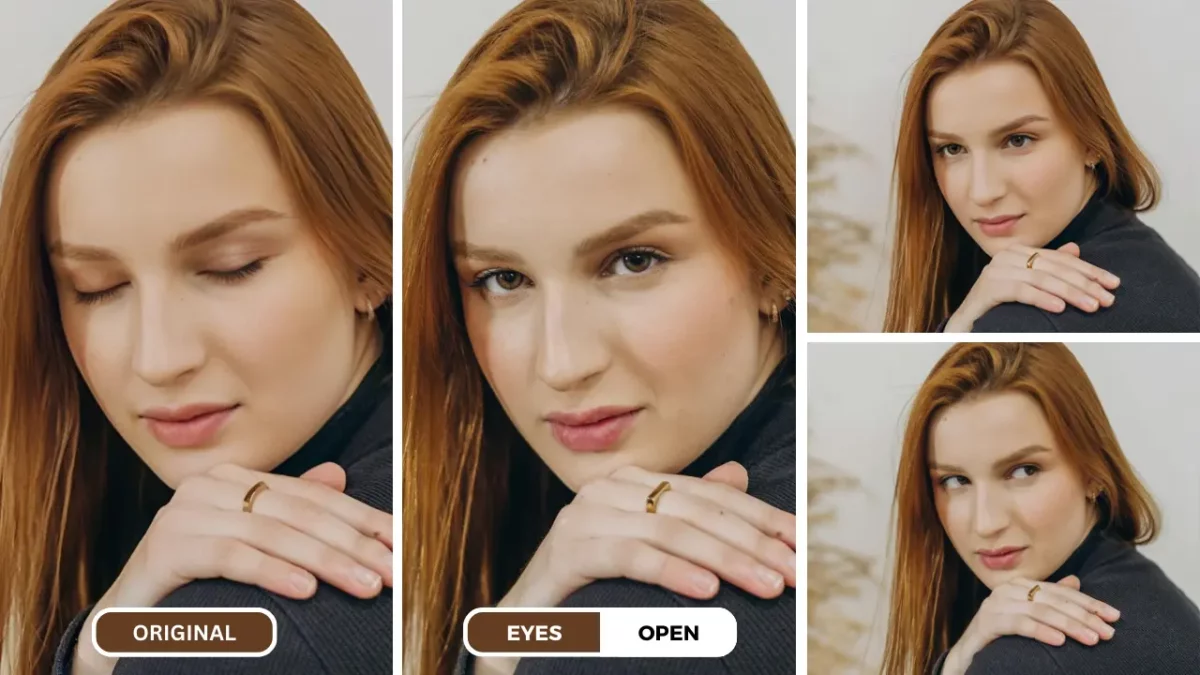
Closed or partially closed eyes can distract from an otherwise useful portrait. If you are learning how to open eyes in a photo, an AI expression editor provides a direct workflow without manually rebuilding eyelids, irises, and reflections.
PiktID Change Expression lets you upload a portrait, use an Eyes prompt, preview the generated result, and compare it with the original. Because AI can change identity details, eye shape, gaze, or reflections, review both eyes closely before downloading.
This guide explains how to open eyes in a photo in four steps, what prompt to try, and what to inspect for a natural-looking edit. For gaze changes rather than eyelid correction, see change eye direction in a photo.
Understanding the Importance of Eye Contact
The Emotional Impact of Eye Contact
Eyes are often referred to as the windows to the soul, and for good reason. They are a powerful tool for conveying emotions and creating a connection with viewers. When a subject’s eyes are open and engaged, it can evoke a sense of intimacy, trust, and empathy. Conversely, closed or partially closed eyes can make a photo feel distant or less impactful.
Storytelling Through the Eyes
Gaze direction can change the mood of a portrait: direct eye contact may feel engaged, while a sideward gaze can suggest attention elsewhere. PiktID Change Expression supports gaze adjustments as a separate task. See the app to change eye direction guide when the eyes are already open but pointing the wrong way.
Composition and Focus
The placement of the eyes within the frame affects composition and where viewers focus. Before editing, decide whether the problem is closed eyelids, gaze direction, blur, or the overall expression so you can choose the right adjustment.
This article owns the exact open-eyes how-to. For broader causes, alternatives, and corrective guidance, use the separate fix closed eyes in photo guide.
Step-by-Step Guide: Open Eyes with PiktID
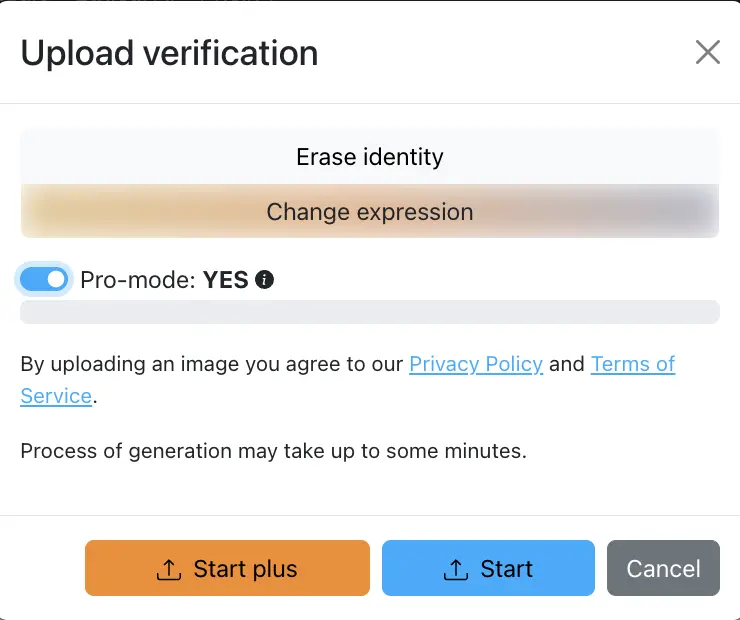
1. Upload Your Image
- Open PiktID Change Expression and sign in.
- Select the highest-quality version of the portrait from your device. A front-facing or three-quarter face with visible eye detail provides a stronger source than a blurred or heavily compressed image.
2. Identify Eye Editing Features
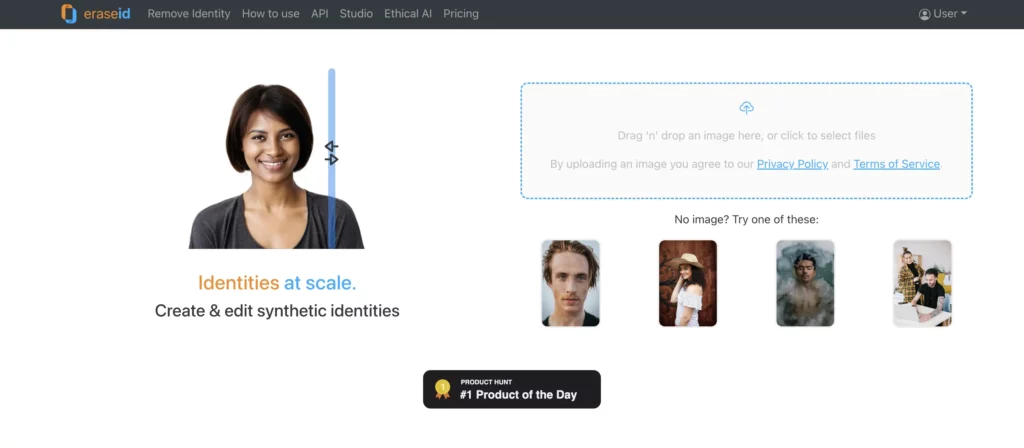
- After upload, select the face you want to edit when more than one person is visible.
- Open the Change Expression controls and locate the prompt input used to describe the eye adjustment.
3. Adjust Eye Features
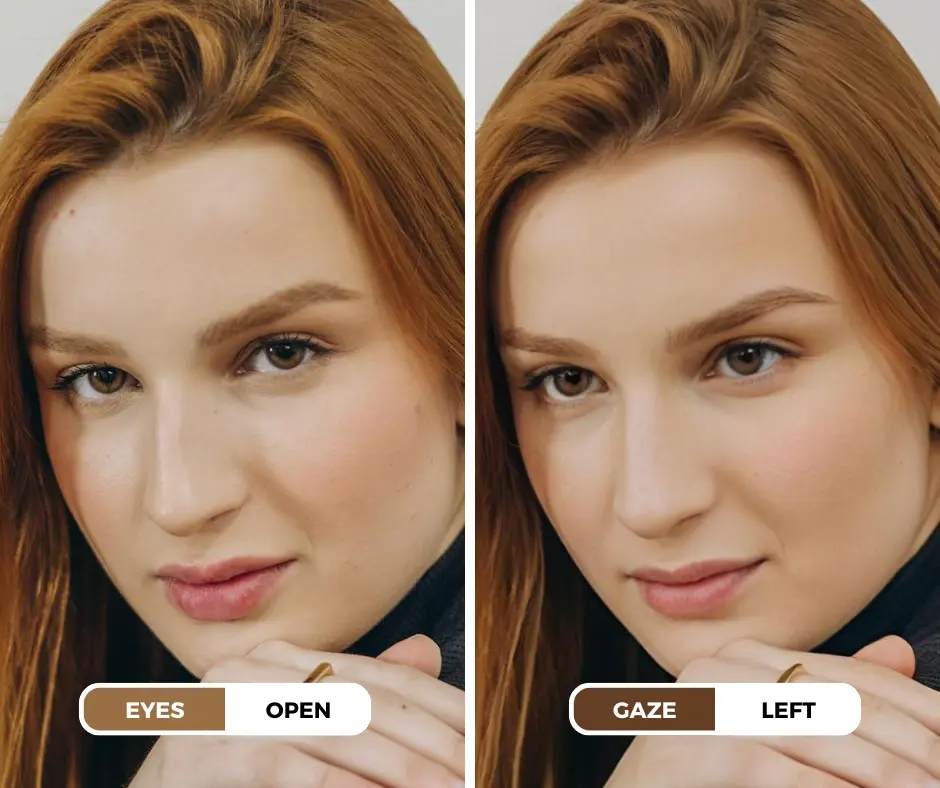
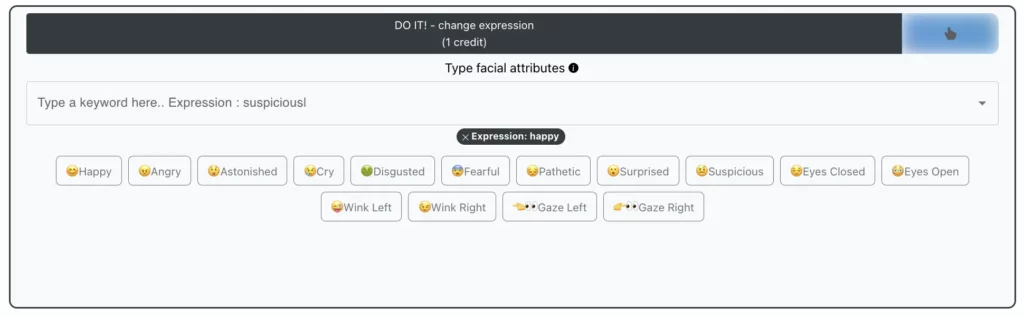
- Eyes prompt: Start with a specific instruction such as open both eyes naturally, looking at the camera.
- Gaze prompt: If needed, describe the direction separately, such as eyes looking slightly left.
- Keep it focused: Change one expression detail at a time so the result is easier to compare with the original.
4. Preview and Download
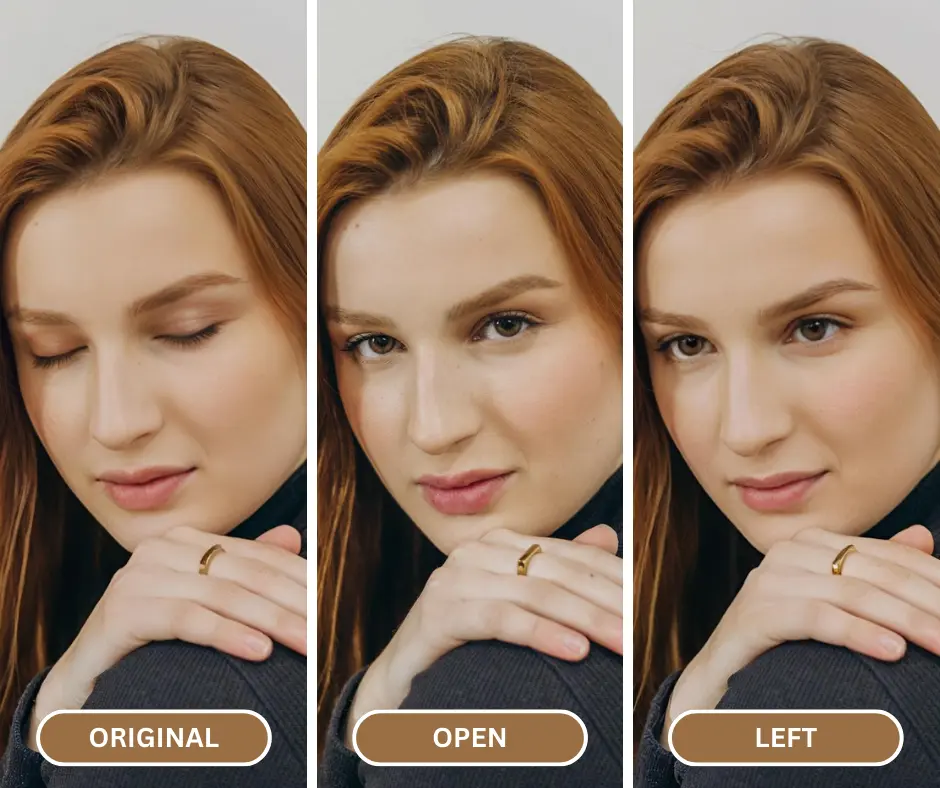
- After making your adjustments, preview the edited image to ensure you’re satisfied with the results.
- Use the “Download” button to save the enhanced image to your device.
Tips for Optimal Results:
- Experiment with different settings to achieve the desired eye appearance.
- Consider combining eye enhancements with other facial features or overall image adjustments.
- Always preview the edited image carefully before downloading to ensure it meets your expectations.
Other Popular AI Tools for Eye Enhancement
PiktID Change Expression provides a focused workflow for how to open eyes in a photo. Other products address adjacent tasks:
- Fotor and YouCam Perfect: General portrait retouching and eye appearance controls.
- VEED and BIGVU: Eye-contact correction for video rather than still-photo eyelid editing.
Compare tools using the same source image and inspect identity, eyelid shape, iris detail, reflections, gaze, and current plan terms before choosing an output.
You can refer out guide on The Best AI Change Eye Direction for Marketers, to know more.
Key Features to Consider:
When choosing an AI-powered tool for eye enhancement, consider the following features:
- Eye-Specific Tools: Look for tools that offer features specifically designed for enhancing eyes, such as eye brightening, eye shaping, and eye contact correction.
- Ease of Use: The tool should be user-friendly and intuitive, allowing you to easily adjust eye features.
- Customization Options: Consider the range of customization options available, such as the ability to adjust eye size, shape, and position.
- Integration with Other Tools: If you use other photo editing software, look for a tool that integrates seamlessly with your existing workflow.
- Pricing: Compare the pricing plans offered by different tools to find the best value for your needs.
By carefully considering these factors, you can select the AI-powered tool that best suits your requirements and helps you achieve your desired eye enhancement results.
Tips and Tricks for Enhancing Up-Close Eye Photos
Refer Our Guide on : Tired of Blinking Photos? Try This Amazing Eye Opener Tool
Experiment with Different Tools:
- Try focused prompts: Change one eye or gaze detail at a time and compare each result with the source.
- Inspect both eyes: Check eyelid symmetry, iris shape, catchlights, pupils, eyelashes, and gaze direction at full size.
- Keep the original: AI generates plausible detail rather than recovering a guaranteed original appearance.
Consider Naturalness:
- Avoid Exaggeration: While AI tools can make significant changes to eye appearance, it’s important to maintain a natural look. Avoid excessive adjustments that might appear artificial or unrealistic.
- Refer to Reference Images: If you’re unsure about the desired eye appearance, use reference images for inspiration. Compare the natural eye placement and expression in the reference image to your edited image.
Combine with Other Editing Features:
- Enhance the Overall Image: To create a more cohesive and visually appealing photo, consider combining eye enhancements with other editing techniques.
- Color Correction: Adjust the color balance, saturation, and contrast to complement the enhanced eyes and create a harmonious overall look.
- Background Editing: If necessary, modify the background of the photo to draw attention to the eyes and create a more visually interesting composition.
By following these tips and experimenting with different tools, you can effectively learn how to open eyes in photo app and achieve stunning results.
Conclusion
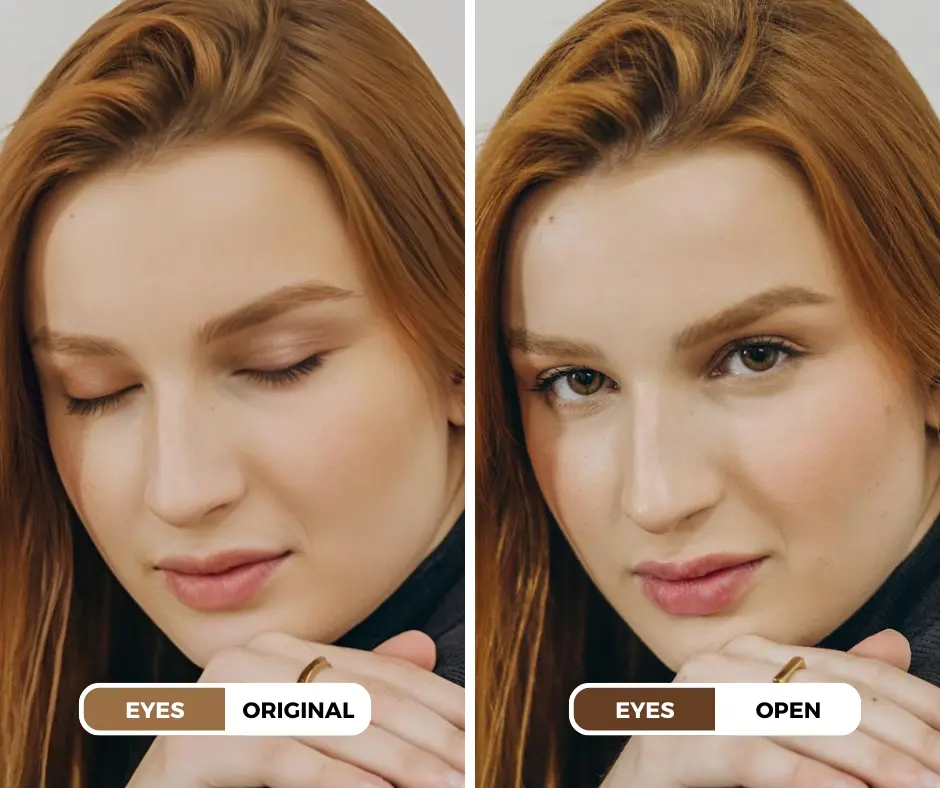
- AI expression tools can generate open-eye variations from a portrait.
- A focused Eyes prompt gives the model a clearer instruction than changing several facial features at once.
- Results vary with face angle, lighting, resolution, blur, and obstructions.
- Compare eyelids, irises, pupils, reflections, and identity details with the original before use.
Take an Action:
Ready to test how to open eyes in a photo? Open PiktID Change Expression, upload a portrait you have permission to edit, and try a focused Eyes prompt.
Preview the result at full size and compare it with the original. Regenerate or revise the prompt when the eyelids, irises, gaze, reflections, or identity details do not look consistent.