
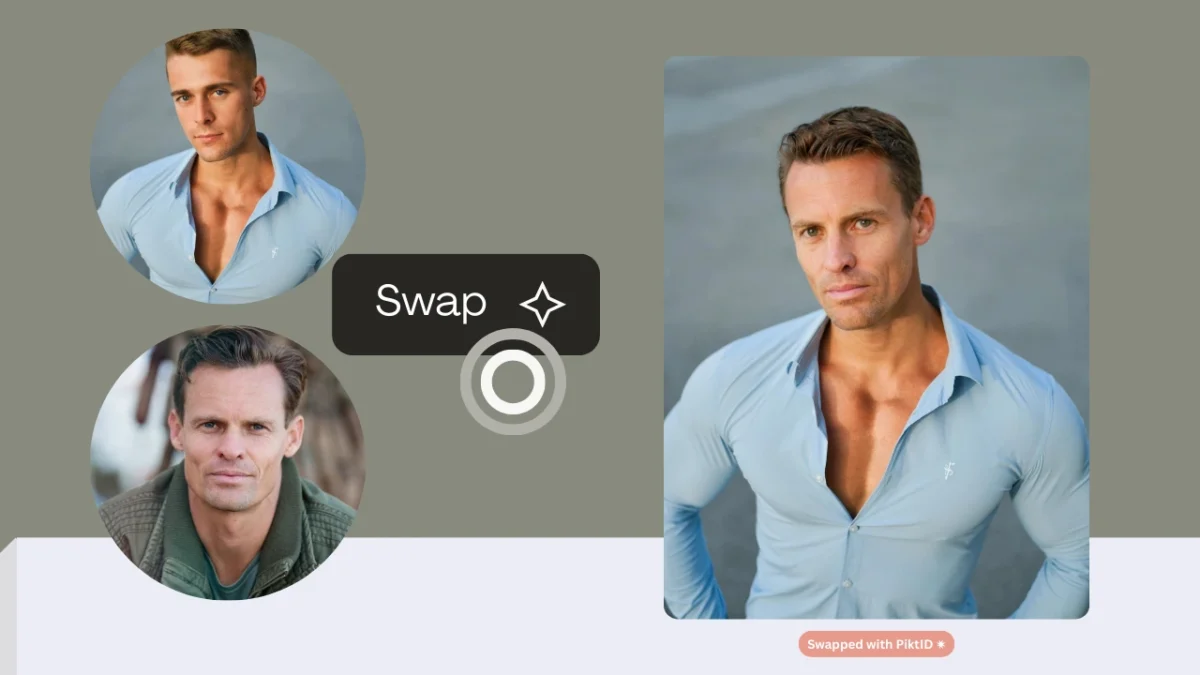
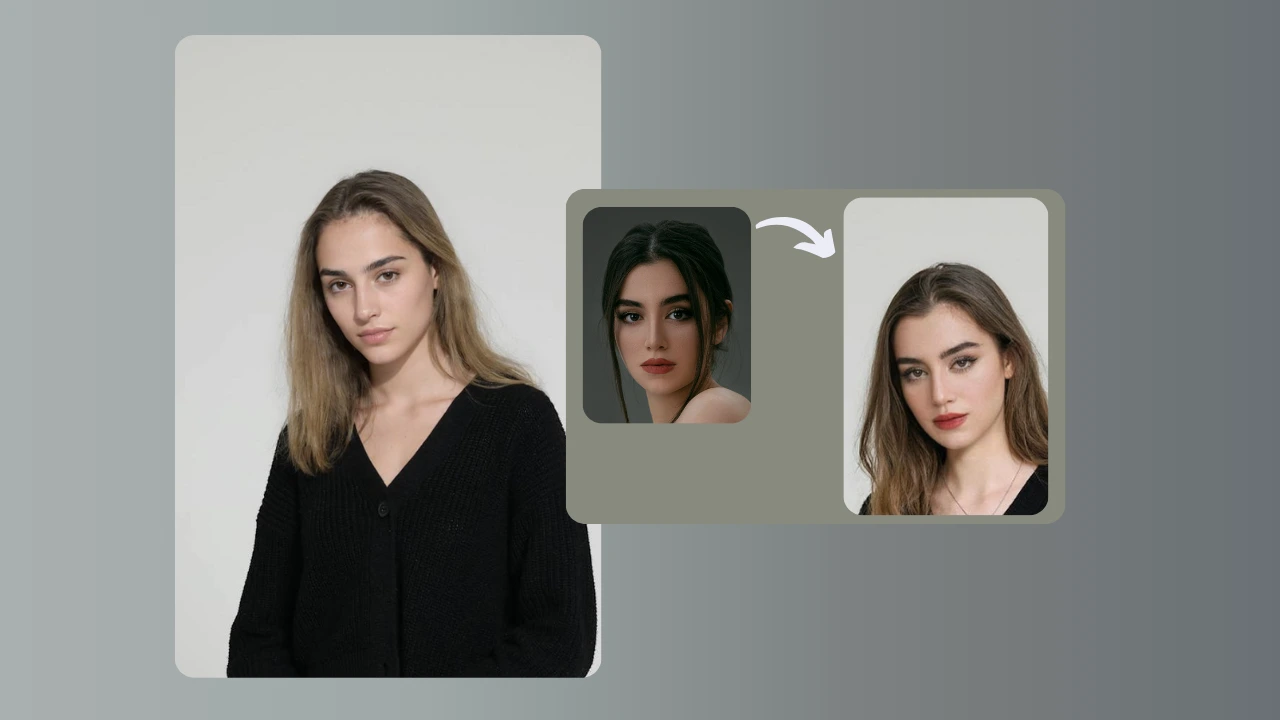
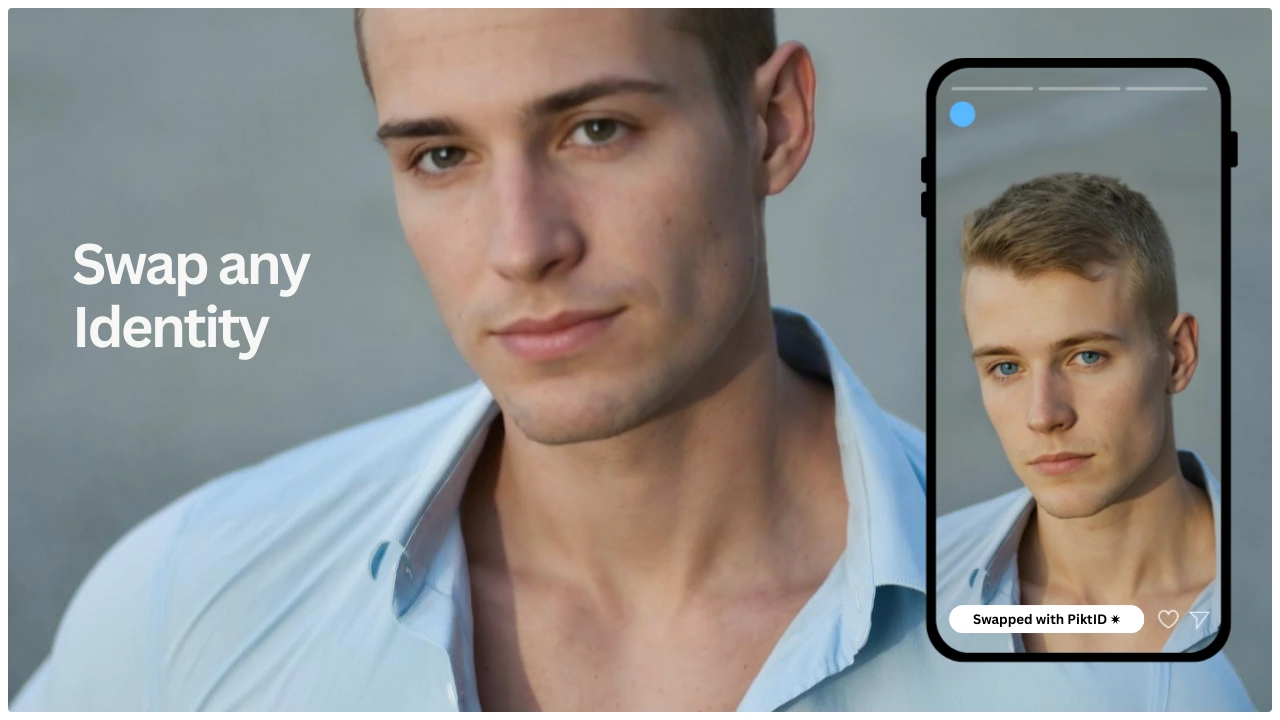
Face changing refers to using AI to modify a person’s face in photos or videos through face swap, expression correction, and identity editing. It allows creators to replace or refine facial features while keeping the original pose, lighting, and background intact.
The demand for AI-driven face changing is exploding because:
- Social media creators need fast, consistent visuals
- Fashion and e-commerce brands want quick model replacements
- Marketing teams need more UGC-style images without photo shoots
- Businesses need scalable content for ads, catalogs, and product pages
- Lighting mismatches
- Warped or distorted facial features
- Unnatural skin blending
- Inconsistent tones and textures
- Swap for accurate face changing
- Change Expressions for emotional and gaze adjustments
- Anonymize for synthetic identities
- Upscale for crisp, photorealistic results
1. What Is AI Face Changing?
AI face changing is the use of neural networks to replace, adjust, or recreate a face in an image or video. These models analyze facial structure, lighting, shadows, and identity features to generate a new face that blends naturally with the original scene.
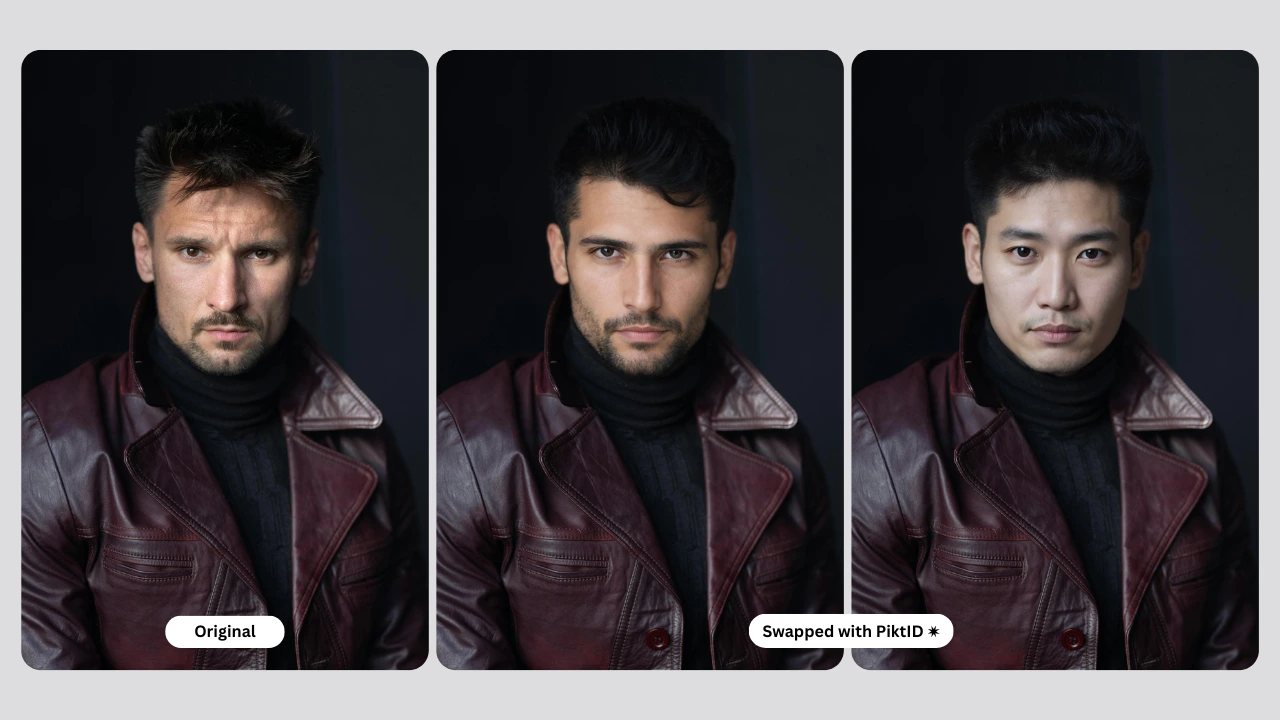
Types of Face Changing Techniques
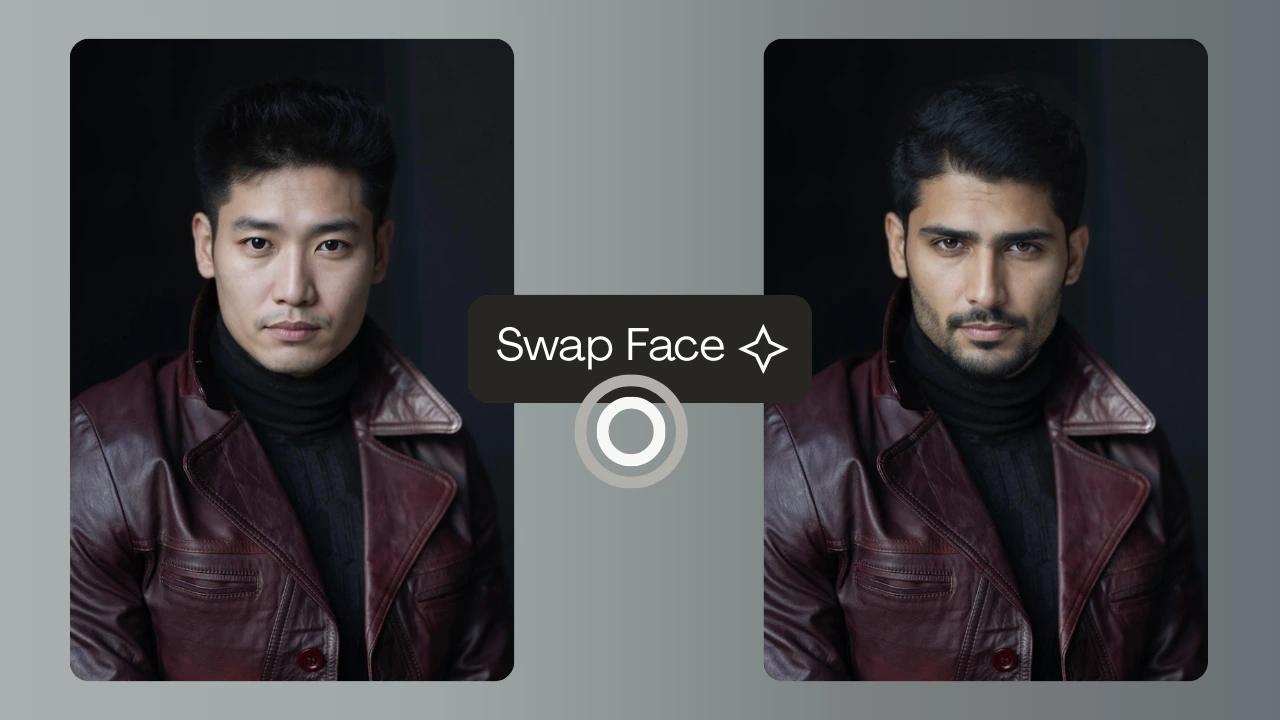
- Face Swap Replaces the original face with a target face while maintaining pose, lighting, and background.
- Face Replacement Generates a fully reconstructed face when the original is obstructed, low-quality, or unusable.
- Expression & Gaze Correction Adjusts emotions, eye direction, smiles, or micro-expressions without replacing the entire face.
- Identity Synthesis (Anonymization) Creates a synthetic face for privacy, datasets, or brand-safe model usage.
Why need a tool for Face Changing?
Users typically look for:
- Fun and entertainment face swaps
- Professional e-commerce model replacement
- Privacy tools using synthetic identities
- Creator marketing assets for TikTok, Instagram, and YouTube
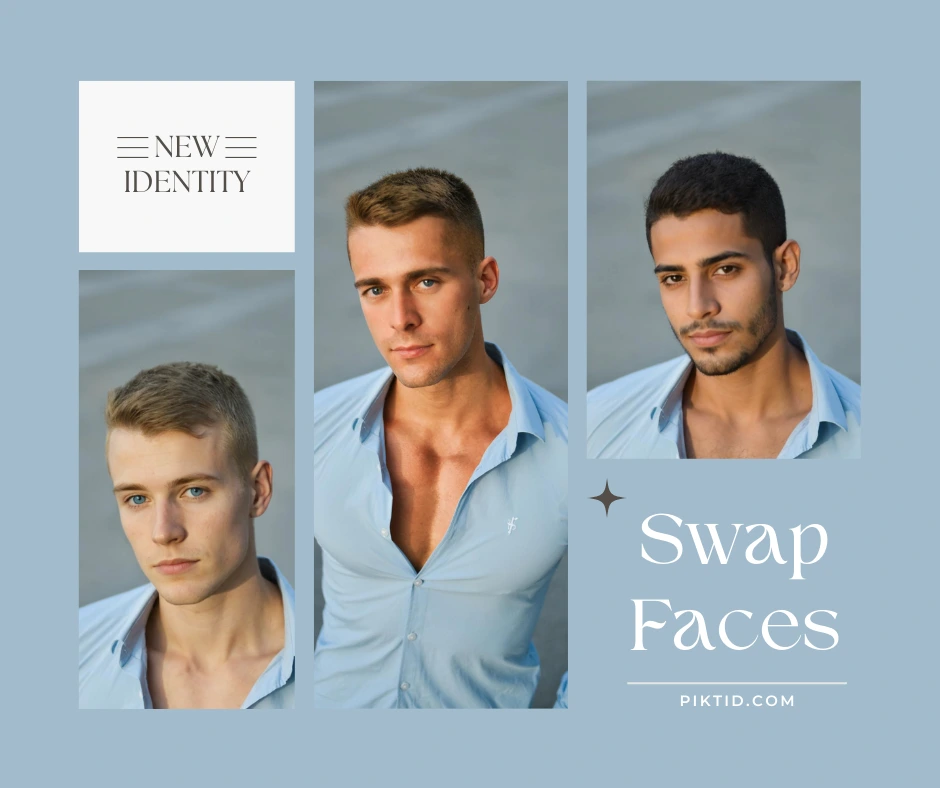
Market Context
Free tools exist because face changing has become mainstream. However, these tools often lack:
- Accurate lighting alignment
- Realistic skin texture
- Identity consistency
- High-quality blending suitable for brand use
3. Why Face Changing Matters
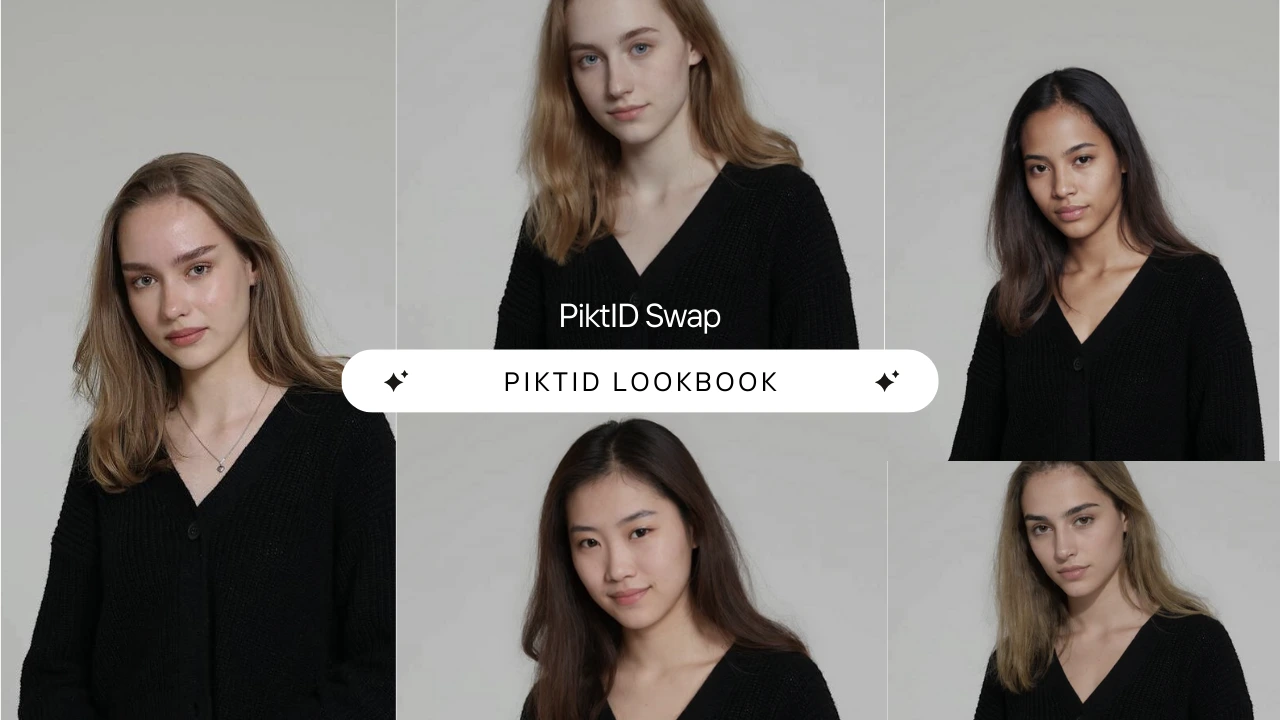
Face Changing technology has moved far beyond simple entertainment and now powers real workflows across fashion, commerce, advertising, and digital content production. Its ability to modify faces, adjust identity, correct expressions, and generate consistent visuals makes it a core capability for multiple industry segments.
a. Fashion and E-commerce
In the fashion and retail sectors, Face Changing enables businesses to replace models instantly, test multiple identities, and create consistent product listings without repeated photo shoots. Brands often run A/B tests by swapping different model faces to see which identity resonates most with customers. This reduces production costs and accelerates go-to-market timelines for seasonal collections, UGC-style images, and catalog shoots.
b. Photography and Studios
Photographers use Face Changing to repair problematic shots where eyes are closed, expressions do not match the mood, or the lighting on the face is misaligned. Instead of reshooting, they can fix eye contact, refine expressions, or replace a flawed face with a better version from the same set. It provides an efficient rescue for large portrait sessions, especially corporate, wedding, and editorial shoots.
c. Content Creators and Digital Artists
Creators use Face Changing to transform their persona, experiment with new looks, and produce a variety of content styles without setting up new shoots. It is also widely used in meme creation, character-based storytelling, and UGC production for social media platforms. This flexibility allows creators to maintain a consistent posting schedule while experimenting with new visual themes.
d. Advertising and Marketing Teams
For marketing teams, Face Changing ensures brand consistency across campaigns. Instead of relying on different models or inconsistent UGC, they can maintain a unified identity across posters, banners, landing pages, and social media ads. This reduces visual fragmentation and strengthens brand recall.
e. Enterprise and Corporate Use Cases
Businesses dealing with sensitive data use Face Changing as part of privacy workflows. Through tools such as Anonymize, organizations can replace real identities with synthetic ones that look natural and realistic while remaining GDPR-compliant. This is especially useful for training data, internal documentation, and case studies where displaying real faces is not permitted.
f. Influencers and Personal Brands
Influencers use Face Changing to generate AI look books, virtual try-on experiences, thumbnails, and press kit upgrades. They can showcase multiple styles, outfits, and environments without physically shooting each look. This helps maintain high-quality, scalable visual output for brands and sponsorships.
4. PiktID Feature Ecosystem for Face Changing
PiktID provides a modular ecosystem designed specifically for professional Face Changing, ensuring photorealistic accuracy, commercial usability, and production-grade consistency. Each tool is built to solve a different stage of the visual workflow, and together they outperform generic face swap tools.
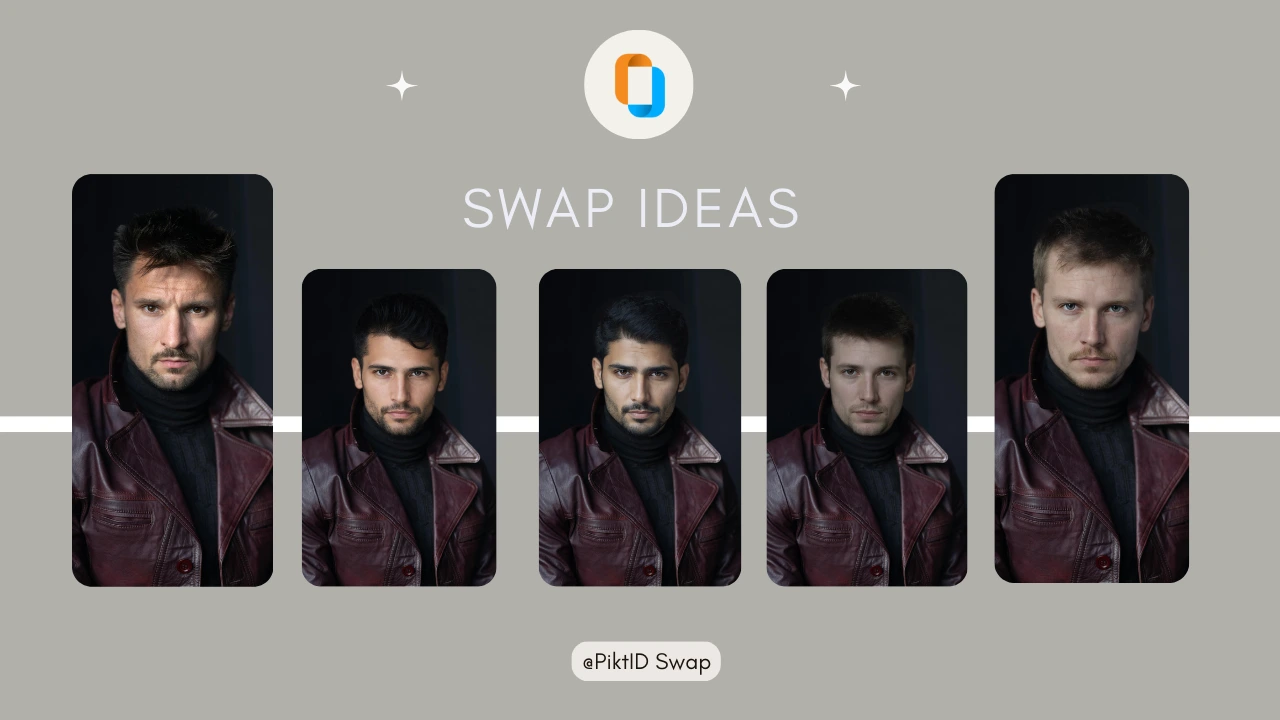
a) Swap (Face Swap Tool)
Swap is PiktID’s primary Face Changing module, engineered for high-fidelity transformations suitable for model shots, product catalog imagery, and commercial exports.
Key capabilities include:
- Photo realistic face swaps with identity-accurate results
- Advanced hair blending that maintains natural strands and forehead transitions
- Skin tone matching that adapts to lighting conditions rather than simply overlaying a face
- Preservation of head angle, pose, shadows, and micro-shapes for a realistic output
- Available in both Studio and API formats for individual creators or enterprise workflows
b) Change Expressions (EraseID)
This module refines and enhances facial expressions after Face Changing. It is ideal for fixing minor issues that would otherwise require re shooting.
Core functions include:
- AI-powered gaze correction that restores natural looking eye contact
- Smile or neutral expression adjustments without distorting the face
- Micro-expression smoothing to remove tension or unbalanced features
- Fine-tuning results from Swap for professional level polish
c) Anonymize
Anonymize supports enterprises and production teams that need GDPR-compliant Face Changing. Instead of simply masking a face, it replaces real identities with photo realistic synthetic identities that can be reused consistently across multiple assets.
Key features include:
- Generation of synthetic identities that look natural and realistic
- Full compliance with privacy regulations for sensitive imagery
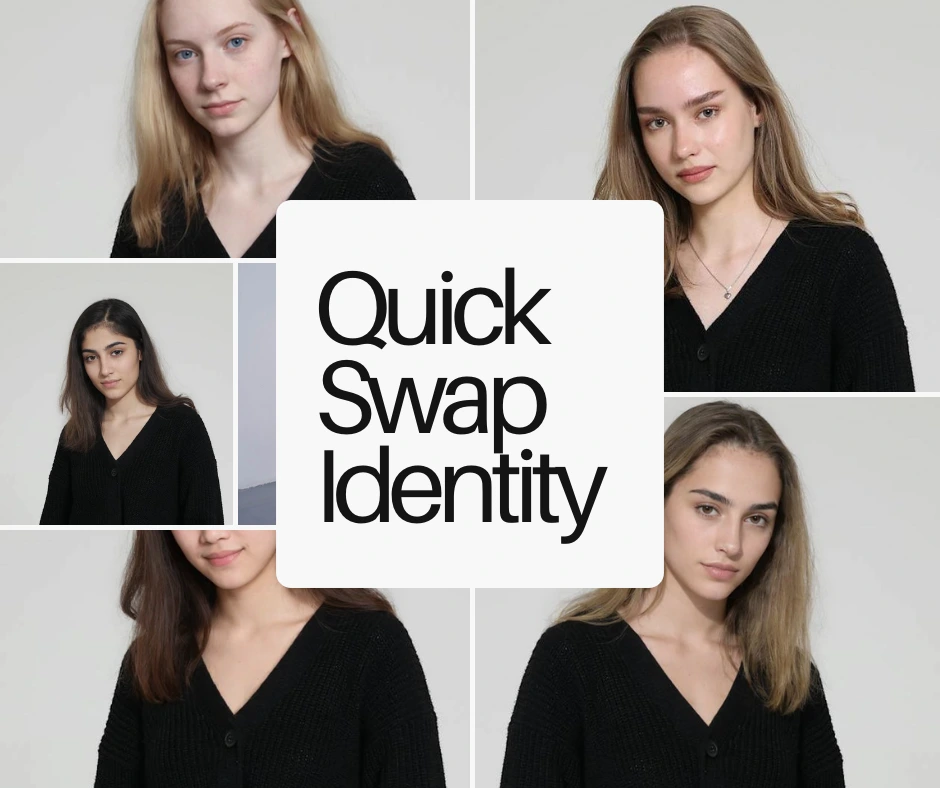
- Ability to reuse the same synthetic identity across entire look books, datasets, or product listings
- Maintains pose, lighting, and contextual realism
d) Upscale
Upscale enhances the final image after Face Changing to ensure high resolution clarity.
Capabilities include:
- Restoration of detail lost during transformations
- Enhancement of skin texture, fabric detail, and product surfaces
- Generation of high-resolution outputs suitable for billboards, catalogs, and e-commerce listings
How These Tools Combine to Outperform Competitors
PiktID’s ecosystem is designed to solve each stage of the Face Changing pipeline, from identity swapping to expression correction, anonymization, and final enhancement. Competitors typically provide only a single face swap function, often resulting in mismatched lighting, incorrect hairline alignment, and lower-resolution exports.
By combining Swap, Change Expressions, Anonymize, and Upscale, PiktID delivers results that are consistent, realistic, legally compliant, and ready for commercial use. This integrated approach makes it ideal for businesses that require large-scale content production rather than casual, entertainment-style face swaps.
5. Step-by-Step Guide: How to Do Face Changing Online With PiktID
In this section we would walk through exactly how to perform face changing using PiktID’s Studio workflow. The process is designed to give you a clean, model-ready output suitable for e-commerce, fashion, advertising, and professional content creation.
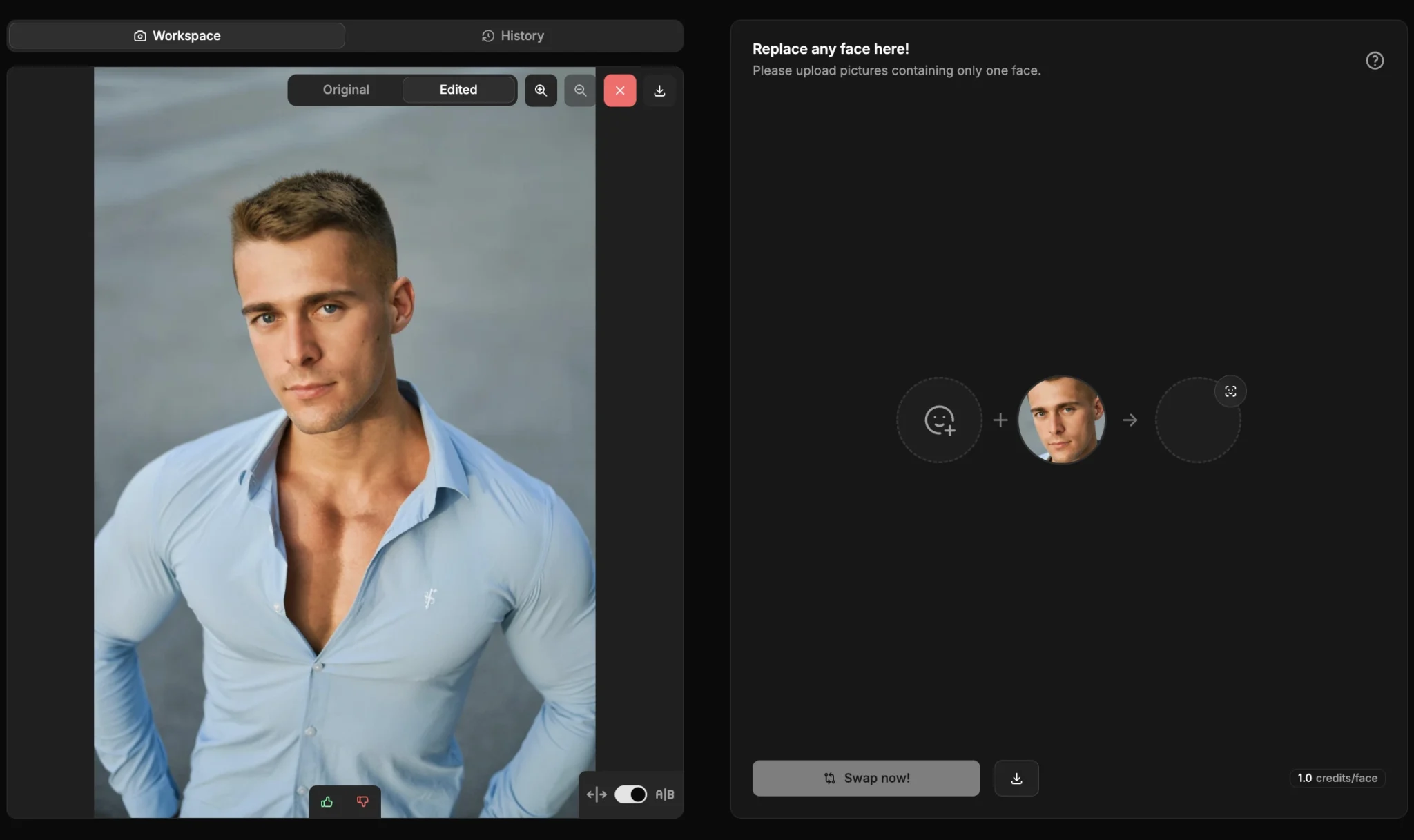
Step 1: Upload Your Base Image
Start by choosing the photo where the new face will appear. This becomes your base model image.
Tips for best results:
- Use a high-resolution photo so the face changing output remains sharp and detailed.
- Ensure the angle is natural, preferably a front-facing or 3/4 profile for accurate alignment.
- Soft, even lighting helps PiktID’s model understand shadows and blend skin tones seamlessly.
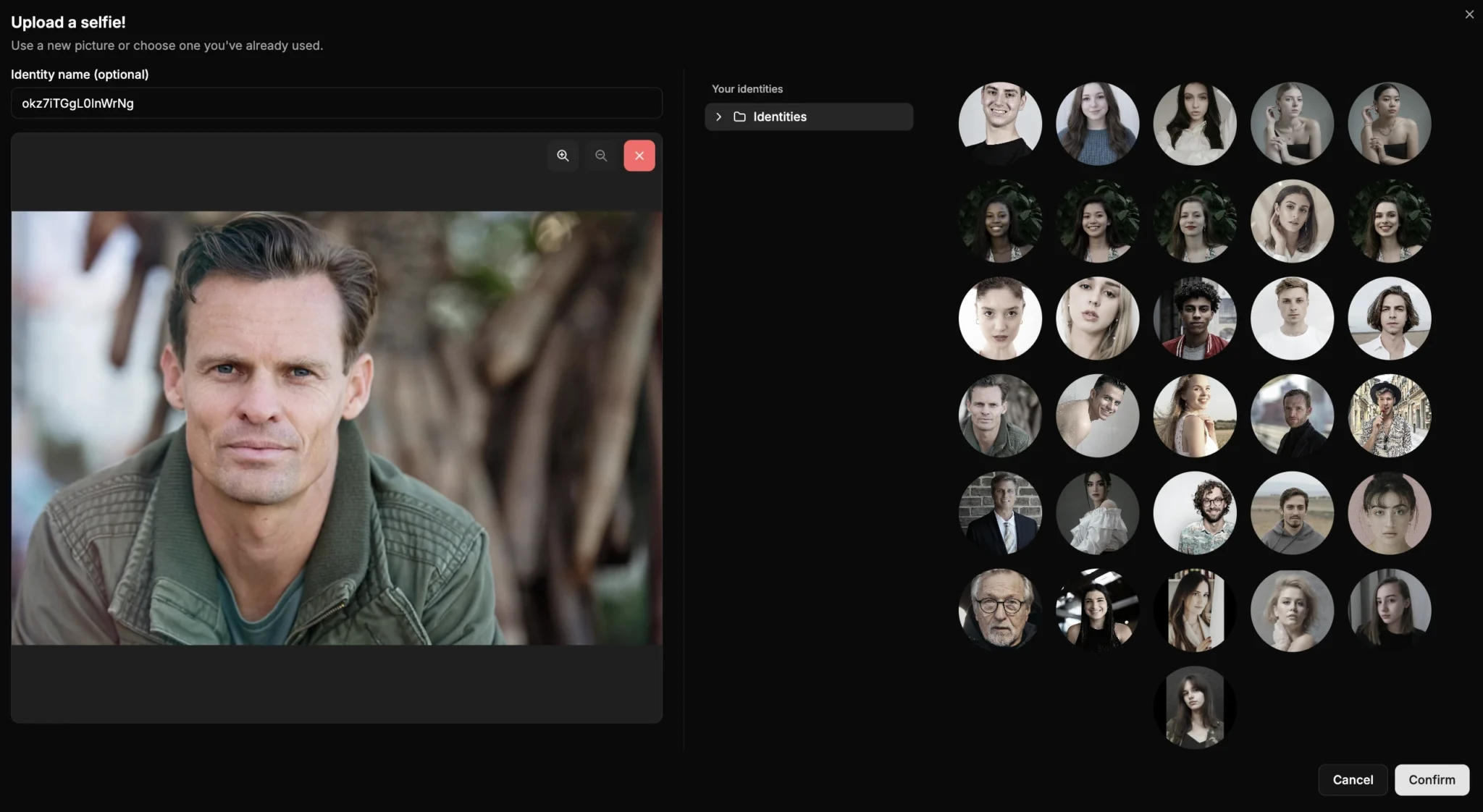
Step 2: Upload Your Source Face or Synthetic Face
Next, upload the reference face you want to apply. This can be:
- A real face you have permission to use, or
- A synthetic identity created using Generate Person combined with Anonymize for privacy safe face changing.
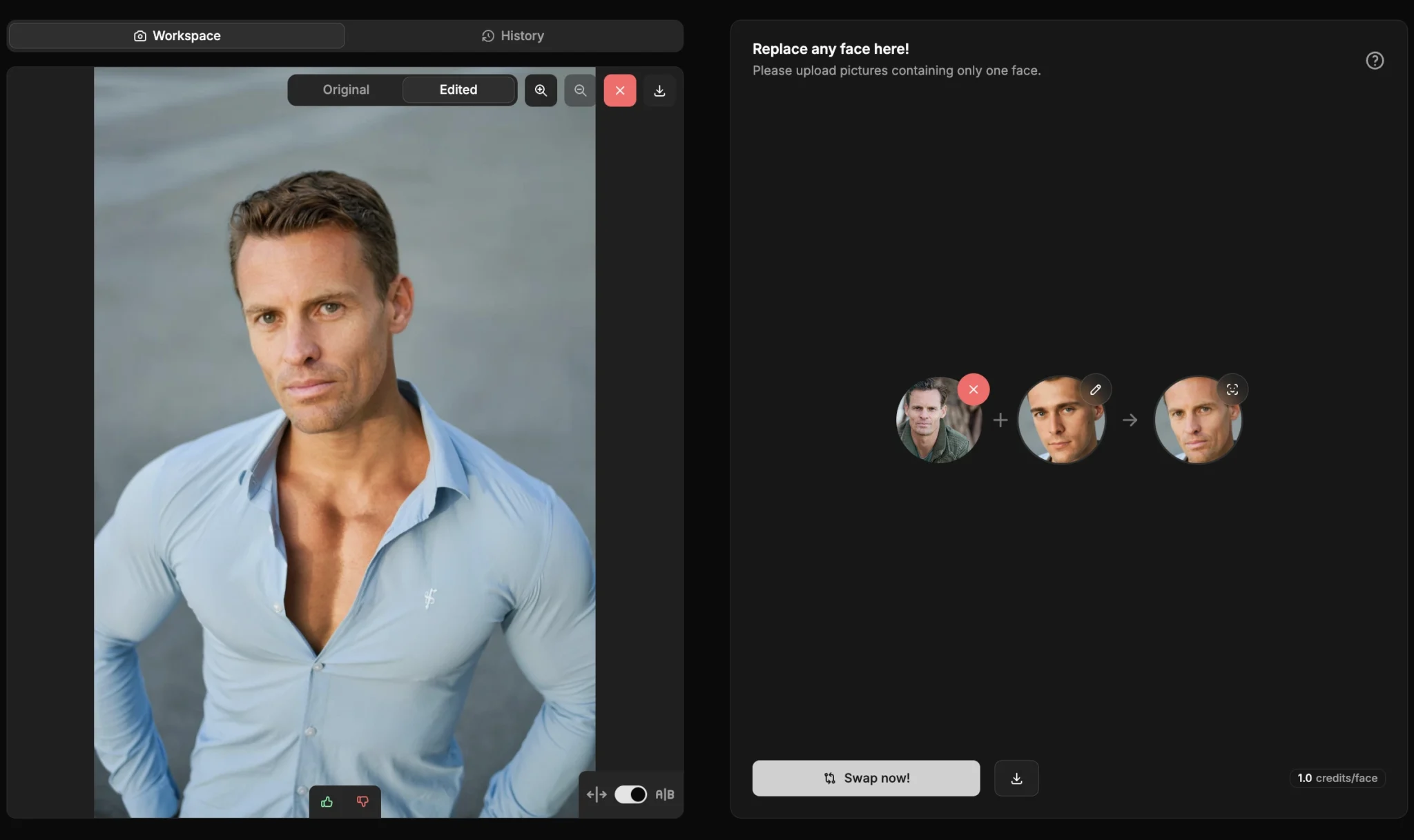
Step 3: Apply Swap
This is where the automated face changing process happens. Swap handles every detail for hyper-realistic output:
- Natural automatic blending that preserves the original photo’s lighting and shadow structure.
- Hairline correction to eliminate blunt edges or mismatches.
- Tone matching so the new face matches neck, arms, and overall body tone.
Step 4: Adjust Expressions
After the initial face changing process, you can refine expressions for better realism or brand-specific emotion.
You can:
- Fix gaze direction for better eye contact.
- Switch between smile, neutral, or subtle emotion variants.
- Adjust or align the head pose to match the base image angle more accurately.
Step 5: Upscale to 4K
Once the face changing is complete, use the Upscale feature to boost clarity. This step is essential for:
- Advertising banners
- E-commerce listings
- Fashion catalogs
- Print campaigns
Step 6: Export
Export your final face changing result in the desired format.
You can choose:
- High-resolution PNG for maximum clarity
- Optimized JPEG for web usage and fast load times
6. Developer Section: How to Integrate Face Changing
For developers, agencies, and SaaS platforms, the PiktID API allows you to automate face changing at scale. This is ideal for businesses that need to process hundreds or thousands of images without manual studio edits.
PiktID Documentation
Full API documentation is available here:
https://docs.piktid.com/docs/
E-Commerce Automation
Using the API, you can build workflows that automatically perform face changing across entire product catalogs. For example:
- Replace faces on 1,000 product model photos with a consistent synthetic identity.
- Update lookbooks instantly without reshooting.
- Standardize models across variations for clean visual branding.
App Integration
Developers can also build a complete face changing application on top of PiktID. Possible use cases include:
- A user-facing app that allows customers to try different looks on a model.
- A face changing tool for creators, photographers, or marketing agencies.
- Integrating face changing into an existing AI photo editing app or design tool.
7. Best Practices for Perfect Face Changing Results
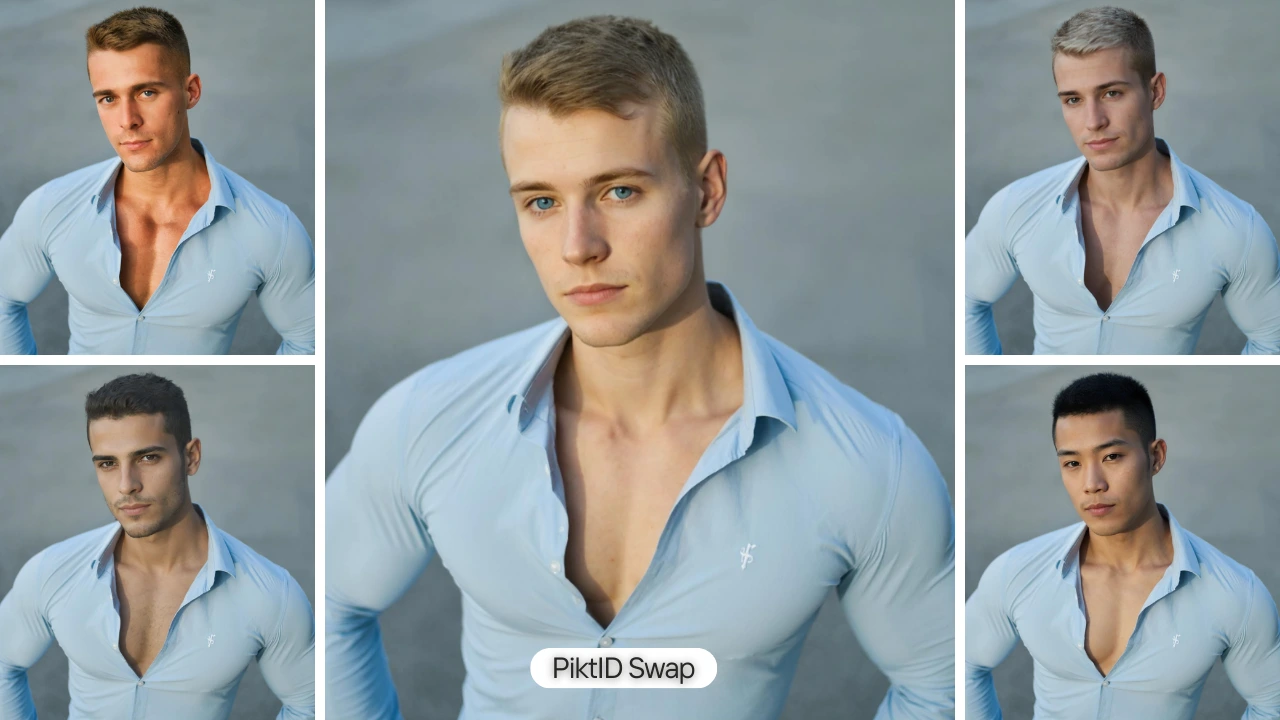
Achieving professional, photorealistic face changing results requires more than simply uploading two photos. Small adjustments in angle, lighting, and image quality can dramatically improve realism, especially when using AI model face swap tools designed for model-grade outputs.
Start by choosing the right angle. Photos where the head is facing the camera directly or at a mild three-quarter angle deliver the most accurate face changing outcomes. Matching lighting temperature is equally important. If the base image has warm tones and the reference face has cool tones, the swap may look mismatched. Always use source photos with similar lighting conditions to preserve natural blending.
Avoid heavy shadows across the face or neck, as shadows can cause identity distortion and may confuse the model’s facial landmark detection. Consistent head tilt between both photos also helps maintain jawline alignment and prevents stretching.
For older or low-resolution photos, apply Upscale before performing face changing. Enhanced sharpness and detail give the model more accurate texture data to work with.
If the expression differs significantly between the two images, use the Change Expressions tool before applying the face swap. This step synchronizes facial structure and reduces artifacts.
Realism in the eyes is the most crucial factor. Mismatched gaze direction or unnatural reflections are the biggest giveaways. Use reference faces with clear eye visibility and similar gaze.
Troubleshooting:
- Stretching occurs when angles differ too much.
- Color mismatch can be resolved with balanced lighting sources.
- Identity distortion results from occlusions like hair or glasses.
- Hairline cutoff can be avoided by using images with visible forehead and natural hair framing.
8. Industry Use Cases and Examples
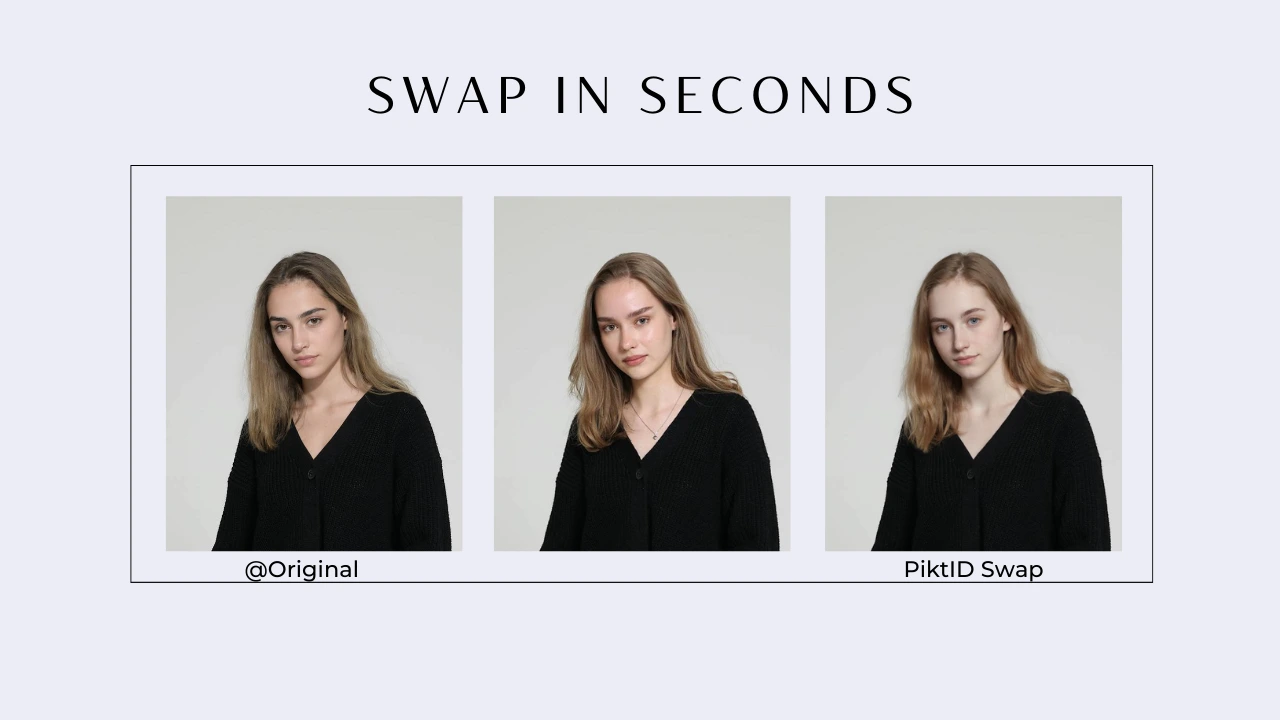
AI-driven face changing and model-grade face swaps are transforming multiple industries by reducing production costs, accelerating workflows, and enabling global content scaling. Below are detailed examples of how businesses are using face changing and AI model face swap technology today.
Fashion lookbooks using synthetic models: Brands can generate complete seasonal lookbooks without organizing large photoshoots. With face changing, the same synthetic model identity can appear across hundreds of outfits, maintaining brand consistency.
Product try-ons for sunglasses, makeup, and apparel: Retailers use face changing to test products on various model identities, enabling dynamic product pages that match diverse customer demographics.
Corporate headshot correction: Companies update outdated headshots by swapping in newer, more accurate facial details while preserving the original outfit and posture. This avoids scheduling professional shoots for large teams.
UGC ads at scale: Agencies producing influencer-style content generate multiple creator faces over the same base video or photo assets, allowing rapid testing across audiences.
Anonymizing customer data for public case studies: PiktID’s face changing capabilities allow businesses to present real scenarios while protecting user identity through synthetic model replacement.
Replacing models for regional markets: Brands localize content for US, EU, and APAC audiences by swapping face identities while keeping outfits and compositions the same.
Virtual photoshoot generation: Creative teams produce entire photoshoots through digital compositions. By combining generated backgrounds, model poses, and face changing, brands can create high-quality campaigns without physical shoots.
9. Comparison Table: PiktID vs Remaker AI vs Pixlr vs Fotor
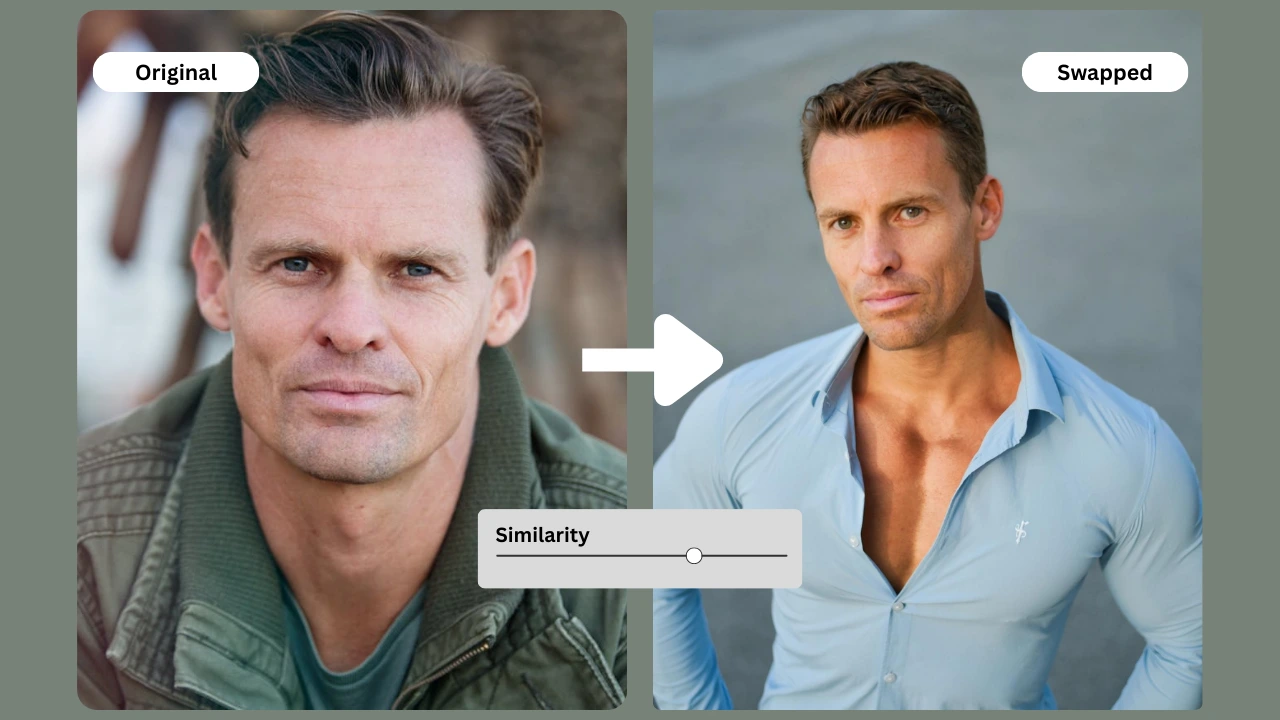
Below is a simplified, easy-to-read comparison of PiktID.
This comparison focuses on model-grade ai face swap and face changing quality rather than entertainment edits.
| Feature | PiktID | Remaker AI | Pixlr | Fotor |
| Realistic blending | ⭐⭐⭐⭐⭐ | ⭐⭐⭐ | ⭐⭐ | ⭐⭐⭐ |
| Lighting retention | ⭐⭐⭐⭐⭐ | ⭐⭐ | ⭐⭐ | ⭐⭐⭐ |
| Expression control | Yes | No | No | No |
| Anonymize (Synthetic faces) | Yes | No | No | No |
| API | Yes | No | No | No |
| Identity consistency | High | Low | Low | Low |
| High-res output | 4K+ | Limited | Limited | Limited |
Why PiktID Is Suited for Professional Use
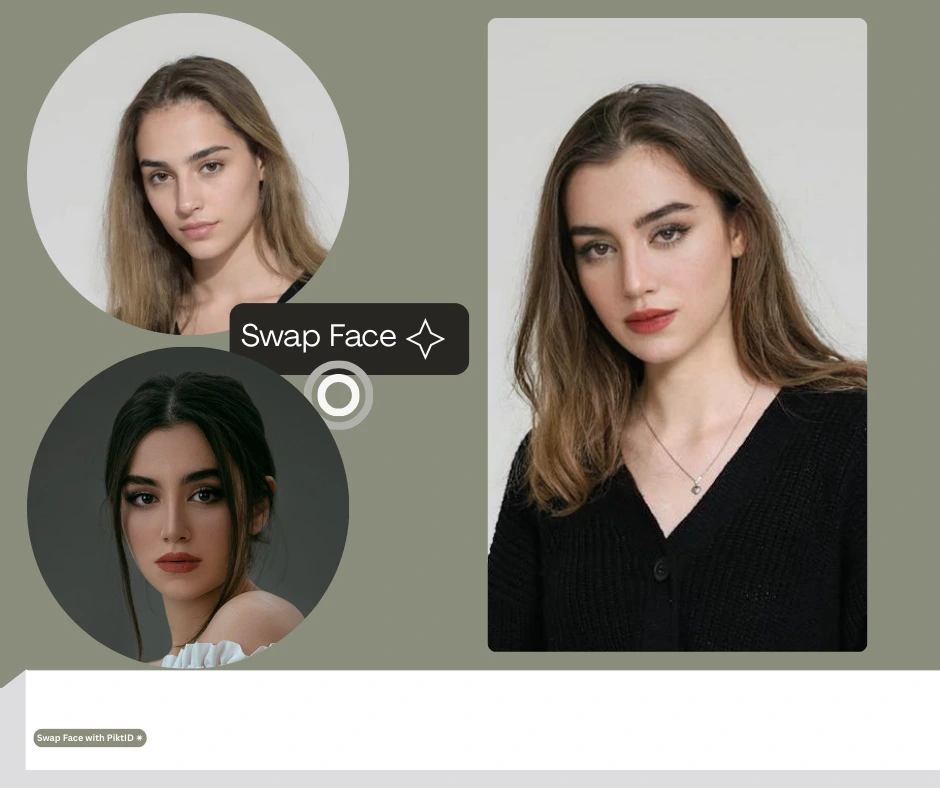
Most tools like Remaker AI, Pixlr, and Fotor are built for casual face changing or fun social edits. They often lack critical capabilities for commercial work.
PiktID stands out because:
- It uses lighting-aware blending for hyper-realistic face changing results.
- Output is 4K+ and suitable for print, fashion, and e-commerce.
- Identity consistency is maintained across multiple images, which is essential for lookbooks.
- Expressions can be refined through Change Expressions for natural-looking imagery.
- Synthetic identities can be generated and reused, which avoids rights issues entirely.
- API access supports batch production, automated pipelines, and enterprise workflows.
10. Ethics, Legality & Privacy
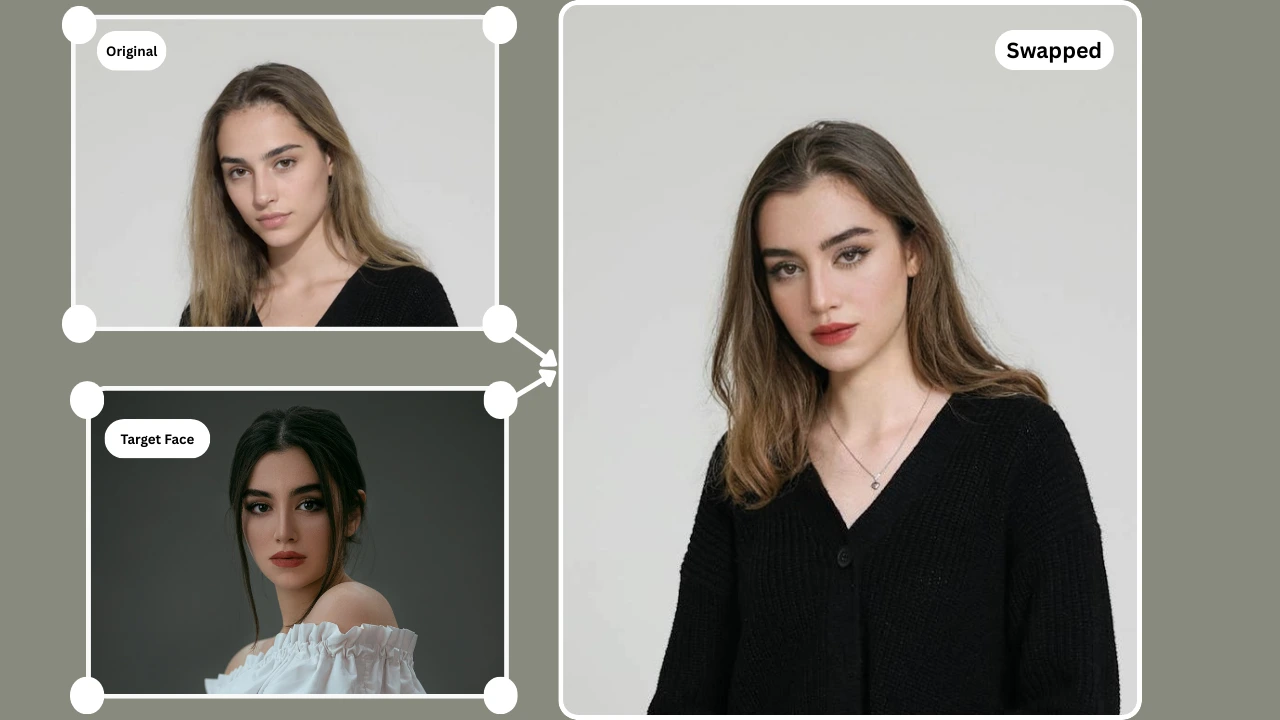
As AI model face swap and face changing become more accessible, responsible usage is essential. Below is a simple, reader-friendly breakdown of the ethical and legal considerations.
What Is Ethical Face Changing
Ethical face changing means:
- The intent is not to deceive, impersonate, or misrepresent.
- The swapped face does not harm or exploit a real person.
- The output is used for photography, e-commerce, branding, or internal creative workflows, not manipulation.
- The face belongs to a real identifiable person.
- The person is a model, employee, influencer, or private individual.
- Their likeness is being reused in commercial or promotional content.
- Using synthetic faces generated by tools like PiktID Anonymize.
- When the creator owns full rights to both the base image and the face being used.
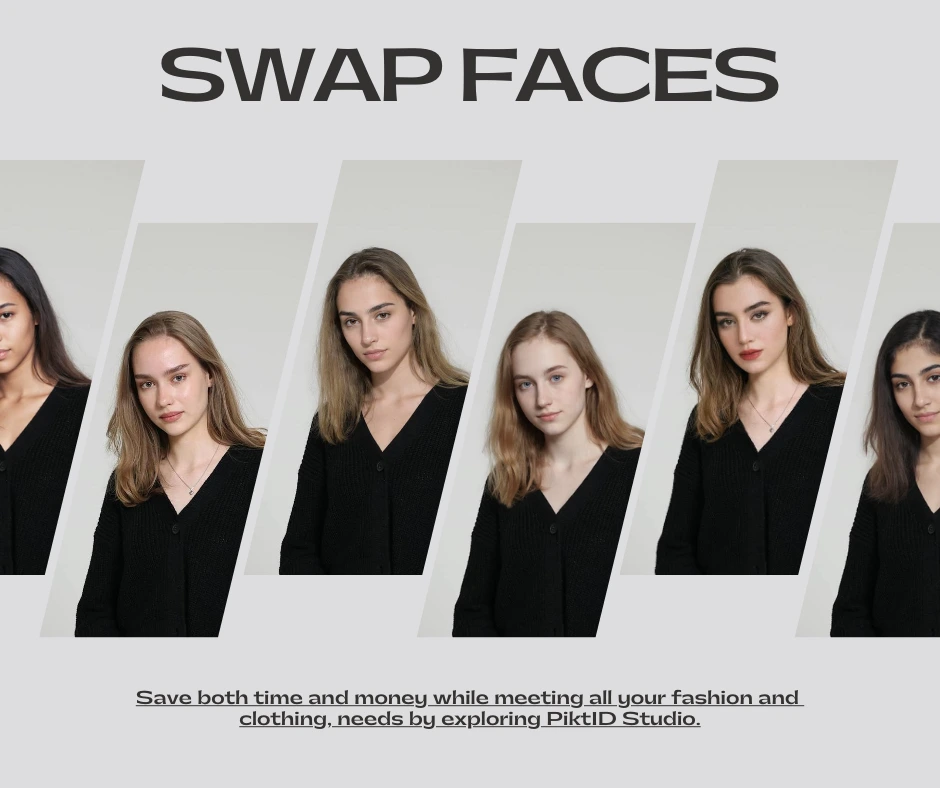
Why Deepfakes Differ From Professional Face Changing
Deepfakes mimic real individuals, often without consent, and can be used for misinformation.
Professional face changing is different because:
- It focuses on consistent visuals for e-commerce and photography.
- Synthetic identities or consenting faces are used.
- The intent is transparency and workflow improvement, not deception.
- The end result supports visual production, not impersonation.
GDPR + CCPA Compliance
Modern face changing tools must comply with data privacy laws such as GDPR (EU).
PiktID follows these principles:
- No biometric data is stored without permission.
- Synthetic identities remove privacy risks entirely.
- Users control their images and data.
- No face data is used for training or redistribution.
- No legal restrictions or model releases required.
- No privacy risk or likeness rights violation.
- The identity can be reused consistently for hundreds of product shots.
- Ideal for fashion brands, catalog photography, and large-scale lookbooks.
- Using celebrity faces for commercial projects without written permission.
- Using the likeness of public figures for endorsements or product shoots.
- Using copyrighted model images sourced online.
- Using your own images with consent.
- Relying on PiktID’s Anonymize tool to generate synthetic models.
- Creating AI-generated models through Generate Person.
11. Conclusion
Face changing has evolved from a novelty feature into a professional-grade workflow used by fashion brands, e-commerce sellers, photographers, and creative studios. Modern production pipelines now rely on AI to build consistent, scalable, and identity-accurate visuals without reshoots or large model budgets. This shift has made AI model face swap and face changing technologies essential for anyone who works with product imagery, lookbooks, or custom creative assets.
PiktID offers one of the most advanced ecosystems for face changing, designed to deliver realistic, ethical, and high-quality transformations. Unlike consumer-level apps that produce soft, mismatched, or stylized outputs, PiktID focuses on technical precision. Swap ensures identity-accurate face changing, Change Expressions fine-tunes gaze and micro-expressions, Anonymize provides GDPR-compliant synthetic identities, and Upscale enhances texture, clarity, and detail. Together, these tools produce unmatched results suitable for professional use cases where lighting consistency, tone matching, and natural blending are non-negotiable.
Whether you are building a catalog, creating digital ads, or preparing a new product photoshoot, PiktID simplifies the entire process. You gain the ability to generate consistent model visuals, modify identities responsibly, and produce ready-to-publish images at scale. This is face changing redefined for real production environments, not just casual edits.
Ready to create flawless AI visuals? Try PiktID’s Swap tool with 10 free credits.
Visit https://studio.piktid.com/swap to get started today.

Key Takeaways
- Face Changing uses AI to alter facial features in images and videos while preserving original attributes.
- The demand for Face Changing is increasing among creators, brands, and marketing teams for quick, scalable visuals.
- PiktID offers tools for high-quality face changes, including Swap, Change Expressions, Anonymize, and Upscale.
- This technology benefits various industries like fashion, photography, and advertising by enhancing visual consistency and reducing costs.
- Ethical considerations include consent, realistic usage, and GDPR compliance when using AI for Face Changing.
12. FAQ Section – PiktID
1. What is AI face changing?
AI face changing refers to the use of artificial intelligence to replace or modify a face in a photo while preserving lighting, pose, and natural texture. It enables realistic identity transformation for professional imagery.
2. How does PiktID swap or change faces in photos?
PiktID uses an advanced Swap engine that analyzes facial structure, expressions, lighting direction, and texture before applying a face swap The system also supports gaze correction and expression refinement through Change Expressions.
3. Is AI face changing by PiktID GDPR compliant?
Yes. When used with Anonymize, PiktID generates synthetic, non-identifiable faces for commercial workflows, making face swap GDPR compliant for European and global privacy standards.
4. What is the most realistic AI face changing tool?
PiktID is designed specifically for realistic face changing with natural tone alignment, jawline matching, and lighting consistency, making it suitable for model photography, product catalogs, and editorial content.
5. How to fix face distortion in a face swap?
Face distortion usually happens due to angle mismatches or low-quality source images. Using high-resolution uploads, matching camera angles, or refining expressions with Change Expressions can significantly improve face changing accuracy.
6. Can I change facial expressions after swapping faces?
Yes. PiktID allows you to modify micro-expressions, eye direction, and facial tension through Change Expressions after performing face changing or swapping.
7. What is the best free AI face swap tool?
PiktID provides 10 free credits for anyone wanting to test high-quality face changing for professional or personal use, offering better accuracy than most free consumer apps.
8. How to make face changing look natural?
Use clear, well-lit photos with similar head position and angle. After swapping, apply Upscale to enhance sharpness and use Change Expressions to refine facial alignment for natural results.
9. Can I use synthetic identities for product photography?
Yes. Anonymize allows you to generate synthetic faces for model photography, allowing consistent face changing without using real individuals or requiring model releases.
10. Where can I try face changing online for free?
You can try face changing using PiktID’s Swap tool and get 10 free credits at https://studio.piktid.com/swap.