
1. Getting started with Body Swap AI
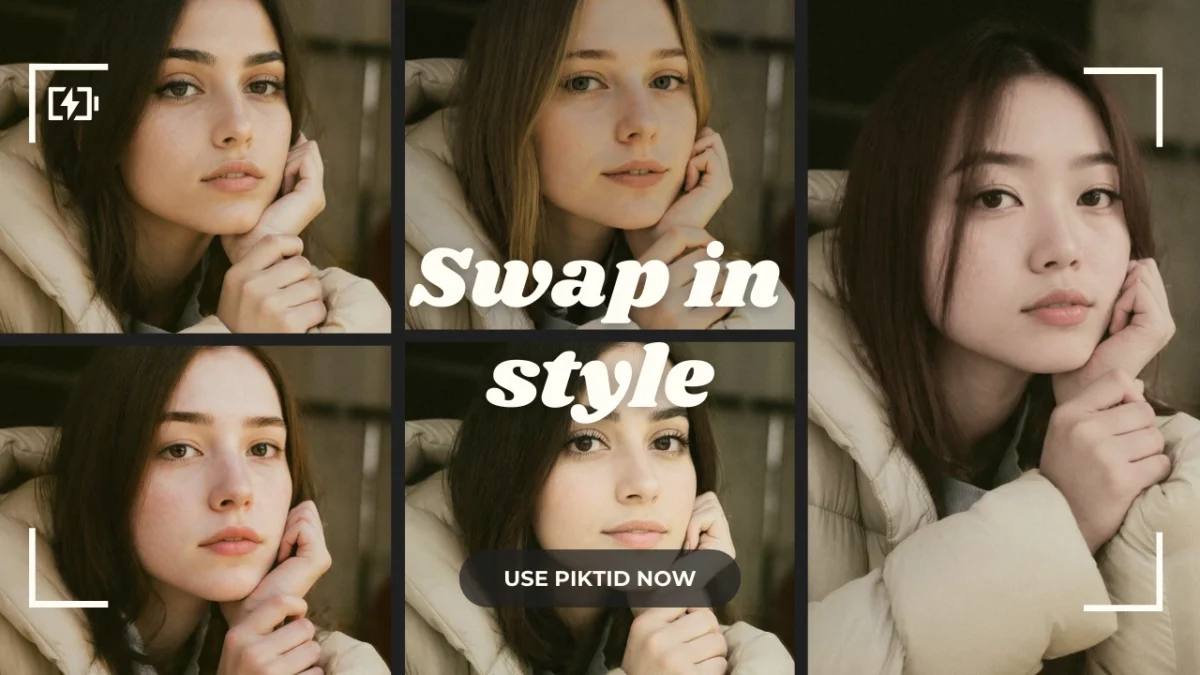
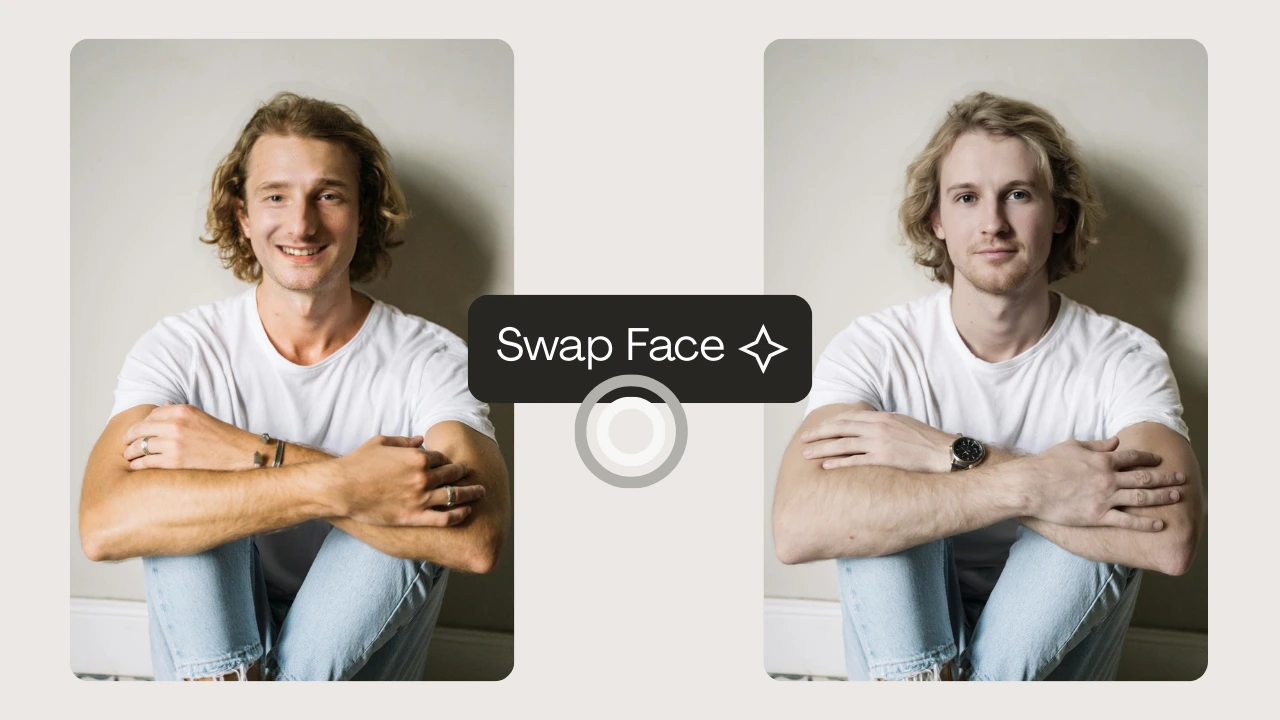
Body swap AI represents a major shift in how fashion, ECommerce, and product focused brands create visual content. Instead of relying on repeated studio sessions or seasonal model availability, brands can now generate lifelike, studio ready imagery by combining PiktID’s Generate Person and SwapID workflows. This system allows teams to photograph a base model or mannequin once and then apply any identity, style, or demographic profile needed for upcoming campaigns.
The core strengths of this workflow include natural hairline and clothing edge blending, accurate lighting reconstruction, realistic skin tone adaptation, and the ability to maintain consistent visual identity across thousands of SKUs. Because the transformation occurs at the body and identity level, brands can move away from expensive casting cycles while still producing high quality, diverse images that align with market expectations.
This guide explains how body swapping works, why it matters for fashion and ECommerce teams, and how PiktID provides a scalable end to end pipeline suitable for both small studios and enterprise level retailers. Early access to advanced features and custom work flows is currently available on request through email.
2. Why Body Swap AI Matters
2.1 Rising cost of traditional model production
Traditional photo shoots require multiple resources, including:
- Studio rentals
- Hair and makeup teams
- Styling and fitting sessions
- Licensing agreements and model availability contracts
2.2 Post-COVID shift to remote and digital first production
Fashion and retail teams now operate with tighter timelines and distributed workflows. Many brands launch frequent ECommerce updates, limited drops, and multichannel campaigns that require rapid image production. AI enables teams to generate new visuals without arranging full scale shoots each time, improving speed and operational agility.
2.3 The role of Body Swap AI for fashion
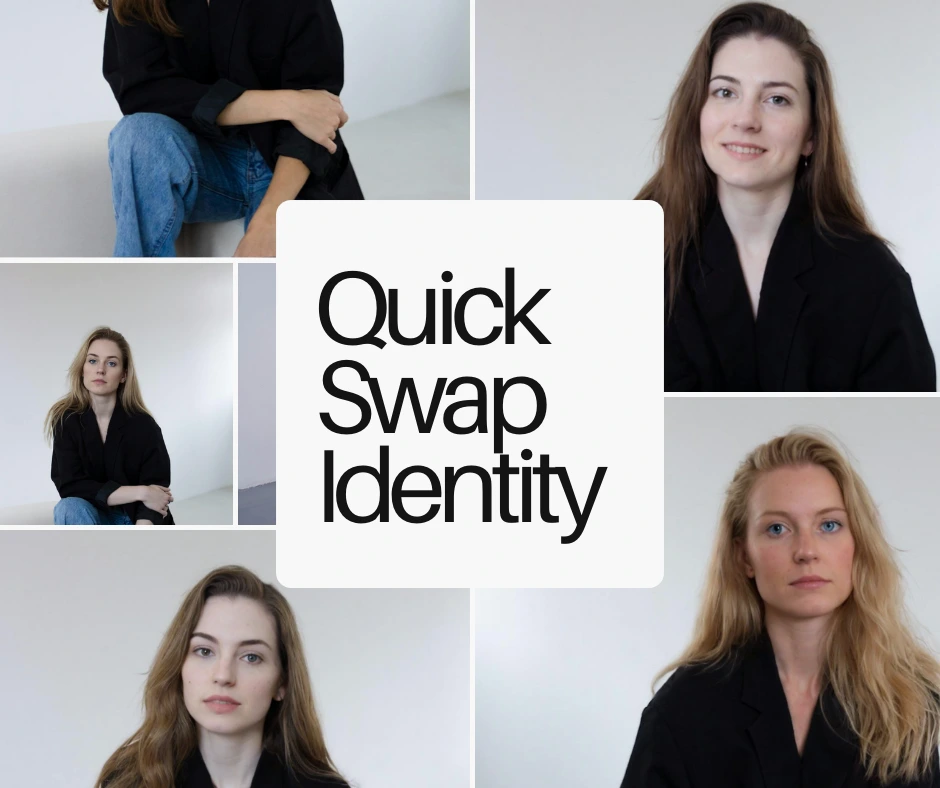
A single fit model or mannequin can be photographed once and transformed into multiple brand aligned personas. This approach:
- Reduces casting requirements
- Eliminates repeated glam session
- Ensures consistent poses and sizing
- Maintains full control of identity for legal and licensing compliance
2.4 ESG friendly (Efficient, Sustainable, Cost-Effective)
Reducing physical shoots lowers environmental impact and resource consumption. Teams minimize waste, transport requirements, and energy usage associated with traditional production. The workflow is faster, more efficient, and more cost effective, supporting both sustainability goals and operational scalability.
3. How PiktID Body Swap AI Works
PiktID Studio workflow is designed to give fashion brands complete control over identity, body proportions, and visual consistency across large product catalogs. Instead of relying on multiple human models or costly re-shoots, brands can generate controlled identities, photograph a single fit model, and then apply accurate body replacement using SwapID. The process ensures full consistency in lighting, fabric detail, body posture, and facial identity across all outputs.
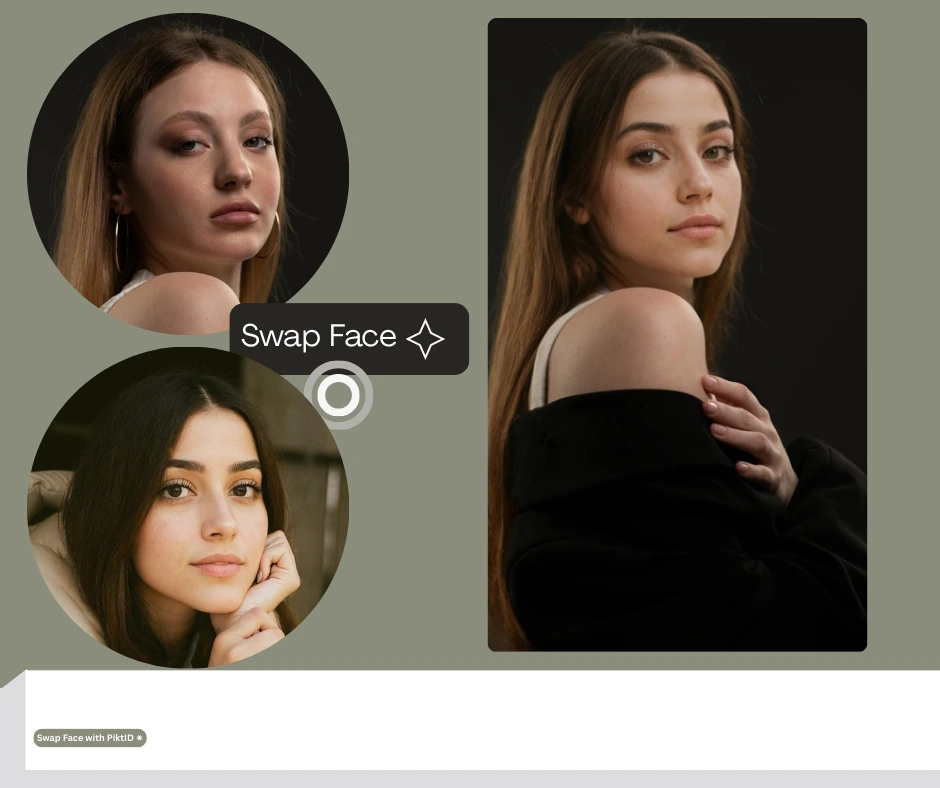
3.1 Generate Fit Model using Generate Person
The workflow begins by creating a photo realistic base model using Generate Person.
This step allows brands to produce studio ready fit models with precise control over:
- Body proportions
- Height and posture
- Ethnicity and regional characteristics
- Age group and demographic traits
3.2 Capture Base Photos in Studio
Once the fit model is defined, the next step is to capture high quality studio photographs.
To ensure the cleanest body swap results, the following conditions are optimized:
- Controlled lighting
- Neutral or editable backgrounds
- Multiple angles for front, back, and side views
- Proper garment fit for silhouette accuracy
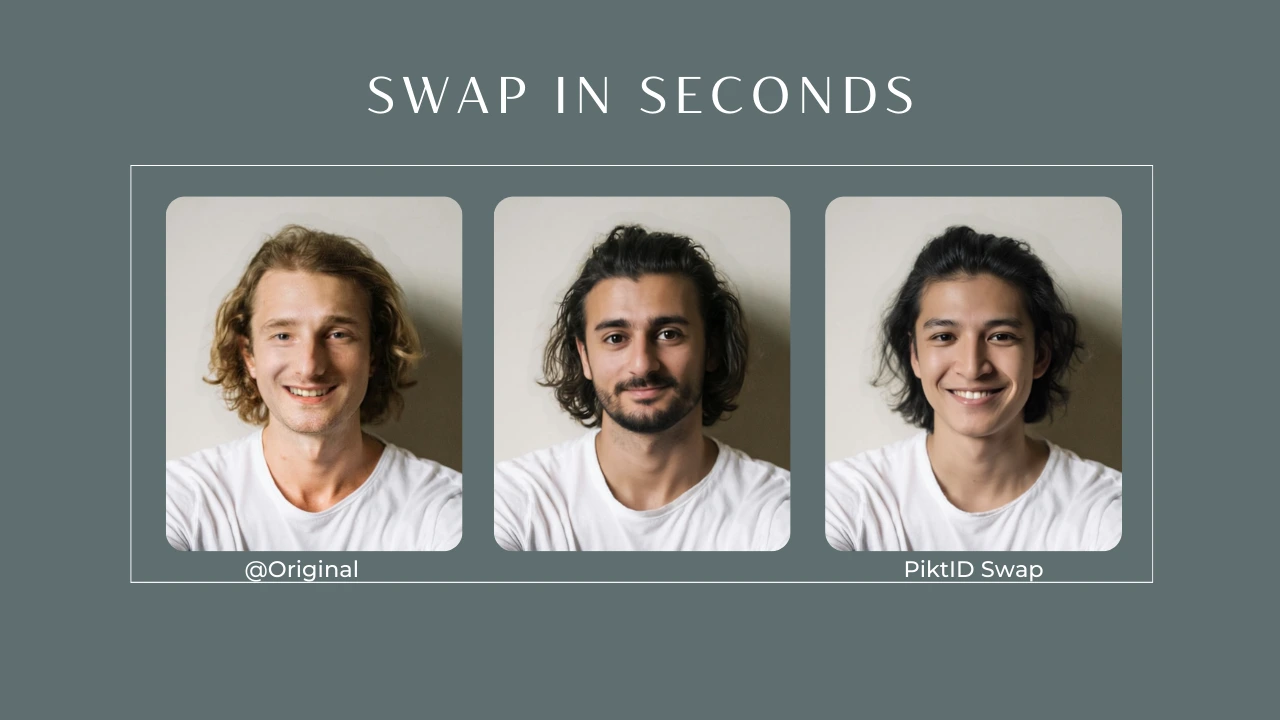
3.3 Apply Body Swap using PiktID’s SwapID
The core transformation happens when the studio photos are processed through PiktID’s body swap AI system. SwapID replaces the visible body or facial identity with a new AI-generated persona while preserving pose and outfit realism. The system performs:
- Automatic lighting and contrast matching
- Skin tone and color correction
- Hairline and jawline continuity
- Natural neck transitions
- Pose-aware alignment for complex body angles
3.4 Identity Reuse for Lookbooks
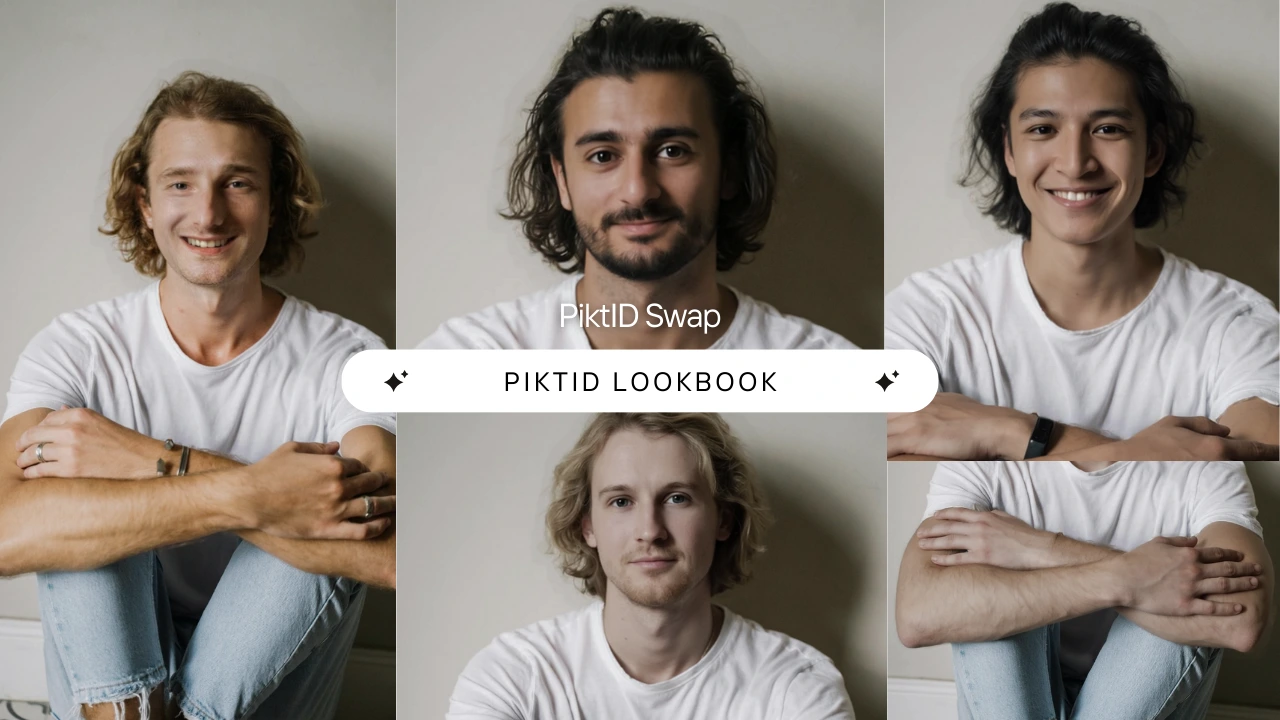
Brands can create multiple AI identities and reuse them across various product lines. A single set of 5–10 models can be consistently used across Spring, Summer, Fall, or Holiday collections. Each identity maintains:
- Consistent facial structure
- Hairstyle and grooming
- Body proportions
- Aesthetic alignment with brand guidelines
4. Step-by-Step Workflow
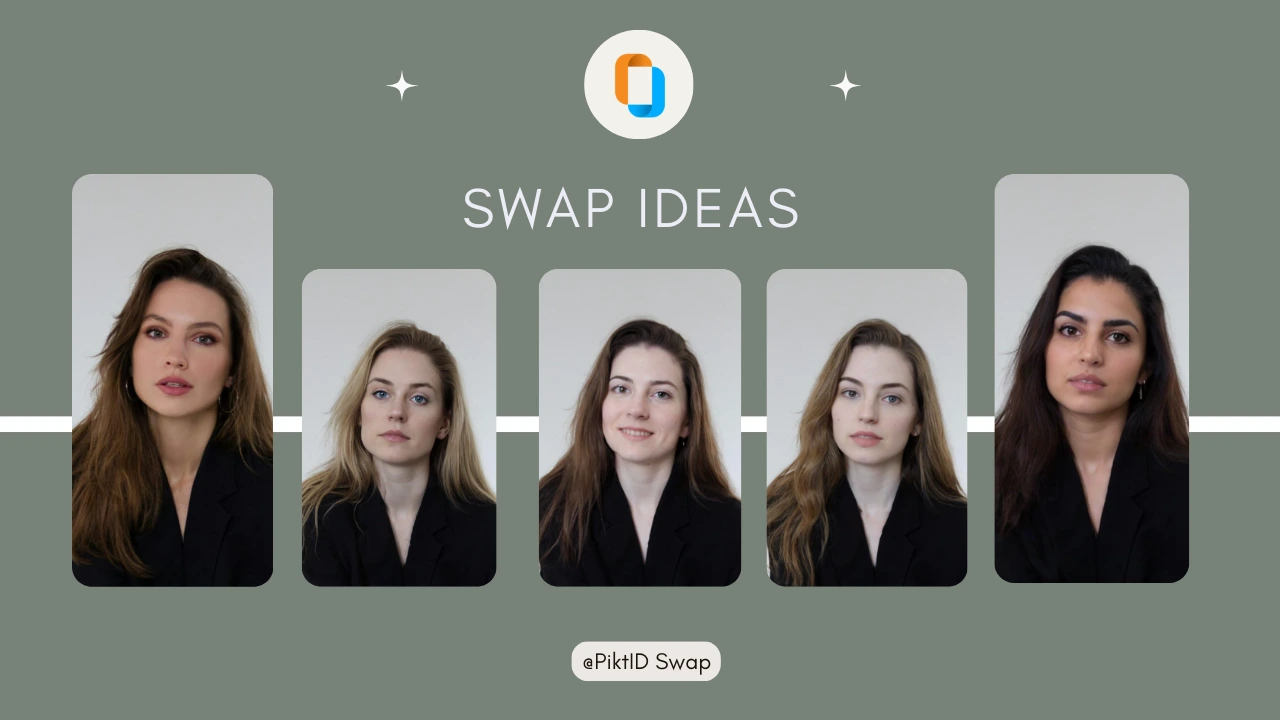
4.1 Studio Workflow
- Generate a fit model using Generate Person.
- Photograph the fit model wearing each outfit in a controlled studio setup.
- Upload the captured images into the Body Swap workflow.
- Select the desired model identity (via AI-generated face or anonymized synthetic profile).
- Adjust lighting, hairline, or blending if required.
- Export final curated images for ECommerce, product pages, or look books.
- Repeat for all SKUs in the collection.
4.2 API Workflow (For Developers & Fashion Tech Platforms)
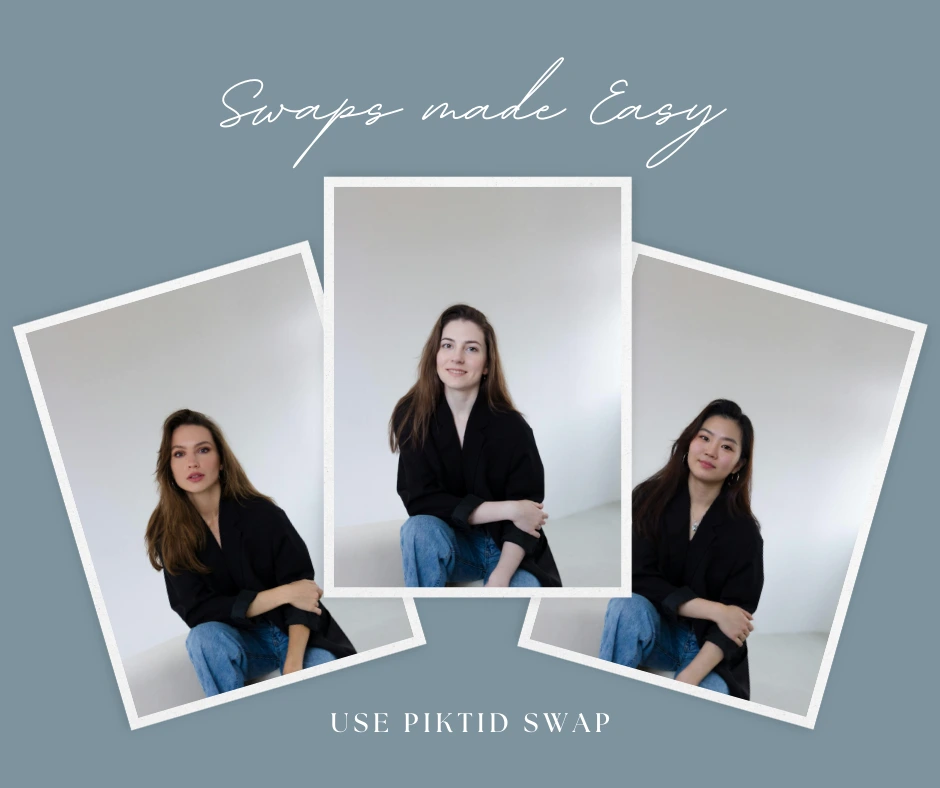
Input: Base fashion photo plus target identity
Output: Fully processed body swapped result
Supported parameters include:
- Lighting mode
- Skin tone correction
- Pose alignment
- Region or ethnicity selection
- Automated outfit try-on systems
- Batch processing engines for large ECommerce catalogs
- Virtual model generators for online storefront plugins
5. Best Practices & Troubleshooting
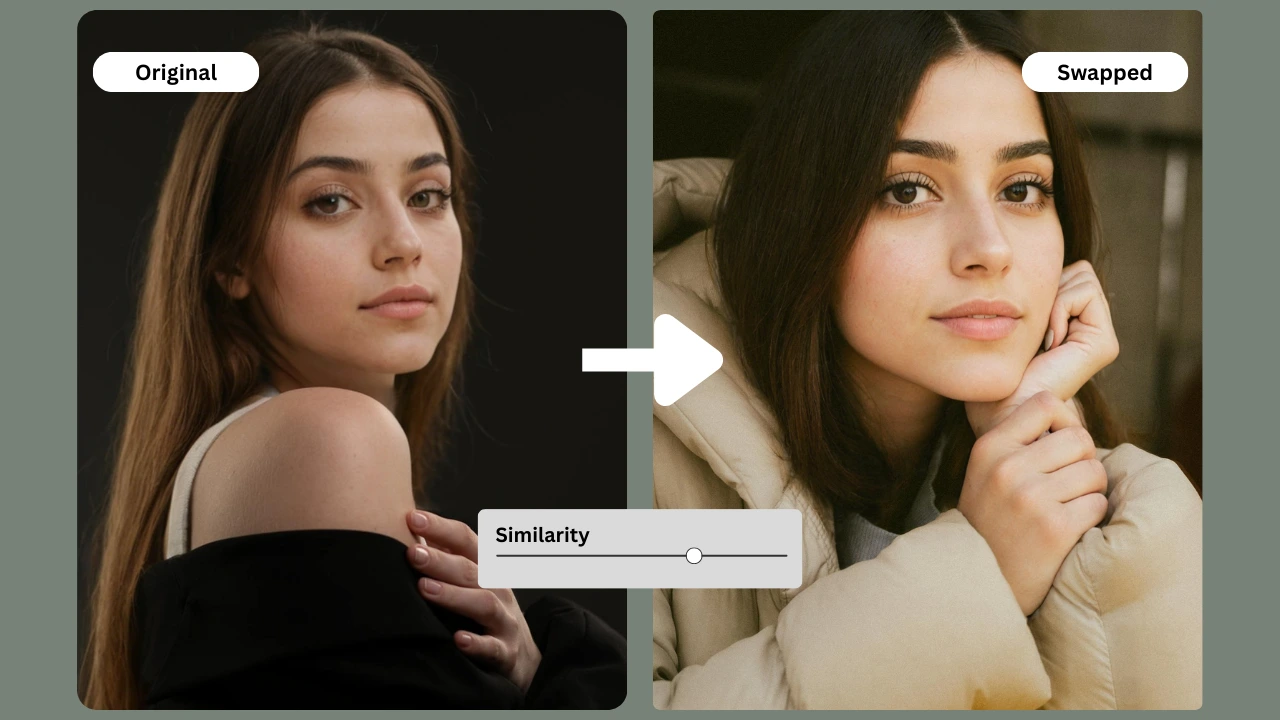
5.1 Shooting Guidelines
Capturing clean, consistent inputs is essential for achieving high quality results with body swap AI work flows. Stable lighting, neutral colors, and controlled poses help the model accurately map proportions, fabrics, and identity features. When preparing your source images, use the following recommendations:
- Consistent studio lighting with no harsh highlights
- Minimal shadows on neckline, shoulders, and jawline
- Neutral or single tone background to avoid color bleed
- Straight-on shots with the model facing the camera
- Avoid extreme poses, raised arms, or dynamic motions for initial swaps
- Maintain even distance between the camera and subject
- Use a tripod for uniform framing across multiple outfits
5.2 Common Issues
Even with clean inputs, certain challenges may occur during body swap AI processing. The following are common issues and practical fixes:
- Body proportions mismatch → re-generate or choose a more proportionate fit model
- Skin tone conflict between identity and outfit frame → use AI tone matching and re-run the process
- Hair clipping around edges or shoulders → upload an alternate angle or adjust hair length in the source
- Jewelry and accessories causing distortion → remove or disable accessories for the swap
- Excessively patterned garments causing artifacting → use a simplified template for the first pass
- Misaligned head tilt → re-upload an image with neutral posture
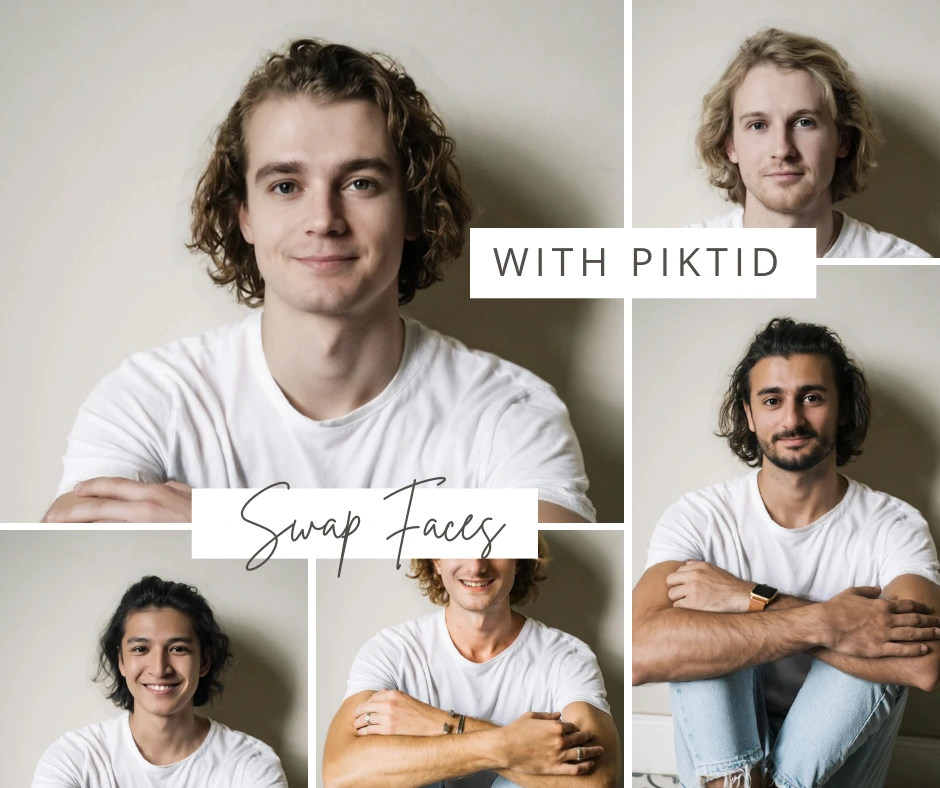
5.3 Expert Tips
Professionals in fashion, Ecommerce, and catalog production can achieve studio grade consistency by implementing the following optimization strategies:
- Build a reusable “brand model library” of 3–5 AI personas tailored to your visual style
- Maintain one dedicated fit model for all clothing items to ensure uniform posture and proportions
- Pre-process all model images using Upscale to maximize clarity before and after swaps
- Store region specific personas for localized fashion campaigns
- Use similar lighting setups for both product photography and model imagery
- For detailed garments (lace, shimmer, embroidery), run a second refinement pass to correct micro-textures
6. Use Cases for the Fashion Industry
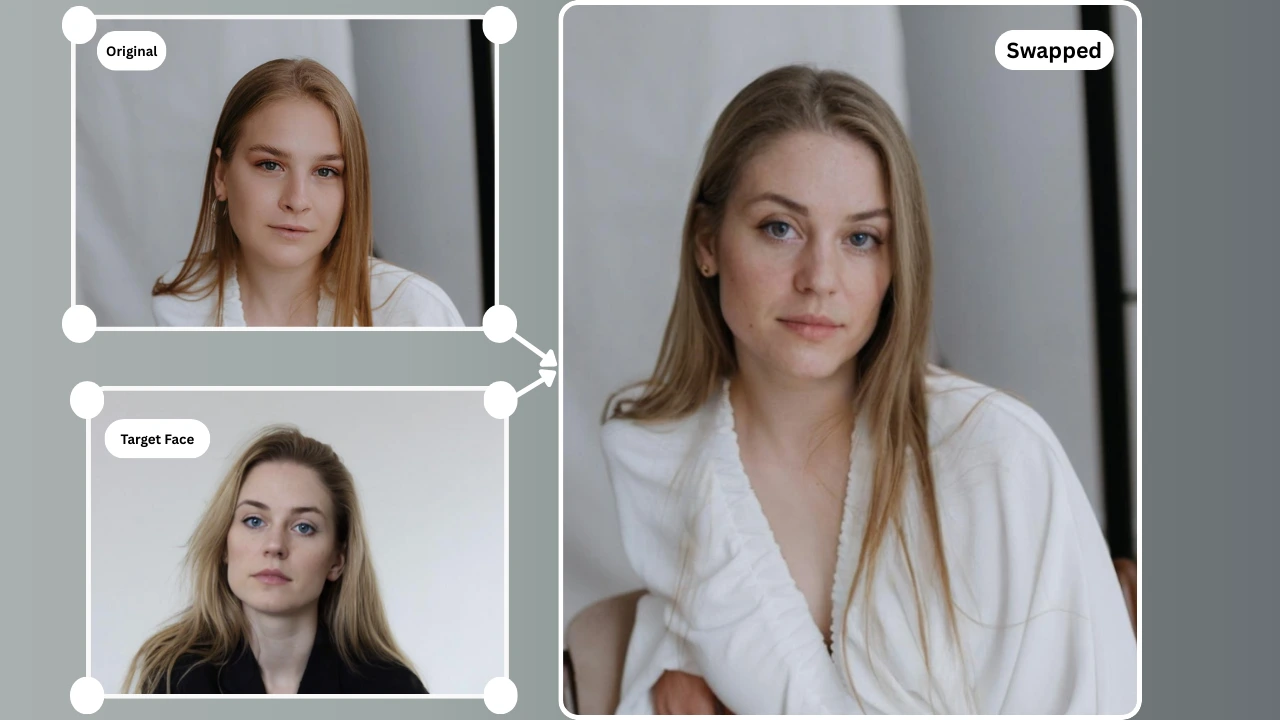
6.1 ECommerce (D2C Fashion Brands)
D2C apparel brands rely heavily on volume, speed, and visual consistency. Body swap AI enables scalable catalog production and allows teams to generate high quality model photos without reshooting every week.
- Large-volume catalog creation for new collections
- Weekly product drops with updated visuals
- Consistent brand aesthetic across all SKUs
- Faster merchandising cycles with lower studio dependency
6.2 Luxury & Designer Brands
High-end brands require premium, regionally targeted visuals. AI-generated personas and identity mapping help maintain aesthetic precision.
- Create model variations that align with regional or cultural markets
- Ensure identity consistency across look books, campaigns, and product pages
- Develop custom personas for exclusive capsule collections
- Generate editorial style imagery without full production crews
6.3 Fashion Marketplaces
Marketplaces face the challenge of inconsistent seller uploads. Body swap AI standardizes product imagery across thousands of listings.
- Replace low-quality or inconsistent model photos
- Convert user-generated images into marketplace standard visuals
- Dynamic adaptation of clothing onto unified models
- Improve trust and conversion by showing clear, professional product presentation
6.4 Influencer & Social Commerce
Creators and small sellers can elevate their visuals to professional editorial standards without expensive shoots.
- Transform basic clothing photos into polished studio quality campaigns
- Avoid repeated shooting costs for every outfit
- Generate multiple poses and model options from a single source
- Maintain identity continuity across reels, carousels, and storefronts
6.5 Product Development
Fashion teams often need to visualize garments before full production. Body swap AI accelerates early design validation and presentation.
- Early-stage garment visualization during prototyping
- AI-assisted fitting to evaluate silhouette, drape, and styling
- Present upcoming collections on virtual bodies for internal reviews
- Produce investor ready mockups without physical samples
7. Comparison Table (PiktID vs Competitors)
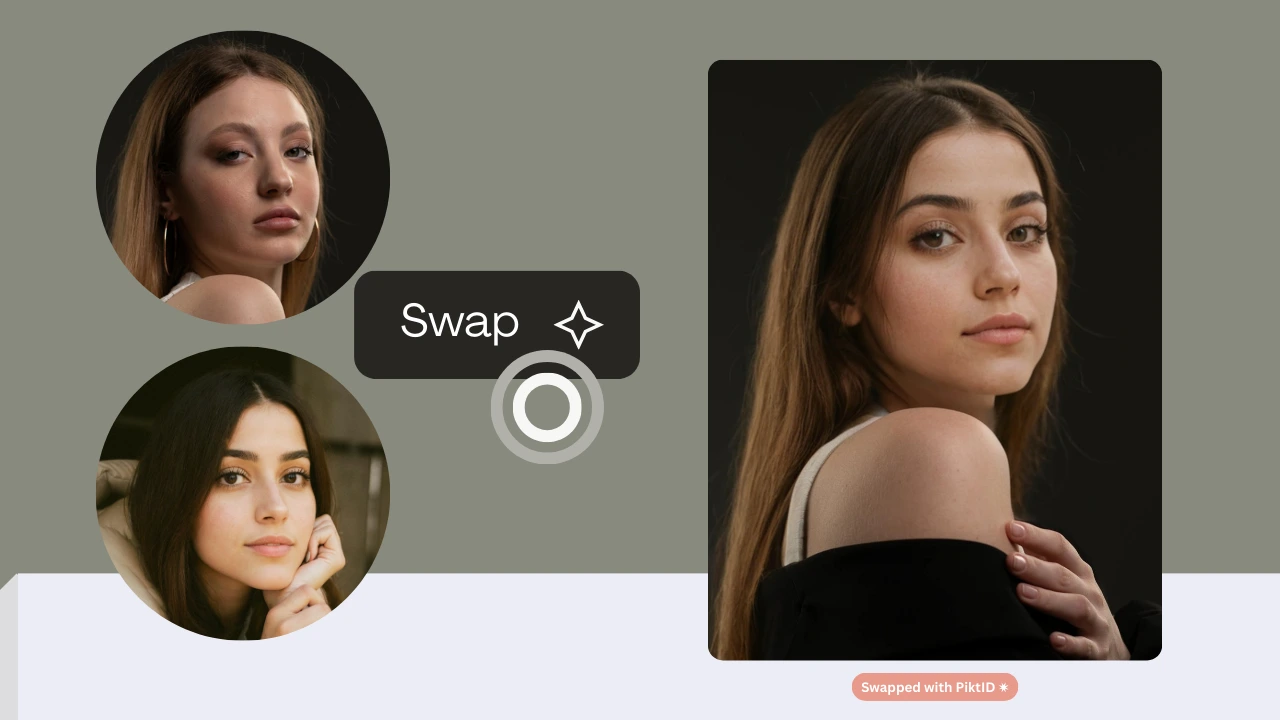
The following comparison highlights why PiktID’s body swap AI ecosystem delivers a more reliable, production-ready workflow compared to popular face swapping tools. Most competing apps only support simple face overlays, while PiktID offers a full identity to body replacement system designed specifically for fashion, Ecommerce, and creative production teams.
Key considerations when comparing tools:
| Feature | PiktID Body Swap | DeepSwap | Reface | Fotor | Canva |
| Full body swapping | Yes | No | No | Limited | No |
| Natural hair blending | Yes | Partial | No | Limited | No |
| Skin tone + lighting match | Yes | No | No | No | No |
| Fit-model workflow | Yes | No | No | No | No |
| AI identity library | Yes | No | No | No | No |
| GDPR-safe synthetic faces | Yes | No | No | No | No |
| Fashion industry focus | Yes | No | No | No | No |
- PiktID supports full body transformations, not just facial overlays.
- Competitors typically struggle with lighting, hairline integration, and realistic proportions.
- PiktID enables model consistency through reusable synthetic or anonymized identities.
- The system integrates directly with fashion workflows, including sample testing, virtual outfits, and model replacement for product catalogs.
- The body swap AI module uses identity alignment to correct head pose, skin tone, and background continuity for editorial quality outputs.
8. Ethics, Licensing & Privacy Notes
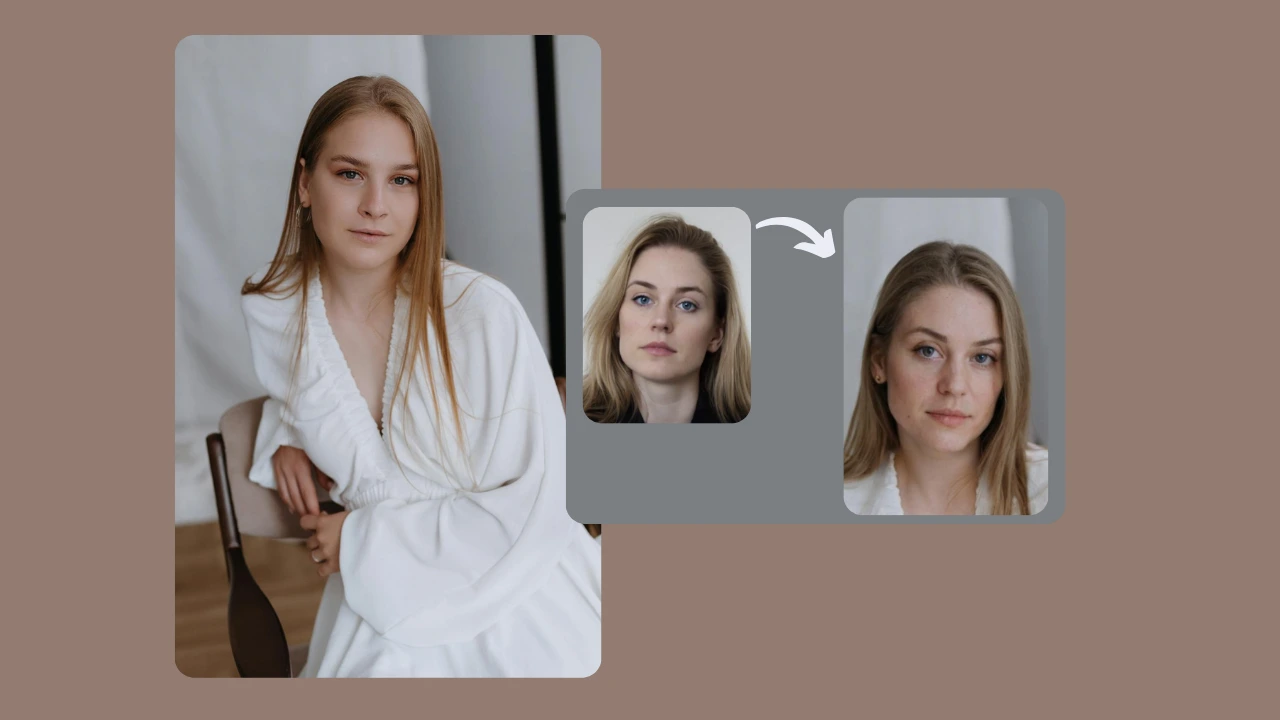
AI-generated visuals introduce new legal and ethical responsibilities for brands, especially when replacing human models or using digitally created identities. PiktID is designed to address these issues by offering synthetic identities, safe anonymization, and workflow controls.
Key principles:
- All generated faces can be synthetic, eliminating the need for human model permissions or licensing fees.
- Brands reduce legal exposure associated with using real individuals’ likenesses, particularly in global advertising campaigns.
- No ownership, royalty, or lifetime usage rights are required when working with synthetic or anonymized identities.
- GDPR-friendly anonymization ensures compliance during European campaigns, where strict data and biometric protections apply.
AI-generated faces (Generate Person)
These are digitally created individuals who never existed. They can be used in:
- lookbooks
- catalog shoots
- e-commerce displays
- persona-based marketing
Anonymized synthetic faces (previously EraseID)
This approach converts a real person’s face into a synthetic version that preserves:
- age range
- gender
- expression
- general visual style
- creator privacy
- staff photos
- influencer content where identity must be protected
- compliance workflows for enterprises
Real face swapping and legal considerations
Using a real person’s face requires explicit consent when:
- the output is used commercially
- the image may affect their reputation
- the campaign is distributed in regulated regions
- documented consent
- clear usage rights
- restricted distribution if required
- no misleading manipulations in sensitive contexts
9. Choosing PiktID over Canva
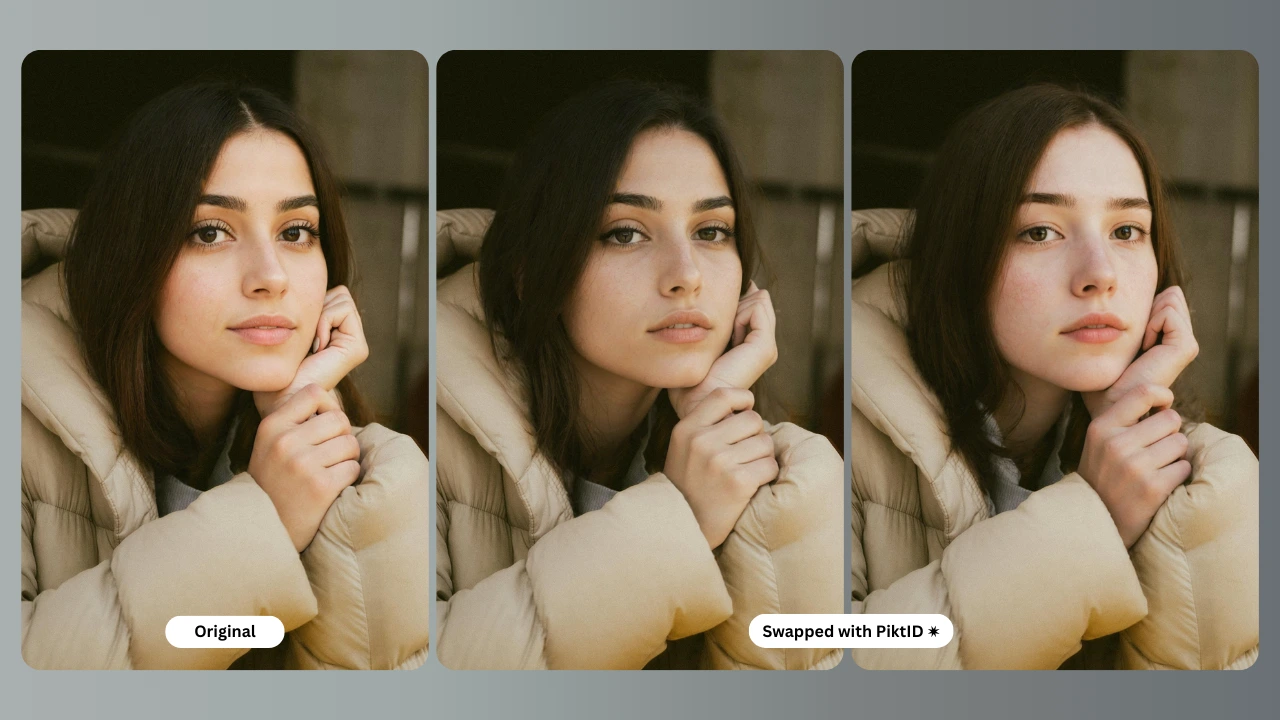
Body swap AI is transforming how visual content is produced, especially in fashion, ECommerce, and creative studios. Instead of organizing repeated physical shoots, brands can reuse poses, garments, and lighting setups while rotating identities, sizes, and styles on demand. This reduces production costs, shortens timelines, and supports more agile testing of creative concepts and product combinations.
The fit model workflow sits at the center of this shift. By capturing strong base images once and then applying identity swapping, teams can:
- Produce more variants from fewer shoots.
- Maintain consistent framing and visual language across campaigns.
- Adapt visuals for different markets, demographics, or collections without re-shoots.
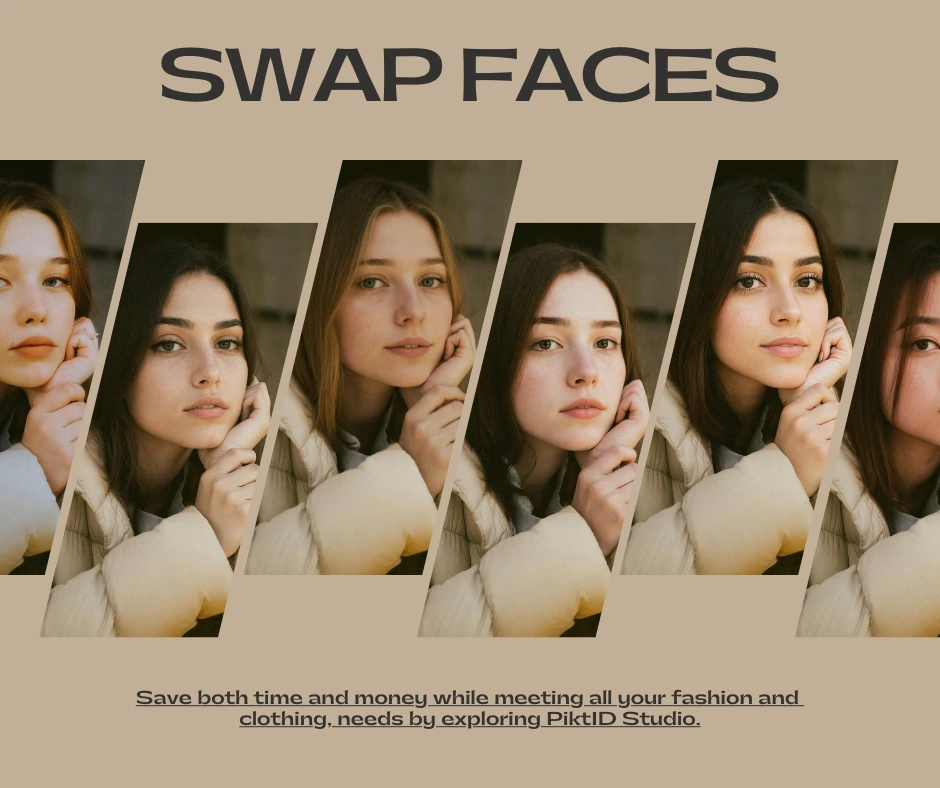
Key Takeaways for Body Swap AI
- Body Swap AI revolutionizes fashion and eCommerce by allowing brands to create high-quality visuals without repeated studio sessions.
- This system relies on PiktID’s Generate Person and SwapID workflows to transform a single model into multiple identities.
- Brands can achieve cost savings and environmental benefits while increasing operational efficiency and visual consistency.
- The body swap technology enables faster image production, supporting agile marketing in today’s fast-paced retail environment.
- PiktID offers an API for developers to integrate Body Swap AI into various fashion tech platforms and workflows.
10. FAQs
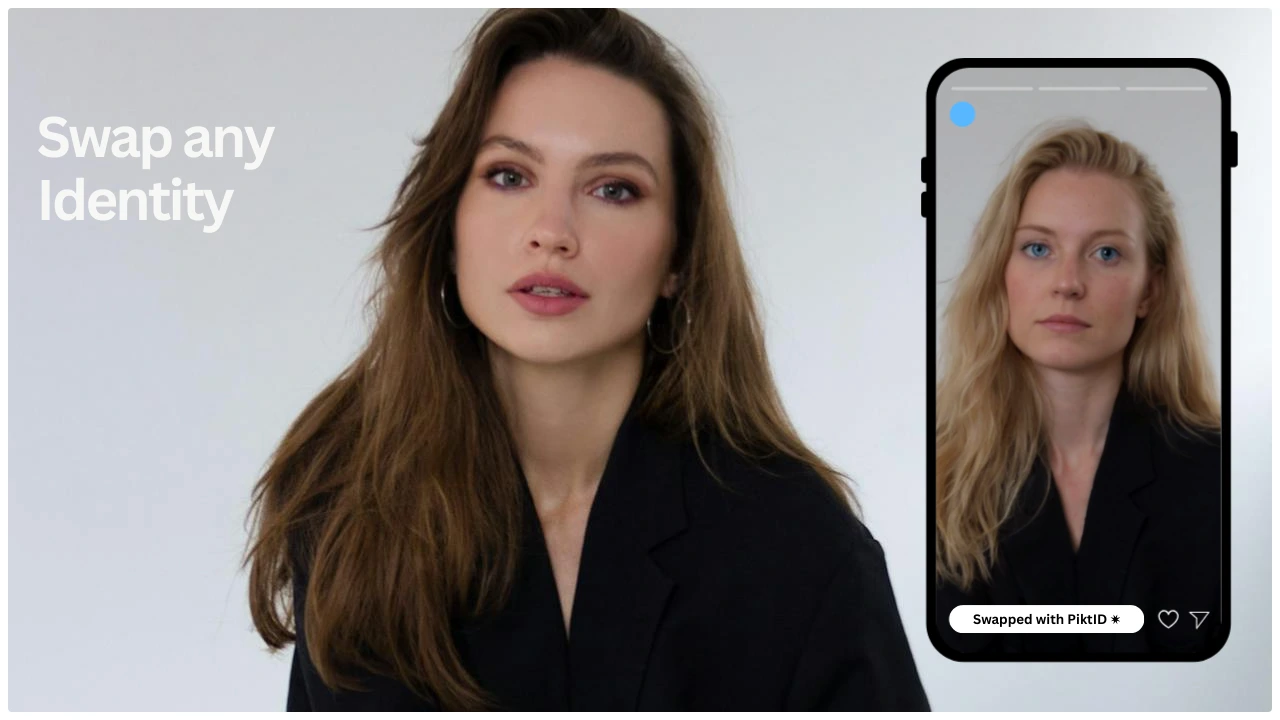
1. What is Body Swap AI?
Body swap AI is an image editing technology that lets you replace or modify a person’s body, outfit, or full appearance while preserving realistic proportions, lighting, and perspective. In PiktID, this typically means combining a base body, pose, or outfit with a different face or identity to create production-ready visuals for fashion, eCommerce, and marketing.
2. How does PiktID’s Body Swap AI create realistic results?
PiktID combines multiple AI models to make swaps look natural instead of “pasted”:
- Analyses pose, camera angle, and proportions of the base image.
- Matches face shape, jawline, and neck alignment to the selected body.
- Adapts lighting, shadows, and color temperature so both source and target feel like a single shot.
- Preserves fabric folds, garment texture, and background depth to avoid obvious editing artifacts.
3. Is AI body swapping legal for commercial use?
AI body swapping can be used legally for commercial work if:
- You own the rights to the original photos or have proper licenses.
- You have model releases / permissions where real people are involved.
- You respect platform policies and advertising guidelines in your region.
- You avoid misleading representations that could harm a person’s reputation or impersonate them without consent.
4. Can I replace a model’s entire identity in a photo?
Yes. Using anonymized or synthetic identities, you can replace a model’s full identity while keeping:
- The same pose and outfit
- The same camera angle and composition
- Consistent lighting, reflections, and shadows
5. What is a “fit model,” and why do fashion brands use them?
A fit model is a person whose body measurements closely match a brand’s target size standard (for example, a standard size S, M, or L). Brands use fit models because:
- They provide a consistent reference for pattern making and garment fit.
- They help standardize how clothes appear on product pages and lookbooks.
- They reduce returns by ensuring sizing and drape are accurately represented.
6. How does lighting and skin tone matching work?
PiktID runs dedicated color and light analysis before applying a swap:
- It detects the scene’s primary light direction and intensity.
- It adjusts highlights, midtones, and shadows on the swapped identity.
- It harmonizes skin tones with the existing body, neck, and hands where visible.
- It blends edges so there are no hard lines at the hairline, jaw, or neckline.
7. Can AI-generated models be used for eCommerce listings?
Yes, AI-generated models can be used for ECommerce as long as you:
- Clearly own the rights to the generated imagery.
- Follow your marketplace’s rules on AI and synthetic content.
- Use consistent styling, poses, and lighting across your catalog.
- Avoid representing AI models as real individuals without disclosure if required by local laws or platform policies.
8. Can I reuse the same AI model identity across campaigns?
Yes. One of the biggest advantages of body swap AI is identity consistency:
- You can create a digital model profile once.
- Reuse that identity across seasons, channels, and campaigns.
- Maintain consistent facial features, proportions, and “brand persona.”
- Combine the same identity with different outfits, backgrounds, and poses.
9. What type of photos work best for body swapping?
For best results with body swap AI, aim for:
- Clear, high resolution images (no heavy blur or compression).
- Well-lit subjects (soft, even lighting works best).
- Minimal obstructions on the face and body (avoid heavy motion blur).
- Clean backgrounds or controlled studio environments.
10. How can I get access to PiktID’s Body Swap AI?
PiktID currently offers access to body swap AI workflows for professional studios, agencies, and brands:
- Share your use case (fashion, catalog, marketing, or product imagery).
- Request onboarding, demo workflows, or sample transformations.
- Integrate the tools into your creative pipeline once approved.