
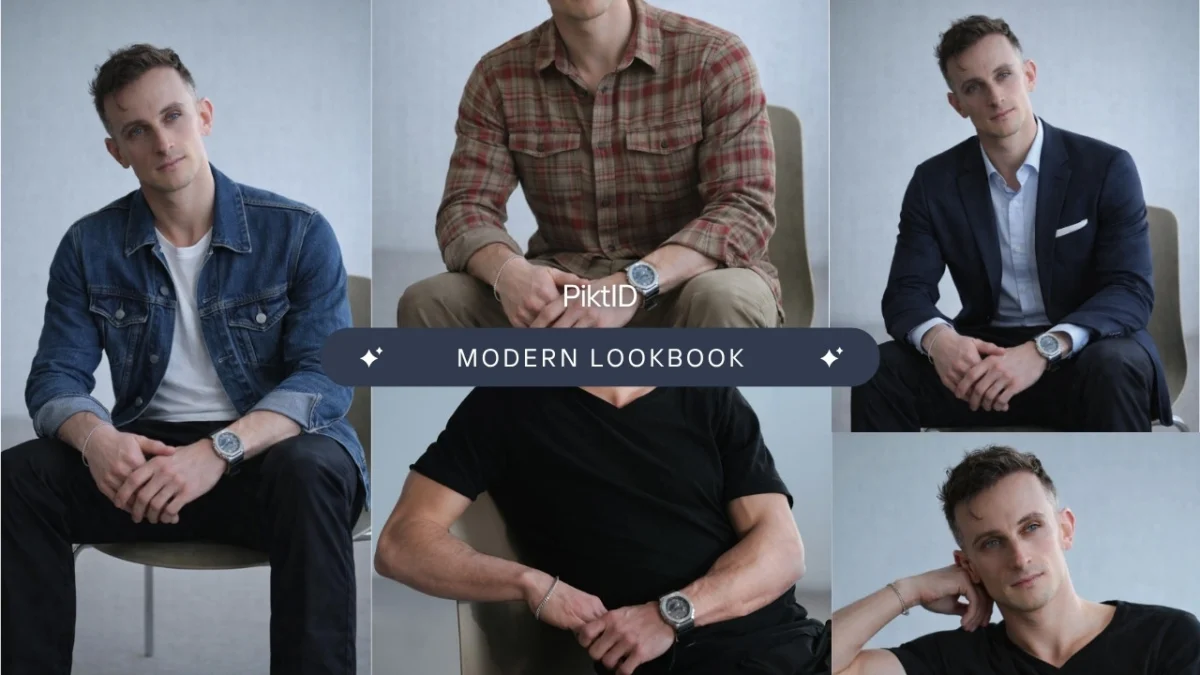
Estimated reading time: 15 minutes
1. The Shift to Scalable Visuals
Fashion Photo Editing is no longer a post-production afterthought; it is the engine of modern retail scaling. In a digital-first marketplace, high-fidelity imagery is the primary driver of consumer trust and conversion.
While traditional retouching focused on manual blemish removal, 2026’s industry standards demand visual consistency at scale. Inconsistent lighting or “hallucinated” garment details in low-quality edits lead to high return rates and brand erosion. This is where professional platforms like PiktID redefine the workflow.
By leveraging PiktID’s advanced AI-powered Fashion Photo Editing, brands can move beyond the limitations of manual labor. Whether it’s automating background cleanup or using PiktID’s “Fashion Swap” to refresh model identities without a reshoot, the goal is clear: editorial quality at the speed of e-commerce.
This guide explores:
- The evolution of Professional Fashion Photo Editing.
- Critical editing tasks: From ghost mannequins to PiktID’s Identity Control.
- AI vs. Manual: Why PiktID is the benchmark for scalability.
- ROI-driven use cases for global fashion brands.
2. What Is Fashion Photo Editing?

a. Definition and Strategic Scope
In a commercial sense, Fashion Photo Editing is the strategic refinement of model and apparel imagery to meet rigorous brand standards. It is a multi-layered process that ensures products look aspirational while remaining 100% accurate to the physical garment.
Unlike basic photo filters, professional-grade editing involves:
- Precision Retouching: Non-destructive skin and fabric enhancement.
- Identity Management: Utilizing PiktID to maintain consistent model “Digital Twins” across entire seasonal catalogs.
- Chroma & Lighting Correction: Ensuring color accuracy (critical for reducing “Product Not as Described” returns).
- Scene Composition: Seamlessly placing models in high-end editorial environments using AI.
b. Why It Matters in 2026: The “Visual Trust” Economy
Fashion is a visual-first industry where the “scroll-to-buy” window is less than three seconds. Fashion Photo Editing acts as your brand’s silent salesperson.
- Platform Compliance: High-quality editing ensures images meet the strict requirements of marketplaces like Amazon, Myntra, and Shopify.
- Identity Safety: With PiktID, brands can generate synthetic, brand-safe model identities, avoiding the legal and logistical hurdles of traditional model licensing.
- Reduced Return Rates: Accurate fabric representation—a core strength of the PiktID engine—ensures customers receive exactly what they see on screen.
c. High-Impact Use Cases for Fashion Editing
Modern editing workflows powered by PiktID are essential across every digital touchpoint:
- E-commerce PDPs (Product Detail Pages): Transforming flat-lays into high-conversion on-model shots.
- Global Localization: Using PiktID to adapt model ethnicities and styles for different regional markets instantly.
- Social Commerce: Generating “Lifestyle” content from studio shots to fuel Instagram and TikTok feeds.
- A/B Testing: Quickly swapping model expressions or backgrounds via PiktID to see which version drives higher Click-Through Rates (CTR).
3. Common Fashion Photo Editing Tasks Brands Need Today

Modern Fashion Photo Editing goes far beyond simple retouching. Brands today need fast, repeatable edits that work across hundreds or thousands of images while maintaining a premium, editorial look. Below are the most common editing tasks fashion teams rely on daily.
a. Background Cleanup and Replacement
Backgrounds play a major role in how professional a fashion image feels. Even small distractions can reduce perceived quality.
Fashion Photo Editing commonly includes:
- Removing unwanted objects, creases, or shadows
- Cleaning uneven studio backdrops
- Replacing plain backgrounds with lifestyle or editorial scenes
This allows brands to reuse the same product images across websites, campaigns, and marketplaces without re-shooting content.
b. Lighting and Color Corrections
Lighting inconsistencies are one of the biggest challenges in Fashion Photo Editing, especially for large catalogs.
Typical corrections include:
- Fixing uneven or flat lighting
- Balancing shadows and highlights for depth
- Ensuring fabric colors match real-world products
Accurate lighting and color consistency improve buyer trust and reduce product returns, especially in e-commerce.

c. Pose and Composition Adjustments
A single photoshoot often needs to serve multiple formats and channels.
Fashion Photo Editing helps by:
- Creating subtle pose variations from one image
- Improving posture and body alignment
- Adjusting framing for banners, thumbnails, and listings
The key is maintaining realism so the model still looks natural, not digitally altered.
d. Facial Expression and Gaze Edits
Small facial changes can significantly impact how an image performs.
Brands use Fashion Photo Editing to:
- Soften or neutralize strong expressions
- Adjust eye contact for catalogs or ads
- Create friendly, confident, or editorial-ready looks
These edits are especially useful when the same image is used across different marketing contexts.
e. Model Identity Changes
Model identity updates are becoming a core part of modern Fashion Photo Editing workflows.
Common use cases include:
- Updating model faces without re-shooting apparel
- Keeping the same identity across entire collections
- Adapting visuals for different regions or audiences
This allows brands to stay flexible while maintaining consistency and reducing production costs.
4. Limitations of Manual Fashion Photo Editing

While traditional retouching has been the industry standard for years, it struggles to keep up with today’s scale and speed requirements.
a. Time and Cost Challenges
Manual Fashion Photo Editing is slow and expensive.
Brands often face:
- Hours of work per image
- High costs for professional retouchers
- Delays during product launches and campaigns
As catalogs grow, these costs multiply quickly.
b. Inconsistency at Scale
Even skilled editors produce different results.
Manual Fashion Photo Editing often leads to:
- Variations in lighting and skin tones
- Inconsistent fabric colors
- Uneven quality across product lines
Maintaining a unified visual identity becomes increasingly difficult as volume increases.
c. Not Built for Speed or Iteration
Fashion brands need to test and adapt quickly.
Manual workflows make it hard to:
- Test multiple model or pose variations
- Respond quickly to market trends
- Update visuals for seasonal or regional changes
This makes traditional Fashion Photo Editing unsuitable for fast-moving e-commerce and digital-first brands.
5. Why AI Is Transforming Fashion Photo Editing

Fashion Photo Editing has changed significantly with the adoption of AI. What once required hours of manual retouching can now be completed in minutes, without compromising visual quality. For modern fashion brands and creative teams, speed and consistency are no longer optional—they are essential.
a. Speed Without Sacrificing Quality
AI-powered Fashion Photo Editing allows teams to process large image sets quickly while preserving editorial standards.
- Edit dozens of fashion images in minutes instead of hours
- Eliminate repetitive manual tasks such as masking, retouching, and color correction
- Maintain sharp textures, accurate lighting, and clean edges automatically
This speed enables faster campaign launches and shorter production cycles.
b. Consistency Across Entire Collections
Maintaining visual consistency is one of the biggest challenges in Fashion Photo Editing, especially across seasonal collections.
- Uniform lighting and color tones across all images
- Consistent facial structure and skin texture for model photos
- Reliable results even when images come from different shoots
AI ensures that every image aligns with brand guidelines, regardless of when or where it was shot.

c. Scalable for Growing Brands
As brands grow, image volume increases. Manual Fashion Photo Editing does not scale efficiently.
- Works equally well for 10 images or 10,000 images
- Ideal for e-commerce catalogs, agencies, and large marketplaces
- Reduces dependency on large retouching teams
This scalability makes AI a practical choice for both emerging and enterprise-level brands.
d. AI as a Creative Partner
Beyond efficiency, AI enhances creative flexibility in Fashion Photo Editing.
- Enables quick experimentation with different looks and styles
- Supports faster decision-making for creative teams
- Reduces the need for costly re-shoots when revisions are required
Instead of limiting creativity, AI removes production constraints.
6. Introducing Fashion Swap: A New Approach to Fashion Photo Editing

One of the most impactful advancements in Fashion Photo Editing is Fashion Swap. It allows brands to update or replace model identities while keeping the rest of the image untouched.
a. What Is Fashion Swap?
Fashion Swap is an AI-powered feature that changes the model’s face in a fashion image while preserving the original visual structure.
- Original clothing remains unchanged
- Pose and body positioning stay intact
- Lighting, shadows, and background are preserved
This makes it possible to refresh visuals without re-shooting apparel or re-editing the entire image.
b. How Fashion Swap Fits into Fashion Photo Editing
Fashion Swap solves a common production problem: the need to update model visuals without disrupting the styling or composition.
- Update model faces without reshooting garments
- Keep styling, fabric details, and fit exactly the same
- Maintain realism and editorial-quality visuals
It integrates seamlessly into existing Fashion Photo Editing workflows.
c. Key Capabilities of Fashion Swap
Fashion Swap is designed for professional-grade output, not casual edits.
- Natural face blending that matches lighting and angle
- Accurate skin tone integration for realistic results
- Clean hairline and jaw alignment without visible artifacts
- Works across studio, lifestyle, and outdoor fashion shoots
These capabilities allow Fashion Photo Editing teams to maintain high standards while gaining flexibility and speed.
Sign Up for 10 Free Credits on PiktID Studio
7. Step-by-Step: Fashion Photo Editing Workflow Using AI
Modern Fashion Photo Editing workflows powered by AI are designed to be simple, fast, and consistent. Instead of jumping between multiple tools or relying on manual retouching, AI enables brands to complete professional edits in a structured sequence.
Step 1: Upload Your Fashion Image
Begin by uploading the image you want to edit. AI-based Fashion Photo Editing supports both studio and lifestyle photography.
You can work with:
- Single product images
- Full outfit or lookbook shots
- Model photos for campaigns or e-commerce
High-resolution images produce the most accurate results, especially when working with fabric textures and facial details.
Step 2: Apply Background Cleanup or Replacement
Background cleanup is one of the most common tasks in Fashion Photo Editing. AI can quickly remove distractions and create clean, professional backdrops.
Common background edits include:
- Removing unwanted objects or shadows
- Cleaning uneven studio backgrounds
- Replacing backgrounds with branded or lifestyle settings
This step ensures the focus remains on the apparel and the model, which improves visual clarity and conversion rates.
Step 3: Fix Lighting and Color Balance
Lighting inconsistencies can make fashion products look inaccurate or unappealing. AI-powered Fashion Photo Editing corrects these issues automatically.
At this stage, the system:
- Normalizes exposure and contrast
- Balances skin tones and fabric colors
- Enhances texture details without over-editing
This ensures that garments look consistent across different photos and devices.
Step 4: Adjust Pose or Expression
Subtle pose and expression changes can dramatically improve the impact of a fashion image. AI allows small refinements without making the image look artificial.
This includes:
- Minor posture corrections
- Expression softening or refinement
- Gaze alignment for catalog or editorial use
These adjustments help create polished visuals that feel natural and professional.
Step 5: Use Fashion Swap (If Needed)
Fashion Swap is used when a brand needs to change or standardize the model identity without reshooting the outfit.
This step is helpful when:
- Updating model faces across a collection
- Maintaining a consistent look across campaigns
- Adapting visuals for different regions or markets
Fashion Photo Editing combined with Fashion Swap allows brands to reuse the same apparel images while updating the model identity seamlessly.
Step 6: Final Enhancements and Export
The final step prepares the image for real-world use. AI ensures that the output meets professional standards.
Final outputs are:
- High-resolution
- Optimized for web, ads, and print
- Ready for e-commerce platforms, social media, or marketing campaigns
This completes the Fashion Photo Editing workflow with minimal manual effort.
8. Fashion Photo Editing Use Cases

Fashion Photo Editing powered by AI is used across the entire fashion ecosystem. Below are the most common professional use cases.
a. Fashion Brands and Designers
Brands rely on Fashion Photo Editing to create visually consistent collections and storytelling assets.
Common applications include:
- Seasonal lookbooks
- Campaign visuals
- Editorial-style brand storytelling
AI helps designers move faster while preserving creative intent.
b. E-commerce and DTC Stores
For online stores, Fashion Photo Editing directly impacts conversion rates and product trust.
Key use cases include:
- Product listing optimization
- Testing different model visuals for performance
- Rapid updates to large catalogs
AI allows brands to maintain visual consistency across hundreds of SKUs.
c. Marketing and Creative Teams
Marketing teams use Fashion Photo Editing to generate multiple creative variations without reshoots.
This supports:
- Social media creatives
- Paid advertising visuals
- Market-specific adaptations for global campaigns
Speed and flexibility are critical advantages in this context.
d. Photographers and Studios
Photographers use Fashion Photo Editing to extend the value of existing photoshoots.
Typical uses include:
- Client-requested revisions
- Virtual re-shoots
- Portfolio refinement and updates
AI tools reduce turnaround time while maintaining professional quality.
9. AI Fashion Photo Editing vs Manual Retouching
Photo Editing has traditionally relied on manual tools such as Photoshop and Lightroom. While these methods still have value, they struggle to meet the speed, scale, and consistency required by modern fashion brands. AI-based Fashion Editing offers a fundamentally different approach by automating complex adjustments while maintaining visual realism.
Comparison Overview
| Criteria | AI Fashion Photo Editing | Manual Retouching |
| Speed | Edits completed in minutes | Hours or days per image |
| Cost | Lower long-term cost | High ongoing labor costs |
| Consistency | Uniform results across catalogs | Results vary by editor |
| Scalability | Handles hundreds or thousands of images | Limited by human capacity |
| Creative Flexibility | Easy variations and testing | Changes require rework |
| Revision Time | Instant updates | Slow revision cycles |
Key Differences Explained
i. Speed
AI Photo Editing can process large batches of images in minutes. Manual retouching requires individual attention per image, slowing down launches and updates.
ii. Cost
Manual workflows rely on skilled editors, which increases costs over time. AI reduces dependency on manual labor while maintaining professional quality.
iii. Consistency
AI applies the same visual logic across all images, ensuring consistent lighting, skin tone, and styling. Manual editing often results in small but noticeable differences across a collection.
iv. Scalability
AI Fashion Photo Editing scales effortlessly from a few images to full seasonal catalogs. Manual workflows are constrained by time and available resources.
v. Revision Time
AI allows fast experimentation and updates. Manual revisions require reopening files, re-editing, and additional approvals.
Why AI Fits Modern Fashion Workflows
AI-based Photo Editing is:
- Faster for production timelines
- More consistent across campaigns
- Easier to scale as catalogs grow
- Better aligned with e-commerce and digital-first brands
10. Best Practices for Professional Fashion Photo Editing

Even the most advanced AI tools perform best when paired with strong source material. Following a few foundational practices ensures high-quality editing results.
a. Start with High-Resolution Images
High-resolution images provide more detail for AI analysis. Clear textures, sharp edges, and accurate color data lead to better editing outcomes.
b. Use Consistent Lighting During Shoots
Uniform lighting reduces the need for heavy corrections. It also helps AI maintain realism when applying Photo Editing tasks such as tone correction or model identity changes.
c. Avoid Extreme Angles
Extreme head or body angles make it harder to maintain natural proportions. Straight or slightly angled poses work best for consistent editing results.
d. Keep Edits Subtle
Professional fashion imagery relies on realism. Small adjustments to lighting, expressions, or background produce cleaner results than aggressive edits.
e. Maintain Brand Guidelines
Define clear visual standards for:
- Color tone
- Mood and styling
- Background aesthetics
- Model presentation
Applying these guidelines consistently ensures photo editing supports brand identity rather than diluting it.
11. Ethics, Authenticity, and Responsible Editing

Editing plays a critical role in shaping how brands are perceived. As AI-powered tools become more advanced, it is important for brands to use them responsibly and transparently.
a. Transparency in marketing visuals
Fashion should enhance images without misleading customers. Edited visuals must still represent the actual product, fit, and fabric quality. When AI is used to refine lighting, expressions, or backgrounds, the final image should reflect a realistic customer experience rather than an exaggerated or artificial look.
b. Avoid misleading representation
Over-editing can damage trust. Excessive body reshaping, unrealistic skin textures, or altered proportions can create false expectations. Responsible Editing focuses on clarity, consistency, and polish, not distortion.
c. Use synthetic or licensed identities when swapping models
When changing model identities, brands should rely on synthetic or fully licensed faces. This ensures compliance with privacy laws and avoids unauthorized use of personal likenesses. Fashion workflows that support synthetic identities allow brands to scale content while remaining legally and ethically compliant.
d. Maintain long-term trust with audiences
Trust is built through consistency. When customers see the same visual quality across campaigns and platforms, they associate it with professionalism and reliability. Ethical Fashion Photo Editing helps brands build credibility rather than short-term attention.
12. Conclusion
Fashion Photo Editing is no longer optional for brands competing in modern digital marketplaces. High-quality visuals influence trust, conversion rates, and brand perception across e-commerce platforms and marketing channels.
AI has transformed photo editing by making it faster, more consistent, and easier to scale. Instead of relying on time-intensive manual retouching, brands can now refine images, adjust expressions, update models, and maintain visual consistency with minimal effort.
Fashion Swap further elevates this workflow by allowing brands to change model identities without re-shoots. This flexibility helps teams adapt campaigns quickly, test new creative directions, and maintain a cohesive brand image across regions and seasons.
For brands looking to modernize their creative process, adopting AI-powered Photo Editing is a strategic move that delivers speed, quality, and control.
What makes PiktID the right tool for photo editing?
- Fashion photo editing is crucial for modern retail, enhancing visuals to build consumer trust and boost conversion rates.
- AI-powered fashion photo editing, like PiktID, offers speed and consistency, allowing brands to manage large volumes of images efficiently.
- Fashion Swap enables brands to update model identities without re-shooting, maintaining visual integrity across campaigns.
- The article discusses best practices for fashion photo editing and emphasizes the importance of using high-quality images and ethical standards.
- AI tools revolutionize fashion photo editing, making it faster and more scalable, while ensuring professional quality.
Ready to elevate your fashion visuals? Try professional fashion photo editing with AI and transform your images without re-shoots. Start creating high-end editorial visuals today.
13. FAQs - Fashion Photo Editing
i. What is fashion photo editing?
Fashion Photo Editing is the process of enhancing fashion images to make them suitable for commercial use. This includes improving lighting, correcting colors, refining backgrounds, adjusting expressions, and ensuring the apparel looks accurate and appealing. It is commonly used for e-commerce, lookbooks, campaigns, and social media.
ii. How does AI improve fashion photo editing?
AI improves editing by automating repetitive tasks and delivering consistent results. It can correct lighting, standardize tones, update model expressions, and swap identities in minutes. This reduces manual effort while maintaining high visual quality across large collections.
iii. Is AI fashion photo editing suitable for luxury brands?
Yes. Luxury brands use AI to maintain strict visual standards across global campaigns. AI helps preserve consistency while allowing creative teams to control styling, tone, and presentation at scale.
iv. Can I edit fashion photos without Photoshop?
Yes. Modern tools allow brands to edit images without traditional software. AI-based platforms handle retouching, background cleanup, lighting fixes, and model updates through simple workflows, making professional editing more accessible.
v. How does Fashion Swap work for model changes?
Fashion Swap allows brands to replace a model’s face while keeping the original clothing, pose, lighting, and background intact. This makes editing faster by eliminating the need for reshoots when updating campaigns or adapting visuals for different markets.
vi. Is AI fashion photo editing legal for commercial use?
AI Editing is legal when images are owned, licensed, or created using synthetic identities. Brands should ensure they have the rights to all input images and avoid using real identities without consent.
vii. Can AI replace manual retouching completely?
AI can handle most editing tasks, including lighting fixes, expression edits, background cleanup, and model swaps. Manual retouching may still be used for highly artistic or complex edits, but AI significantly reduces the need for it in day-to-day workflows.
viii. What types of fashion photos work best with AI editing?
Fashion Photo Editing works best with high-resolution images, even lighting, and clear visibility of garments and faces. Studio and lifestyle shots both perform well, as long as the original image quality is strong.