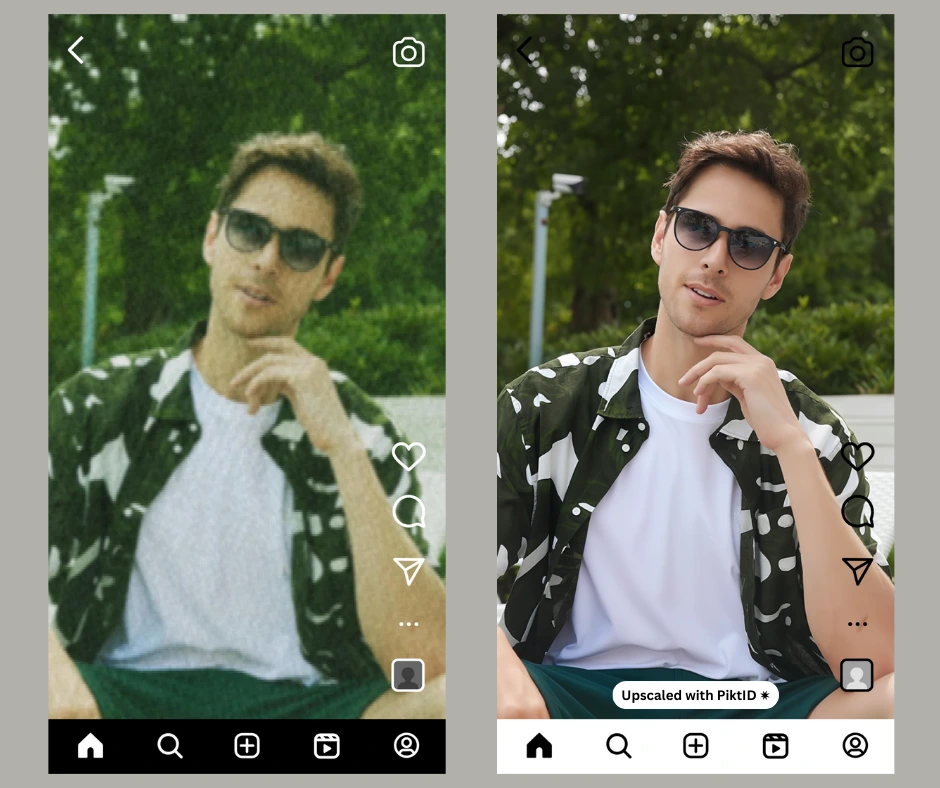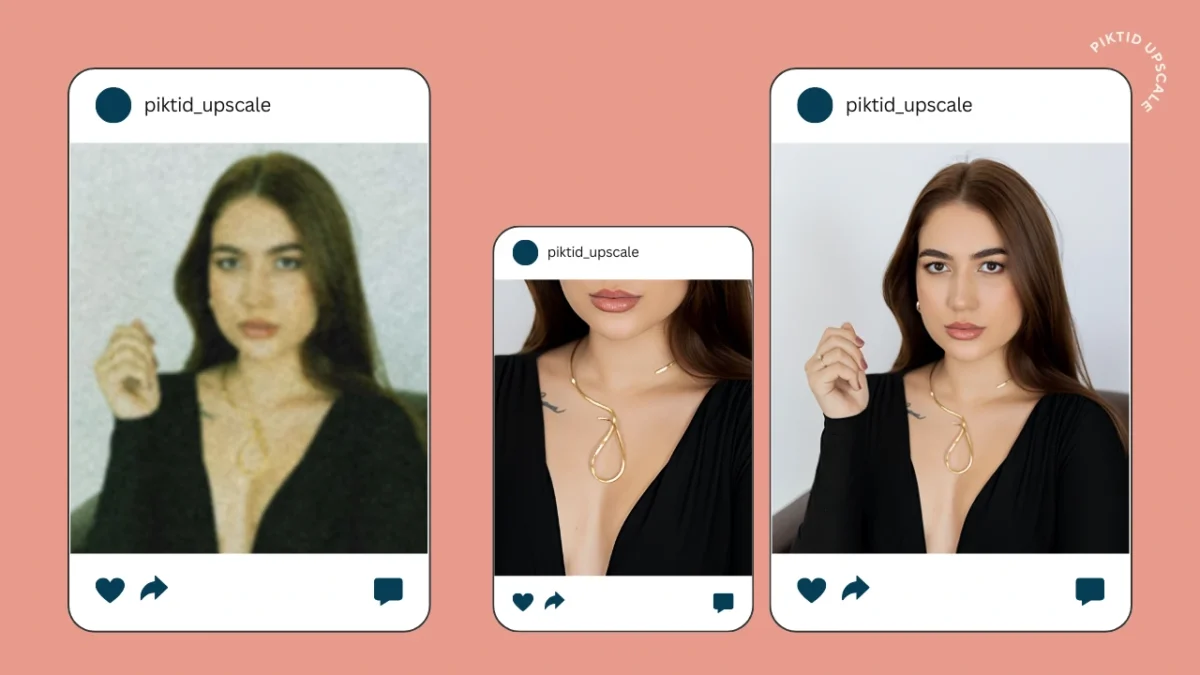
1. Fixing blur
The term blur face is used online in two completely different ways, and most users don’t realize it. Sometimes people want to fix a blurred face, and sometimes they want to intentionally blur a face for privacy. These two needs are opposites, yet most tools try to solve them with the same old blur effect.
There are two primary meanings behind blur face:
- Accidental blur: Motion blur, low resolution, pixelation, or camera shake.
- Intentional blur: Hiding identity for privacy, compliance, or safety.
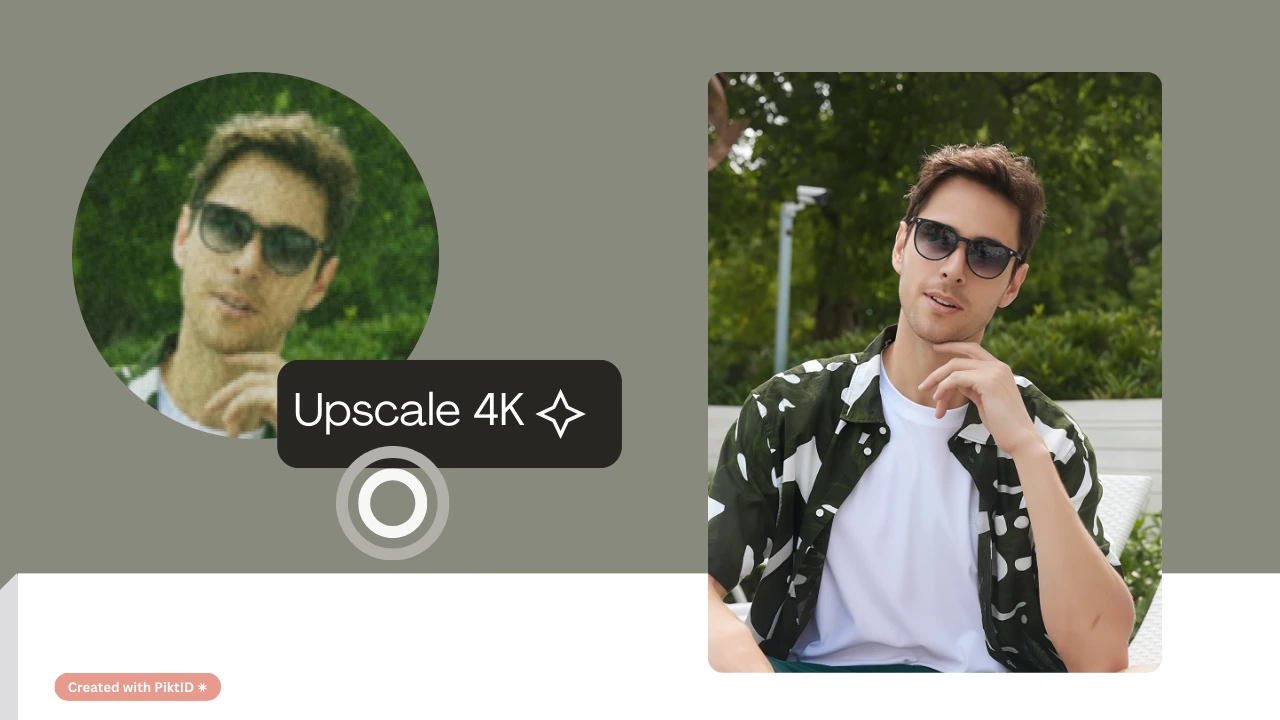
- Upscale: Repairs a blur face issue by restoring clarity, sharpness, and facial detail.
- Anonymize: Replaces the original face with a GDPR-safe synthetic identity instead of using outdated blur filters.
- Traditional blur face filters look unprofessional and smudge the image.
- Basic pixelation does not guarantee privacy; features often remain recognizable.
- Brands, creators, and enterprises now require higher standards for both clarity restoration and anonymization.
What this Guide Covers
2. What Does “Blur Face” Mean?
The phrase blur face often confuses users because it represents two opposite intents. Understanding this distinction is essential for selecting the right tool.
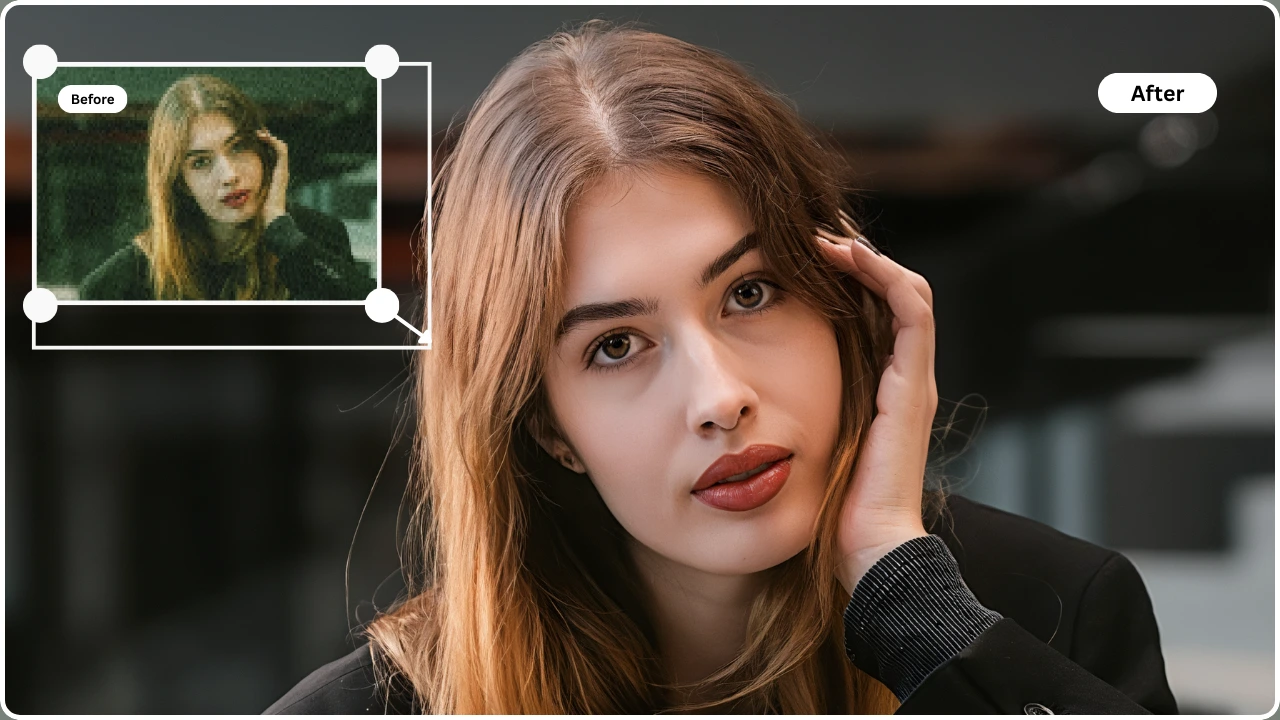
2.1. Fixing an unintentional blur
Many users look for tools to blur face because they want to correct a problem, not create one.
Common causes include:
- Low-resolution photos
- Compression from messaging apps
- Camera shake or movement
- Poor lighting
- Digital zoom artifacts
- The image is unusable.
- You need restoration, not more blurring.
2.2. Intentionally obscuring a face for privacy
Other users search for a blurred face because they need to hide someone’s identity.
Typical scenarios:
- Social media posts
- User-generated content
- E-commerce model samples
- Research datasets
- Compliance requirements (GDPR, enterprise policies)
- They leave facial shapes recognizable.
- Smudging looks unprofessional.
- Pixelation patterns can be reversed with advanced software.
Why the distinction matters
- Restoration and anonymity require completely different AI workflows.
- Generic apps mix them up, producing results that either fail privacy or fail quality.
- PiktID provides purpose-built tools for both outcomes, giving users precise control over how a face should be handled.
3. Why Faces Become Blurry in Photos
A blur face in a photo usually happens because the camera fails to capture enough detail at the moment of shooting. Several technical factors contribute to this problem:
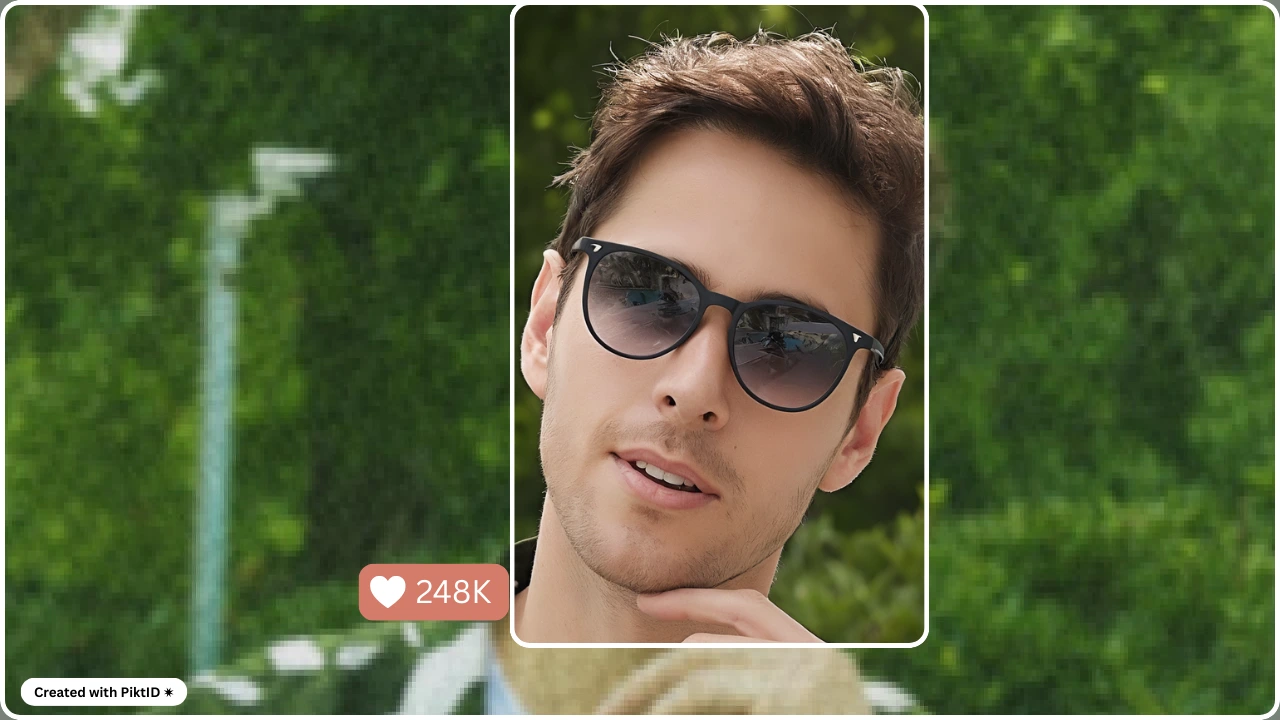
Common Reasons a Face Appears Blurry
- Low resolution When the camera records fewer pixels than needed, important facial details (eyes, skin texture, eyebrows) are lost. Enlarging the image exaggerates the blur face effect.
- Heavy compression Platforms like WhatsApp, Instagram, and Facebook compress images to reduce file size. This process removes fine details and creates artifacts, resulting in a soft, blur face that traditional editors cannot restore.
- Motion blur If the subject moves or the camera shakes, the sensor captures smeared facial outlines. Low-light environments increase this effect as smartphones use longer exposure times.
- Camera hardware limitations Small sensors, weak lenses, or outdated imaging pipelines prevent accurate capture of high-frequency facial detail. Budget smartphones are especially prone to producing a blur face in dim light.
Why Traditional Editing Apps Can’t Fix a Blur Face
Most editing apps only apply:
- Sharpening
- Clarity/structure adjustments
- Texture boosting
- More noise
- Unnatural skin tone
- Edge halos
- Plastic-looking features
Why AI Upscale Works Better
AI Upscale models reconstruct missing detail, rather than boosting what remains.
They analyze patterns, rebuild realistic features, and restore the structure of a blur face far more effectively than standard photo editors.
4. Introducing PiktID Upscale: The Best Way to Fix Blur Face
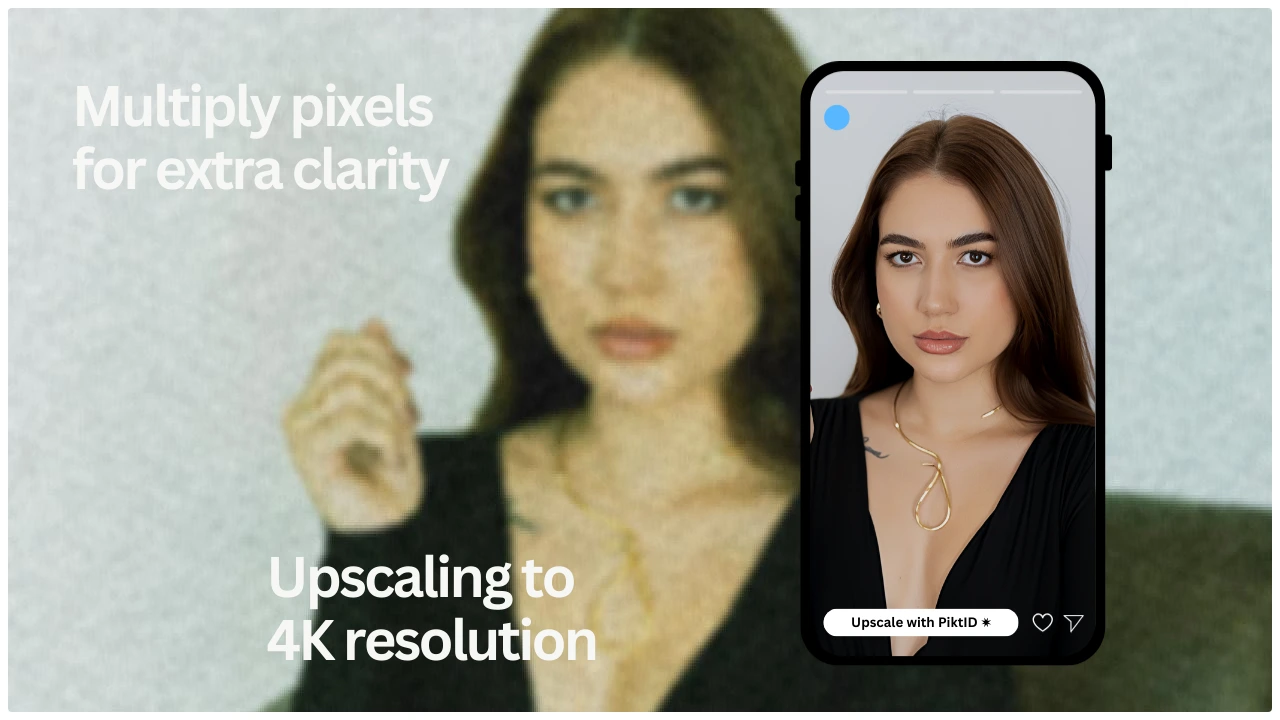
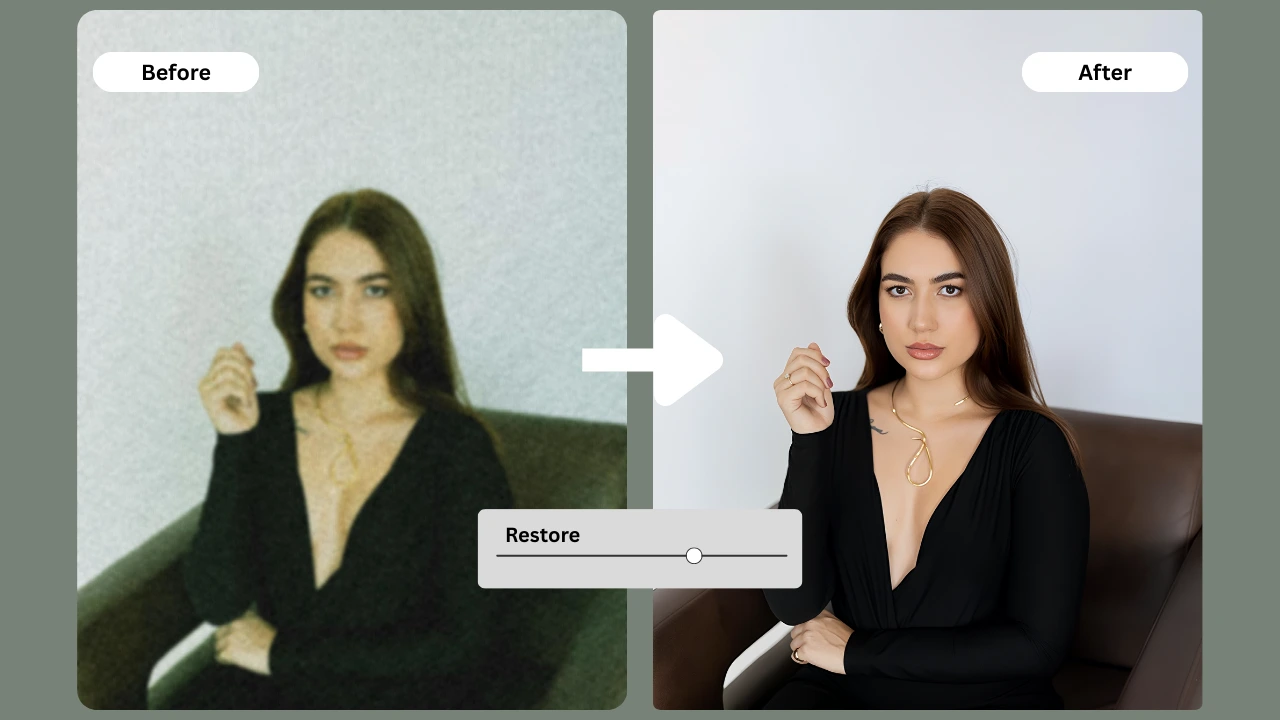
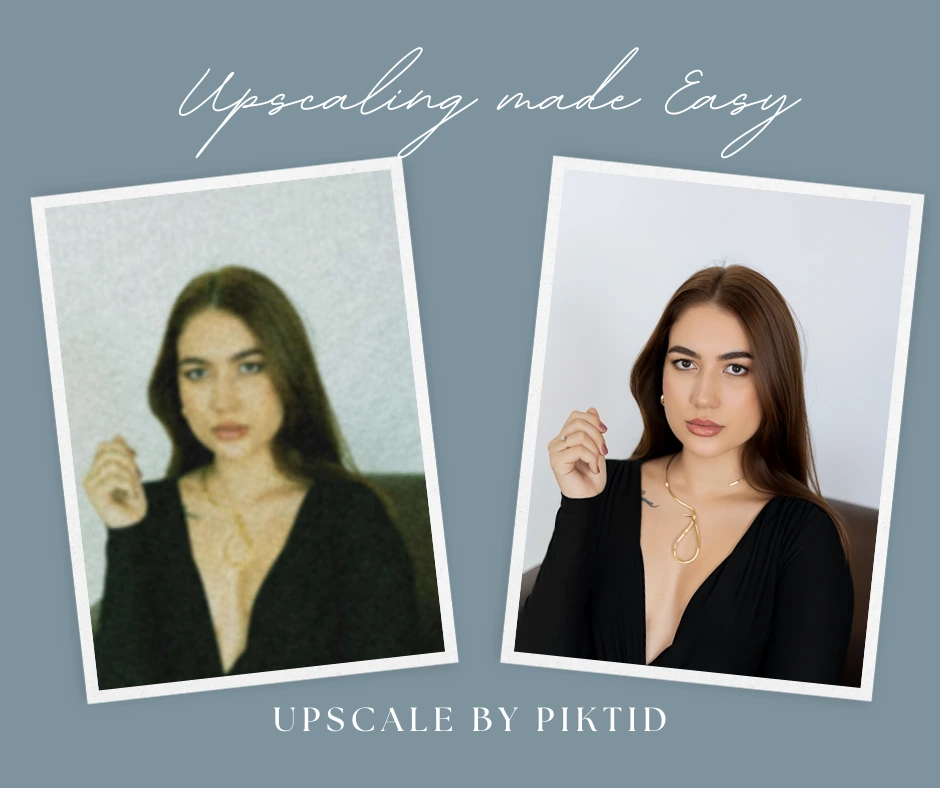
PiktID Upscale is designed specifically to repair a blur face by rebuilding facial features with high accuracy. Instead of adding filters, it uses deep learning to predict and restore lost detail.
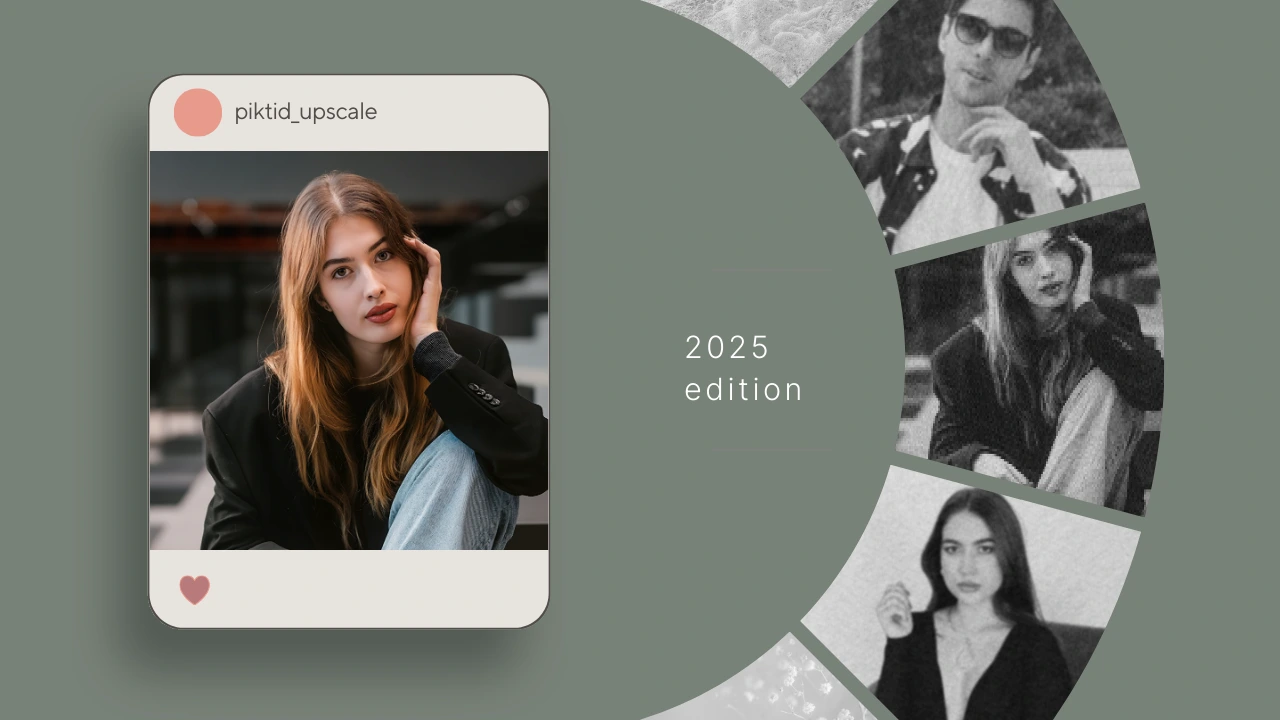
What PiktID Upscale Does Better
- Restores clarity Sharpens outlines and redefines facial structure without introducing artifacts.
- Recovers fine textures Rebuilds natural details in eyes, hair strands, eyebrows, and skin.
- Reduces noise and pixelation Smooths unwanted compression marks while keeping real texture intact.
- Reconstructs facial detail lost to compression Perfect for social media screenshots, old photos, or low-quality uploads.
- Produces sharper results than standard editing tools No artificial halos, no oversharpening, no plastic-looking skin.
Ideal When You Need To Fix:
- Low-resolution photos
- Motion-blurred shots
- Compressed social media images
- Old or scanned pictures
- Any image where the subject has a blur face
5. Step-by-Step Guide: Fixing Blur Face Issues Using PiktID Anonymize
Many users encounter a blur face problem when trying to hide someone’s identity manually. Instead of applying a blur or mosaic filter, PiktID Anonymize replaces the face with a realistic synthetic identity that preserves lighting, pose, and composition. This creates a cleaner, more professional result with minimal effort.
The Anonymize tool is built for simplicity. No Photoshop skills, no masking, and no manual edits are required.
Step 1: Upload Your Image
- Open PiktID Anonymize.
- Upload the photo containing the blur face or the face you want to anonymize.
- The tool supports portraits, full-body shots, group photos, and dataset images.
Step 2: Automatic Face Detection
PiktID automatically detects faces without any manual selection.
- No need to draw boxes or masks.
- Multiple faces in one image are handled automatically.
- Each detected face receives a unique synthetic replacement.
Step 3: Generate a Synthetic, GDPR-Safe Identity
Once detected, the system:
- Creates a synthetic, non-existent face
- Matches original lighting, angle, shadows, and color temperature
- Maintains natural skin tone blending
- Ensures the output remains realistic, not artificial
Step 4: Review the Output
Check that the new synthetic face:
- Fits the pose accurately
- Matches the original lighting
- Looks natural and non-distracting
- Blends seamlessly into the rest of the frame
Step 5: Export the Final Photo
Download your anonymized image for use in:
- Social media posts
- Public datasets
- Compliance workflows
- E-commerce or marketing content
- Reports and presentations
- Influencer collaborations
6. Many Users Want to Blur a Face, Not Fix It: Understanding the Alternative Intent
Not all users want to fix a blur face. A significant number actually want to blur a face deliberately to hide identity. This is especially common in:
- Social media posts
- Datasets used for training or annotation
- Workplace compliance material
- Images featuring children or bystanders
- Legal, medical, or corporate documentation
Why Manual Blur Face Methods Look Unprofessional
Most blur or mosaic tools cause visible quality loss. Common problems include:
- Oversmoothed blur patches that look artificial
- A distracting smudge replacing the face
- Pixelated mosaic filters that appear outdated
- Inconsistent blending with the rest of the image
- Remaining identifiable features such as hairline, jaw structure, or silhouette
The Bigger Problem: Blurred Faces Lower Overall Image Value
A blur face effect often damages the:
- Aesthetic of marketing content
- Professionalism of product images
- Credibility of reports and documentation
- Visual consistency of datasets
- Viewer trust in the content
Why PiktID Anonymize Is a Better Solution
Instead of using a blur face patch, PiktID Anonymize:
- Replaces the original face with a fully synthetic, GDPR-compliant identity
- Keeps lighting, pose, angle, and composition intact
- Produces a natural, seamless photo with no visual disruption
- Ensures identity can’t be guessed or reconstructed
7. Introducing PiktID Anonymize: A Modern Alternative to Blurring
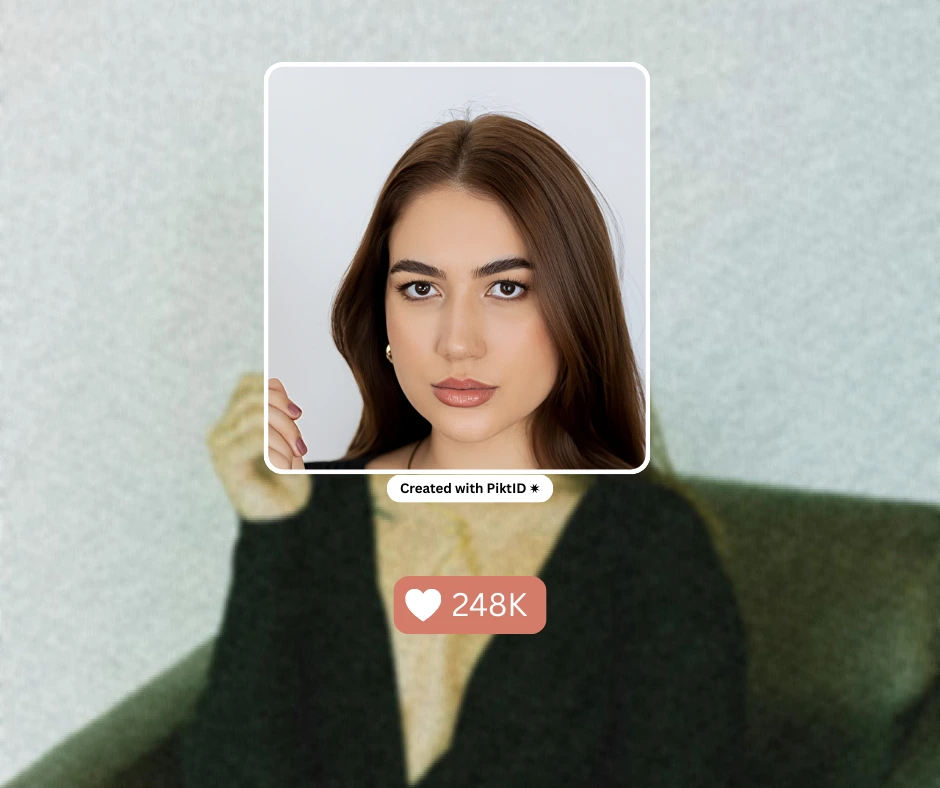
Traditional blur face methods are no longer suitable for professional or compliance-heavy workflows. They distort the image, reduce quality, and often look unpolished. In some cases, blur face edits can even be partially reversed, which poses privacy risks.
PiktID Anonymize solves these issues with a modern, synthetic-identity approach.
Why Anonymize Is Better Than a Traditional Blur Face Edit
- Produces a realistic synthetic face Replaces the real identity with a lifelike, AI-generated face that blends naturally into the image.
- Maintains lighting and pose The facial structure, shadows, and camera angle stay consistent, unlike blur face patches that break the scene.
- Keeps the background intact No blocky mosaics or smudged areas that disrupt the photo’s overall quality.
- Looks professional in datasets, portfolios, and catalogs Ideal for e-commerce, lookbooks, research datasets, and training material where blur face edits look low quality.
- Cannot be reversed A synthetic face ensures the original identity is fully protected and unrecoverable.
- Aligns with privacy and compliance needs Suitable for GDPR, enterprise documentation, medical datasets, and anonymized training sets.
- Delivers a clean, natural-looking final image Instead of a blur face patch, the output looks intentional, polished, and ready for commercial use.
8. Which Solution Should You Use: Upscale or Anonymize?
Upscale and Anonymize serve completely different purposes. The right choice depends on whether you need to improve clarity or remove identity. The table below shows when each tool is the ideal option.
Quick Decision Overview
- Use Upscale when the goal is to fix a blurry or low-resolution image.
- Use Anonymize when the goal is to hide identity without relying on a blur face effect.
Decision Table
| Situation | Problem | Best Tool | Why |
| Face is blurry unintentionally | Lack of detail | Upscale | Restores clarity and sharpness using AI |
| Face must be hidden | Privacy needed | Anonymize | Cleaner and fully non-reversible compared to a blur face |
| Mosaic looks distorted | Blur patches look shabby | Anonymize | Creates a natural synthetic face instead of a visible blur face block |
| Dataset requires identity removal | Compliance requirements | Anonymize | Synthetic replacement ensures compliant anonymization |
| Pixelation in old images | Low resolution | Upscale | Recovers fine details better than increasing blur face intensity |
Key Takeaway
- Upscale is for restoration.
- Anonymize is for identity protection.
- Blur face edits are outdated—they reduce quality and can be reversed, making them unsuitable for modern workflows. Anonymize provides a far more reliable and professional solution.
9. Use Cases and Industry Examples
AI-based image restoration and anonymization have become essential for modern creators, especially when working with photos that contain a blur face or require identity protection. PiktID’s Upscale and Anonymize modules address two distinct but equally important needs: repairing low-quality images and replacing blurred or obscured faces with clean, synthetic identities. Below is a detailed breakdown of how each feature supports real-world workflows across industries.
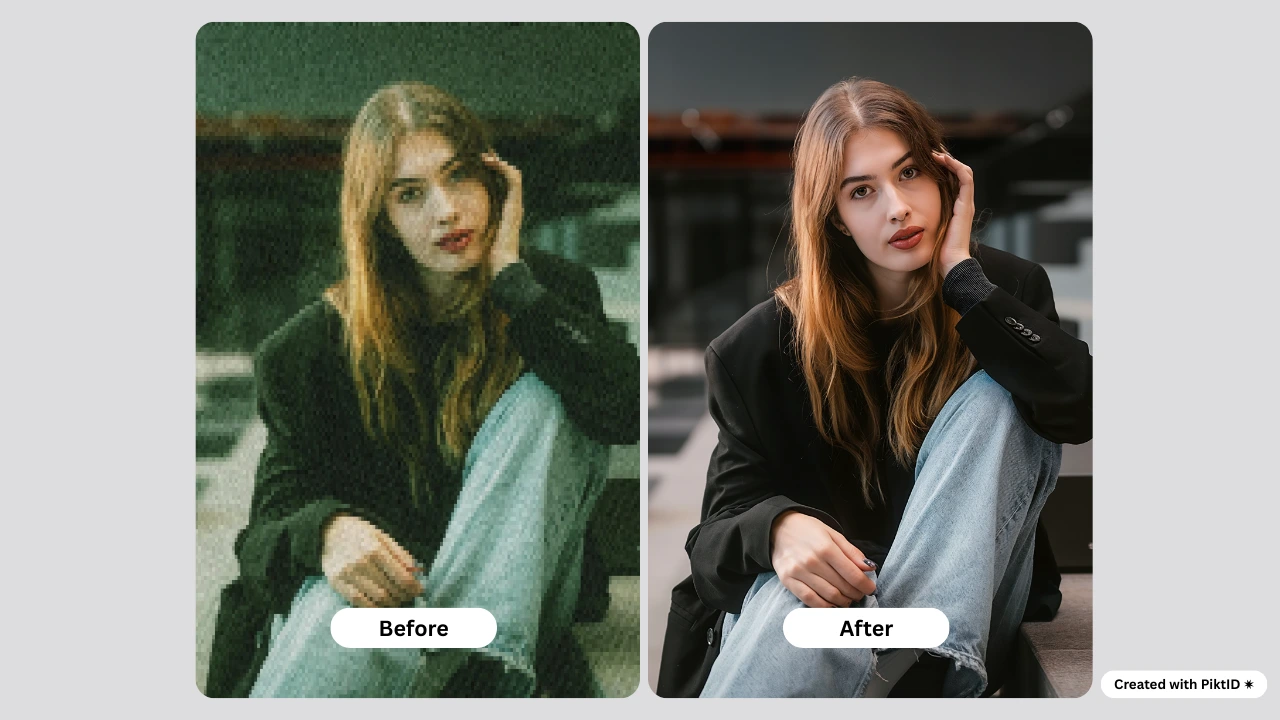
I. Fixing Blur Face with Upscale
Upscale helps recover detail, restore clarity, and eliminate distortions that commonly appear in old scans, low-resolution uploads, and social media exports. It processes each image to sharpen facial features, enhance textures, and remove compression artifacts while maintaining the natural look of the subject.
a. Old portraits:
Many historical portraits suffer from softness, film noise, or a blur face caused by aging or scanning issues. Upscale reconstructs the facial structure and texture to bring older images closer to modern clarity without altering identity or aesthetics.
b. Low-quality uploads:
Photos captured in poor lighting or taken from older devices often end up with a blur face that diminishes their usability. Upscale improves sharpness, adjusts contrast, and restores important micro-details so the image is suitable for printing, sharing, or archiving.
c. Social media compression:
Platforms like Instagram, Facebook, and WhatsApp apply aggressive compression. This often results in a blur face effect, even if the original image was sharp. Upscale reverses this by rebuilding textures and reducing pixelation for a more professional-quality look.
d. Influencer content:
Creators frequently repurpose screenshots or downloaded photos that develop a blur face after multiple reposts. Upscale enhances these images to maintain high-quality visuals for campaigns, brand collaborations, and thumbnails.
e. E-commerce model photos:
Product listings require clear, sharp model faces to build trust and increase conversions. If the source photo contains a blur face due to low resolution or motion blur, Upscale refines it to ensure the model looks realistic and consistent with brand standards.
II. Replacing Blur with Anonymize
In many contexts, the objective is not to fix a blur face but to replace it entirely with a synthetic, GDPR-compliant identity. This is where the Anonymize module provides a controlled and professional alternative to traditional blurring or pixelation techniques.
a. Lookbooks with non-consenting faces:
Fashion teams often rely on mood boards, reference images, or behind-the-scenes captures that contain individuals who did not consent to appear in public-facing campaigns. Instead of sharing these photos with a blur face, Anonymize replaces the identity with a lifelike synthetic face while preserving lighting, pose, and overall composition.
b. Workplace safety documentation:
Internal reports, compliance documents, and training materials frequently include employee images. Companies must avoid exposing real identities. Anonymize protects privacy without using a blur face, which can look unprofessional or obscure important visual context.
c. Customer or employee photos:
Brands often need to display service environments, events, or customer interactions. Using a blur face in these images may reduce credibility or aesthetic value. Synthetic replacements create a polished, privacy-safe final image.
d. Street photography:
Photographers documenting public spaces face increasing privacy considerations. Instead of relying on a blur face that disrupts the artistic quality, Anonymize inserts realistic faces that maintain composition integrity while honoring privacy laws.
e. Training datasets and research visuals:
AI training datasets must avoid real, identifiable faces unless explicit consent is provided. Anonymize solves this by generating high-quality synthetic identities that maintain structural realism without exposing personal data. This is a far superior method compared to simply masking or applying a blur face.
10. Comparison Table: PiktID vs Other Blur/Sharpen Tools
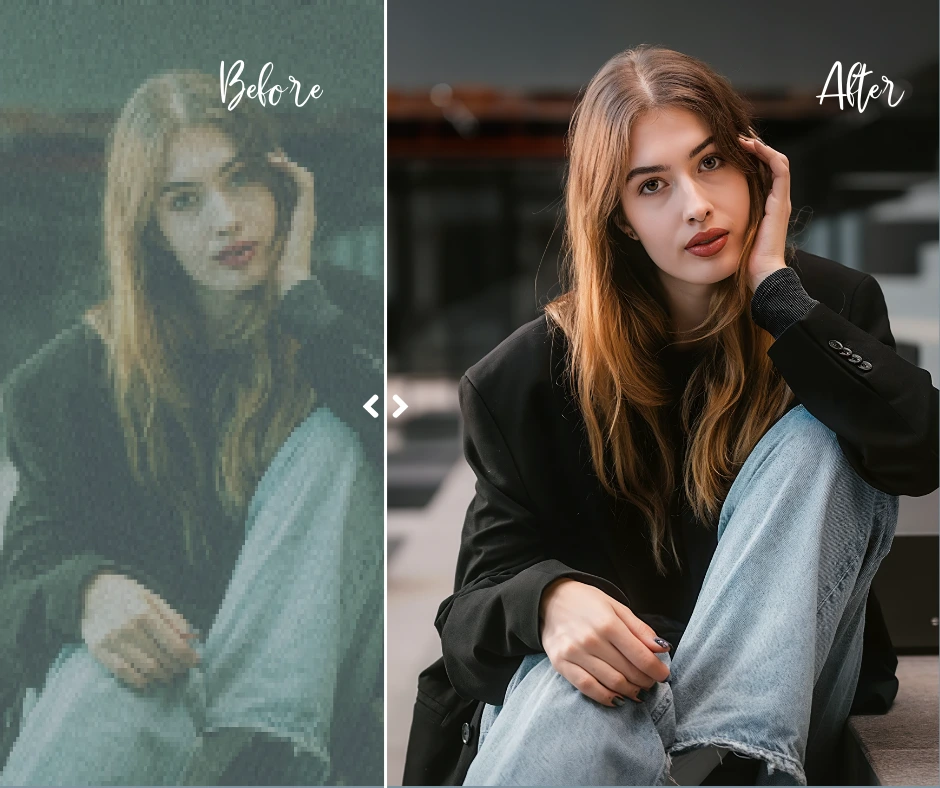
The table below compares PiktID to leading consumer and professional tools that are commonly used for sharpening, repairing, or replacing images with a blur face. While platforms such as FaceApp, Canva, Pixelmator, Adobe Express, Pixlr, and Fotor offer basic enhancement features, they lack the advanced identity restoration, lighting preservation, and synthetic face generation capabilities that PiktID provides.
| Feature / Capability | PiktID | FaceApp | Adobe Express | Pixlr | Fotor |
| Fixing blur face | Yes | Partial | Partial | Partial | Partial |
| Lighting-aware sharpening | Yes | No | Limited | No | No |
| Removing social media compression | Yes | No | Partial | No | No |
| Anonymizing the identity | Yes | No | No | No | No |
| GDPR-compliant | Yes | No | No | No | No |
| Maintains pose, lighting, and composition | Yes | No | Partial | No | No |
Key Insights on Where PiktID Excels
- It is the only platform in this list that can both fix a blur face and replace it completely using realistic synthetic identities.
- PiktID integrates lighting alignment, facial micro-detail reconstruction, and high-resolution restoration—features that are essential for professional use cases such as e-commerce, fashion photography, and dataset preparation.
- Unlike basic blur-removal tools, PiktID’s Anonymize module enables privacy-safe output without sacrificing visual quality, a critical advantage in regulated industries and commercial workflows.
- PiktID consistently produces more natural, model-grade results, outperforming competitors that rely on smoothing filters or simple sharpening algorithms.
11. Ethics & Privacy Notes
Responsible image editing is central to modern digital workflows, especially as organizations handle large volumes of personal visuals. While many users still rely on the traditional blur face method to conceal identity, this approach has become outdated for professional use. Blurring may obscure a face superficially, but it often leaves enough contour, structure, or surrounding context to allow partial recognition. In regulated environments or high-stakes publishing, this limited protection is no longer acceptable.
Synthetic identity replacement now represents the modern standard for privacy-centric editing. Instead of applying a blur face effect, PiktID’s Anonymize tool replaces the original face with a GDPR-compliant synthetic identity that carries no link to the real individual. This method ensures both visual quality and privacy preservation. It also protects against reversibility, something traditional blur filters cannot guarantee.
PiktID maintains a strong commitment to secure handling, processing, and deletion of all uploaded photos. Images are processed using encrypted pipelines and are removed automatically after task completion. Whether a user aims to fix a blur face issue, protect an identity, or prepare assets for commercial use, PiktID’s workflow is designed to align with both privacy regulations and industry best practices.
12. Conclusion
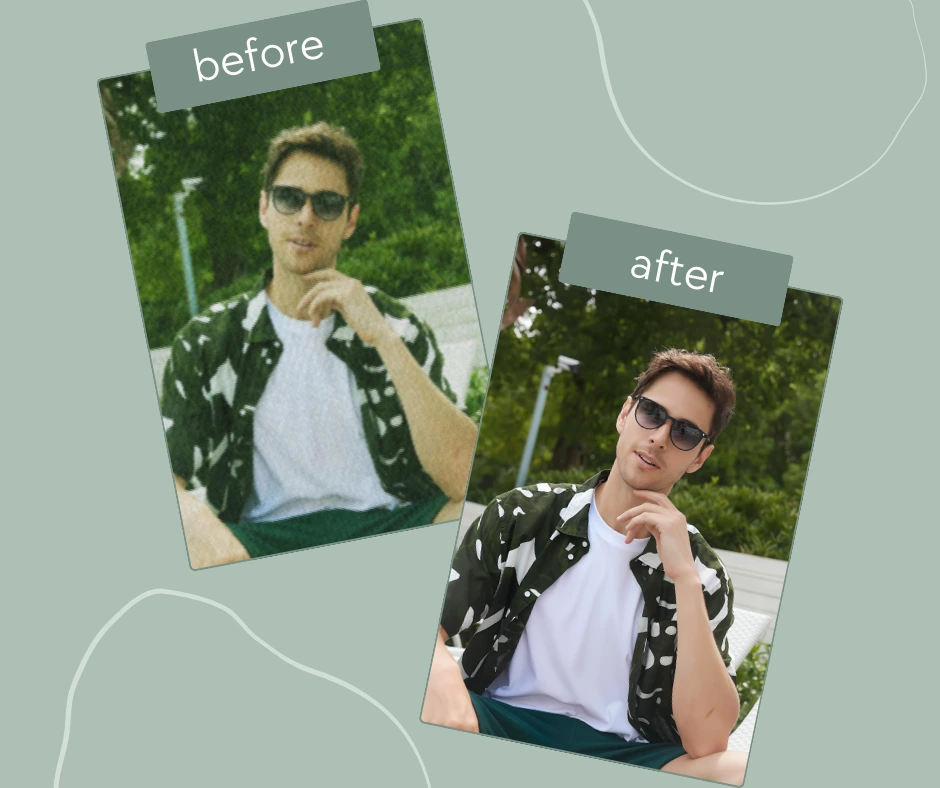
The term blur face can refer to two distinct challenges: correcting an image where the face is unintentionally blurred or intentionally blurring a face to conceal identity. Each challenge requires a different solution, and choosing the wrong method leads to low-quality or unsafe outcomes.
When the goal is restoration, PiktID Upscale is specifically designed to repair low-resolution, pixelated, or soft facial details. It enhances texture, rebuilds clarity, and corrects imperfections that typically cause a blur face problem. For privacy-driven use cases, traditional blurring is no longer advisable. PiktID Anonymize provides a modern alternative by replacing the original identity with a photo realistic synthetic face that is privacy-safe and compliant with commercial publishing standards.
Selecting the right tool ensures both image quality and responsible editing practices.
Ready to fix blur face or replace traditional blur with a professional solution? Try PiktID Upscale and PiktID Anonymize with 10 free credits.
Visit https://studio.piktid.com/upscale or https://studio.piktid.com to get started.
13. FAQs