
Estimated reading time: 17 minutes
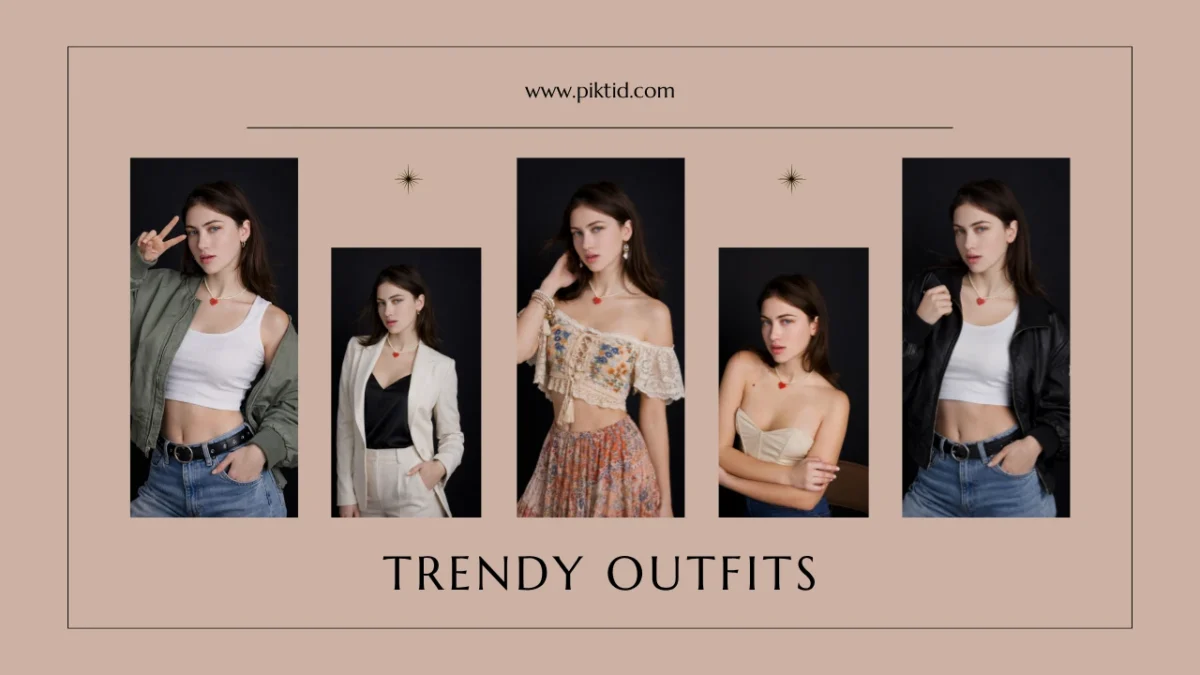
The idea of an AI model girl has evolved from a social media trend into a powerful commercial tool. Today, brands, creators, and marketers are actively exploring how to create AI model girl personas that can represent products, campaigns, and digital identities at scale. These AI-generated models are not just creative experiments. They are becoming scalable visual storytelling assets for fashion, e-commerce, influencer marketing, and advertising.
The rapid growth of generative AI across industries has made it possible to create photorealistic digital personas in minutes rather than organizing traditional photoshoots. Fashion brands are testing AI-generated models to reduce production costs, accelerate campaign timelines, and maintain consistent brand aesthetics across platforms.
In this article, you will learn:
- How to create AI model girl using PiktID’s workflow
- Customization techniques for realism and brand alignment
- Use cases across social media, marketing, and fashion
- Best practices for maintaining ethical and professional standards
This guide focuses on practical application, not theory.
1. What Is an AI Model Girl?
An AI model girl is a digitally generated female persona created using advanced generative image models. These systems simulate realistic facial structures, skin textures, lighting dynamics, and human proportions to produce images that closely resemble real photography.
When people search for how to create AI model girl, they are usually looking for one of two things:
- A fun avatar-style character for personal use
- A realistic, commercial-grade digital model for marketing or branding
It is important to distinguish between these categories.

Casual Avatar Generators vs Professional AI Model Creation
Many free apps generate cartoonish or stylized avatars. These tools are designed for entertainment and social sharing. However, they often lack:
- Accurate lighting integration
- Natural skin and hair texture
- Anatomical realism
- Commercial usability
Professional AI model generation focuses on creating lifelike portraits that are suitable for:
- Fashion campaigns
- E-commerce listings
- Lookbooks
- Paid advertisements
- Influencer branding
When learning how to create AI model girl for business use, the goal is realism, consistency, and scalability.
The Tech behind an AI Model Creation
Modern AI model generation relies on several core technologies:
- Generative image diffusion models trained on large datasets
- Trait customization systems (age, ethnicity, pose, expression)
- Lighting simulation and shadow rendering
- High-resolution upscaling algorithms
- Identity consistency frameworks
These systems allow users to control features such as:
- Facial structure
- Skin tone
- Eye color and direction
- Hairstyle and length
- Clothing style
- Background environment
Tools like PiktID combine generative image capabilities with editing modules such as background replacement, expression adjustment, and image enhancement. This creates a full workflow for those researching how to create AI model girl that looks realistic and production-ready.
In commercial settings, this technology reduces reliance on repetitive photoshoots while enabling brands to maintain a unified visual identity across hundreds of product images.
2. Why Brands and Creators Want AI Model Girls
Search interest around how to create AI model girl has increased significantly as brands look for faster, more flexible ways to produce visual content. What used to require photographers, casting agencies, studio rentals, stylists, and post-production teams can now be done digitally in minutes.
This shift is not just about automation. It is about control, speed, and scalability.
a. Creative Control & Visual Flexibility
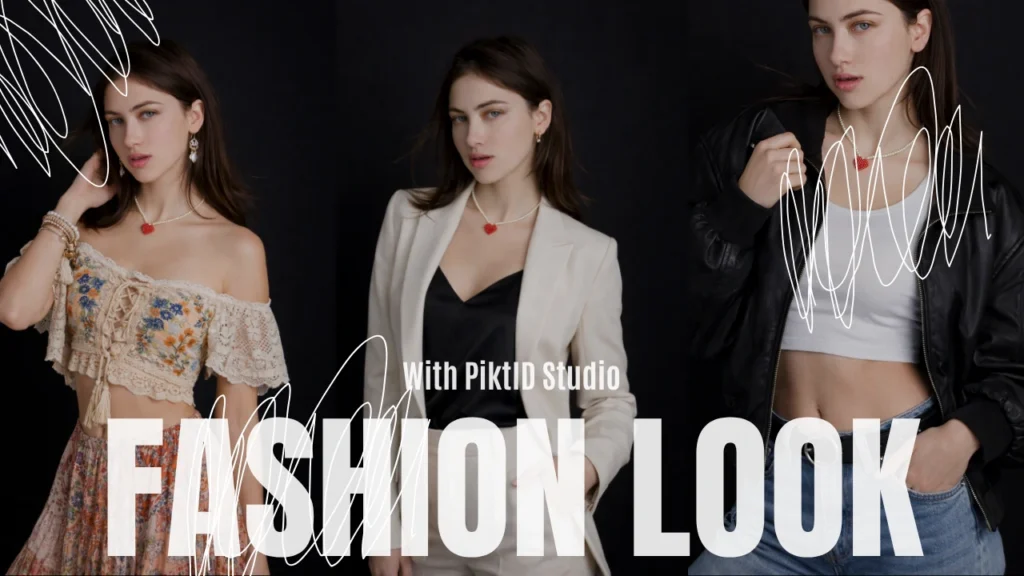
One of the biggest reasons brands explore how to create AI model girl workflows is full creative control.
With AI-generated model visuals, brands can:
- Adjust facial features and expressions
- Change ethnicity or region-specific traits
- Modify hairstyles and fashion aesthetics
- Adapt poses and lighting styles
Instead of relying on a model’s availability or reshooting entire campaigns, creative teams can iterate quickly. If a look does not match the brand identity, it can be refined instantly.
This level of flexibility is especially useful for:
- Digital-first fashion brands
- Dropshipping stores
- Influencer marketing agencies
- Marketplace sellers
AI model girls are not replacing creativity — they are expanding it.
b. Cost & Speed Advantages
Traditional photoshoots can cost thousands of dollars per campaign. When brands search for how to create AI model girl content, they are often motivated by financial and operational efficiency.
AI removes:
- Travel costs
- Studio rentals
- Lighting and makeup crews
- Scheduling conflicts
- Post-production delays
Instead, brands can generate dozens of campaign-ready visuals within seconds.
Speed to market matters more than ever. Fashion cycles are shorter. Trends move fast. AI-generated models allow brands to respond in real time without waiting weeks for production.
This advantage is particularly powerful for:
- Seasonal promotions
- Flash sales
- Rapid A/B testing of ad creatives
- International market expansion
c. Scalability Across Platforms
Another reason why how to create AI model girl is a trending search query is scalability.
Modern brands operate across multiple digital platforms simultaneously. A single campaign often requires dozens of image variations.
AI model girls can be used for:
- Instagram and TikTok visuals
- E-commerce product galleries
- Website hero banners
- Ad campaigns on Meta and Google
- Seasonal lookbooks
- Email marketing creatives
Instead of recreating visuals from scratch for each platform, AI enables brands to maintain consistent identity across all channels.
Consistency builds trust. Trust improves conversions.
3. Tools & Platforms Overview — Where PiktID Fits
When people search for how to create AI model girl, they often encounter a mix of consumer-grade apps and generic AI girl generators. These tools are usually designed for entertainment or casual social media use.
Common tools people explore include:
- CapCut AI image features
- Generic AI girl portrait generators
- Influencer avatar studios
- Mobile face-swap applications
While these tools can produce quick outputs, they often lack:
- High-resolution control
- Commercial licensing clarity
- Realistic lighting and skin texture
- Batch production capability
- Professional campaign consistency
This is where PiktID stands apart.
PiktID is designed as a professional-grade AI visual creation platform. It supports both beginners experimenting with how to create AI model girl content and advanced teams building scalable fashion campaigns.
PiktID’s Key AI Features
i. Generate Person / Create Image
These tools allow brands to create new AI model girl portraits with detailed control over:
- Region and ethnicity
- Age range
- Facial structure
- Hair style and tone
- Expression and mood
- Lighting and pose
Visit Generate Person or Create Image at PiktID Studio
Instead of generating unpredictable outputs, brands can design models aligned with their audience demographics.
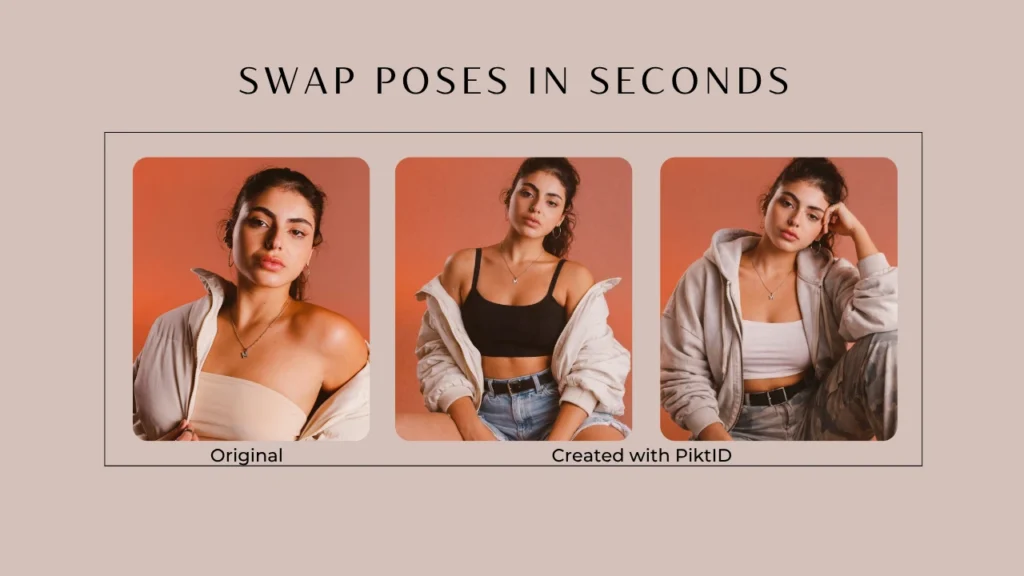
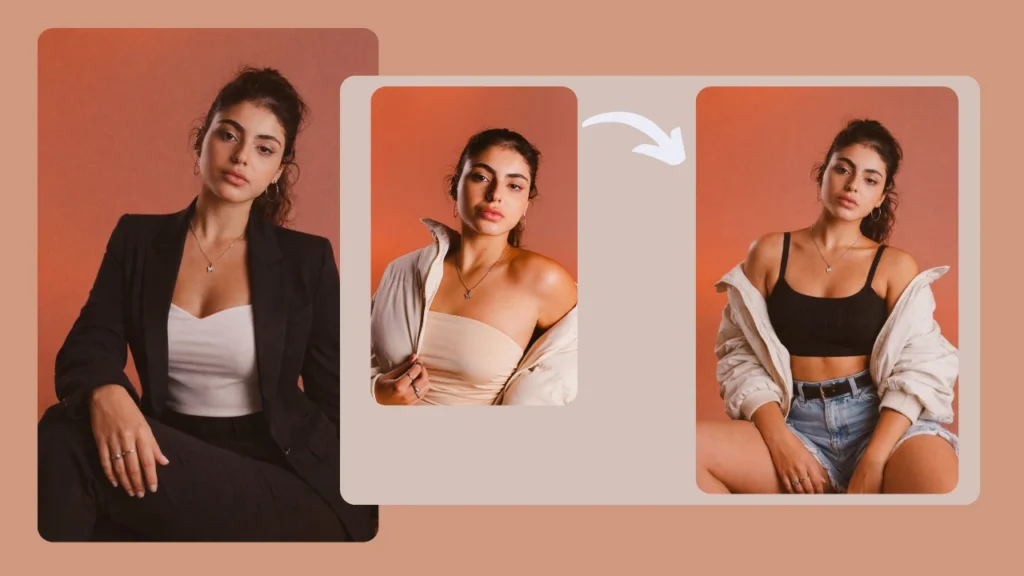
ii. Swap
Swap allows users to replace model faces while preserving the original outfit, pose, and background.
This is useful when:
- Updating campaigns for different markets
- Maintaining consistent styling across collections
- Creating multiple model variations from a single shoot
PiktID supports refinements while maintaining realistic facial integration. Checkout Swap and Anonymize at PiktID Studio.
iii. Background Edit
Background consistency is critical in fashion marketing.
With Background Edit, brands can:
- Replace studio backdrops
- Insert lifestyle settings
- Align visuals with seasonal themes
This removes the need for location-based shoots while maintaining professional results. Visit PiktID’s Edit Background
iv. Upscale
AI-generated images must meet commercial quality standards.
Upscale enhances:
- Skin texture clarity
- Fabric detail
- Hair strand precision
- Overall resolution for print and high-definition displays
When brands search how to create AI model girl visuals, they often overlook resolution quality. Upscale ensures outputs are campaign-ready. Get Started with Upscale feature by PiktID.
Why This Matters
The conversation around how to create AI model girl content is evolving from novelty to necessity.
Brands are no longer asking whether AI will influence fashion visuals. They are asking how to implement it responsibly, efficiently, and professionally.
PiktID positions itself not as a novelty generator, but as a production-ready AI visual system for modern fashion marketing.
4. Step-by-Step Guide: How to Create an AI Model Girl Using PiktID
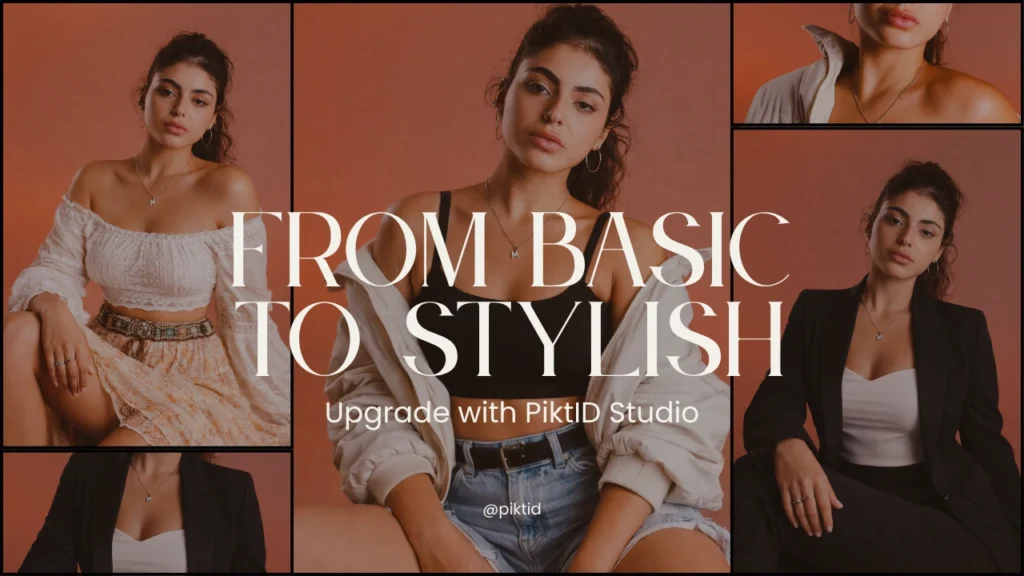
Creating an AI-generated model is no longer experimental. Many fashion brands, digital-first labels, and e-commerce companies now use AI models to scale campaigns, reduce shoot costs, and maintain consistent branding. The process is systematic and can be completed within minutes using PiktID’s tools.
Step 1 — Define Your Concept
Before generating anything, clarity is critical. Understanding how to create ai model girl visuals begins with planning.
Start by defining the purpose of the image. Ask:
- Is this for social media marketing?
- Is it for an e-commerce product display?
- Is it for a lifestyle campaign or editorial feature?
Then determine your target audience. For example:
- A Gen-Z streetwear brand may require a bold, expressive aesthetic.
- A luxury fashion label may need a minimal, editorial look.
- A regional campaign may require specific cultural representation.
Next, map out aesthetic goals:
- Studio vs outdoor environment
- Soft natural tones vs high-contrast editorial style
- Casual lifestyle vs runway-inspired pose
Planning ensures your AI model aligns with brand identity rather than looking generic.
Step 2 — Generate the Base Portrait
The next step in how to create AI model girl imagery is generating the base face.
Navigate to PiktID’s Generate Person tool. This module allows you to create lifelike AI-generated individuals with adjustable demographic traits.
You can define:
- Ethnicity or regional appearance
- Age range
- Skin tone
- Hair color and style
- Eye color
- Facial structure
Unlike many free AI tools that produce inconsistent results, this system is designed to generate commercial-grade visuals. Preview multiple outputs and refine selections until the model reflects your brand direction.
Once satisfied, export the base portrait. This portrait will serve as your foundational identity for further refinement.
Step 3 — Customize Expression & Features
Once the base is generated, refining micro-details is essential for realism.
Understanding how to create ai model girl visuals that feel authentic depends heavily on expression and gaze alignment.
Adjust:
- Eye direction (direct eye contact vs side gaze)
- Subtle expressions (neutral, confident, soft smile)
- Makeup styling or minimal enhancements
Expression matters in fashion campaigns. Research shows direct eye contact increases engagement in digital ads, while neutral expressions perform better in catalog listings.
Avoid exaggerated edits. Subtle adjustments typically produce more natural outcomes and maintain realism.
Step 4 — Integrate Into the Final Image
Now the AI model must be placed into a real campaign environment.
If you are building a fresh image:
- Use AI background editing to create a studio, street, or lifestyle setting.
If you already have a body pose or product setup:
- Use Swap to integrate the generated face while preserving the original body composition and clothing.
This is particularly useful for brands that want to maintain:
- Fabric folds and garment fit
- Product positioning
- Established campaign compositions
Environmental adjustments may include:
- Lighting tone alignment
- Background replacement
- Subtle depth enhancement
At this stage, the image should look cohesive rather than artificially inserted.
Step 5 — Export & Deliver
The final step in how to create AI model girl imagery is output optimization.
Select the correct resolution based on usage:
- Web and social: optimized file sizes for fast loading
- E-commerce: high-resolution clarity for zoom features
- Print: larger resolution formats
Save multiple variations if running A/B tests. Small differences in gaze or expression can impact click-through rates in paid ads.
Organized file management ensures you can reuse the same AI model identity across campaigns for long-term consistency.
5. Best Practices for Realistic AI Model Girls
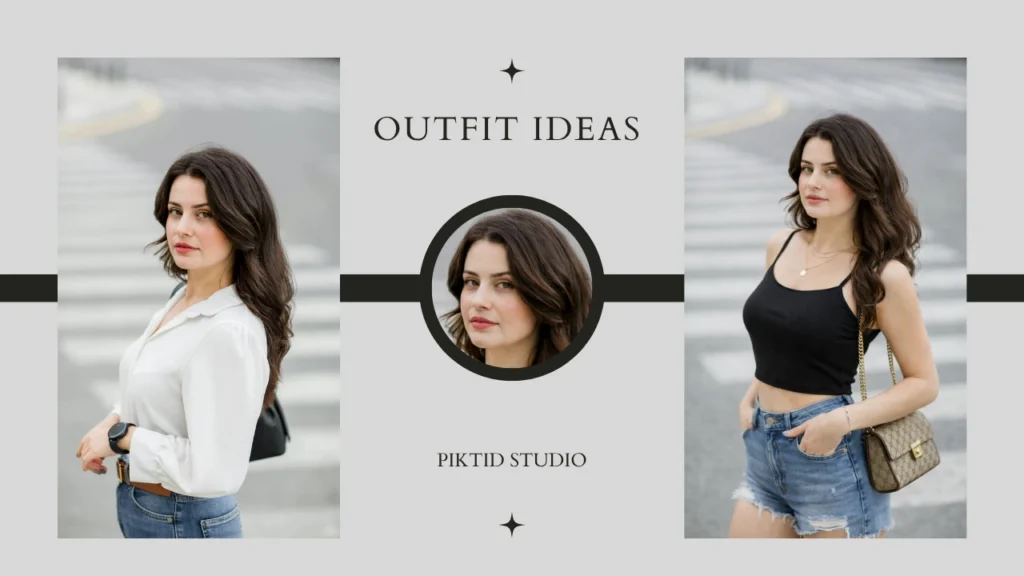
Creating a believable AI model requires thoughtful adjustments rather than extreme changes. Below are best practices used by professional teams implementing how to create ai model girl workflows in commercial settings.
Use Clear Base Inputs
High-resolution starting images or generated faces yield stronger final outputs.
If the model is too small in frame or heavily compressed, realism decreases. Always work with clear, sharp inputs before layering edits.
Avoid Stereotypes and Encourage Representation
Fashion audiences are global. When learning how to create AI model girl visuals, prioritize diversity and cultural accuracy.
Choose regional presets that align with your target market. Representation builds trust and brand loyalty.
Refine Incrementally
Major facial changes in a single step can distort realism.
Instead:
- Adjust traits gradually
- Review preview outputs carefully
- Compare versions side-by-side
Incremental refinement produces more natural results than drastic transformations.
Save Versions for Testing
Modern fashion marketing is data-driven.
Save multiple versions with:
- Slightly different expressions
- Minor pose variations
- Lighting adjustments
Testing allows you to determine which visual drives higher engagement or conversions.
6. Industry Use Cases That Readers Care About
People searching for how to create AI model girl are rarely looking for theory. They want practical applications. They want to know where this fits in real work, real brands, and real revenue.
Below are the most relevant use cases across industries today.

a) Social Media Content Creators
Social creators are among the fastest adopters of AI-generated models. Influencers, small brands, and digital artists use AI model generation to build consistent online personas without needing daily photoshoots.
When learning how to create AI model girl, creators typically want to:
- Build a unique avatar for Instagram, TikTok, or YouTube thumbnails
- Maintain a consistent facial identity across posts
- Test different fashion styles without wardrobe changes
- Produce daily content without scheduling shoots
Instead of hiring photographers or coordinating outfits, creators can generate variations of the same AI identity in different settings. This is particularly useful for:
- Niche fashion pages
- Digital influencer accounts
- Virtual brand ambassadors
- Story-based content formats
The key advantage is consistency. Once an AI identity is created, it can be reused across campaigns, posts, and ads while maintaining a stable look and tone.
b) E-commerce & Fashion Marketing
One of the strongest use cases behind how to create AI model girl is e-commerce scalability.
Fashion brands often need to photograph the same outfit on multiple models or create region-specific marketing visuals. Traditional shoots require:
- Studio rentals
- Model bookings
- Stylists and production teams
- Scheduling and logistics
AI-generated model workflows reduce that overhead significantly.
Brands can:
- Showcase outfits on multiple body types
- Create regionally relevant faces for different markets
- Produce product variants without reshooting
- Update seasonal campaigns instantly
Major global brands have already begun integrating AI-assisted visuals into campaigns to speed up production cycles and reduce repetitive shoot costs. AI is often used to augment existing imagery rather than completely replace human talent.
For brands researching how to create AI model girl, the focus is often on producing commercial-grade, realistic results that match lighting, fabric detail, and pose integrity.
c) Advertising & Campaign Visuals
Advertising teams require large volumes of creative variations for testing. A single campaign might need:
- Multiple model faces
- Different background environments
- Lighting adjustments
- Cultural localization
Learning how to create AI model girl allows teams to generate several stylistic versions of the same core image in minutes.
This directly supports:
- A/B testing ad creatives
- Regional personalization
- Platform-specific content optimization
- Rapid iteration before full production
Instead of planning multiple shoots, marketing teams can prototype visuals first, then decide which concept deserves full production investment.
This approach reduces risk and accelerates campaign launch timelines.
d) Brand Lookbooks & Style Guides
Lookbooks require consistency across dozens or even hundreds of images. AI model workflows help brands maintain visual coherence across entire collections.
When exploring how to create AI model girl for lookbooks, brands often want:
- A consistent digital model identity
- Seasonal outfit updates on the same face
- Fast turnaround for collection previews
- Lower production budgets
AI-generated model visuals can be produced quickly and refined for lighting and detail. This is especially useful for:
- Capsule collections
- Pre-launch teasers
- Digital-only releases
- Marketplace listings
The ability to generate high-volume content without repeated photoshoots is one of the biggest reasons AI adoption continues to grow in fashion marketing.
7. Comparison: AI Model Girl vs Traditional Photoshoots

Many readers researching how to create AI model girl are comparing AI workflows against traditional photography.
Below is a clear comparison based on industry realities.
| Feature | PiktID | Traditional Photography |
| Cost | Low (software-based) | High (studio, crew, models) |
| Speed | Seconds to minutes | Days to weeks |
| Flexibility | Extremely high | Moderate |
| Diversity Options | Virtually unlimited | Limited to booked talent |
| Model Releases Needed | No (synthetic identities) | Yes |
| Geographic Constraints | None | Location dependent |
| Campaign Iteration | Instant | Requires reshoot |
What This Means in Practice
Traditional photoshoots remain valuable for high-end editorials and premium storytelling. However, AI-generated models are increasingly used for:
- E-commerce catalogs
- Social ads
- Marketplace listings
- Rapid creative testing
- Digital-only campaigns
The search demand for how to create AI model girl reflects a broader industry shift. Brands are not necessarily eliminating human models entirely. Instead, they are using AI to:
- Reduce repetitive production
- Scale creative output
- Test ideas before committing budgets
- Maintain consistent visual branding
The decision is not always AI versus photography. In many cases, AI supports and extends traditional creative workflows.
8. Ethical and Legal Considerations
As interest grows around how to create AI model girl content for fashion, marketing, and digital campaigns, ethical and legal awareness becomes critical.
AI tools are evolving rapidly, but regulations and public perception are evolving just as quickly. Brands that adopt AI-generated visuals responsibly build long-term trust. Those that do not risk reputational damage.
a) Disclosure & Transparency
When learning how to create AI model girl visuals for campaigns or commercial use, transparency should be a standard practice.
Consumers increasingly want to know when imagery is AI-generated. Regulatory conversations are moving toward clearer disclosure norms for synthetic media in advertising.
Best practice includes:
- Clearly labeling AI-generated campaign imagery when required.
- Avoiding misleading audiences into believing an AI model represents a real individual.
- Maintaining internal documentation of how visuals were created.
Transparency strengthens brand credibility rather than weakening it.
b) Avoid Real Likeness Without Consent
A major legal risk when exploring how to create AI model girl visuals is generating content that resembles a real person without authorization.
This includes:
- Public figures
- Influencers
- Private individuals
- Models under agency representation
Creating or training systems on someone’s likeness without consent may violate image rights, personality rights, and intellectual property laws in multiple jurisdictions.
Responsible AI workflows focus on:
- Fully synthetic identities
- Consent-based digital twins
- Platform-generated faces that do not replicate real individuals
Tools like PiktID Generate Person are built around synthetic creation rather than imitation, which reduces legal exposure.
c) Respect Cultural Nuance
When learning how to create AI model girl visuals for global markets, cultural awareness matters.
AI allows users to generate diverse looks across regions, body types, and styles. However, brands must ensure:
- Representation is respectful, not stereotypical.
- Cultural clothing or styling is portrayed accurately.
- Regional marketing aligns with audience expectations.
Ethical AI usage means combining automation with human oversight.
9. Conclusion
Understanding how to create AI model girl visuals is no longer a niche skill. It has become a strategic advantage in modern fashion, e-commerce, and digital marketing.
Brands today face constant pressure to:
- Launch campaigns faster
- Reduce photoshoot costs
- Maintain visual consistency
- Adapt imagery for multiple markets
Learning how to create AI model girl content gives teams flexibility and creative control. Instead of organizing repeated studio sessions, brands can generate, refine, and scale visuals within minutes.
The biggest advantage is control. You can adjust facial structure, tone, pose, expression, and background without restarting a full production cycle. That level of agility directly impacts speed to market.
PiktID is built for both beginners and professionals. Whether someone is experimenting with how to create AI model girl content for the first time or managing large e-commerce catalogs, the platform simplifies the process. No complex AI knowledge is required.
Ready to create your AI model girl? Start with PiktID’s Generate Person and explore customizable options — try it with free credits now.
10. FAQs
1. What does it mean to create an AI model girl?
To create an AI model girl means generating a fully synthetic female model using artificial intelligence. Instead of photographing a real person, AI systems generate realistic facial features, skin texture, hair, and expressions based on advanced image models.
When people search how to create an AI model girl, they are usually looking for tools that allow customization without needing photography skills.
2. Can beginners create AI model girls online?
Yes. Modern platforms are designed for ease of use. Most tools only require:
- Uploading a reference or selecting presets
- Adjusting features
- Generating the final image
You do not need coding knowledge or advanced design experience to learn how to create AI model girl visuals online.
3. How do I customize facial features in an AI model girl?
Customization typically includes:
- Skin tone
- Face shape
- Eye color and gaze direction
- Hair style and color
- Expression and pose
Advanced tools allow further refinements such as lighting adjustments and background styling. Understanding how to create AI model girl content effectively involves balancing customization with realism.
4. Is AI-generated imagery legal for commercial use?
AI-generated imagery is generally legal for commercial use when:
- The generated face does not copy a real individual.
- The platform’s licensing terms allow commercial usage.
- No copyrighted or trademarked elements are misused.
Brands exploring how to create ai model girl visuals should review licensing policies and follow disclosure best practices.
5. What tools are best for creating AI model girls?
The best tools focus on realism, consistency, and scalability. When evaluating how to create ai model girl content, consider whether the tool provides:
- High-resolution output
- Facial consistency across images
- Background editing
- Commercial usage rights
- API integration for scaling
Professional workflows require more than novelty generators.
6. How do I make an AI model girl look realistic?
Realism depends on:
- Natural lighting alignment
- Balanced skin texture
- Proportionate facial structure
- Proper shadow integration
When learning how to create AI model girl visuals, avoid over-editing. Excess smoothing or exaggerated features often reduce authenticity.
7. Can I use an AI model girl in ads and product pages?
Yes, many brands use AI-generated models for:
- E-commerce listings
- Social media ads
- Lookbooks
- Campaign landing pages
Before using AI-generated visuals commercially, ensure the platform allows marketing usage and that disclosure practices align with regional standards.
8. How long does it take to create an AI model girl?
With modern tools, generating an AI model can take only minutes. The total time depends on:
- Customization level
- Image resolution
- Post-processing adjustments
Compared to traditional photoshoots, the process of how to create AI model girl visuals is significantly faster.
9. What mistakes should I avoid when creating AI model girls?
Common mistakes include:
- Over-smoothing skin texture
- Using unrealistic lighting combinations
- Ignoring cultural context
- Generating faces too similar to real individuals
- Not checking commercial rights
Responsible and thoughtful use improves long-term results.
10. Where can I try AI model girl creation for free?
You can explore how to create AI model girl visuals using platforms that offer free credits or trial access. PiktID provides access to Generate Person and other image tools, allowing users to test high-quality AI model creation before committing to a paid plan.